
PANMILED 58NU7100
PANMILED LED Backlight Strips Instruction Manual
Model: 58NU7100 for Samsung 58" TVs
1. Product Overview
1.1 Product Description
The PANMILED LED Backlight Strips are designed as replacement parts for Samsung 58-inch televisions. This set includes two LED backlight strips, each measuring 24.8 inches in length. Each strip features 42 LED beads, with each bead operating at 6V. The strips are equipped with double-sided adhesive paper on the back for secure installation. These strips are compatible with various Samsung 58-inch TV models, including 58NU7100, UN58NU7100, UN58NU7100FXZA, UN58NU6080FXZA, UN58NU710DF, and are equivalent to part numbers LM41-00632A, BN96-46866A, JL.E580M2330-408BS.
1.2 What's Included
- 2 x LED Backlight Strips

Image 1.1: Two PANMILED LED Backlight Strips.
2. Setup and Installation
2.1 Before You Begin
- Safety First: Always disconnect the TV from the power outlet before beginning any installation or repair work.
- Tools Required: You will need a set of screwdrivers (Phillips head, flathead), plastic prying tools, and possibly a multimeter for testing.
- Compatibility Check: Before installation, compare the new strips with the original strips from your TV to ensure compatibility. Pay close attention to the length, number of LEDs, connector type, and mounting points.
- Work Area: Ensure you have a clean, well-lit, and spacious work area to prevent damage to the TV components.
2.2 Installation Steps
- Disassemble the TV: Carefully remove the back cover of your television. Proceed to remove any internal components (e.g., main board, power supply board, speakers) that obstruct access to the display panel and backlight assembly. Document the location of all screws and connectors.
- Access the Backlight Assembly: Gently remove the display panel and diffuser layers. These components are fragile and must be handled with extreme care to avoid cracks or damage.
- Remove Old Backlight Strips: Disconnect the old LED backlight strips from their power connectors. Carefully peel off the old strips, noting their exact placement.
- Install New Backlight Strips: Remove the protective film from the double-sided adhesive on the back of the new PANMILED LED strips. Align the new strips precisely in the same locations as the old ones. Press firmly along the entire length of each strip to ensure proper adhesion. Connect the new strips to the TV's power connectors.
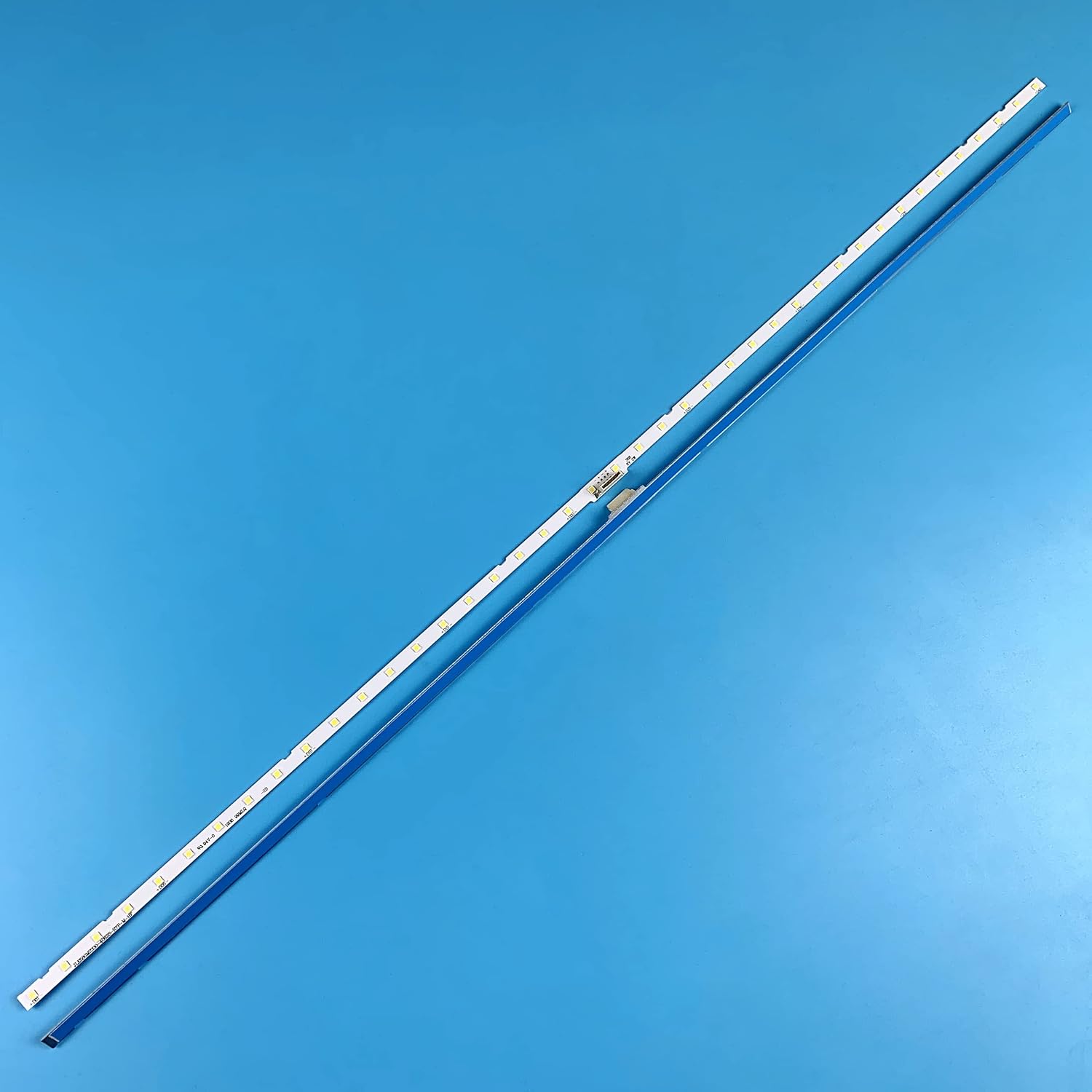
Image 2.1: PANMILED LED Backlight Strips ready for installation.
- Test Functionality: Before reassembling the entire TV, temporarily connect the power cable and turn on the TV to verify that the new backlight strips illuminate correctly and evenly. If issues arise, refer to the Troubleshooting section.
- Reassemble the TV: Once confirmed working, carefully reassemble the diffuser layers, display panel, and all internal components. Ensure all screws are tightened appropriately and all connectors are securely fastened. Replace the back cover of the TV.

Image 2.2: Detail of the LED strip connector.

Image 2.3: Close-up of LED beads and part number.
3. Operating Instructions
Once properly installed, the PANMILED LED Backlight Strips operate automatically with your television. They will illuminate when the TV is powered on and provide the necessary backlighting for the display. No user intervention or additional controls are required for their operation.
4. Maintenance and Care
These LED backlight strips are designed for long-term, maintenance-free operation once installed. To ensure their longevity and the overall health of your television:
- Avoid Physical Stress: Do not bend or apply excessive force to the LED strips during handling or installation, as this can damage the LEDs or the circuit board.
- Keep Dry: Ensure the internal components of your TV remain dry. Moisture can cause short circuits and damage to the backlight strips and other electronics.
- Dust Prevention: Periodically clean the exterior of your TV to prevent dust buildup, which can lead to overheating of internal components over time.
5. Troubleshooting
If you encounter issues after installing the backlight strips, refer to the table below for common problems and solutions.
| Problem | Possible Cause | Solution |
|---|---|---|
| No backlight / Screen is black | Loose connection, faulty strip, incorrect installation. | Verify all connectors are securely attached. Re-check compatibility of the strips with your TV model. Ensure strips are correctly seated. |
| Uneven lighting / Dark spots on screen | Improper placement of strips, damaged diffuser layers, faulty LEDs. | Ensure strips are evenly spaced and fully adhered. Check diffuser layers for damage or misalignment. Inspect individual LEDs for defects. |
| Backlight flickers | Unstable power supply, loose connection, faulty LED. | Check power supply unit for stable output. Re-secure all connections. Isolate and replace any flickering strips if necessary. |
6. Technical Specifications
| Feature | Specification |
|---|---|
| Product Name | LED Backlight Strips for Samsung 58" TV |
| Model Number | 58NU7100 |
| Part Number | JL.E580M2330-408BS |
| Length (each strip) | 24.8 inches (63 cm) |
| LED Beads per Strip | 42 beads |
| LED Bead Voltage | 6V |
| Quantity per Set | 2 pieces |
| Adhesive | Double-sided adhesive paper on back |
| Compatible Models | 58NU7100, UN58NU7100, UN58NU7100FXZA, UN58NU6080FXZA, UN58NU710DF, UE58NU7100 |
| Equivalent Part Numbers | LM41-00632A, BN96-46866A |
| Material | Aluminum |
7. Warranty and Support
PANMILED provides a 180-day after-sales service guarantee for these LED Backlight Strips. If you have any questions, concerns, or require assistance with your product, please do not hesitate to contact our customer service. We are committed to responding to your inquiries within 24 hours to address your needs.
For further support or to browse more products, please visit the official PANMILED store on Amazon: PANMILED Store
Ask a question about this manual
Ask about setup, troubleshooting, compatibility, parts, safety, or missing instructions. Manuals+ will review the question and use this page’s manual context to help answer it.