
1. Introduction
This manual provides comprehensive instructions for the safe and efficient use of your Jebao Jecod ECP-180M Smart Cross-Flow Pump Wave Maker. Please read this manual thoroughly before installation and operation to ensure proper function and longevity of the product. Retain this manual for future reference.
The Jecod ECP-180M is a smart cross-flow pump designed for creating natural wave patterns and optimal water circulation in aquariums. It features Wi-Fi connectivity for control via a smartphone application and includes a manual LCD display controller.
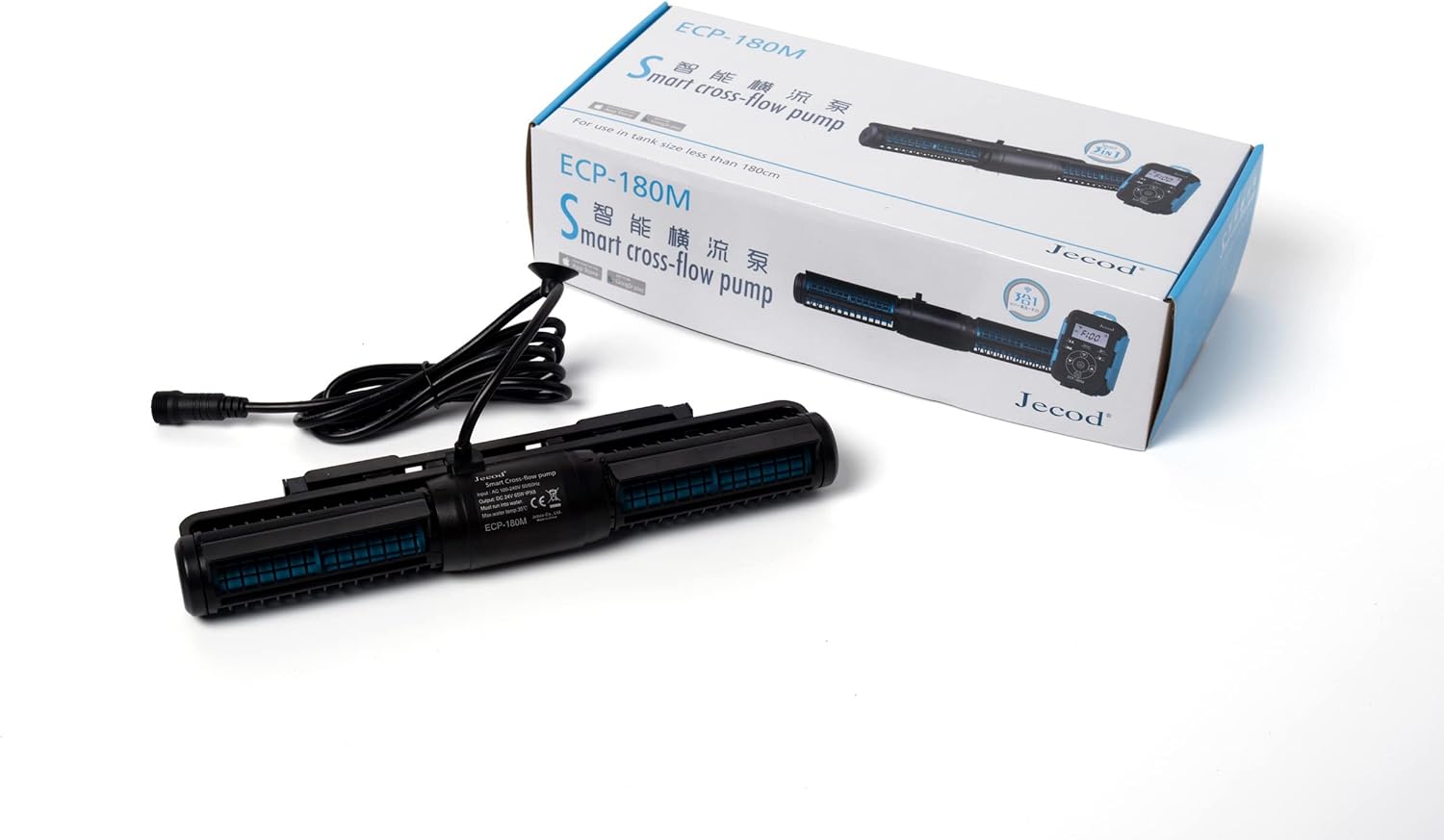
Image 1.1: The Jecod ECP-180M Smart Cross-Flow Pump Wave Maker and its retail packaging.
2. Safety Instructions
WARNING: To avoid potential electric shock, special care should be taken when using aquarium equipment. Read and follow all safety instructions carefully.
- Always disconnect all appliances from the electrical supply before placing hands into the water, performing maintenance, or handling the pump.
- Do not operate any appliance if it has a damaged cord or plug, or if it is malfunctioning or has been dropped or damaged in any manner.
- To avoid the possibility of the appliance plug or receptacle getting wet, position the aquarium stand and tank to one side of a wall-mounted receptacle to prevent water from dripping onto the receptacle or plug. A 'drip loop' should be arranged for each cord connecting an aquarium appliance to a receptacle. The 'drip loop' is the part of the cord below the level of the receptacle, or the connector if an extension cord is used, to prevent water from traveling along the cord and coming into contact with the receptacle.
- Never pull the cord to unplug the pump from the outlet. Grasp the plug and pull to disconnect.
- Do not use the appliance for anything other than its intended use. The use of attachments not recommended or sold by the appliance manufacturer may cause an unsafe condition.
- Do not install or store the appliance where it will be exposed to the weather or temperatures below freezing.
- Ensure the pump is fully submerged in water during operation. Running the pump dry can cause damage.
- This appliance is for household use only.
3. Package Contents
Carefully unpack all components and inspect them for any damage. If any items are missing or damaged, please contact your retailer.
- Jecod ECP-180M Cross-Flow Pump
- Controller with LCD Display
- Power Adapter (AC 100-240V, DC 24V)
- Mounting Magnets
- User Manual (this document)

Image 3.1: All components included with the Jecod ECP-180M Smart Cross-Flow Pump Wave Maker.
4. Product Features
- Smart Control: Wi-Fi connectivity for control via iOS and Android smartphone applications, alongside a manual LCD display controller.
- Quiet Operation: Utilizes SINE wave technology for ultra-quiet and stable performance.
- Optimal Water Flow: Cross-wave single impeller structure ensures comprehensive water movement without dead spots.
- Versatile Use: Constructed without exposed copper elements, making it suitable for both marine and freshwater aquarium environments.
- High Flow Rate: Maximum flow of 7925 GPH (Gallons Per Hour).
5. Specifications
| Feature | Specification |
|---|---|
| Model | ECP-180M |
| Manufacturer | Jebao |
| Dimensions (Pump) | 13.5" x 3.25" x 1.5" |
| Input Voltage | AC 100-240V, 50/60Hz |
| Output Voltage | DC 24V |
| Power Consumption | 65W |
| Max Flow Rate | 7925 GPH |
| Material | Polypropylene (PP), Stainless Steel |
| Max Water Temperature | 35°C |
| Included Components | Pump, Controller, Power Adapter |
| Item Weight | 4.46 pounds |

Image 5.1: Close-up of the Jecod ECP-180M pump, displaying its product label and specifications.
6. Setup and Installation
6.1 Placement of the Pump
- Identify a suitable location within your aquarium for optimal water circulation. Cross-flow pumps are typically placed horizontally near the water surface.
- Ensure the pump is fully submerged and positioned away from sand beds to prevent debris intake.
- Use the provided mounting magnets to secure the pump to the aquarium glass. Place one magnet inside the tank, attached to the pump, and the corresponding magnet on the outside of the tank glass, aligning them to hold the pump firmly in place.

Image 6.1: The Jecod ECP-180M cross-flow pump, illustrating its design for aquarium placement.
6.2 Connecting the Controller and Power
- Connect the pump cable to the designated port on the controller.
- Connect the power adapter to the controller.
- Plug the power adapter into a standard electrical outlet, ensuring a drip loop is formed to prevent water from reaching the outlet.
- The controller's LCD screen should illuminate, indicating power.
7. Operating Instructions
7.1 Manual Controller Operation
The LCD display controller allows for direct adjustment of pump settings.
- Mode Button: Press to cycle through various wave modes (e.g., constant flow, pulse, random).
- Speed/Flow Adjustment: Use the '+' and '-' buttons to increase or decrease the pump's flow rate or wave intensity.
- Feed Mode: A dedicated button may be present to temporarily pause the pump for feeding, typically for 10 minutes.
- Refer to the controller's specific button labels and on-screen prompts for detailed mode selection and adjustment.
7.2 Wi-Fi App Control
The Jecod ECP-180M can be controlled via a smartphone application (iOS and Android).
- Download the official Jebao/Jecod app from your device's app store.
- Follow the in-app instructions to connect the controller to your home Wi-Fi network. This typically involves putting the controller into pairing mode and selecting your Wi-Fi network.
- Once connected, you can use the app to adjust modes, flow rates, set schedules, and access advanced features.
8. Maintenance
Regular maintenance is essential for the optimal performance and longevity of your pump.
8.1 Routine Cleaning
- Disconnect Power: Always unplug the pump from the power outlet before performing any maintenance.
- Remove Pump: Carefully remove the pump from the aquarium.
- Disassemble: Gently twist or unclip the pump housing to access the impeller and internal components. Refer to the product diagram for specific disassembly steps.
- Clean Components: Use a soft brush and clean water (or a mild vinegar solution for stubborn calcium deposits) to clean the impeller, impeller shaft, and pump housing. Ensure all debris, algae, and mineral buildup are removed.
- Rinse and Reassemble: Rinse all components thoroughly with clean water. Reassemble the pump, ensuring all parts are correctly seated and secured.

Image 8.1: Top view of the Jecod ECP-180M pump, highlighting its cross-flow impeller design for maintenance access.
8.2 Controller Care
Keep the controller dry and away from direct water splashes. Wipe with a dry cloth if necessary.
9. Troubleshooting
| Problem | Possible Cause | Solution |
|---|---|---|
| Pump not turning on | No power, loose connection, faulty adapter/controller | Check power outlet, ensure all cables are securely connected. Test with another outlet. |
| Weak or no water flow | Impeller clogged, pump not fully submerged, air in pump | Disconnect power, clean impeller and housing (refer to Maintenance). Ensure pump is fully submerged. Gently shake pump to release trapped air. |
| Pump making unusual noise | Debris in impeller, worn impeller, pump running dry | Disconnect power, clean impeller. Ensure pump is fully submerged. If noise persists, impeller may be worn and require replacement. |
| Wi-Fi connection issues | Incorrect Wi-Fi password, controller too far from router, app issues | Ensure correct Wi-Fi password. Move controller closer to router. Restart app and controller. Consult app's help section. |
| Controller display not working | Power issue, controller malfunction | Check power connections. If power is present and display remains off, the controller may be faulty. |
If troubleshooting steps do not resolve the issue, please contact your retailer or the manufacturer for further assistance.
10. Warranty and Support
This product is covered by a manufacturer's warranty against defects in materials and workmanship. The specific terms and duration of the warranty may vary by region and retailer. Please retain your proof of purchase for warranty claims.
For technical support, warranty inquiries, or replacement parts, please contact the retailer from whom you purchased the product or refer to the official Jebao/Jecod website for customer service contact information.