
Jebao ECP-120M
Jebao ECP Smart Cross-Flow Pump Wave Maker User Manual
Model: ECP-120M
1. Product Overview
The Jebao ECP Smart Cross-Flow Pump Wave Maker is an advanced circulation device designed for aquatic environments. It features a unique cross-flow design to create natural wave patterns and efficient water movement within your tank. With its DC-powered operation, it offers quiet performance and can be controlled via a manual LCD display controller or wirelessly through the Jebao App on your smartphone (iOS and Android compatible).
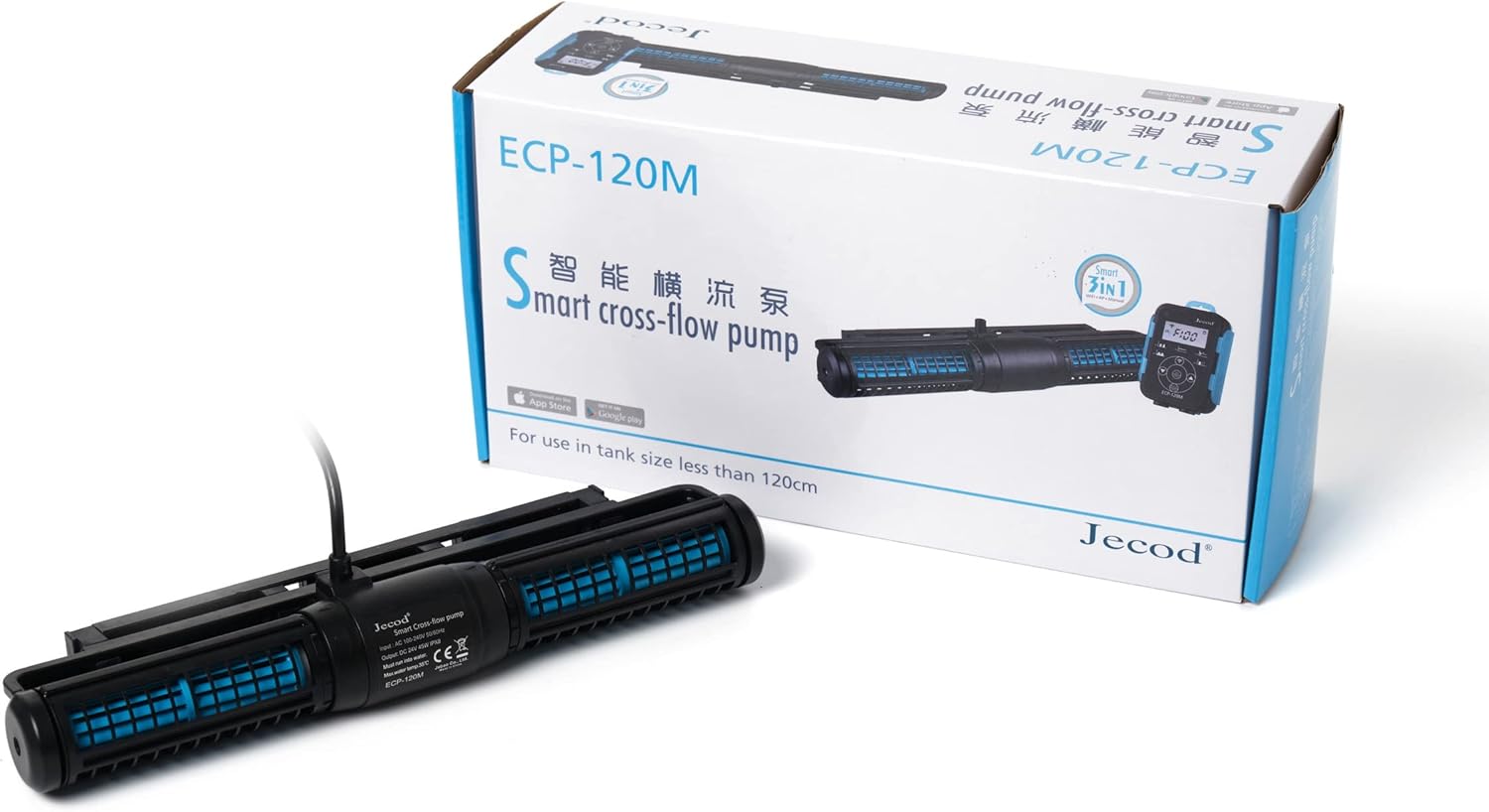
Figure 1.1: The Jebao ECP-120M Smart Cross-Flow Pump Wave Maker shown in its retail packaging, alongside its controller.

Figure 1.2: A direct front view of the Jebao ECP-120M pump unit, highlighting its compact design.
2. Safety Information
Please read and understand all safety instructions before operating this device. Failure to follow these instructions may result in electric shock, fire, or serious injury.
- Always disconnect the power supply before performing any maintenance or cleaning.
- This product is designed for indoor use only and must be used with water. Do not operate dry.
- Ensure the power outlet is properly grounded and protected by a Ground Fault Circuit Interrupter (GFCI).
- Do not operate the pump if the power cord or plug is damaged.
- Keep the controller and power adapter away from water.
- The maximum water temperature for operation is 35°C (95°F).
- No exposed copper elements, suitable for both marine and fresh water environments.
- This appliance is not intended for use by persons (including children) with reduced physical, sensory or mental capabilities, or lack of experience and knowledge, unless they have been given supervision or instruction concerning use of the appliance by a person responsible for their safety.
3. Package Contents
Carefully unpack all components and check for any damage. If any items are missing or damaged, please contact your retailer.
- Jebao ECP Smart Cross-Flow Pump Unit
- LCD Display Controller
- Power Adapter (AC 100-240V, DC 24V)
- Mounting Bracket/Magnet Holder
- User Manual (this document)
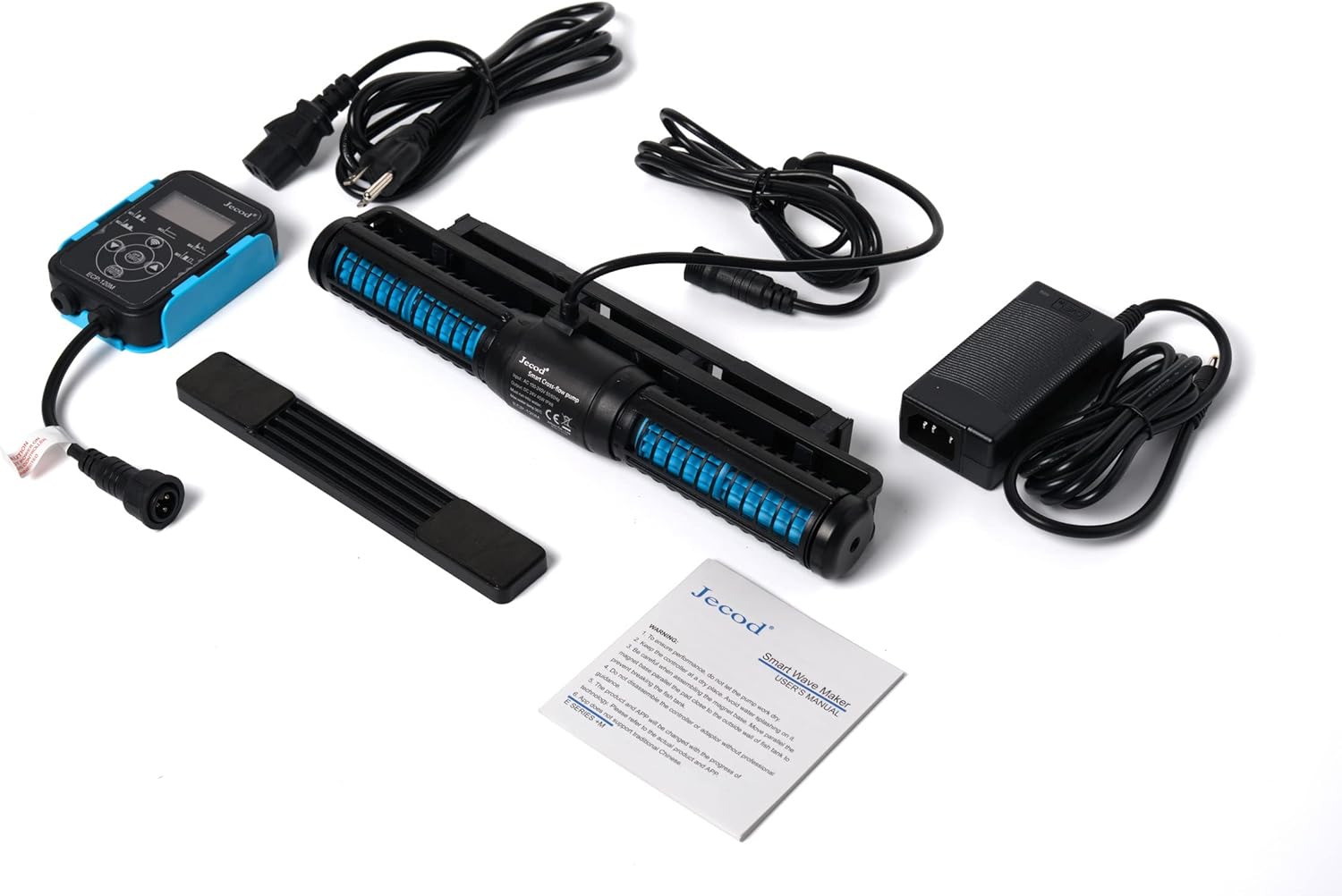
Figure 3.1: All included components: the pump unit, controller, power adapter, and mounting accessories.
4. Features
- WIFI Control: Compatible with both iOS and Android devices via the Jebao App, alongside a manual LCD display controller.
- SINE Wave Technology: Ensures ultra-quiet operation and high stable performance.
- Cross Wave Single Impeller Structure: Designed to create efficient water flow with no dead spots in the tank.
- Corrosion Resistant: No exposed copper elements, making it suitable for both marine (saltwater) and fresh water aquariums.
- Compact Design: Space-saving dimensions for easy integration into various tank setups.
- High Flow Rate: Capable of moving a significant volume of water for optimal circulation.
5. Setup Guide
5.1 Placement
Position the cross-flow pump horizontally in your aquarium, typically on the back or side wall, to maximize water movement across the entire tank length. Ensure it is fully submerged before operation.
5.2 Mounting
- Clean the area on the inside and outside of the aquarium glass where the pump will be mounted.
- Attach the pump unit to the inner magnet part of the mounting bracket.
- Place the pump unit with the inner magnet inside the tank at the desired location.
- Align the outer magnet part of the mounting bracket on the outside of the tank glass, directly opposite the inner magnet, to secure the pump firmly in place.
- Ensure the pump is securely attached and cannot easily be dislodged.
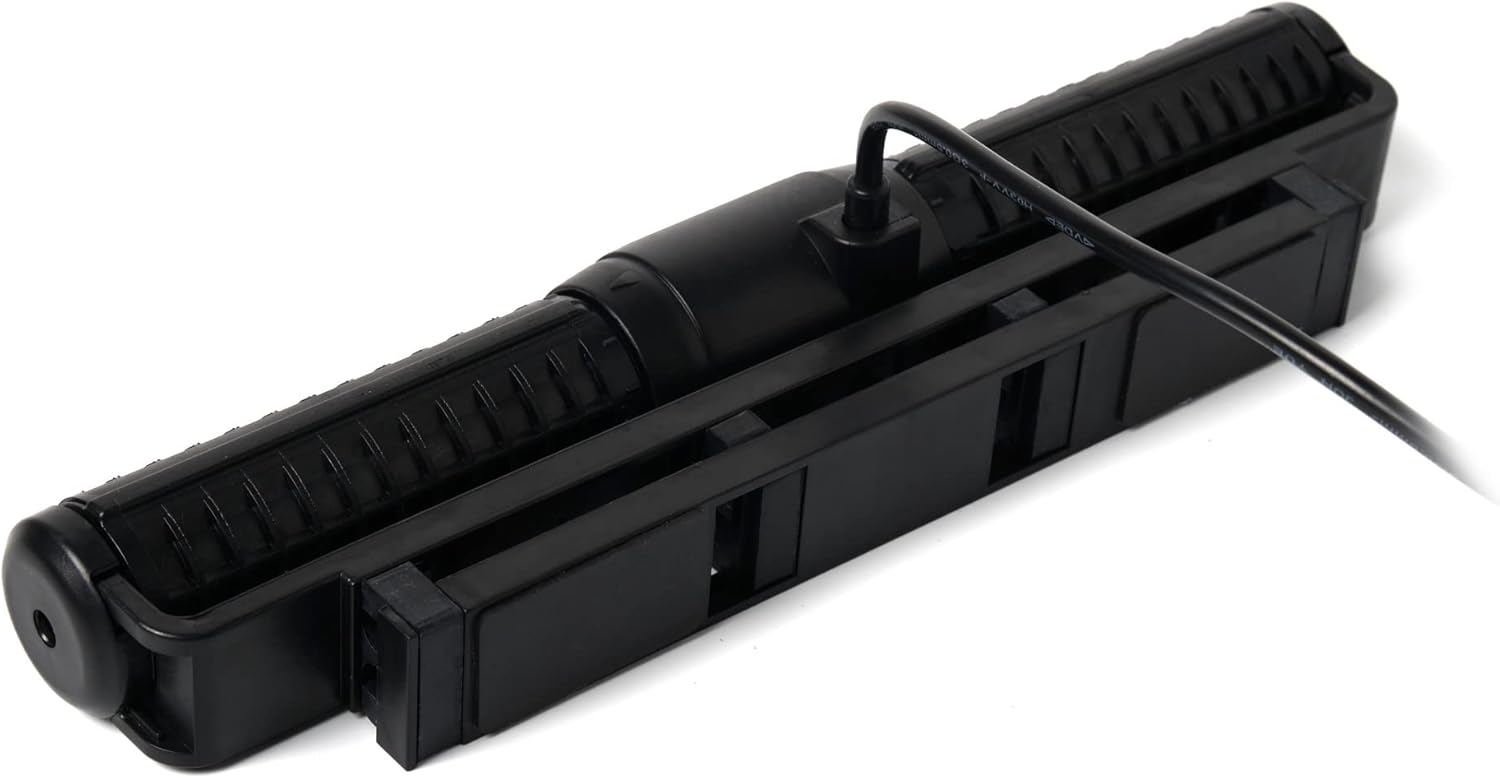
Figure 5.1: The top view of the pump unit, illustrating the integrated mounting bracket for secure attachment to aquarium glass.
5.3 Electrical Connection
- Connect the cable from the pump unit to the designated port on the LCD display controller.
- Connect the power adapter to the controller.
- Plug the power adapter into a suitable, grounded electrical outlet with GFCI protection.
- Ensure a drip loop is formed with all cords to prevent water from traveling along the cord and reaching the electrical outlet.

Figure 5.2: An angled view of the pump unit, highlighting the secure connection point for the power cable.
6. Operating Instructions
6.1 Manual Control (LCD Display Controller)
The included LCD display controller allows for direct control of the pump's functions and modes. Refer to the controller's specific button layout and menu options for detailed operation. Typically, you can adjust flow intensity, select wave patterns, and set feeding modes.
6.2 Wi-Fi Control (Jebao App)
For advanced control and scheduling, download the "Jebao" app from the Apple App Store (iOS) or Google Play Store (Android).
- Download and install the "Jebao" app on your smartphone.
- Ensure your smartphone is connected to a 2.4GHz Wi-Fi network.
- Open the app and follow the on-screen instructions to add your ECP pump. This usually involves putting the controller into pairing mode (refer to controller manual for specific steps) and connecting it to your home Wi-Fi network.
- Once connected, you can control the pump's modes, flow rates, and set custom schedules directly from your smartphone.
7. Maintenance
Regular maintenance ensures optimal performance and longevity of your Jebao ECP pump.
- Monthly Cleaning: Disconnect the pump from power. Remove the pump unit from the tank. Disassemble the impeller and housing components. Clean all parts with a soft brush and warm water to remove algae, detritus, and mineral buildup. Do not use harsh chemicals or abrasive materials.
- Impeller Inspection: Periodically inspect the impeller for wear or damage. Replace if necessary.
- Cable Inspection: Regularly check the power cord and connections for any signs of damage or fraying.
- Reassembly: Ensure all components are properly reassembled before placing the pump back into the tank and reconnecting power.

Figure 7.1: A detailed view of the pump unit, showing the impeller housing and internal components, which should be regularly cleaned.
8. Troubleshooting
| Problem | Possible Cause | Solution |
|---|---|---|
| Pump not operating | No power; Impeller jammed; Controller issue. | Check power connection and GFCI. Disconnect power, clean impeller. Check controller connections. |
| Reduced flow | Impeller or housing clogged with debris/algae. | Disconnect power, remove pump, and thoroughly clean all internal components. |
| Excessive noise | Air in pump; Impeller worn or damaged; Debris in pump. | Ensure pump is fully submerged. Clean impeller. Inspect impeller for damage and replace if necessary. |
| Wi-Fi connection issues | Incorrect Wi-Fi band (not 2.4GHz); App error; Controller not in pairing mode. | Ensure phone is on 2.4GHz Wi-Fi. Restart app/phone. Follow controller's pairing instructions precisely. |
9. Specifications
| Attribute | Detail |
|---|---|
| Model | ECP-120M |
| Brand | Jebao |
| Material | Stainless Steel (internal components) |
| Product Dimensions (L x W x H) | 11.75" x 2.75" x 1.4" (Pump Unit) |
| Power Source | AC (via adapter) |
| Voltage | DC 24V |
| Power Consumption | 45W |
| Max Flow Rate | 3434 GPH (Gallons Per Hour) |
| Max Water Temperature | 35°C (95°F) |
| Country of Origin | China |
| Included Components | Pump, controller, power adapter |
10. Warranty and Support
For warranty information and technical support, please contact Jebao customer service or your authorized retailer. Keep your purchase receipt as proof of purchase.
Manufacturer: Jebao
For the latest information, FAQs, and support resources, please visit the official Jebao website or contact their customer support channels.
Related documentsECP-120M


Ask a question about this manual
Ask about setup, troubleshooting, compatibility, parts, safety, or missing instructions. Manuals+ will review the question and use this page’s manual context to help answer it.