
Introduction
Thank you for choosing the GYLCTOM Mini Portable Electric Shaver. This manual provides essential information for the safe and effective use, maintenance, and troubleshooting of your new shaver. Please read it thoroughly before first use and retain it for future reference.
Important Safety Information
Please observe the following safety precautions to prevent injury or damage to the device:
- Do not use the shaver while it is charging.
- This product is designed for shaving newly grown hard beards. It is not suitable for soft, long beards.
- The shaver is equipped with a lithium battery. Proper care and disposal are crucial to avoid fire or explosion risks. Do not expose to extreme temperatures or puncture.
- Keep out of reach of children.
- Ensure the charging port is dry before connecting the USB cable.
Product Overview
The GYLCTOM Mini Portable Electric Shaver features a compact design with advanced shaving technology for a smooth experience. It is designed for portability and convenience.

Image: The GYLCTOM Mini Portable Electric Shaver, showcasing its compact design and internal components.
Key Features:
- 15-Blade Sharp Stainless Steel Turbo Whirl Blade: Designed for effective shaving of hard beards.
- 0.1mm Thin Stainless Steel Foil: Provides a close shave.
- Double Ring 3D Knife Net: Increases shaving volume and adapts to facial contours.
- Pocket-Sized Design: Small and lightweight for easy portability.
- Wet and Dry Use: Fully waterproof for versatile shaving options.
- High Motor Speed: Up to 6600rpm for accurate and safe shaving.
- Smart Anti-Pinch: Maintains stable motor speed even at low battery to prevent hair pulling.
- Fast Charging: 30 minutes for over 6 hours of use, 60 days of long use on a full charge.
- USB Type-C Charging: Convenient charging via various USB sources.

Image: Close-up view of the shaver's honeycomb knife net, designed to fit facial lines for a safe and painless shave. Also shows a man using the shaver on his face.

Image: An exploded view illustrating the six-blade sharp blade mechanism, emphasizing quick shaving without skin damage and the detachable cutter head for washing.

Image: The mini shaver being easily slipped into a jeans pocket, demonstrating its compact and lightweight design for travel and on-the-go use.

Image: A diagram showing the precise dimensions of the mini shaver: 46mm (1.81in) width and 65mm (2.56in) height, highlighting its compact size.
Setup
Initial Charging
- Before first use, fully charge the shaver.
- Connect the provided USB Type-C cable to the charging port on the shaver.
- Plug the other end of the USB cable into a compatible USB power source (e.g., computer, power bank, wall adapter).
- The charging indicator light will illuminate. A full charge typically takes 60 minutes.
- Once fully charged, disconnect the shaver from the power source.
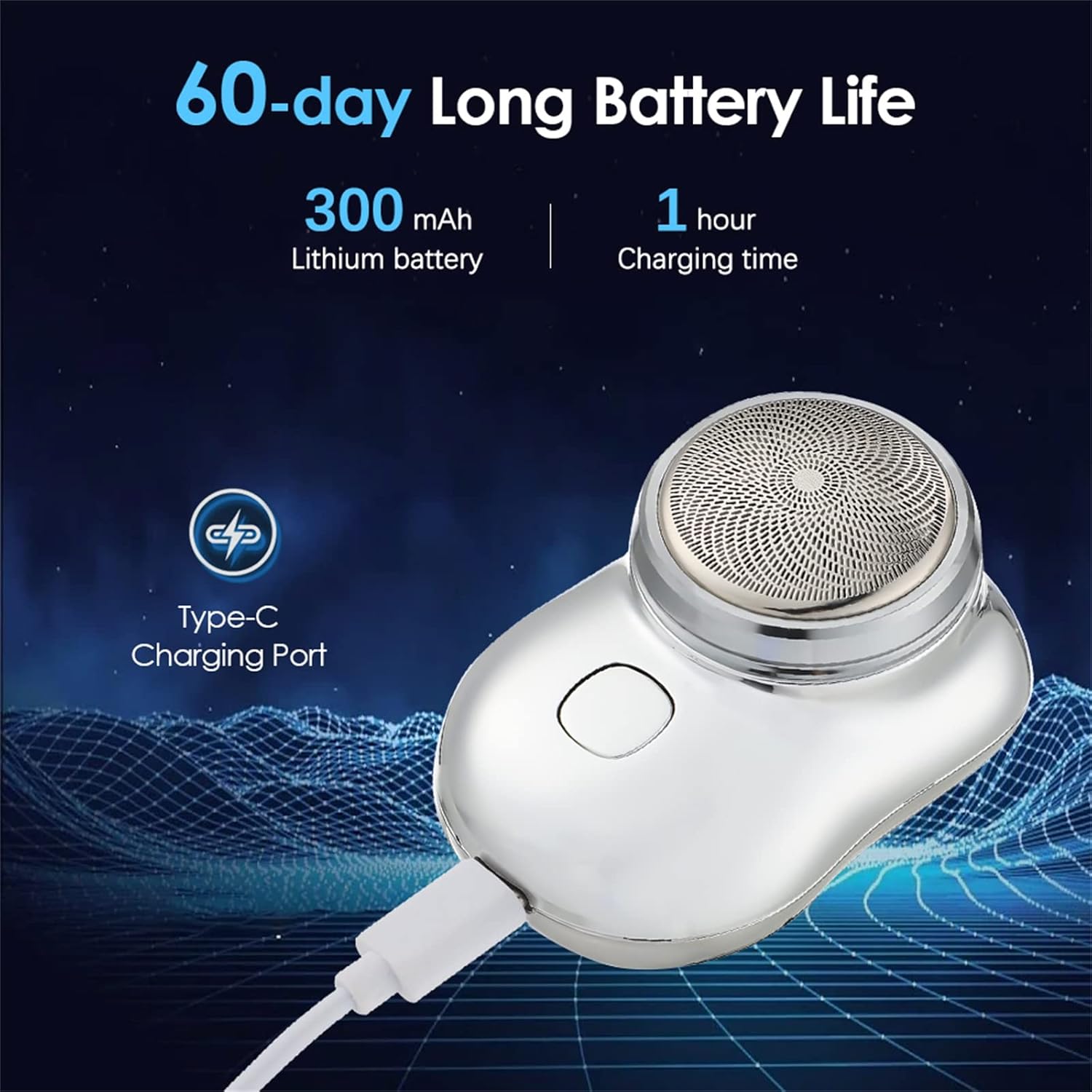
Image: The shaver connected to a Type-C charging cable, illustrating the charging process and highlighting its 300mAh lithium battery and 1-hour charging time for 60 days of use.
Operating Instructions
Powering On/Off
Press the power button located on the front of the shaver to turn it on. Press the button again to turn it off.
Shaving Technique
For optimal results, hold the shaver at a right angle to your skin and move it in small, circular motions or straight strokes against the direction of hair growth. The 3D floating shaving head will adapt to your facial contours.
Wet and Dry Shaving
- Dry Shaving: Use the shaver on dry skin for a quick and convenient shave.
- Wet Shaving: For added skin protection and comfort, you can use the shaver with shaving gel or foam. Rinse the shaver head thoroughly after wet shaving.
Application Scope
This mini electric shaver is specifically designed for newly grown hard beards. It is convenient for travel and quick touch-ups. It is not recommended for daily use on soft, long beards.
Video: A demonstration of the GYLCTOM Mini Portable Electric Shaver in use, highlighting its features and effectiveness for various shaving needs. This video is provided by the seller, GDSHUYI.
Maintenance
Cleaning the Shaver Head
Regular cleaning ensures optimal performance and hygiene.
- Turn off the shaver.
- Press the release button to open the blade cover.
- Rinse the shaver head and blades under running water. The shaver is fully waterproof, allowing for easy cleaning.
- Shake off excess water and allow the components to air dry completely before reassembling.
- Close the blade cover securely.
For a more thorough cleaning, you may use a small brush (not included) to remove stubborn hair particles from the blades and foil.
Troubleshooting
| Problem | Possible Cause | Solution |
|---|---|---|
| Shaver not turning on | Low battery; Device malfunction | Charge the shaver fully. If problem persists, contact support. |
| Poor shaving performance / pulling hair | Blades are dull; Shaver is used on long/soft beards; Low battery | Clean the shaver head. Ensure it is fully charged. This shaver is optimized for newly grown hard beards, not long/soft ones. |
| Shaver not charging | Faulty cable/adapter; Dirty charging port | Try a different USB cable and power source. Ensure the charging port is clean and dry. |
Specifications
- Product Dimensions: 3.94 x 3.58 x 1.93 inches; 3.53 ounces
- Item Model Number: Mini shaver portable electric shaver
- Batteries: 1 Lithium Polymer battery (included)
- Manufacturer: GYLCTOM
- Special Feature: Pocket Shaver, Wet and Dry Use
- Power Source: Battery Powered
- Included Components: Battery, USB cable
- Blade Material: Stainless steel
- Charging Time: 60 minutes (for full charge)
- Usage Time: Approximately 85 minutes (on full charge)
- Number of Cutting Heads: 3 cutting heads
Warranty and Support
For warranty information and customer support, please refer to the official GYLCTOM website or contact the seller directly through your purchase platform. Keep your proof of purchase for any warranty claims.