
JBL A652
JBL Concert A652 2-Channel Amplifier User Manual
Model: A652
Introduction
The JBL Concert A652 is a 2-channel Class AB power amplifier designed for automotive audio systems. It features a compact footprint, adjustable high-pass/low-pass crossover filters, and an auto turn-on facility. This amplifier delivers 65 watts RMS per channel or 170 watts RMS when bridged, providing enhanced musical power for speakers or subwoofers.
This manual provides detailed instructions for the proper installation, operation, and maintenance of your JBL Concert A652 amplifier.
What's in the Box
- 1x Amplifier
- 1x 2-Channel high-level input wire harness
- 1x Quick start guide
- 1x Spare fuse
- 4x 3/4" Self-tapping screws
Safety Information
Please read all safety instructions carefully before installing or operating your amplifier. Keep this manual for future reference.
- Cleaning: Only clean the device with a dry cloth.
- Ventilation: Ensure the ventilation slots are not blocked. Install this device according to the manufacturer's instructions.
- Heat Sources: Do not place the device near heat sources such as radiators, heat registers, stoves, or other heat-producing devices (including amplifiers).
- Polarized/Grounded Plugs: Do not defeat the safety purpose of polarized or grounded plugs. A polarized plug has two blades with one wider than the other. A grounded plug has two blades and a third grounding prong. The wider blade or third prong is provided for your safety. If the provided plug does not fit into your outlet, consult an electrician for replacement of the obsolete outlet.
- Power Cord Protection: Protect the power cord from being walked on or pinched, particularly at plugs, convenience receptacles, and the point where they exit from the apparatus.
- Attachments: Only use attachments/accessories specified by the manufacturer.
- Mounting: Use only with the cart, stand, tripod, bracket, or table specified by the manufacturer, or sold with the apparatus. When a cart is used, use caution when moving the cart/apparatus combination to avoid injury from tip-over.
- Lightning/Non-Use: Unplug this apparatus during lightning storms or when unused for long periods of time.
- Servicing: Refer all servicing to qualified service personnel. Servicing is required when the apparatus has been damaged in any way, such as power-supply cord or plug is damaged, liquid has been spilled or objects have fallen into the apparatus, the apparatus has been exposed to rain or moisture, does not operate normally, or has been dropped.
- WARNING: To reduce the risk of fire or electric shock, do not expose this apparatus to rain or moisture.
- WARNING: Do not expose batteries to excessive heat such as sunshine, fire or the like.
- WARNING: This symbol indicates that dangerous voltage constituting a risk of electric shock is present within this unit.
- WARNING: This symbol indicates that there are important operating and maintenance instructions in the literature accompanying this unit.
WEEE Notice: The Waste Electrical and Electronic Equipment (WEEE) Directive (2012/19/EU) requires that all products that require electrical power must be collected separately from municipal waste. This means that this product must be disposed of separately at an appropriate collection point and not with general household waste. For more information, contact your local city office, your waste disposal service, or the shop where you purchased the product.
RoHS Compliance: This product is in compliance with Directive 2011/65/EU of the European Parliament and of the Council on the restriction of the use of certain hazardous substances in electrical and electronic equipment.
REACH: REACH (Regulation No 1907/2006) addresses the production and use of chemical substances and their potential impacts on human health and the environment. Article 33(1) of the REACH Regulation requires suppliers to inform recipients if an article contains more than 0.1% (per weight per article) of any substance(s) on the Candidate List of Substances of Very High Concern (SVHC). This product contains the substance "Lead" (CAS-No. 7439-92-1) in a concentration of more than 0.1% per weight. The Candidate List is updated regularly. For more information, please visit www.jbl.com.
Setup and Installation
Proper installation is crucial for optimal performance and safety. If you are unsure about any steps, consult a professional installer.
1. Mounting the Amplifier
Choose a secure, well-ventilated location for mounting the amplifier. Ensure it is protected from moisture and direct heat. Use the provided self-tapping screws to secure the amplifier.

Image: Top view of the JBL Concert A652 amplifier, showcasing its compact design and JBL branding.
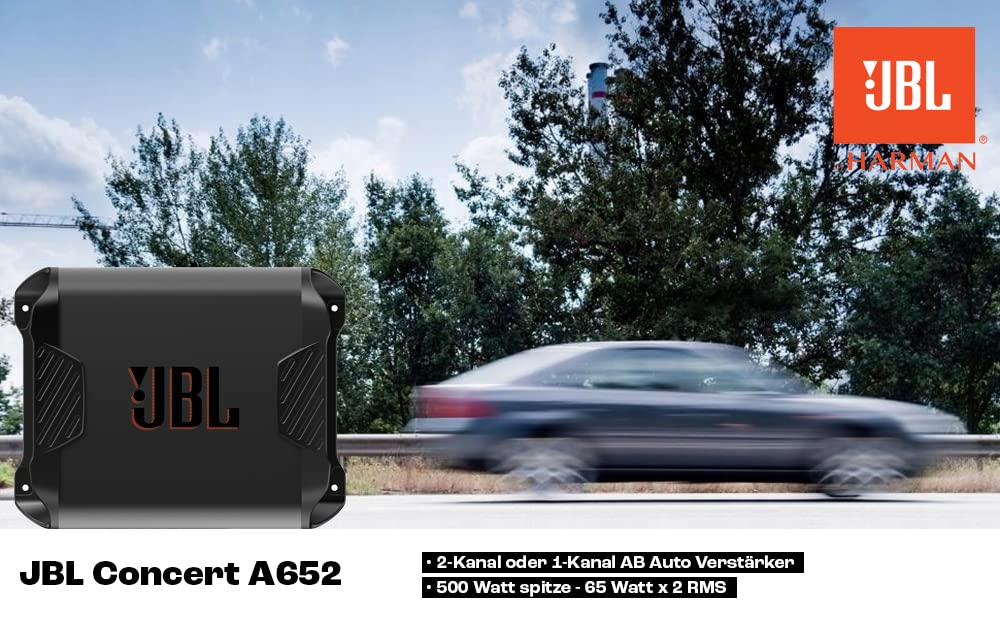
Image: Dimensions of the JBL Concert A652 amplifier, showing length (265mm), width (208mm), and height (61mm).
2. Power Connections
Connect the power cables to the amplifier's power terminals. Ensure correct polarity and secure connections.
- GND (Ground): Connect to a clean chassis ground point in your vehicle.
- REM (Remote Turn-On): Connect to the remote output of your head unit.
- +12V (Power): Connect directly to the positive terminal of your vehicle's battery via an appropriate fuse (30A).

Image: Rear view of the JBL Concert A652 amplifier, showing the power input terminals (GND, REM, +12V, FUSE 30A) and speaker output terminals (CH1, CH2, Bridged).
3. Input Connections
The A652 amplifier supports both Line Level (RCA) and High Level (speaker wire) inputs.
- Line Level Input (RCA): Use RCA cables to connect to the pre-amp outputs of your head unit.
- High Level Input: Use the provided wire harness to connect directly to your head unit's speaker outputs. This is useful if your head unit does not have RCA pre-outs.
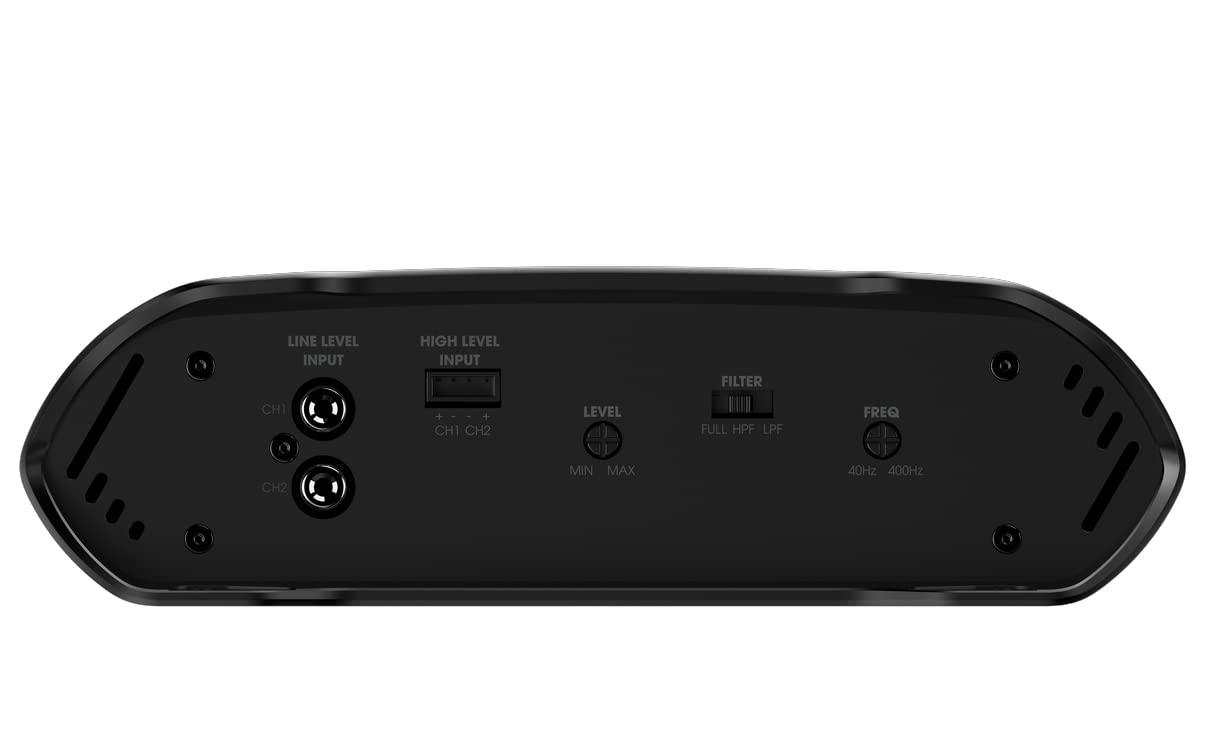
Image: Front view of the JBL Concert A652 amplifier, displaying the Line Level Input (CH1, CH2), High Level Input, Level control (Min/Max), Filter switch (FULL/HPF/LPF), and Frequency control (40Hz-400Hz).
4. Speaker Output Connections
Connect your speakers or subwoofer to the amplifier's speaker output terminals.
- Stereo Mode: Connect two speakers to CH1 and CH2 terminals, observing polarity (+ and -).
- Bridged Mode: For a single subwoofer, bridge the two channels to achieve higher power output. Connect the subwoofer's positive terminal to CH1+ and its negative terminal to CH2-. Refer to the "Bridged" label on the amplifier.
Operating the Amplifier
1. Auto Turn-On Facility
The JBL Concert A652 features an auto turn-on facility. When using high-level inputs, the amplifier can detect an audio signal and automatically turn on, eliminating the need for a separate remote turn-on wire in some installations.
2. Level Control (Gain)
The "Level" control (Min/Max) adjusts the input sensitivity of the amplifier. This should be set to match the output voltage of your head unit. Start with the level at minimum and slowly increase it until you hear distortion, then back off slightly. This ensures maximum clean output from the amplifier.
3. Crossover Filter (Filter & Freq)
The amplifier includes an adjustable crossover filter to optimize sound output for your speakers or subwoofer.
- Filter Switch:
- FULL: Full range audio output. Use for full-range speakers.
- HPF (High-Pass Filter): Allows frequencies above the set point to pass. Use for full-range speakers to prevent low bass distortion.
- LPF (Low-Pass Filter): Allows frequencies below the set point to pass. Use for subwoofers to prevent high frequency distortion.
- Freq (Frequency Control): Adjusts the cutoff frequency for the HPF or LPF, typically ranging from 40Hz to 400Hz. Set this according to the specifications of your speakers or subwoofer.
Maintenance
To ensure the longevity and optimal performance of your JBL Concert A652 amplifier, follow these maintenance guidelines:
- Cleaning: Regularly clean the exterior of the amplifier with a soft, dry cloth. Avoid using liquid cleaners or solvents.
- Ventilation: Ensure that the amplifier's ventilation openings remain clear of dust and debris to prevent overheating.
- Connections: Periodically check all power, ground, and speaker connections to ensure they are secure and free from corrosion.
- Fuse Replacement: If the amplifier's fuse blows, replace it only with a fuse of the same type and rating (30A). Using an incorrect fuse can damage the amplifier or cause a fire.
Troubleshooting
The JBL Concert A652 amplifier is equipped with full on-board protection features to safeguard against various issues. If you experience problems, refer to the following common troubleshooting steps:
- No Power:
- Check the +12V power connection and ensure the fuse is intact.
- Verify the ground connection (GND) is secure and making good contact with the chassis.
- Ensure the remote turn-on wire (REM) is connected and receiving +12V from the head unit.
- No Sound:
- Check all input (RCA or high-level) and output (speaker) connections for proper seating and polarity.
- Verify the head unit is powered on and sending an audio signal.
- Adjust the "Level" control.
- Distorted Sound:
- Reduce the "Level" control. It may be set too high, causing clipping.
- Check speaker impedance to ensure it is within the amplifier's supported range.
- Adjust the crossover "Filter" and "Freq" settings to match your speakers or subwoofer.
- Amplifier Overheating:
- Ensure adequate ventilation around the amplifier. Clear any obstructions.
- Check speaker impedance. Running too low an impedance can cause overheating.
- Protection Mode: The amplifier has built-in protection against short circuits, over temperature, over voltage, under voltage, and over current. If the amplifier enters protection mode (often indicated by a red LED), turn off your audio system, check all connections, and allow the amplifier to cool down before restarting.
If problems persist after following these steps, contact qualified service personnel or your JBL dealer for assistance.
Specifications
| Brand | JBL |
| Model | A652 |
| Number of Channels | 2 |
| Peak Power | 500 Watts |
| RMS Power (2-Channel) | 65 Watts x 2 |
| Frequency Response | 10Hz to 45KHz |
| Voltage | 12 Volts |
| Item Dimensions (L x W x H) | 26.5 x 20.8 x 6.1 Centimeters |
| Item Weight | 2.15 kg |
| Mounting Type | Surface Mount |
| Protection Features | Short Circuits, Over Temperature, Over Voltage & Under Voltage, Over Current |
| Country of Origin | China |
Warranty and Support
This JBL product is manufactured by Harman International Industries, Inc. For warranty information and support, please refer to the documentation included with your product or visit the official JBL website.
Official JBL Website: www.jbl.com
For further assistance, you may contact your local JBL dealer or authorized service center.
Related documentsA652


Ask a question about this manual
Ask about setup, troubleshooting, compatibility, parts, safety, or missing instructions. Manuals+ will review the question and use this page’s manual context to help answer it.