
Introduction
Thank you for choosing the PARTPHONER A19 LED Light Bulb. This manual provides essential information for the safe and efficient use of your new LED bulbs. Please read these instructions carefully before installation and retain them for future reference.
These 13-watt LED bulbs are designed as an energy-efficient replacement for traditional 100-watt incandescent bulbs, providing 1500 lumens of warm white (2700K) light. They feature an E26 standard base and are non-dimmable.
Safety Information
- Risk of Electric Shock: Always turn off the power to the fixture and allow the bulb to cool before replacing.
- Indoor Use Only: This product is rated for indoor use.
- Non-Dimmable: Do not use with dimmer switches. Using these non-dimmable bulbs with a dimmer switch may cause damage to the bulb or the dimmer, and will void the warranty.
- Operating Temperature: Suitable for use in operating environments between -20°C to 40°C (-4°F to 104°F).
- Proper Disposal: Dispose of bulbs according to local regulations.
Warning: Do not disassemble the bulb. No user-serviceable parts inside.
Package Contents
Your package should contain the following:
- 4 x PARTPHONER A19 LED Light Bulbs
Specifications
| Brand | PARTPHONER |
| Model Name | PABB052BW4 |
| Light Type | LED |
| Bulb Shape Size | A19 |
| Bulb Base | E26 Standard |
| Wattage | 13 Watts |
| Incandescent Equivalent | 100 Watts |
| Brightness | 1500 Lumens |
| Light Color | Warm White (2700K) |
| Color Rendering Index (CRI) | 85+ |
| Voltage | 120 Volts |
| Dimmable | No (Non-Dimmable) |
| Lifespan | Up to 25,000 hours |
| Material | Plastic Coated Aluminum |
| Product Dimensions | 2.36"W x 4.33"H |
| Indoor/Outdoor Usage | Indoor |

Image: PARTPHONER A19 LED Light Bulb showing its dimensions (2.36 inches width, 4.33 inches height) and key specifications like 1500 lumens, 120V, 13W, non-dimmable, 180° beam angle, 25000+ hour lifespan, warm white color, and CRI 85+.
Setup
- Turn off Power: Before installation, ensure the power to the light fixture is completely turned off at the circuit breaker or wall switch.
- Remove Old Bulb: Carefully unscrew the old light bulb from the fixture. Allow it to cool if it was recently in use.
- Install New Bulb: Screw the PARTPHONER A19 LED bulb into the E26 base socket. Do not overtighten.
- Restore Power: Turn the power back on at the circuit breaker or wall switch.
- Test: Flip the light switch to ensure the bulb illuminates correctly.
Operating Instructions
Operating the PARTPHONER A19 LED Light Bulb is straightforward:
- Simply use the standard wall switch connected to your light fixture to turn the bulb on or off.
- These bulbs provide instant full brightness without any warm-up time.
- Important: These bulbs are non-dimmable. Do not attempt to use them with dimmer switches. Doing so can cause flickering, damage the bulb, or shorten its lifespan.
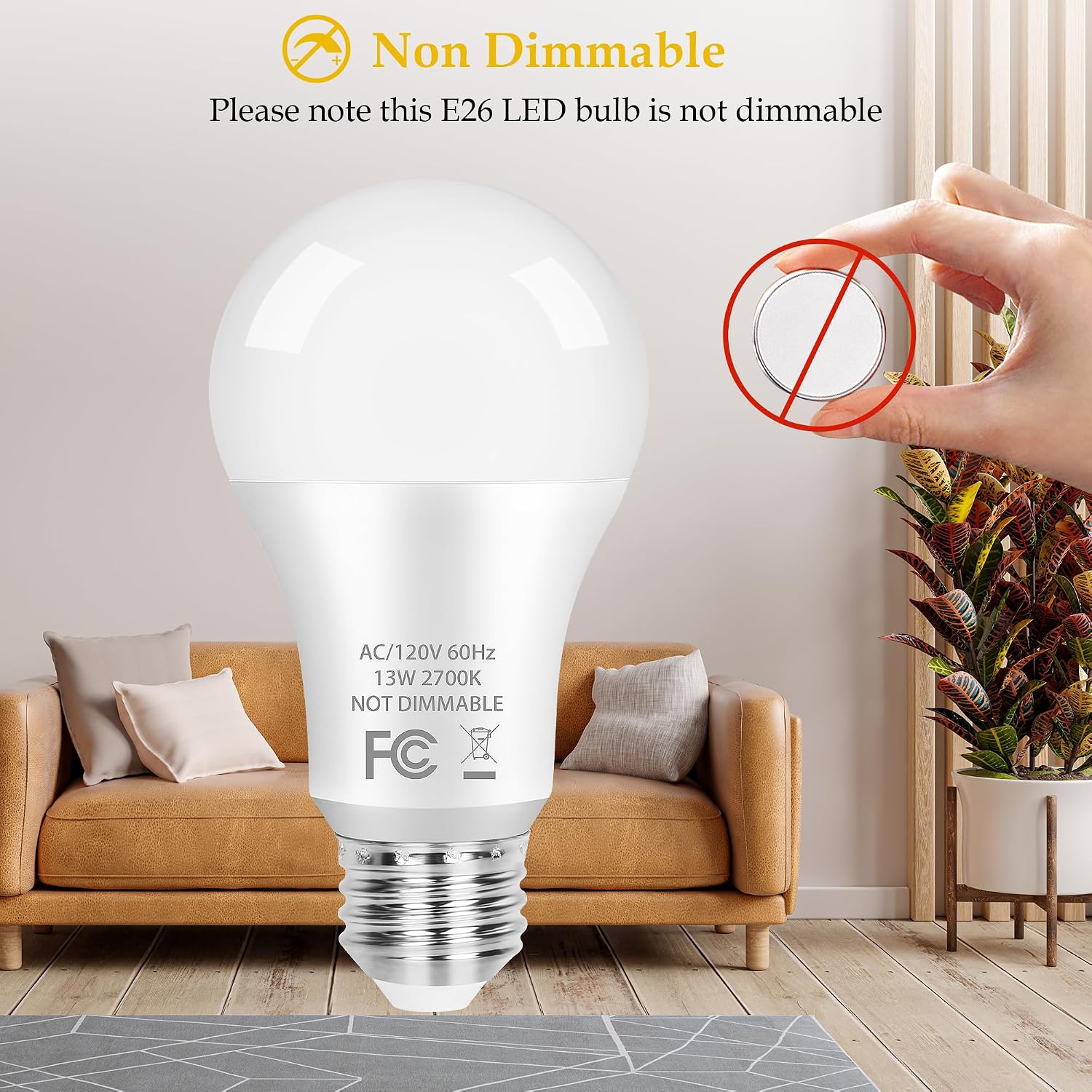
Image: A PARTPHONER A19 LED bulb with a clear warning indicating it is non-dimmable, accompanied by a graphic of a crossed-out dimmer switch.
Maintenance
The PARTPHONER A19 LED Light Bulbs require minimal maintenance:
- Cleaning: Ensure the power is off and the bulb is cool before cleaning. Wipe the bulb with a soft, dry cloth. Do not use liquid cleaners or abrasive materials.
- Replacement: Due to their long lifespan (up to 25,000 hours), frequent replacement is not expected. When replacement is necessary, follow the setup instructions to safely replace the bulb.
Troubleshooting
If you encounter issues with your PARTPHONER A19 LED Light Bulb, refer to the following common problems and solutions:
| Problem | Possible Cause | Solution |
|---|---|---|
| Bulb does not light up. | No power to the fixture. | Check the wall switch and circuit breaker. Ensure power is on. |
| Bulb not screwed in properly. | Turn off power, then carefully tighten the bulb into the socket. | |
| Faulty bulb or fixture. | Test the bulb in another working fixture. If it still doesn't light, the bulb may be faulty. If other bulbs don't work in the fixture, the fixture may be faulty. | |
| Bulb flickers or buzzes. | Used with a dimmer switch. | These bulbs are non-dimmable. Remove from dimmer circuit and use with a standard on/off switch. |
| Loose connection. | Turn off power, then carefully tighten the bulb. |

Image: A visual comparison showing the PARTPHONER A19 LED bulb providing stable, flicker-free light, contrasted with an older bulb exhibiting frequent flicker, highlighting eye protection benefits.
Warranty and Support
PARTPHONER products are manufactured to high-quality standards. While specific warranty details are not provided in this manual, please refer to your purchase documentation or the retailer's return policy for information regarding returns or replacements.
For technical support or further assistance, please contact PARTPHONER customer service through the retailer's platform or visit the official PARTPHONER store online.
Online Store: PARTPHONER Store