
Cooler Master MFL-B4DW-16NP2-R2
Cooler Master MF140 Halo² White PC Case Fan User Manual
Model: MFL-B4DW-16NP2-R2
Brand: Cooler Master
Introduction
The Cooler Master MasterFan MF140 Halo² is a 140mm PC case fan designed to provide efficient cooling and vibrant Addressable Gen 2 RGB lighting for your computer system. This fan features a redesigned hybrid frame for optimal airflow and stability, along with enlarged fan blades that are 10% larger than its predecessor, boosting both airflow and cooling performance. An upgraded driver IC ensures increased cooling performance while minimizing fan noise. The elegant Dual Loop LED design with frosted blades enhances the dispersion of aRGB lighting, offering customizable luminous effects to fit your aesthetic needs.
What's in the Box
Upon opening the package, you should find the following components:
- 1 x MF140 Halo² Fan
Please inspect all components for any signs of damage. If any items are missing or damaged, contact Cooler Master support immediately.
Setup and Installation
Proper installation is crucial for optimal performance and longevity of your MF140 Halo² fan. Follow these steps carefully:
- Prepare Your System: Ensure your computer is powered off and unplugged from the wall outlet. Open your PC case to access the fan mounting locations.
- Mounting the Fan: Position the MF140 Halo² fan in your desired location (e.g., front intake, rear exhaust, top exhaust, or on a radiator). Use the provided screws to secure the fan to the case or radiator. The redesigned hybrid frame simplifies this process while maintaining stability.
- Connect Power: Locate a suitable 4-pin PWM fan header on your motherboard. Connect the fan's 4-pin power cable to this header. This connection allows for dynamic speed control.
- Connect ARGB Lighting: The MF140 Halo² features Addressable Gen 2 RGB lighting. Connect the fan's 3-pin ARGB cable to a compatible 3-pin ARGB header on your motherboard or an ARGB controller. The fan supports daisy-chain connections directly to your motherboard or a splitter for multiple fans.
For detailed visual instructions, please refer to the official user manual PDF available on the Cooler Master website or the product's Amazon page.

The Cooler Master MF140 Halo² White fan, showcasing its vibrant dual-loop ARGB lighting.

Diagram illustrating secure connections with a clip for simple, reliable cable management.

The ARGB header extender enables daisy-chain connections directly to your motherboard or a splitter for synchronized lighting.
Operating Instructions
The MF140 Halo² fan is designed for straightforward operation once installed. Its primary functions are cooling and lighting.
- Cooling Performance: The fan automatically adjusts its speed based on the temperature readings from your motherboard (if connected to a PWM header). The enlarged fan blades and optimized P-Q curve ensure efficient airflow and pressure for effective cooling.
- Dynamic PWM Control: The 4-pin PWM header allows your motherboard to dynamically control the fan speed from 0 to 1,600 RPM, balancing noise levels and airflow according to system demands.
- ARGB Lighting Control: The Dual-Loop ARGB Rings provide vibrant and customizable lighting. Control of the lighting effects is typically managed through your motherboard's RGB software (e.g., ASUS Aura Sync, GIGABYTE RGB Fusion, MSI Mystic Light, ASRock Polychrome RGB) or a dedicated ARGB controller. Ensure your motherboard or controller supports Addressable Gen 2 RGB. The frosted blade design enhances the dispersion of this lighting for a smooth, luminous effect.
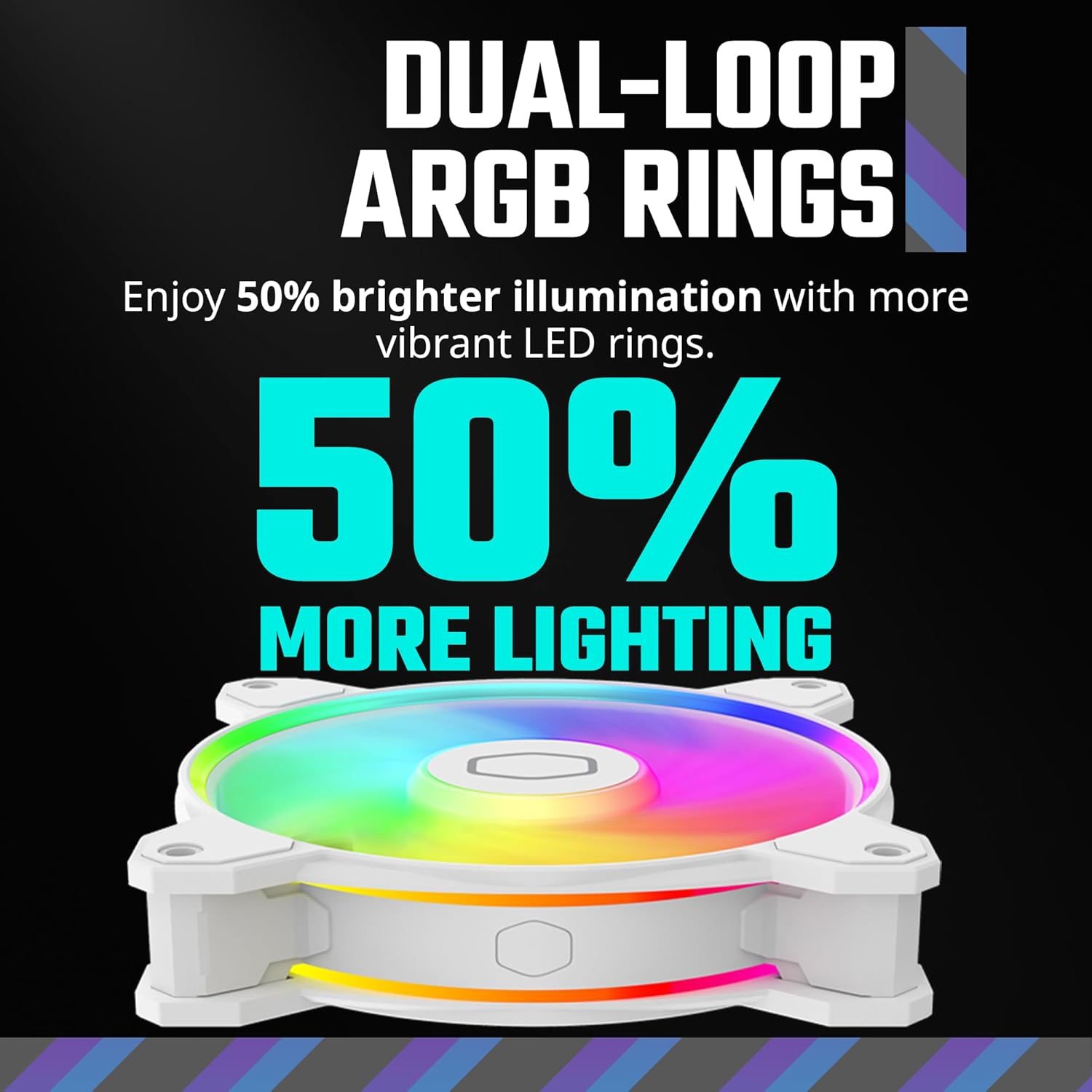
The Dual-Loop ARGB Rings provide 50% brighter illumination with more vibrant LED rings.

Key performance metrics for the Halo² 140 fan, including speed, noise level, airflow, and air pressure.

The Air Balance fan blades are 10% larger, contributing to improved airflow and cooling performance.

A P-Q performance chart illustrating the fan's airflow and pressure characteristics for optimal cooling.

An upgraded driver IC enhances cooling performance while reducing noise for quieter, more efficient operation.

Illustration of the dynamic PWM fan, allowing adjustable fan speeds to balance noise and airflow.

The frosted blade design enhances the dispersion of aRGB lighting, creating a vibrant and customizable luminous effect.
Maintenance
Regular maintenance helps ensure the longevity and optimal performance of your Cooler Master MF140 Halo² fan.
- Dust Removal: Periodically (e.g., every 3-6 months, depending on environment) power off your PC and use compressed air to gently blow dust off the fan blades and frame. Hold the fan blades to prevent them from spinning rapidly during cleaning, which can damage the bearings.
- Cable Management: Ensure all cables are neatly routed and secured to prevent them from interfering with fan blades or airflow.
- Inspection: Occasionally check for any loose screws or connections. Ensure the fan spins freely without obstruction.
Avoid using liquid cleaners directly on the fan or its electrical components.
Troubleshooting
If you encounter issues with your MF140 Halo² fan, consider the following troubleshooting steps:
- Fan Not Spinning:
- Check if the 4-pin PWM power cable is securely connected to the motherboard header.
- Ensure the fan header on the motherboard is enabled in the BIOS/UEFI settings.
- Test the fan on a different fan header or with a known working fan to rule out a faulty motherboard header.
- ARGB Lighting Not Working/Incorrect:
- Verify the 3-pin ARGB cable is correctly connected to a compatible ARGB header (5V, 3-pin, not 12V, 4-pin RGB). Connecting to the wrong header can damage the LEDs.
- Ensure your motherboard's RGB software is installed and up-to-date.
- Check the software settings to ensure the ARGB channel for the fan is enabled and configured correctly.
- If daisy-chaining, ensure all connections are secure and in the correct order.
- Excessive Noise:
- Check for any cables or obstructions hitting the fan blades.
- Ensure the fan is securely mounted and not vibrating against the case.
- Clean any dust buildup on the fan blades.
- Adjust fan speed settings in your motherboard's BIOS/UEFI or fan control software to a lower RPM if noise is a concern and temperatures allow.
If these steps do not resolve the issue, please contact Cooler Master customer support for further assistance.
Specifications
| Feature | Specification |
|---|---|
| Model Number | MFL-B4DW-16NP2-R2 |
| Fan Dimensions | 140mm (5.8 x 7.8 x 1.2 inches; 8.94"L x 5.94"W x 1.18"H) |
| Fan Speed | 0 - 1,600 RPM (PWM controlled) |
| Noise Level | 27 dB (Max) |
| Airflow | 59.51 CFM |
| Air Pressure | 2.53 mmH₂O |
| Power Connector | 4-Pin PWM |
| ARGB Connector | 3-Pin Addressable RGB (5V) |
| Rated Voltage | 12 Volts (DC) |
| Material | Copper (internal components) |
| Compatible Devices | Desktop PCs |
| Date First Available | February 22, 2023 |
| UPC | 884102099847 |
Warranty and Support
Cooler Master products are designed with quality and reliability in mind. For specific warranty information regarding your MF140 Halo² fan, please refer to the warranty card included with your product or visit the official Cooler Master website.
For technical support, troubleshooting assistance beyond this manual, or to inquire about replacement parts, please visit the Cooler Master support page or contact their customer service directly. You can also find the comprehensive User Manual (PDF) for this product at https://manuals.plus/m/c8f2f372defd7a1813a7b42f721c2ae9f4337ccb92279ed669e391d78c0a827f.
For more information about Cooler Master products, visit the official Cooler Master Store: Cooler Master Store on Amazon.
Related documentsMFL-B4DW-16NP2-R2

Ask a question about this manual
Ask about setup, troubleshooting, compatibility, parts, safety, or missing instructions. Manuals+ will review the question and use this page’s manual context to help answer it.