
Introduction
This manual provides essential instructions for the setup, operation, and maintenance of your Volcora 13-inch Cash Register Drawer. Please read this guide thoroughly to ensure proper use and longevity of your product.
Product Overview
The Volcora 13-inch Cash Register Drawer is designed for Point of Sale (POS) systems, offering a secure and organized solution for cash management. It features a durable metal construction and a practical layout for efficient transactions.
Key Features:
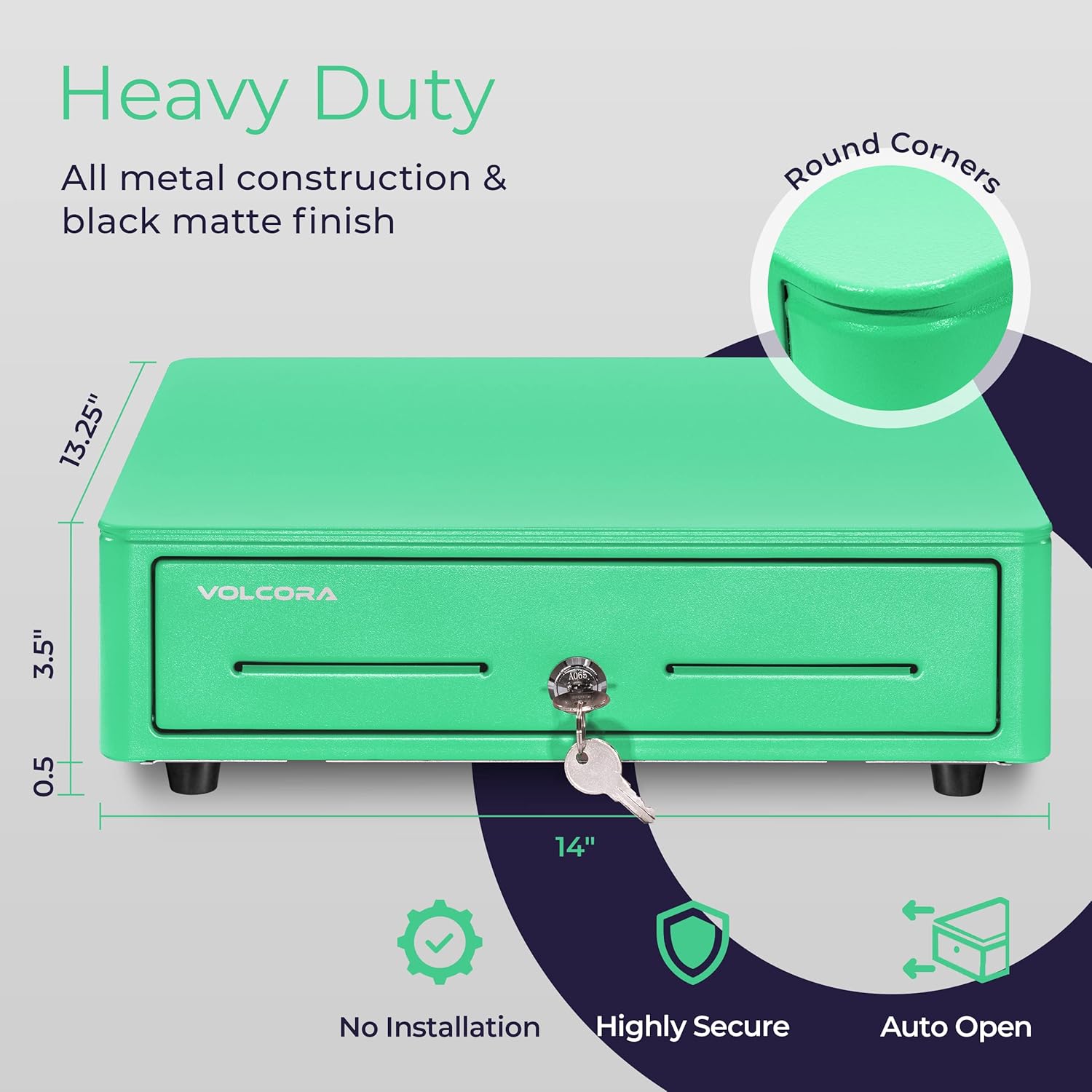
- Durable Construction: Heavy-duty metal frame with a black matte finish, measuring approximately 14"x13.25"x4".
- Cash Tray: Built-in tray with 4 bill slots and 5 coin slots.
- Removable Coin Compartment: The coin sorter is removable to maximize space.
- Security: 3-position key lock for manual open, auto open via printer/POS, and lock. Includes 6 keys.
- Connectivity: RJ11/RJ12 interface for connection to receipt/thermal printers (cable included).
- Media Slot: Convenient front slot for checks and large bills.
Product Dimensions and Components:
The cash drawer is constructed with all-metal casing, ensuring durability and security. Its compact design is suitable for various business environments.
The internal layout includes spring-loaded bill clips and a removable coin tray for organized cash handling.

Setup
Setting up your Volcora cash drawer involves connecting it to your Point of Sale (POS) system via a receipt printer.
Connecting to a Receipt Printer:
- Locate the RJ11/RJ12 port on the back of your cash drawer.
- Connect one end of the included RJ11/RJ12 network cable to this port.
- Connect the other end of the cable to the cash drawer port on your receipt/thermal printer.
- Ensure your printer is connected to your POS system. The cash drawer will then auto-open/close via commands from the POS system through the printer.
Note: This cash drawer does not have a USB port and cannot be connected directly to a POS system via USB.

Video: Volcora Auto Cash Register Drawer Partial Removable Tray
Video: This official Volcora Brands video demonstrates the features of the cash register drawer, including its auto-open functionality and the partial removable tray design.
Operation
The Volcora cash drawer offers flexible opening mechanisms and organized internal compartments for efficient cash handling.
Opening and Locking the Drawer:
The cash drawer features a 3-position key lock:
- Manual Open: Insert and turn the key to the 'Manual Open' position to open the drawer without electronic input.
- Auto Open: When connected to a compatible receipt printer and POS system, the drawer will automatically open upon transaction completion.
- Lock: Turn the key to the 'Lock' position to secure the drawer. Remove the key for added security.

Using the Cash Tray:
- Bill Slots: Place bills under the spring-loaded clips in the designated 4 slots.
- Coin Slots: Organize coins in the 5 coin compartments. The coin sorter can be removed if needed.
- Media Slot: Utilize the front media slot to insert checks, large bills, or other documents without opening the main drawer.
Maintenance
To ensure the long-term performance and appearance of your Volcora cash drawer, follow these maintenance guidelines:
- Cleaning: Wipe the exterior with a soft, damp cloth. Avoid abrasive cleaners or solvents that could damage the finish.
- Internal Tray: Periodically remove the cash tray and clean any dust or debris from the drawer interior.
- Key Lock: Keep the key lock free from obstructions. Do not force the key if it feels stiff; a small amount of graphite lubricant can be used if necessary.
- Durability: The drawer mechanism is tested for over 2 million open and close cycles, indicating robust long-term performance under normal use.
Troubleshooting
If you encounter issues with your cash drawer, refer to the following common problems and solutions:
- Drawer Not Opening Automatically:
- Check the RJ11/RJ12 cable connection between the drawer and the receipt printer. Ensure it is securely plugged in at both ends.
- Verify that the receipt printer is powered on and properly connected to your POS system.
- Confirm that your POS software is configured to send the open command to the cash drawer.
- Ensure the key lock is not in the 'Lock' position.
- Drawer Not Closing Properly:
- Check for any obstructions (e.g., misplaced bills, coins, or foreign objects) preventing the drawer from fully closing.
- Ensure the cash tray is correctly seated within the drawer.
- Key Not Turning/Locking:
- Ensure you are using the correct key. Six keys are provided for convenience.
- Do not force the key. If it feels stiff, check for debris in the lock mechanism.
If these steps do not resolve the issue, please contact Volcora customer support for further assistance.
Specifications
| Feature | Detail |
|---|---|
| Brand | Volcora |
| Model Number | 500081 |
| Product Dimensions (D x W x H) | 16"D x 4"W x 16"H (Note: Product title indicates 13" size, please verify actual product dimensions) |
| Chamber Depth | 13.25 Inches |
| Color | Green |
| Material | Metal |
| Lock Type | Key (3-position) |
| Included Components | Cash Drawer, Keys (6), RJ11/RJ12 Cable |
| Item Weight | 4.52 Kilograms |
| Connectivity | RJ11/RJ12 (for receipt printer connection) |
| Special Feature | Anti-Theft |
Warranty and Support
Volcora stands behind the quality of its products. This cash drawer comes with a 100% Lifetime Guarantee. If you are not satisfied with your product, please contact Volcora for a replacement.
For technical support, warranty claims, or any questions regarding your Volcora Cash Register Drawer, please refer to the contact information provided with your purchase or visit the official Volcora website.

