
1. Introduction
Thank you for choosing the Philips Airfryer Combi XXL HD9880/90. This appliance is designed to provide a healthier way to prepare your favorite meals with little to no added oil. This manual provides essential information for the safe and efficient use of your Airfryer, including setup, operation, maintenance, and troubleshooting.
2. Important Safety Information
Please read this instruction manual carefully before using the appliance and save it for future reference. Failure to follow these instructions may result in electric shock, fire, or serious injury.
- Always place the appliance on a stable, horizontal, and level surface.
- Do not immerse the appliance in water or any other liquid.
- Ensure the voltage indicated on the appliance corresponds to your local mains voltage before connecting.
- Keep the appliance and its cord out of reach of children.
- Do not block the air inlet and outlet openings.
- Never fill the pan with oil or other liquids.
- Do not touch hot surfaces. Use handles or knobs.
- Unplug the appliance from the outlet when not in use and before cleaning.
3. Product Overview
The Philips Airfryer Combi XXL HD9880/90 is a versatile kitchen appliance designed for frying, baking, grilling, and roasting with minimal oil. It features a large capacity and smart cooking capabilities.
3.1 Components
- Main Unit: Houses the heating element and fan.
- Control Panel: Digital display for settings and programs.
- Basket and Pan: Removable components for food preparation.
- Integrated Food Thermometer: For precise cooking temperature monitoring.
- Rapid CombiAir Technology: Ensures even cooking and crisp results.
- NutriU App Connectivity: For remote control and recipe access.
3.2 Product Images


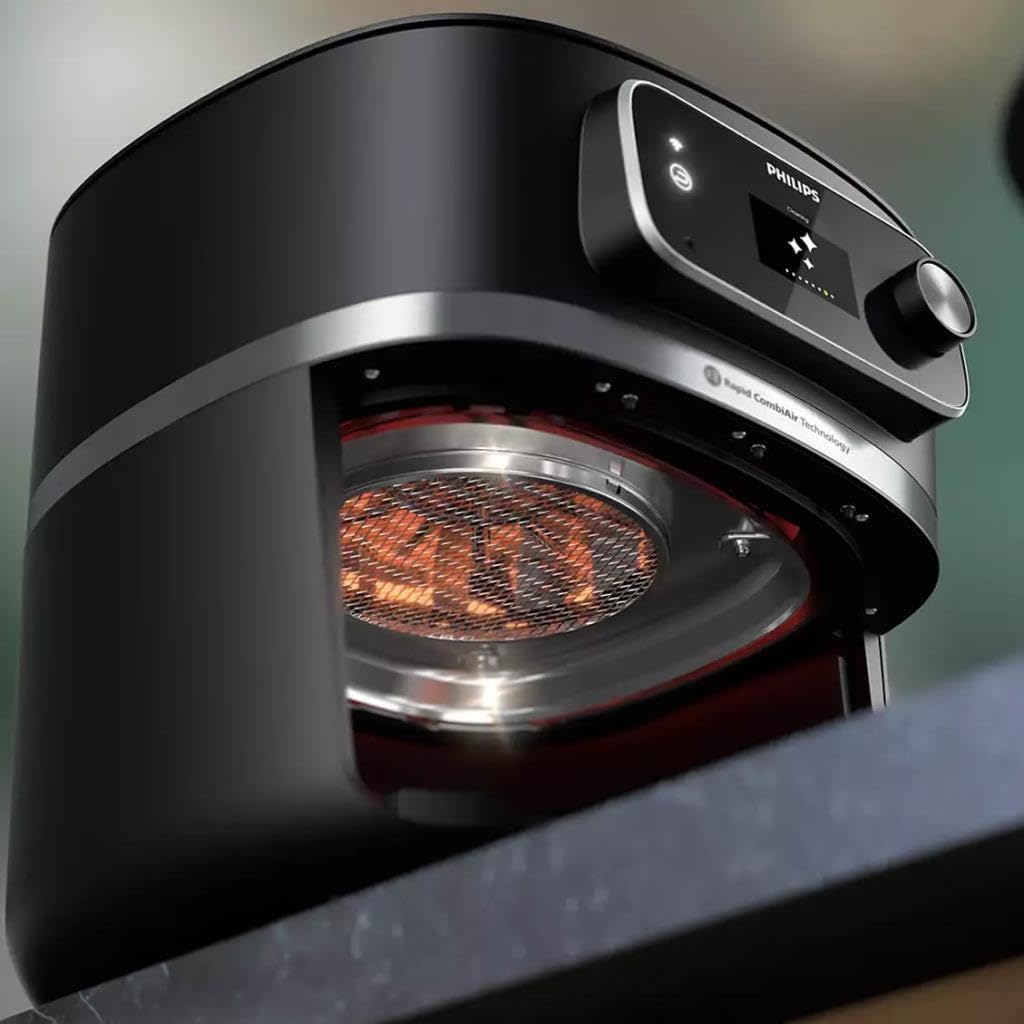

4. Setup
4.1 Unpacking
- Remove all packaging materials from the appliance.
- Remove any stickers or labels from the appliance.
- Pull out the pan and basket from the appliance.
4.2 Initial Cleaning
- Clean the pan and basket with hot water, some dishwashing liquid, and a non-abrasive sponge. These parts are also dishwasher safe.
- Wipe the inside and outside of the appliance with a moist cloth.
4.3 Placement
- Place the appliance on a stable, horizontal, and heat-resistant surface.
- Ensure there is at least 10 cm (4 inches) of free space on the back and sides, and 10 cm (4 inches) of free space above the appliance to allow for proper ventilation.
4.4 Power Connection
Plug the main plug into a grounded wall outlet.
4.5 NutriU App Pairing
For smart features, download the Philips NutriU app from your device's app store. Follow the in-app instructions to pair your Airfryer with your smartphone or tablet. This enables remote control, access to recipes, and cooking programs.
5. Operating Instructions
5.1 Basic Operation
- Place the food in the Airfryer basket. Do not exceed the MAX indication.
- Slide the pan with the basket back into the Airfryer.
- Press the power button to turn on the appliance.
- Use the control panel to set the desired temperature and cooking time.
- Press the start button to begin cooking.
5.2 Using the Integrated Food Thermometer
- Insert the thermometer probe into the thickest part of the food, avoiding bone or gristle.
- Connect the thermometer cable to the port on the Airfryer.
- Select the appropriate food type or desired internal temperature on the control panel or via the NutriU app. The Airfryer will automatically stop cooking once the target temperature is reached.
5.3 Pre-programmed Settings
The Airfryer comes with several pre-programmed settings for common dishes. Select these from the control panel or the NutriU app for optimized cooking results.
5.4 Tips for Best Results
- For smaller ingredients, shaking the basket halfway through the cooking time helps ensure even cooking.
- Do not overfill the basket to allow hot air to circulate effectively.
- For crispy results, lightly brush or spray food with oil.
6. Maintenance and Cleaning
Clean the appliance after every use.
6.1 Before Cleaning
- Unplug the appliance and allow it to cool down completely.
6.2 Cleaning the Pan and Basket
- The pan and basket have a non-stick coating. Do not use metal kitchen utensils or abrasive cleaning materials to clean them.
- They can be cleaned in the dishwasher or by hand with hot water, dishwashing liquid, and a non-abrasive sponge.
6.3 Cleaning the Heating Element
- Use a cleaning brush to remove any food residue from the heating element.
6.4 Cleaning the Exterior
- Wipe the outside of the appliance with a moist cloth.
7. Troubleshooting
| Problem | Possible Cause | Solution |
|---|---|---|
| The Airfryer does not work. | The appliance is not plugged in. | Plug the main plug into a grounded wall outlet. |
| Food is not cooked evenly. | Too much food in the basket; food not shaken. | Reduce the amount of food; shake the basket halfway through cooking. |
| White smoke comes out of the appliance. | Fat residues from previous use; oil in the pan. | Clean the pan and basket thoroughly; ensure no oil is in the pan. |
| NutriU app connectivity issues. | Wi-Fi signal weak; incorrect pairing steps. | Ensure strong Wi-Fi signal; re-attempt pairing following in-app instructions. |
8. Specifications
- Model Number: HD9880/90
- Brand: PHILIPS
- Color: Black
- Capacity: 8.3 Liters
- Power: 2200 Watts
- Material: Stainless Steel
- Product Dimensions (L x W x H): 30 x 25 x 80 cm
- Item Weight: 9.4 Kilograms
- Special Feature: Combi Model, Smart Connectivity (NutriU App)
9. Warranty and Support
For detailed warranty information, please refer to the warranty card included with your purchase or visit the official Philips website. If you encounter any issues or require technical assistance, please contact Philips customer support. Keep your proof of purchase for warranty claims.
Online Support: Visit www.philips.com/support for FAQs and contact options.


