
Bsimb W167N
BSIMB 16.7 Inch Digital Picture Frame User Manual
Model: W167N
1. Introduction
Welcome to the user manual for your BSIMB 16.7 Inch Digital Picture Frame. This device is designed to bring your cherished memories to life with its vibrant HD IPS touchscreen display. Featuring 32GB of internal storage, Wi-Fi connectivity, and intuitive controls, it offers a modern way to share and enjoy photos and videos with family and friends, no matter where they are.

Figure 1: BSIMB 16.7 Inch Digital Picture Frame and accessories.
2. Setup
2.1 Unboxing and Initial Power-On
Carefully remove all components from the packaging. Ensure you have the digital picture frame, power adapter, stand, and remote control. Connect the power adapter to the frame and plug it into a power outlet. The frame will automatically power on.
Video 1: Unboxing and initial setup of the BSIMB 16.7 Inch Digital Photo Frame, demonstrating the components included and how to power on the device.
2.2 Connecting to Wi-Fi
Upon first power-on, the frame will guide you through the Wi-Fi setup process. Select your desired Wi-Fi network (supports both 2.4 GHz and 5GHz bands) and enter the password using the touchscreen or remote control. A stable Wi-Fi connection is essential for sharing photos and videos via the VPhoto App and email.

Figure 2: Illustration of dual-band Wi-Fi connectivity (2.4GHz and 5GHz) for stable data transfer.
2.3 VPhoto App Connection
To share photos and videos remotely, download the VPhoto App from your smartphone's app store (available for Android and iOS). Once installed, open the app and follow the on-screen instructions to create an account. On your digital frame, navigate to the settings menu to find the unique frame ID or QR code. Use the VPhoto App to scan this QR code or enter the ID to link your device. This enables seamless sharing from your smartphone to the frame.

Figure 3: Demonstrates instant image sharing to the frame via Wi-Fi using the VPhoto App.
2.4 Placement and Orientation
The BSIMB Digital Picture Frame can be placed freestanding using its included stand or wall-mounted. The frame features automatic rotation, adjusting the display to either landscape or portrait orientation based on its physical position.
Video 2: Overview of the 16.7 inch large WiFi digital picture frame, showcasing its design and adaptability for various placements.
3. Operating the Digital Picture Frame
3.1 Controls: Touchscreen and Remote
The frame offers dual control methods for user convenience: a responsive touchscreen and a dedicated remote control. Use the touchscreen for direct interaction with menus and media, or the remote for comfortable control from a distance. Both methods allow for easy navigation through photos, videos, and settings.

Figure 4: Demonstrates the user-friendly control options, including both touchscreen and remote control.
3.2 Adding and Managing Media
You can add photos and videos to your frame in several ways:
- VPhoto App: Share directly from your smartphone via the linked VPhoto App.
- Email: Send photos and videos to the unique email address assigned to your frame.
- Micro SD Card: Insert a Micro SD card into the designated slot to transfer media.
- USB Drive: Connect a USB drive to the frame for direct media transfer.
The frame supports up to 32GB of internal storage, capable of holding approximately 80,000 pictures.
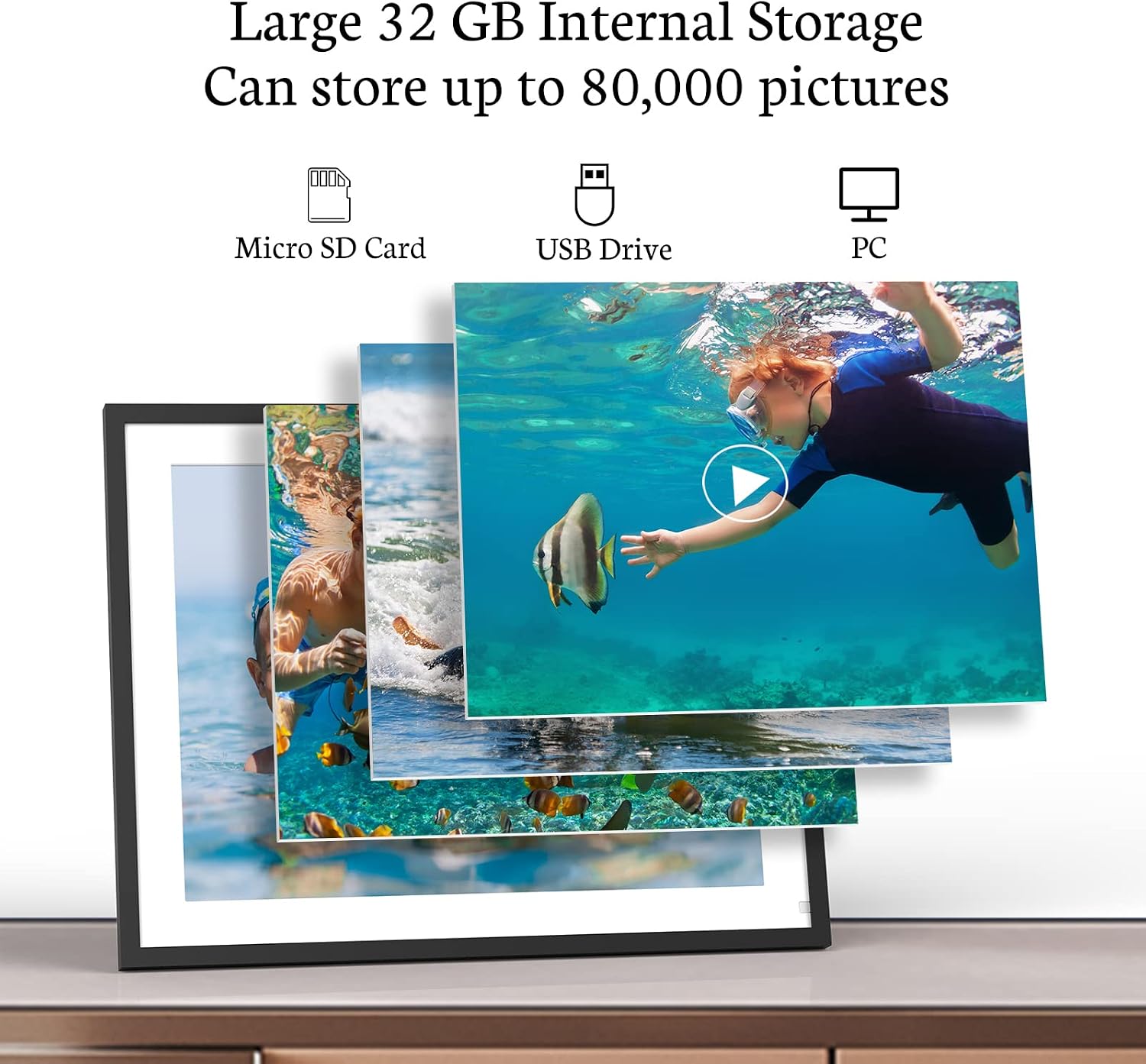
Figure 5: Illustrates the large 32GB internal storage and various media input options.
Video 3: Demonstrates the ease of sharing photos and videos to the frame, highlighting its role in connecting loved ones.
3.3 Multi-functional Features
Beyond displaying photos and videos, the frame includes several useful functions:
- Music Playback: Enjoy background music with your photo slideshows.
- Weather Display: Get real-time weather updates for your location.
- Alarm Clock & Calendar: Utilize the frame as a functional alarm clock and calendar display.
- Sleep Mode & Motion Sensor: The frame can automatically turn off to save energy when sleep mode is active or when no motion is detected.
4. Maintenance
4.1 Cleaning the Frame
To clean the screen, gently wipe it with a soft, lint-free cloth. For stubborn smudges, slightly dampen the cloth with water or a screen-safe cleaning solution. Avoid using harsh chemicals or abrasive materials that could damage the display or frame finish. Ensure the frame is powered off before cleaning.
4.2 Software Updates
Periodically check for software updates through the frame's settings menu. Updates can provide new features, performance improvements, and bug fixes. Ensure the frame is connected to Wi-Fi and has sufficient power during the update process.
5. Troubleshooting
| Problem | Possible Cause | Solution |
|---|---|---|
| Frame does not power on. | Power adapter not connected or faulty outlet. | Ensure the power adapter is securely connected to the frame and a working power outlet. Try a different outlet. |
| Cannot connect to Wi-Fi. | Incorrect password, out of range, or network interference. | Verify Wi-Fi password. Move the frame closer to the router. Ensure your network is 2.4 GHz or 5GHz compatible. Restart your router. |
| Photos/Videos not appearing on frame. | Incorrect transfer method, file format issues, or full storage. | Confirm media was sent correctly via VPhoto App/email or transferred via USB/SD card. Check supported file formats. Verify available storage space (32GB internal). |
| Touchscreen unresponsive. | Temporary software glitch or physical obstruction. | Restart the frame by unplugging and re-plugging the power. Ensure the screen is clean and free of debris. |
If you encounter issues not listed here or require further assistance, please contact BSIMB customer support.
6. Specifications
- Model: W167N
- Screen Size: 16.7 Inches
- Resolution: 1280x960 HD IPS Display
- Internal Storage: 32GB
- Connectivity: Dual-band Wi-Fi (2.4 GHz & 5GHz)
- Control: Touchscreen, Remote Control
- Dimensions: 5.91 x 12.6 x 0.99 inches
- Item Weight: 7.04 pounds
- Color: Black
- Compatible Devices: Smartphone (via VPhoto App)
- Manufacturer: ShenZhen IDWELL Technology Co.Ltd

Figure 6: Detailed specifications of the frame's display and physical dimensions.
7. Warranty and Support
BSIMB offers a 30-day money-back guarantee and a 1-year worry-free warranty for this digital picture frame. Our dedicated customer service team is available to assist you with any questions or concerns regarding your product. Please refer to the contact information provided in your product packaging or on the official BSIMB website for support.
Related documentsW167N


Ask a question about this manual
Ask about setup, troubleshooting, compatibility, parts, safety, or missing instructions. Manuals+ will review the question and use this page’s manual context to help answer it.