
1. Introduction
Thank you for choosing the Coleshome 48 Inch Computer Desk. This manual provides essential information for the safe assembly, operation, and maintenance of your new desk. Please read these instructions carefully before beginning assembly and retain them for future reference.
This modern simple style desk is designed for various uses, including home office, study, and general writing tasks. It features a durable engineered wood tabletop and sturdy metal frames.
2. Safety Information
To ensure safe use and prevent damage, please observe the following:
- Ensure stability during use. Place the desk on a flat, level surface.
- Do not exceed the maximum weight recommendation of 150 pounds (68 kg).
- Follow all assembly instructions carefully. Incorrect assembly can lead to instability and potential injury.
- Keep small parts and packaging materials away from children to prevent choking hazards.
- Avoid standing or sitting on the desk surface.
- Regularly check all screws and connections to ensure they remain tight.
3. Product Overview
The Coleshome 48 Inch Computer Desk offers a functional and aesthetically pleasing workspace. Key features include:
- Durable Desktop: Made from engineered wood with a melamine veneer, providing a waterproof, heat-resistant, and scratch-resistant surface.
- Sturdy Construction: Thick metal frames made of heavy-duty powder-coated steel ensure stability and safety.
- Adjustable Feet Pads: For stability on uneven floors.
- Compact Design: Ideal for home offices, study areas, or classrooms.

Image: Coleshome 48 Inch Computer Desk in a modern office setting, showcasing its design and functionality.

Image: Close-up view of the Grey Oak desktop surface, highlighting its elegant texture and finish.
4. Setup and Assembly
Assembly of the Coleshome 48 Inch Computer Desk is designed to be straightforward and can typically be completed within 30 minutes. All necessary tools are included in the package.
Required Tools (Included):
- Allen wrench
Assembly Steps:
- Unpack Components: Carefully remove all parts from the packaging. Verify that all components listed in the parts list are present and undamaged.
- Attach Legs to Desktop: Align the metal leg frames with the pre-drilled holes on the underside of the desktop. Secure them using the provided screws and Allen wrench. Do not overtighten initially.
- Install Cross Braces: Attach the cross braces between the leg frames as indicated in the diagram to enhance stability. Secure with screws.
- Tighten All Fasteners: Once all components are loosely assembled, gradually tighten all screws until secure. Avoid overtightening to prevent damage to the desktop.
- Adjust Feet Pads: Place the desk in its desired location. Adjust the feet pads at the bottom of the legs to ensure the desk is level and stable.

Image: A visual representation of the desk assembly process, illustrating how components fit together.

Image: Detail of the desk's metal frame and adjustable feet pads, demonstrating stability features.
5. Operating Instructions
The Coleshome Computer Desk is designed for general use as a work or study surface. To ensure optimal performance and longevity:
- Distribute weight evenly across the desktop. Avoid concentrating heavy items in one small area.
- Utilize the desk for its intended purpose: writing, computer work, and study.
- Do not place hot items directly on the surface without a protective pad.
- Keep liquids away from electronic devices placed on the desk.
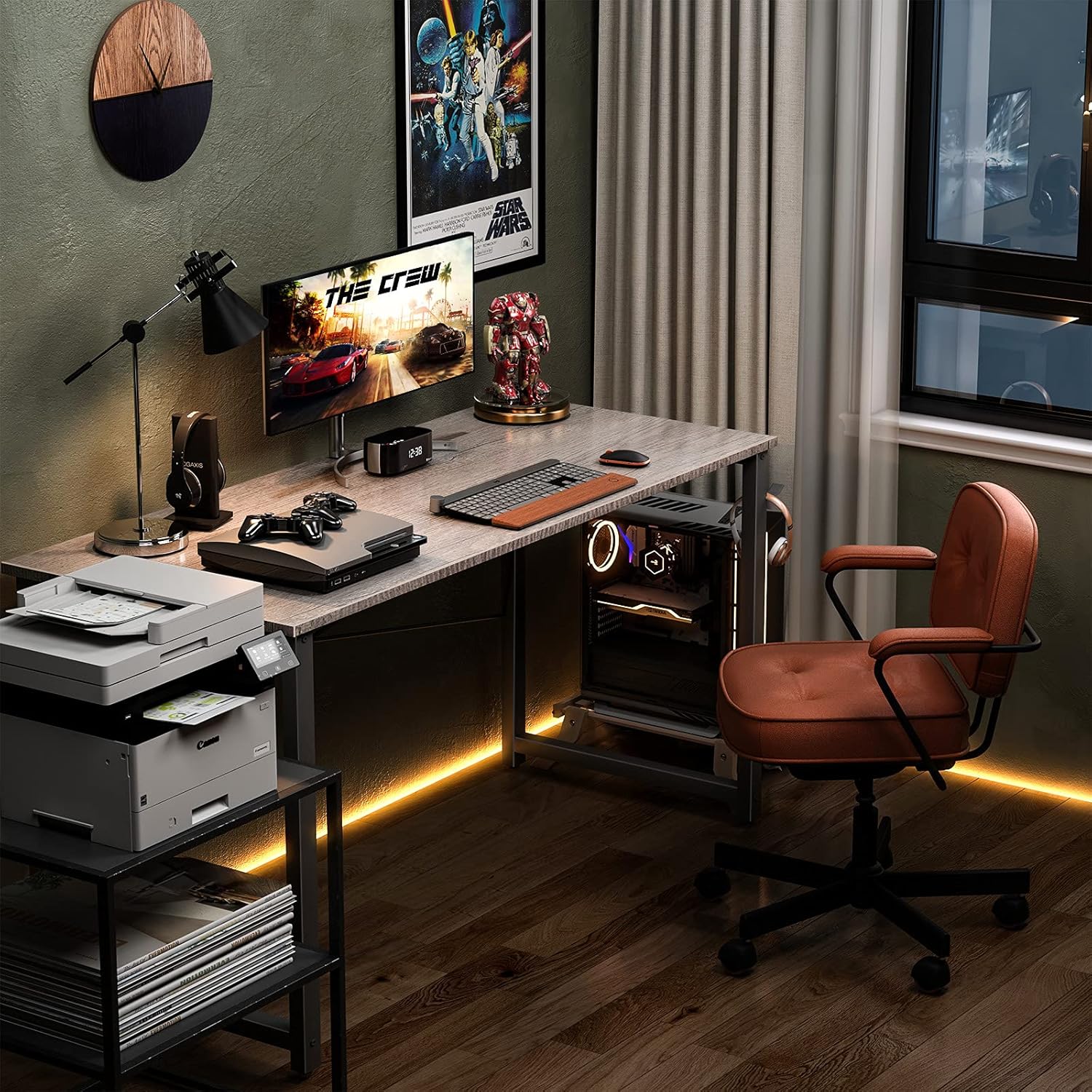
Image: The Coleshome desk configured for a gaming setup, demonstrating its spacious surface.
6. Maintenance
Proper care will help maintain the appearance and durability of your desk:
- Cleaning: The melamine veneer tabletop is waterproof and dust-free. Clean the surface with a damp cloth. Avoid harsh chemicals or abrasive cleaners, which can damage the finish.
- Spills: Wipe up spills immediately to prevent staining or water damage.
- Hardware: Periodically check and tighten all screws and bolts to ensure the desk remains stable.
- Protection: Use coasters for drinks and protective pads under hot items or sharp objects to prevent surface marks.
7. Troubleshooting
If you encounter any issues with your Coleshome Computer Desk, refer to the following common solutions:
- Wobbling Desk:
- Ensure the desk is on a flat surface.
- Adjust the feet pads on each leg until the desk is stable.
- Check all assembly screws and tighten them securely.
- Missing Parts:
- Carefully re-check all packaging materials. Small parts can sometimes be overlooked.
- If parts are genuinely missing, contact customer support (see Section 9).
- Surface Damage:
- For minor scratches, furniture repair kits may be used.
- For significant damage, contact customer support for advice.
8. Specifications
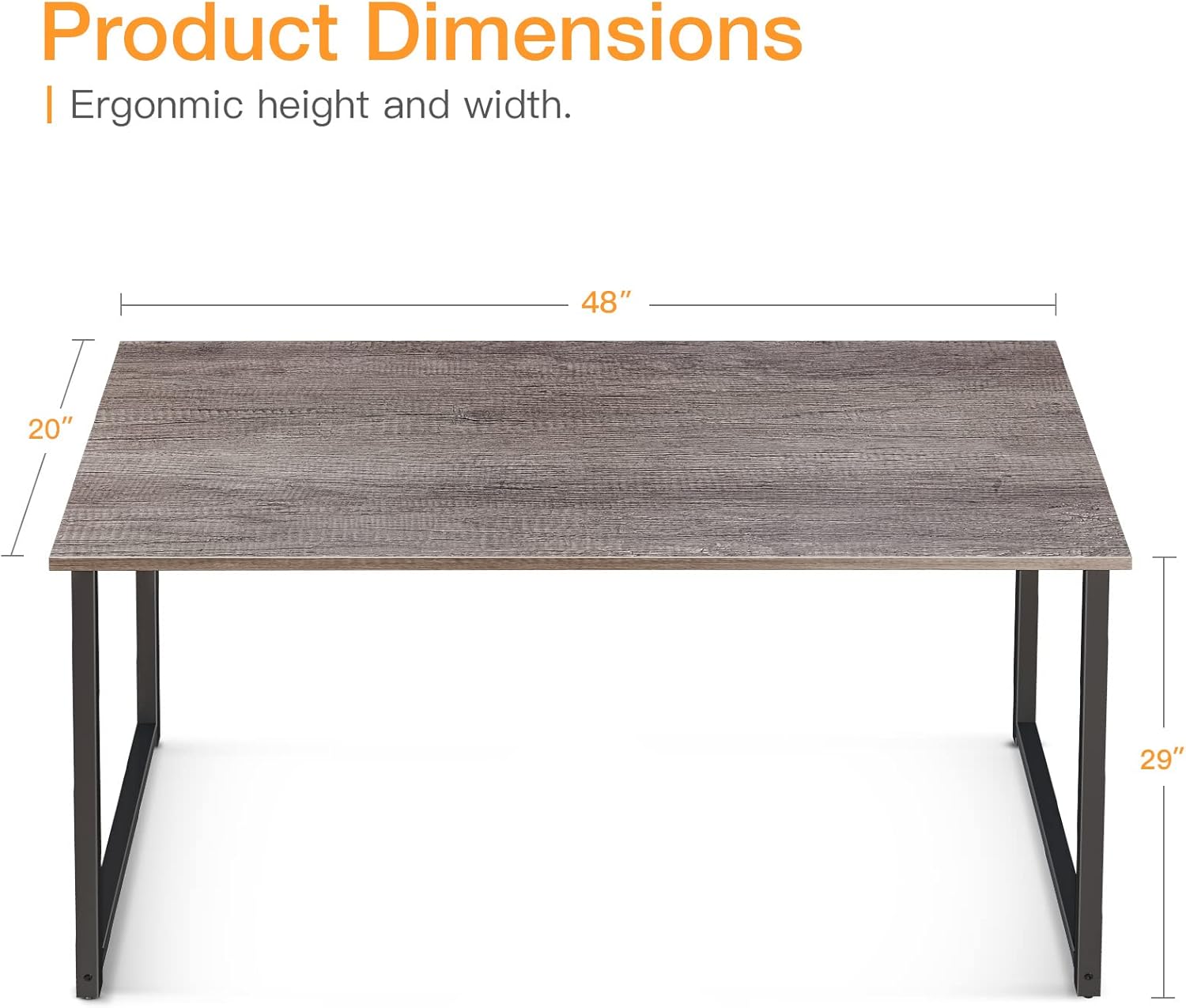
Image: Diagram illustrating the key dimensions of the Coleshome 48 Inch Computer Desk.
| Feature | Detail |
|---|---|
| Brand | Coleshome |
| Model Number | B01011605USAN0222A4J6ONX |
| Product Dimensions | 48"D x 20"W x 29"H (122cm D x 51cm W x 74cm H) |
| Color | Grey Oak |
| Material Type | Engineered Wood (Tabletop), Alloy Steel (Legs) |
| Item Weight | 10.14 Kilograms (22.35 lbs) |
| Maximum Weight Recommendation | 150 Pounds (68 kg) |
| Required Assembly | Yes |
| Included Components | Headphone Hook |
9. Warranty and Support
The Coleshome 48 Inch Computer Desk comes with a Limited Warranty. For specific details regarding warranty coverage, please refer to the documentation included with your purchase or contact Coleshome customer service.
Your satisfaction is our goal. If you encounter any problems before or after purchase, or require assistance with assembly or parts, please do not hesitate to contact Coleshome customer support. We are here to support you.
Customer Support:
Please visit the official Coleshome website for contact information or refer to your purchase receipt.
10. Product Video
Watch this video for an overview of the Coleshome 48 Inch Computer Desk:
Video: An informative video titled "DON'T BUY UNTIL YOU WATCH! Coleshome 48 Inch Computer Desk" by Our New Beginning, providing a detailed look at the desk.

