1. Product Overview
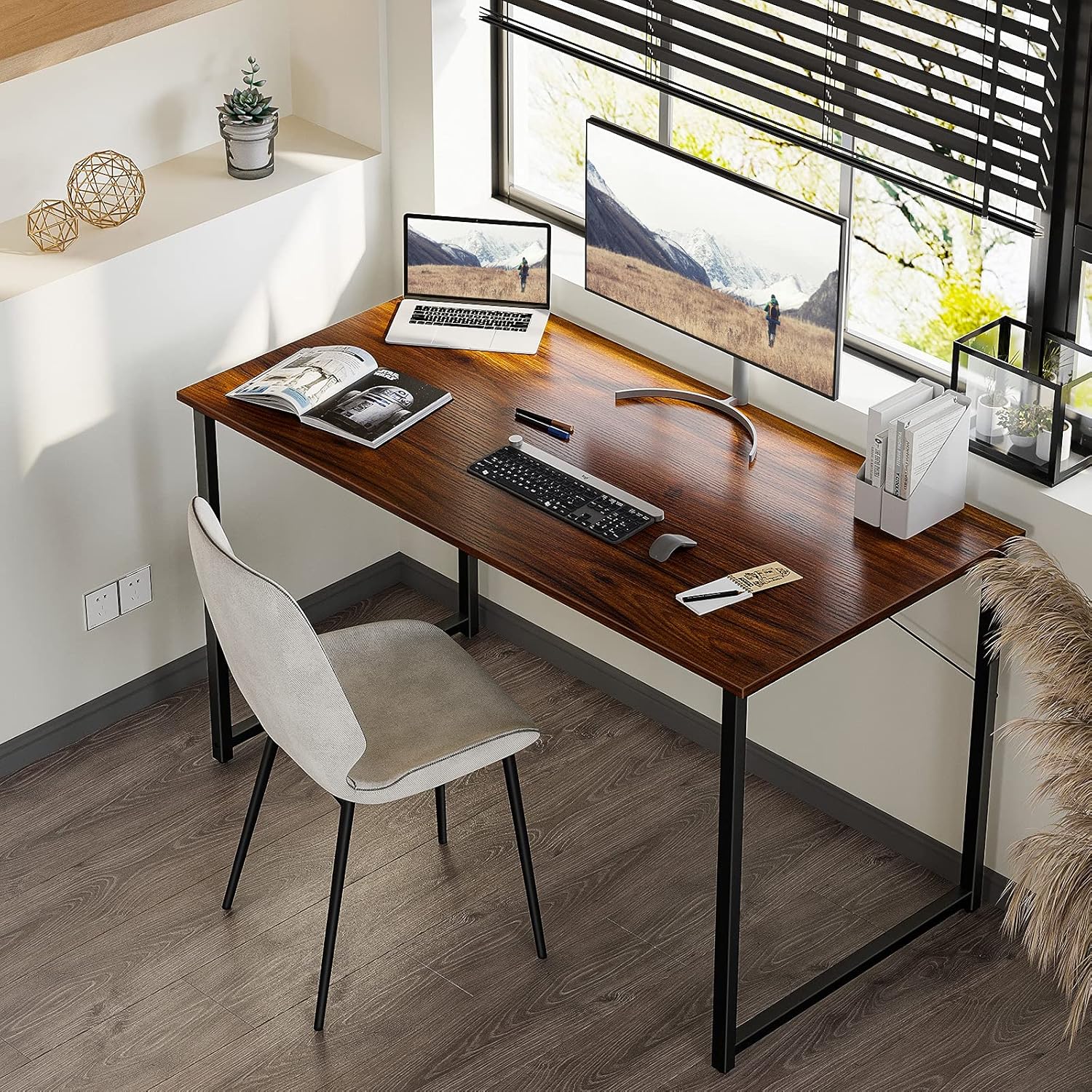
The Coleshome 48-Inch Computer Desk is designed for versatile use in home offices, classrooms, or study areas. It features a modern simple style with a durable desktop and sturdy metal frame. This desk offers ample space for various activities, including writing and computer work.
- Diversified Use: Suitable for various settings including home, office, and study.
- Spacious Design: 48"(L) x 20"(W) x 29"(H) dimensions provide generous workspace and legroom.
- Robust Construction: Features thick metal frames made of heavy-duty powder-coated steel for enhanced stability and safety.
- Easy Maintenance: Melamine veneer tabletop is waterproof, heat-resistant, and scratch-resistant, making it simple to clean.
- Quick Assembly: Designed for effortless assembly within 30 minutes with all necessary tools included.

2. Important Safety Information
Please read and understand all safety instructions before assembly and use. Failure to follow these instructions may result in injury or product damage.
- Do not place items heavier than 100 pounds on the desk.
- Ensure all screws and fasteners are securely tightened before use.
- Keep small parts away from children during assembly to prevent choking hazards.
- Avoid standing or sitting on the desk.
- Place the desk on a level surface to prevent wobbling.
3. Package Contents
Before beginning assembly, verify that all components listed below are present and undamaged. If any parts are missing or damaged, please contact customer support.
| Component | Quantity |
|---|---|
| Desktop Panel | 1 |
| Leg Frames (Left & Right) | 2 |
| Crossbars/Support Rods | 2 |
| Adjustable Feet Pads | 4 |
| Headphone Hook | 1 |
| Assembly Hardware (Screws, Allen Wrench) | 1 Set |

4. Setup Instructions
Follow these steps to assemble your Coleshome Computer Desk. Assembly typically takes less than 30 minutes.
- Unpack all components and lay them out on a clean, soft surface to prevent scratches.
- Attach the leg frames to the desktop using the provided screws and Allen wrench. Ensure the frames are oriented correctly.
- Secure the crossbars/support rods between the leg frames for added stability.
- Screw the adjustable feet pads into the bottom of each leg frame.
- Attach the headphone hook to your preferred side of the desk.
- Carefully stand the desk upright and adjust the feet pads to ensure stability on uneven surfaces.
Assembly and Features Overview Video
Video 1: This video provides a quick overview of the desk's features, including its adjustable feet and the ease of assembly. It highlights the sturdy construction and the included headphone hook.
5. Operating Instructions
Your Coleshome Computer Desk is ready for use. Its design accommodates various activities and setups.
- Workspace: Utilize the spacious desktop for your computer, laptop, books, and other work essentials.
- Adjustable Feet: The desk features adjustable feet pads. Rotate them clockwise or counter-clockwise to fine-tune the desk's height and ensure it remains level on any floor surface. This helps prevent wobbling.
- Headphone Hook: Use the integrated headphone hook to keep your headphones, cables, or small bags organized and off the desktop.

6. Maintenance and Care
Proper care will extend the life and maintain the appearance of your desk.
- Cleaning: The melamine veneer desktop is waterproof and scratch-resistant. Wipe spills immediately with a dry cloth. For general cleaning, use a damp cloth and mild detergent, then dry thoroughly. Avoid abrasive cleaners.
- Avoid Harsh Chemicals: Do not use harsh chemicals or solvents that could damage the finish.
- Heat Protection: While heat-resistant, it is recommended to use coasters or heat pads for hot items to prevent potential damage over time.
- Regular Checks: Periodically check all screws and fasteners to ensure they remain tight. Re-tighten if necessary.

7. Troubleshooting
If you encounter any issues with your desk, refer to the following common solutions:
| Problem | Possible Cause | Solution |
|---|---|---|
| Desk is wobbly | Uneven floor or loose fasteners | Adjust the feet pads until the desk is stable. Check and tighten all assembly screws. |
| Difficulty assembling | Incorrect part orientation or missing steps | Review the setup instructions carefully. Ensure parts are oriented as shown in diagrams. Contact customer support if parts are missing. |
| Scratches or damage to desktop | Sharp objects or heavy impact | While scratch-resistant, extreme force can cause damage. Use desk mats or protective covers for sensitive items. |
8. Specifications
Detailed specifications for the Coleshome 48-Inch Computer Desk:
- Brand: Coleshome
- Model Number: B01011604USAN0222A4HASRE
- Product Dimensions: 48"(L) x 20"(W) x 29"(H)
- Color: Deep Brown
- Style: Modern
- Top Material Type: Engineered Wood (Melamine Veneer)
- Base Material: Heavy-duty Powder Coated Steel
- Item Weight: 22 Pounds
- Maximum Weight Recommendation: 100 Pounds
- Included Components: Headphone Hook, Assembly Tools (Allen Wrench)

9. Warranty and Support
Coleshome is committed to customer satisfaction. If you encounter any problems before or after purchase, please do not hesitate to contact us.
- Warranty Information: Please refer to your purchase documentation or the official Coleshome website for specific warranty terms and conditions.
- Customer Support: For assistance with assembly, troubleshooting, or any other inquiries, please contact Coleshome customer service through the retailer where the product was purchased or visit the official Coleshome website for contact details.

