
1. Product Overview
The MENGQI-CONTROL 1-Door Access Control System provides secure entry and exit management for a single door. This system integrates a 600lbs magnetic lock, an RFID reader, a control panel, and a power supply, offering multiple access methods including RFID cards/fobs and remote access via a smartphone application. It is designed for robust and reliable operation in various environments.
Key Features:
- Single Door Control: Manage access for one entry point.
- Multiple Access Methods: Entry via RFID card/key fob, exit via push button, and remote access via smartphone app (iOS & Android).
- High Capacity: Supports up to 20,000 users and stores up to 100,000 event logs.
- Advanced Scheduling: Configure automatic door open/close schedules and time-based access permissions.
- Secure Locking: Features a 600lbs (280kg) holding force electric magnetic lock.
- Durable RFID Reader: Waterproof RFID reader with a 5-10cm read range.
- Network Communication: TCP/IP based control board for professional management software integration.
- Comprehensive Software: Compatible with Windows 7/8/10/11 (32-bit & 64-bit) for user management, record keeping, and reporting. Mac OS is not supported.
Components Included:
- 1x Power Supply Box (110-240V input, 5A output)
- 1x 1-Door Network Access Control Panel Controller
- 1x Electric Magnetic Lock (600lbs holding force)
- 1x Waterproof RFID Reader
- 1x Push to Exit Button
- 1x USB Enroll Reader
- 50x RFID Cards
- 50x RFID Key Fobs
- 1x User Manual with Detailed Instructions and Wiring Diagram

This image displays all the primary components of the access control system, including the control panel within its power supply box, the magnetic lock, the RFID reader, the exit button, the USB enroll reader, and a collection of RFID cards and key fobs.
2. Setup and Installation
Proper installation is crucial for the reliable operation of your access control system. It is recommended to review the included detailed wiring diagram and video guides before beginning installation.
2.1 Wiring the System
The system requires careful wiring of the control panel, power supply, magnetic lock, RFID reader, and exit button. Refer to the specific wiring diagram provided with your product for accurate connections. Ensure all power is disconnected before performing any wiring.
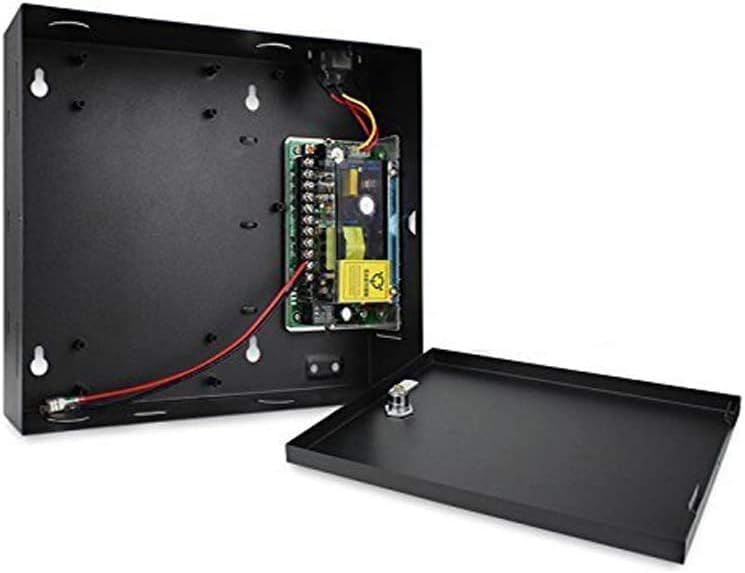
This image shows the internal layout of the power supply box, including the main circuit board and connection terminals for various system components.

A detailed view of the access control panel's circuit board, highlighting its various connectors and components.
2.2 Magnetic Lock Installation
The 600lbs magnetic lock is designed for secure door closure. Install the magnetic lock and armature plate according to the instructions provided, ensuring proper alignment for maximum holding force. Special brackets may be required depending on your door type and frame.

This image displays the magnetic lock unit, the armature plate, and all necessary screws and tools for installation.
2.3 RFID Reader and Exit Button Placement
Mount the waterproof RFID reader on the exterior side of the door for entry. The push-to-exit button should be installed on the interior side of the door for convenient egress.
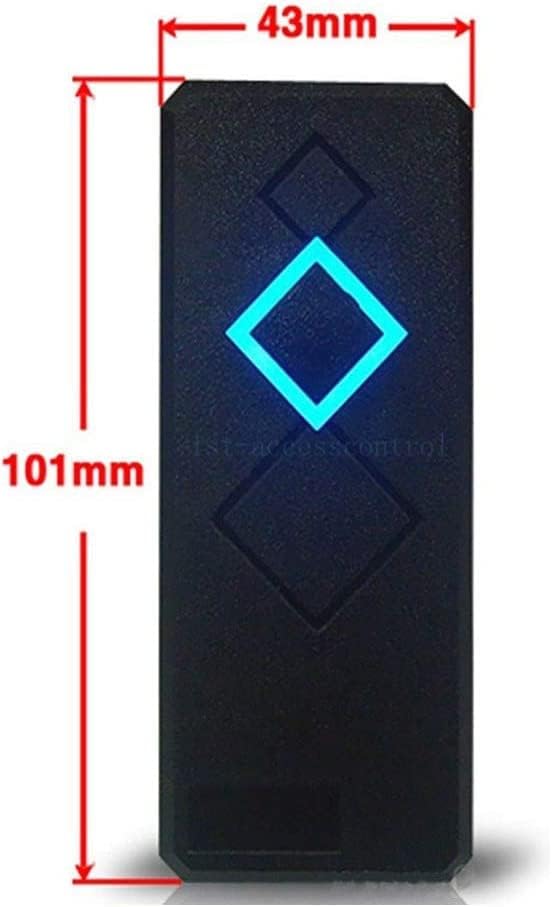
The waterproof RFID reader, showing its compact design and approximate dimensions.

A standard push-to-exit button, typically installed on the interior side of a controlled door.
2.4 Software Installation and User Enrollment
Install the management software on a Windows PC (Windows 7/8/10/11, 32-bit or 64-bit). Use the included USB Enroll Reader to register RFID cards and key fobs into the system. Follow the software's instructions for adding users, assigning access levels, and configuring schedules.
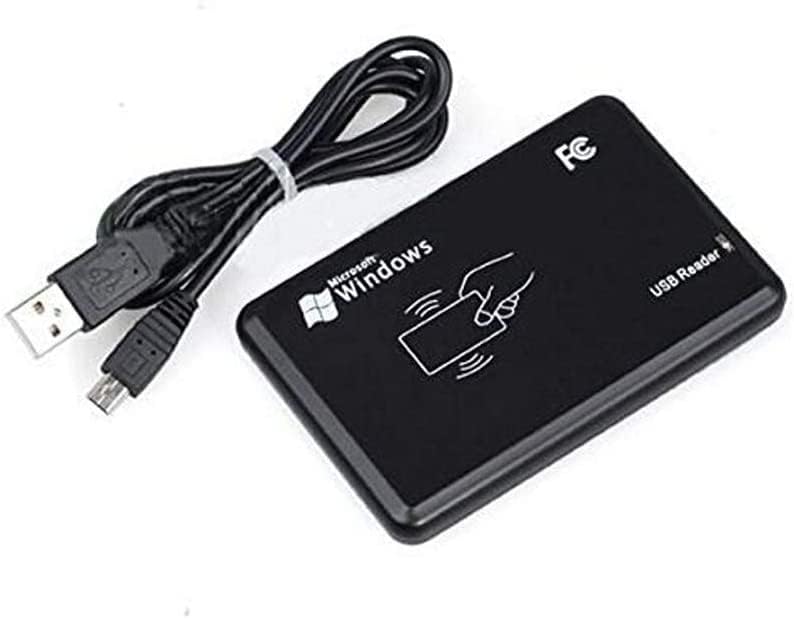
The USB Enroll Reader connects to a computer to facilitate the registration of RFID cards and key fobs into the access control software.
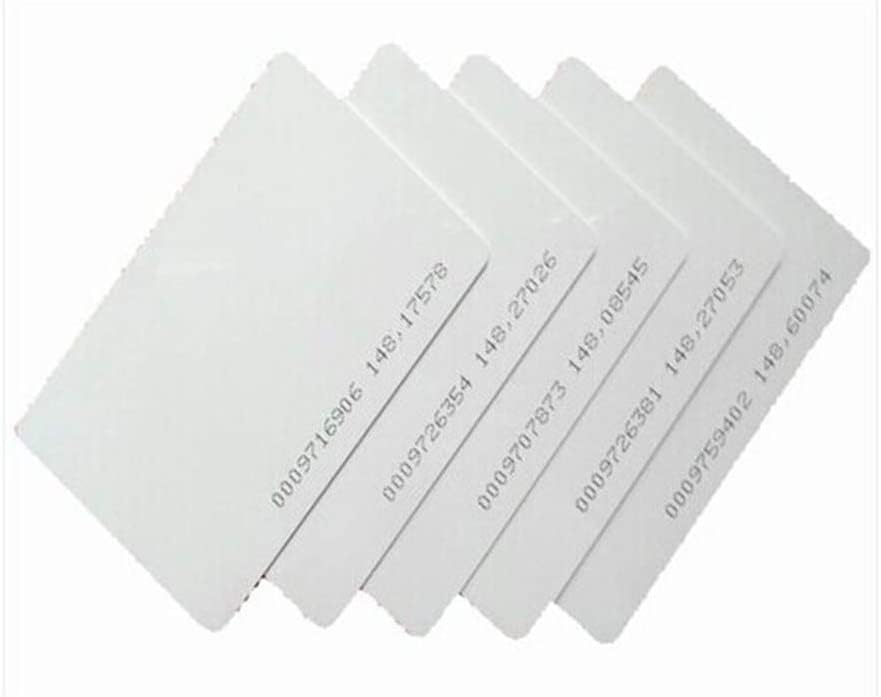
A stack of blank RFID cards, ready for enrollment into the system.
3. Operating Instructions
3.1 Gaining Entry
To gain entry, present an enrolled RFID card or key fob to the exterior RFID reader. The reader will emit an audible signal and/or visual indicator upon successful authentication, and the magnetic lock will disengage, allowing the door to be opened.
3.2 Exiting the Premises
To exit, press the push-to-exit button located on the interior side of the door. This will temporarily disengage the magnetic lock, allowing the door to be opened.
3.3 Remote Access via Smartphone App
The system supports remote door unlocking via a dedicated smartphone application (available for iOS and Android). Install the app and configure it according to the provided instructions to remotely open the lock.
3.4 Software Management
The PC-based management software allows for comprehensive control and monitoring:
- User Management: Add, modify, or delete user credentials (RFID cards/fobs).
- Access Permissions: Define specific access rights for each user, including which doors they can access and during what times.
- Event Logging: View and download historical entry and exit records.
- Reporting: Generate reports on access events for auditing and analysis.
- Time Schedules: Set up automatic door locking/unlocking schedules for specific days and times.
4. Maintenance
Regular maintenance ensures the longevity and optimal performance of your access control system.
- Clean Components: Periodically clean the RFID reader and exit button surfaces with a soft, dry cloth. Avoid abrasive cleaners.
- Inspect Wiring: Annually inspect all wiring connections for signs of wear, corrosion, or looseness. Ensure all connections are secure.
- Magnetic Lock Check: Verify that the magnetic lock and armature plate are free from debris and properly aligned. Any misalignment can reduce holding force.
- Software Updates: Keep the management software updated to the latest version to benefit from performance improvements and security patches.
- Backup Data: Regularly back up your user database and event logs from the management software.
5. Troubleshooting
This section addresses common issues you might encounter with the MENGQI-CONTROL Access Control System.
5.1 Door Not Unlocking with RFID Card/Fob
- Check Enrollment: Ensure the RFID card/fob is properly enrolled in the system and assigned appropriate access rights.
- Reader Functionality: Verify the RFID reader is powered and its indicator light is active.
- Card/Fob Damage: Test with a different, known-working card/fob to rule out damage to the credential.
- Wiring: Inspect the wiring between the RFID reader and the control panel for any disconnections.
5.2 Magnetic Lock Not Engaging/Disengaging
- Power Supply: Confirm the power supply box is receiving power and providing output to the control panel and lock.
- Wiring: Check the wiring between the control panel and the magnetic lock.
- Alignment: Ensure the magnetic lock and armature plate are correctly aligned and free of obstructions.
- Control Panel Status: Check the status indicators on the control panel for any error codes.
5.3 Software Connectivity Issues
- Network Connection: Verify the PC and the access control panel are on the same network and have proper TCP/IP connectivity.
- Firewall: Ensure your PC's firewall is not blocking communication with the access control software or panel.
- Software Version: Confirm you are using the correct and latest version of the software for your system.
For complex issues or if troubleshooting steps do not resolve the problem, contact customer support.
6. Specifications
| Feature | Specification |
|---|---|
| Brand | MENGQI-CONTROL |
| Model Number | RFID reader-magnetic lock S |
| ASIN | B0BWJLPB93 |
| Style | 1-Door Magnetic Lock |
| Power Source | DC (110-240V input, 5A output power supply box) |
| Magnetic Lock Holding Force | 600 lbs (280 kg) |
| RFID Reader Type | Waterproof, 5-10cm read range |
| User Capacity | Up to 20,000 users |
| Log Capacity | Up to 100,000 event logs |
| Connectivity Technology | Wired (TCP/IP, RJ45) |
| Compatible Devices | Smartphone (iOS & Android App), Windows PC (7/8/10/11) |
| Product Dimensions (L x W x H) | 11.81 x 9.85 x 7.87 inches |
| Item Weight | 11.08 pounds |
| Manufacturer | SecureControl |
7. Warranty Information
Specific warranty details for the MENGQI-CONTROL 1-Door Access Control System are typically provided at the point of purchase or within the product packaging. Please refer to your purchase documentation or contact the seller directly for comprehensive warranty information.
8. Support
For technical assistance, installation guidance, or any questions regarding your MENGQI-CONTROL Access Control System, please contact the seller or manufacturer's support team. They offer detailed video guides and wiring diagrams to assist with setup and operation. Support is known for being responsive and helpful, often available via email, WhatsApp, or video call.
When contacting support, please have your product model number (RFID reader-magnetic lock S) and ASIN (B0BWJLPB93) available for quicker assistance.