
WONNIE W-703
WONNIE W-703 Portable DVD Player User Manual
Model: W-703
1. Product Overview
The WONNIE W-703 Portable DVD Player is designed for versatile entertainment, featuring a 9.5-inch display with a 7.5-inch 1024x600 eye-protection swivel screen. Its compact design and long-lasting rechargeable battery make it ideal for use at home, in the car, or on the go. This manual provides essential information for setting up, operating, and maintaining your device.

Image: WONNIE W-703 Portable DVD Player with its remote control.
2. Package Contents
Please check the package carefully to ensure all items are present and in good condition.
- 1 x WONNIE W-703 Portable DVD Player with Screen
- 1 x Remote Control
- 1 x AC Power Adapter
- 1 x Car Charger (1.8m)
- 1 x 3.5mm-RCA Cable (AV Cable)
- 1 x User Manual
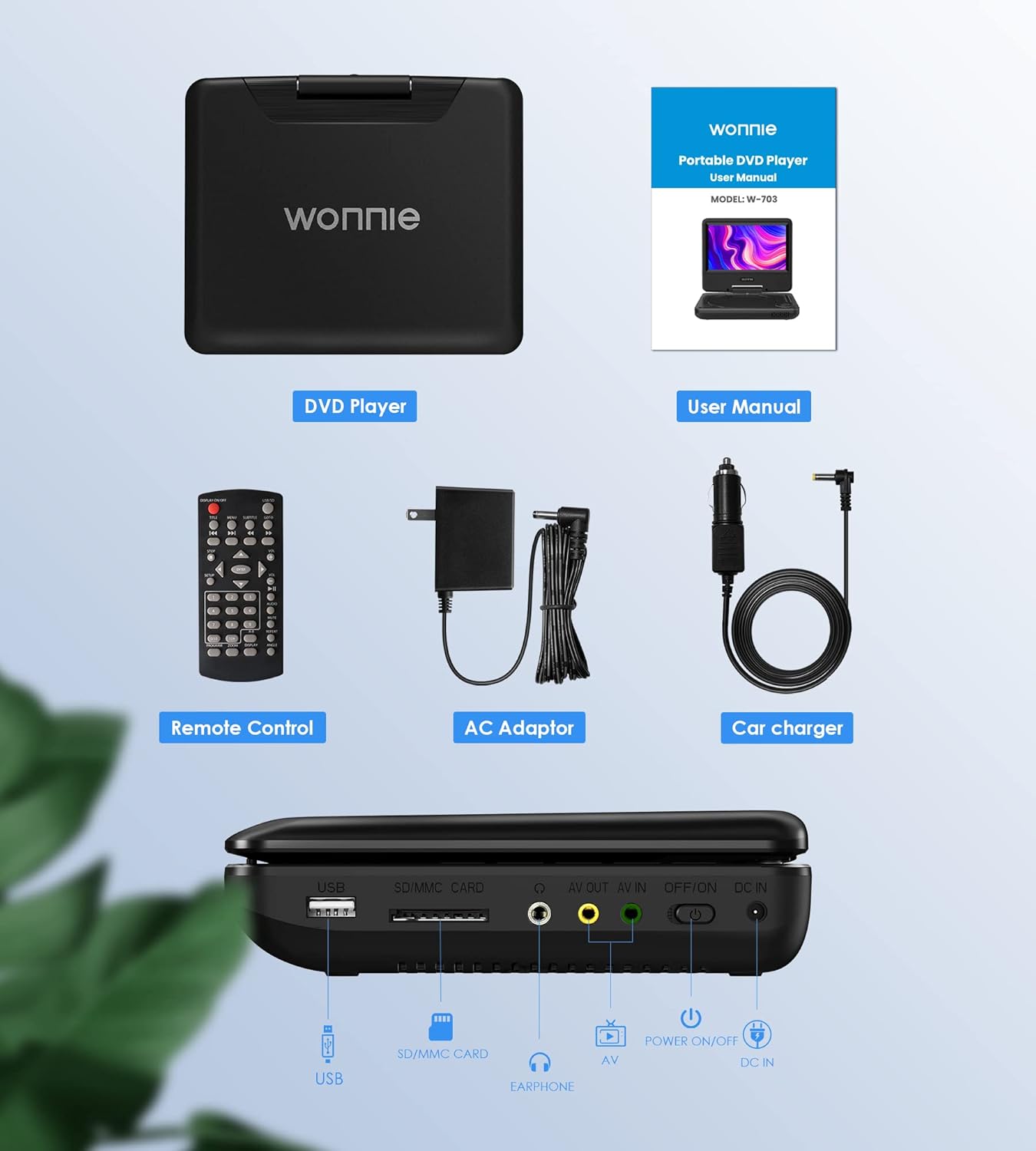
Image: All components included in the WONNIE W-703 Portable DVD Player package, including the player, remote, power adapters, and cables.
3. Product Features
- Immersive Swivel Screen: The 7.5-inch LCD screen offers a 270° rotation and 180° flip capability, allowing for optimal viewing angles and reduced visual fatigue.
- Long-lasting Battery & Multiple Power Modes: Equipped with a high-capacity rechargeable Lithium-Ion battery providing up to 6 hours of video playback. It also includes an AC adapter for home use and a 1.8m car charger for on-the-go power.
- All-Region & Multi-Format Support: Supports all-region disc formats including DVD, DVD+R/RW, DVD-R/RW, CD, CD+R/RW, VCD, and SVCD. It also supports USB 2.0 and SD/MMC cards up to 32GB (FAT32) for playing pictures (JPG, JPEG), audio (MP3, WMA), and videos (VOB, AVI, FLV, MPG, MPEG1/2/4). Note: Does not support Blu-ray discs or MP4 format.
- Powerful Dual Speakers & Headphone Jack: Integrated with two high-power stereo speakers for clear and loud audio. A 3.5mm headphone jack is available for private listening.
- Last Memory Function: The break-point memory function allows the player to resume playback from where it was last stopped, even after powering off.
- AV In/Out Function: Connect the player to a larger TV screen using the included RCA cable for a home theater experience. The AV In function allows connection to another player for synchronized viewing.
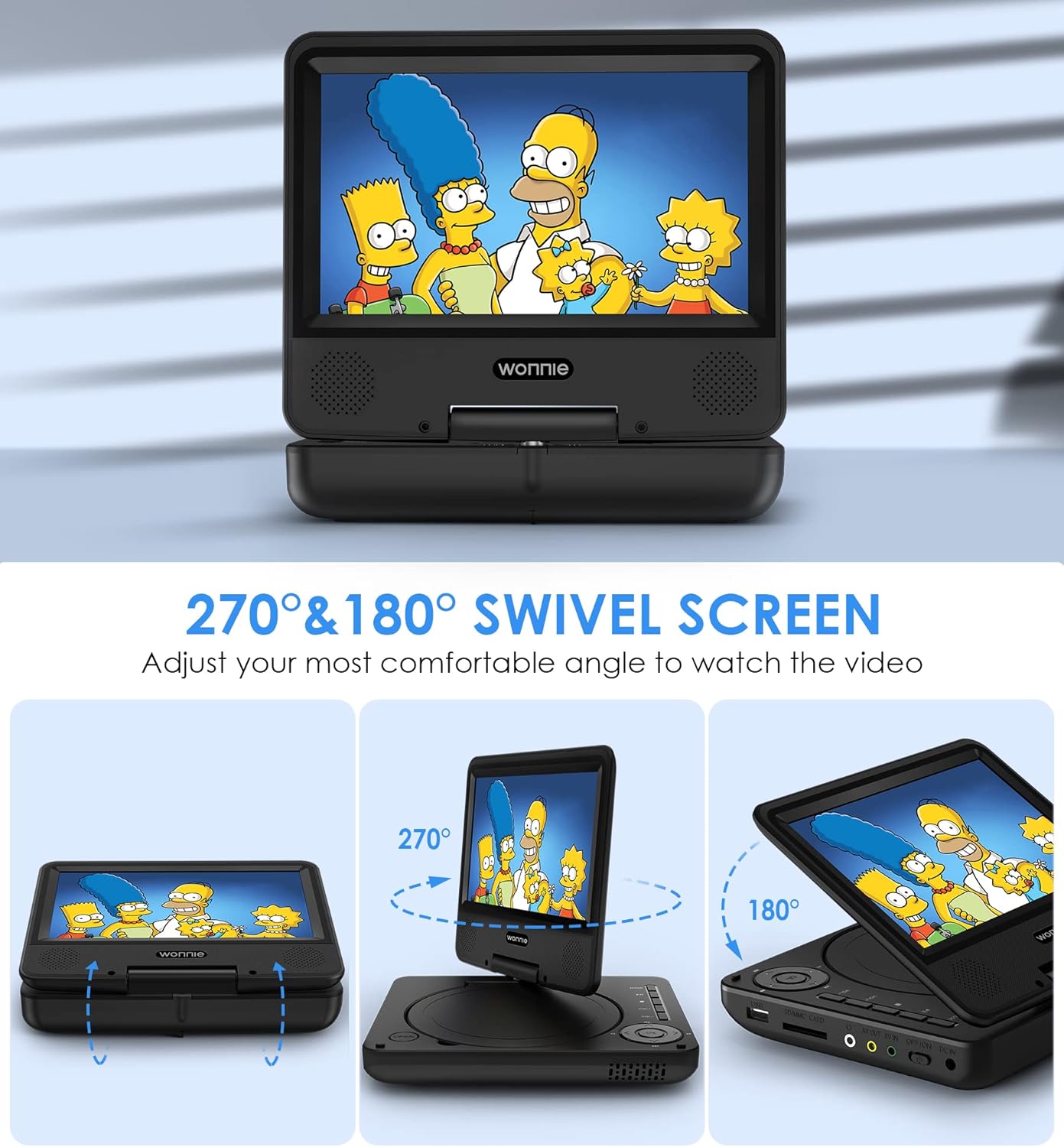
Image: Demonstrates the 270-degree swivel and 180-degree flip functionality of the screen.

Image: Illustrates the three power options: built-in battery, AC adapter, and car charger.

Image: Diagram showing the player's region-free capability and supported media formats.

Image: Close-up view highlighting the dual stereo speakers of the portable DVD player.

Image: Illustrates the last memory function, showing the player resuming from the last watched scene.

Image: The portable DVD player connected to a television, demonstrating the AV Out function.

Image: Two portable DVD players connected to each other, enabling synchronized playback.
4. Setup
4.1 Charging the Battery
Before first use, fully charge the player's built-in Lithium-Ion battery. Connect the AC power adapter to the DC IN port on the player and plug it into a wall outlet. The charging indicator light will illuminate. Once fully charged, the light may change color or turn off depending on the model. A full charge provides up to 6 hours of playback.
4.2 Inserting a Disc
- Gently open the disc cover by pressing the 'OPEN' button or sliding the latch.
- Place the DVD or CD onto the spindle with the label side facing up.
- Press down gently on the center of the disc until it clicks into place.
- Close the disc cover firmly until it latches.
4.3 Inserting USB Drive or SD/MMC Card
- Locate the USB port or SD/MMC card slot on the side of the player.
- Insert your USB drive or SD/MMC card into the corresponding slot. Ensure it is inserted correctly to avoid damage.
- The player will automatically detect the media.
5. Operating Instructions
5.1 Powering On/Off
To power on the player, slide the POWER switch to the 'ON' position. To power off, slide the switch to the 'OFF' position.
5.2 Basic Playback
- After inserting a disc or external media, the player will typically begin playback automatically.
- Use the 'PLAY/PAUSE' button on the player or remote control to start or pause playback.
- Use the 'STOP' button to stop playback.
- Use the 'PREV' and 'NEXT' buttons to skip between tracks or chapters.
- Adjust the volume using the 'VOL+' and 'VOL-' buttons.
5.3 Using the Remote Control
The included remote control provides full functionality for navigating menus, adjusting settings, and controlling playback. Point the remote directly at the player's IR sensor for optimal response.
5.4 Connecting to a TV (AV Out)
- Ensure both the portable DVD player and your TV are turned off.
- Connect one end of the included 3.5mm-RCA cable to the 'AV OUT' port on the portable DVD player.
- Connect the RCA (red, white, yellow) plugs to the corresponding 'AV IN' ports on your TV.
- Turn on the TV and select the correct AV input source.
- Turn on the portable DVD player. The video will now display on your TV screen. The player's screen will turn off by default to ensure better playback effect on the external display.
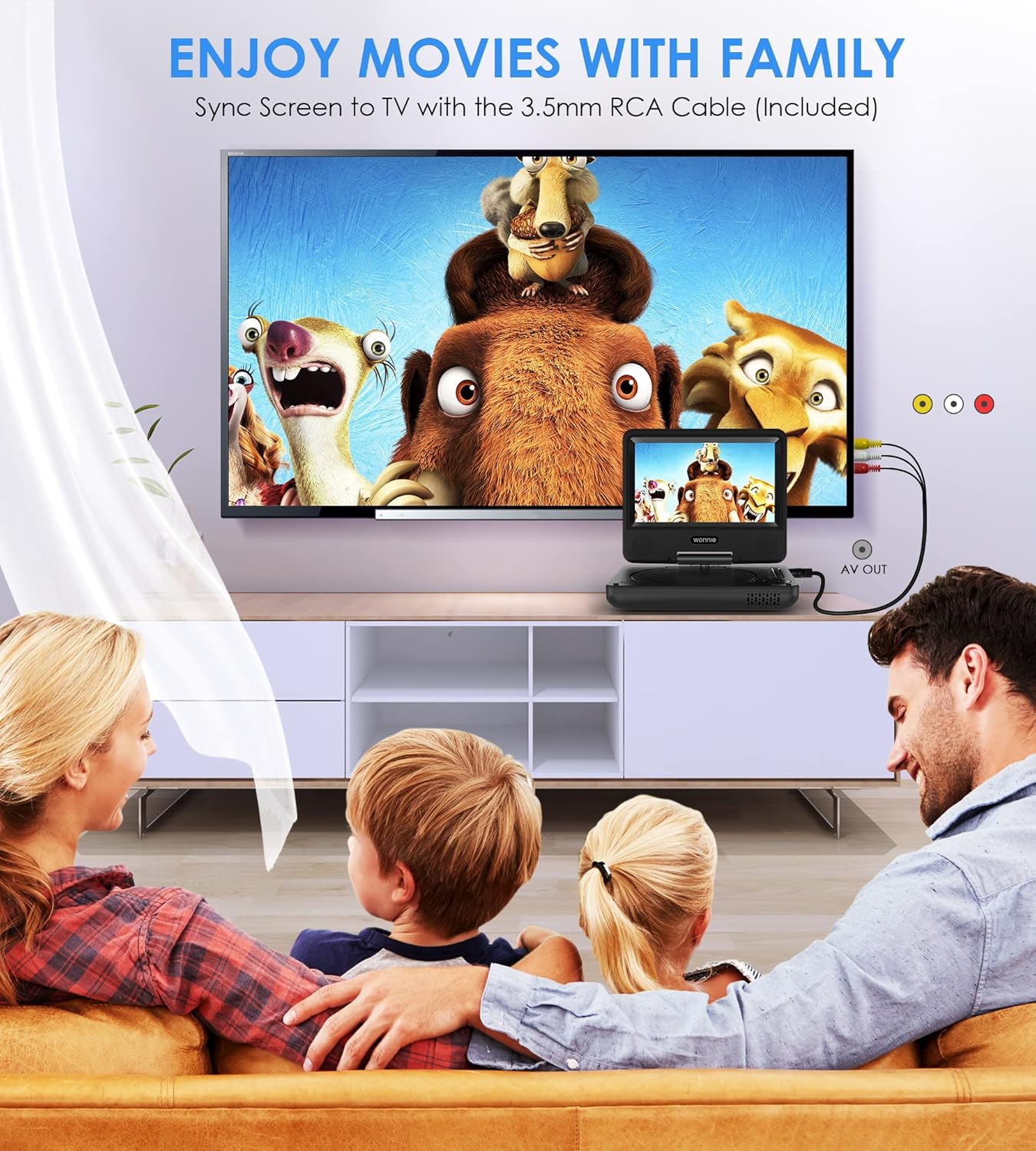
Image: A family enjoying a movie on a large TV screen, connected to the portable DVD player.
5.5 Car Use
The WONNIE W-703 is suitable for car use. Connect the included car charger to the player's DC IN port and your car's cigarette lighter socket. For hands-free viewing, a car headrest holder (not included) can be used to mount the player.
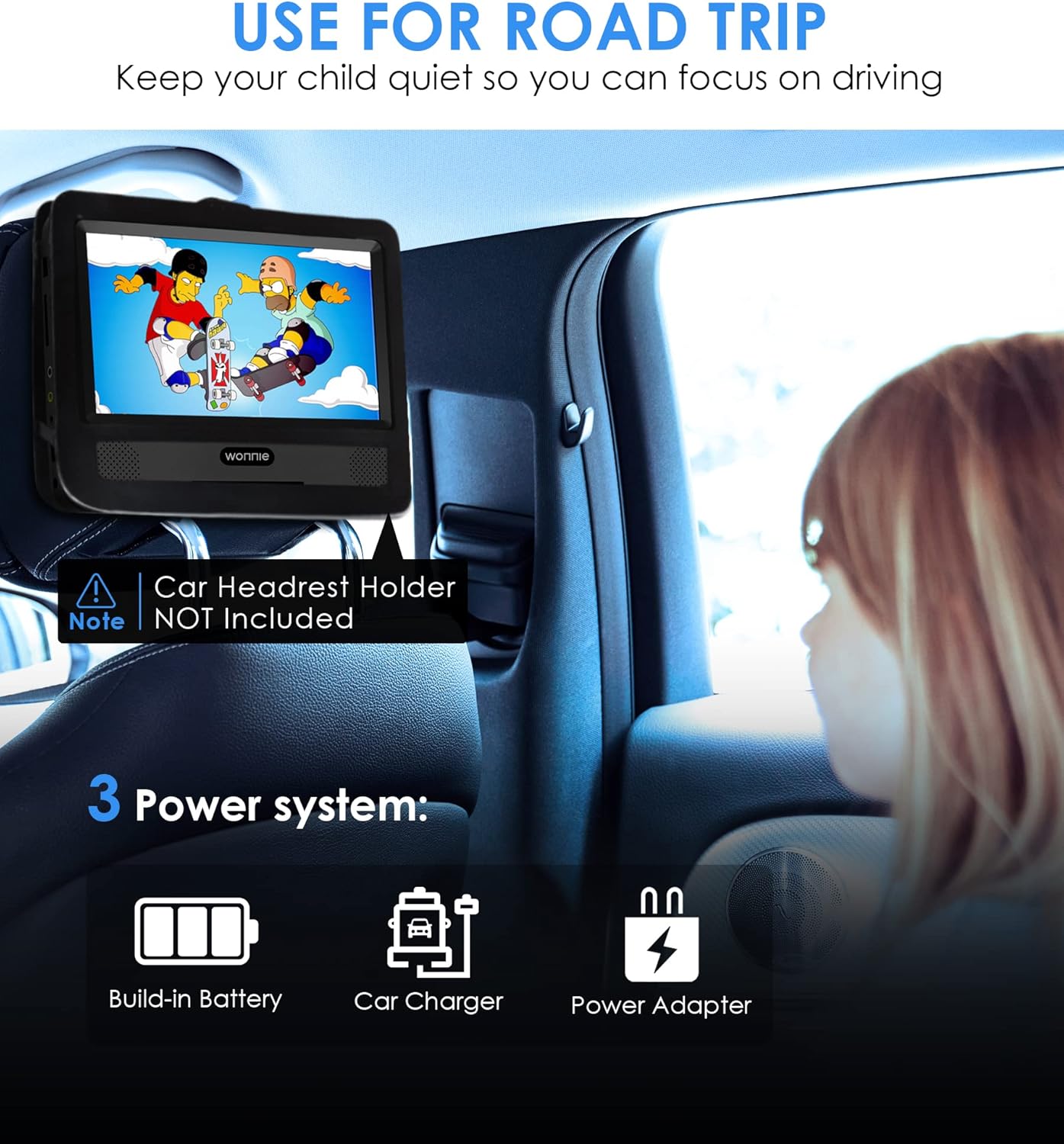
Image: The portable DVD player mounted on a car headrest, providing entertainment for passengers.
6. Maintenance
6.1 Cleaning the Player
Use a soft, dry cloth to clean the exterior of the player. For the screen, use a specialized screen cleaning solution and a microfiber cloth. Do not use abrasive cleaners or solvents, as they may damage the surface.
6.2 Disc Care
Handle discs by their edges. Keep discs clean and free from scratches. Store them in their cases when not in use to prevent dust and damage.
6.3 Storage
When not in use for extended periods, store the player in a cool, dry place away from direct sunlight and extreme temperatures. Ensure the battery is partially charged (around 50%) before long-term storage to preserve battery life.
7. Troubleshooting
| Problem | Possible Cause | Solution |
|---|---|---|
| Player does not power on. | Battery is depleted; Power adapter/car charger not connected or faulty. | Charge the battery; Ensure power connections are secure and functional. |
| No disc playback. | Disc inserted incorrectly; Disc is dirty or scratched; Unsupported disc format. | Reinsert disc correctly; Clean or replace disc; Refer to supported formats in Section 3. |
| No sound. | Volume is too low or muted; Headphones not connected properly; External speakers not connected. | Increase volume; Check mute setting; Ensure headphones/speakers are fully plugged in. |
| No picture on TV. | AV cable not connected correctly; Incorrect TV input selected. | Check AV cable connections to both player and TV; Select the correct AV input on your TV. |
| USB/SD card not recognized. | Card/drive inserted incorrectly; Unsupported file system (not FAT32); Unsupported media format; Card/drive capacity too large. | Reinsert media; Ensure media is formatted to FAT32; Refer to supported formats in Section 3; Max capacity 32GB. |
8. Specifications
| Feature | Specification |
|---|---|
| Model | W-703 |
| Screen Size | 9.5 Inches (diagonal) |
| Display Size | 7.5 Inches (diagonal) |
| Display Resolution | 1024x600 pixels |
| Screen Rotation | 270° swivel, 180° flip |
| Battery Type | Lithium Ion (rechargeable) |
| Battery Life | Up to 6 hours |
| Supported Disc Formats | DVD, DVD+R/RW, DVD-R/RW, CD, CD+R/RW, VCD, SVCD (All Regions) |
| Supported USB/SD Card | USB 2.0, SD/MMC card up to 32GB (FAT32) |
| Max Resolution (USB/SD) | 720x576 pixels |
| Supported Media Formats | JPG, JPEG, MP3, WMA, VOB, AVI, FLV, MPG, MPEG1/2/4 |
| Audio Output | Dual Stereo Speakers, 3.5mm Headphone Jack |
| Connectivity | USB, SD/MMC Card, AV In/Out |
| Dimensions (L x W x H) | 23 x 16 x 5 cm (approx.) |
| Weight | 1.03 kg (approx.) |
9. Warranty and Support
WONNIE is committed to providing high-quality products and excellent customer service. Your WONNIE W-703 Portable DVD Player comes with the following support:
- 60-Day Return Policy: Enjoy a worry-free return period of 60 days from the date of purchase.
- 12-Month Replacement Warranty: A new replacement is available within 12 months for any product issues.
- 365-Day Refund/Replacement: For specific reasons, a refund or replacement can be provided within 365 days.
- Lifetime Technical Support: Benefit from lifetime after-sales consultation and professional technical support.
- Responsive Customer Service: We aim to reply to all inquiries within 24 hours.
If you have any questions, concerns, or require technical assistance, please contact us directly through the 'Get Product Support' option on your Amazon order page or via our official after-sales email. Please ensure to check your package contents upon arrival and contact us immediately if any part is missing or damaged.
Ask a question about this manual
Ask about setup, troubleshooting, compatibility, parts, safety, or missing instructions. Manuals+ will review the question and use this page’s manual context to help answer it.