
Introduction
Thank you for purchasing the Andoer YT1200 Face Motorized Pan Tilt Head. This device is designed to enhance your video recording, live streaming, and photography experience with its intelligent face tracking, 360-degree rotation, and remote control capabilities. This manual provides detailed instructions for setup, operation, maintenance, and troubleshooting to ensure optimal performance and longevity of your product. Please read this manual thoroughly before use.
Package Contents
Please verify that all items listed below are included in your package:
- 1 x Andoer YT1200 Two-axis Gimbal
- 1 x Remote Control
- 1 x USB Charging Cable
- 1 x Mobile Phone Clip
- 1 x User Manual (English)
Product Overview
The Andoer YT1200 is a versatile motorized pan tilt head featuring:
- Motorized Pan Tilt Function: Supports 360° horizontal rotation and ±35° tilt adjustment with 9 levels of adjustable speed.
- AI Smart Face Tracking: Built-in AI camera for human face smart tracking. Activates with one button, no external application required.
- Wireless Remote Control: Includes a 2.4G remote control with 99 channels, offering strong anti-interference and an effective line-of-sight range of up to 100 meters.
- Integrated Battery: Equipped with a built-in 3.7V 2000mAh lithium battery, rechargeable via the included USB cable. Battery power can be checked by a short press of the power button.
- Broad Compatibility: Features a 1/4 inch screw for mounting devices up to 1kg, including mirrorless cameras, DSLR cameras, and smartphones (with the included clip). A 1/4 inch screw hole at the bottom allows for easy tripod mounting.
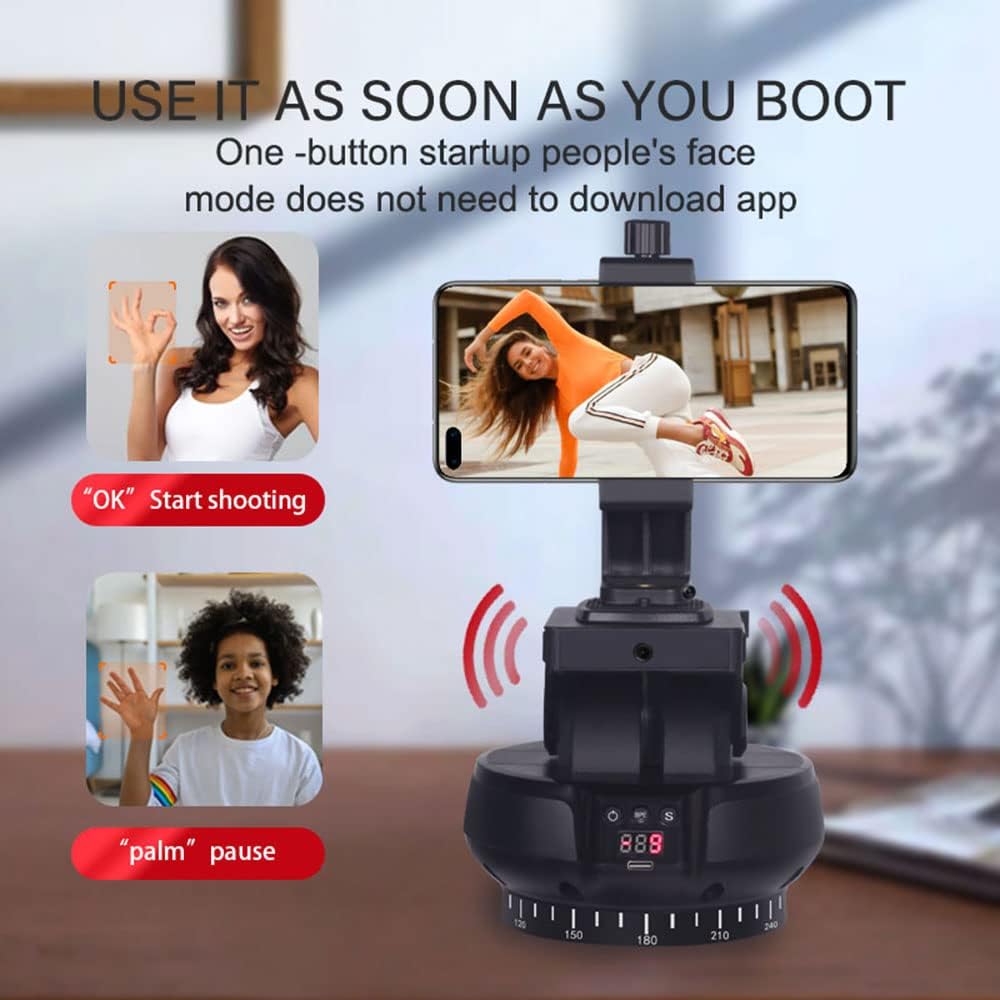
Image: The Andoer YT1200 Face Motorized Pan Tilt Head, showcasing its compact design and a smartphone mounted on top. This image provides a general view of the product.
Setup
1. Initial Charging
- Before first use, ensure the internal battery is fully charged. Connect the provided USB charging cable to the device's charging port and to a 5V/2A USB power adapter (not included).
- Important: Some units may have protective stickers on the battery terminals. If the device does not power on or charge, carefully open the battery compartment (if accessible) and remove any protective stickers from both ends of the battery.
- The charging indicator will show the charging status. Once fully charged, the indicator will change (refer to the device's LED indicators for specific behavior).
2. Mounting Your Device (Camera/Smartphone)
- For smartphones, attach the mobile phone clip to the 1/4 inch screw on top of the pan tilt head. Secure your smartphone firmly within the clip.
- For cameras (mirrorless or DSLR up to 1kg), screw the camera directly onto the 1/4 inch screw on top of the pan tilt head. Ensure it is securely fastened.

Image: The top of the Andoer YT1200 features a 1/4-inch screw, demonstrating its compatibility with multiple types of equipment including cameras, mobile phones, and fill lights.
3. Mounting to a Tripod
- The bottom of the pan tilt head features a 1/4 inch screw hole.
- Align this screw hole with the mounting screw on your tripod or monopod.
- Rotate the pan tilt head clockwise until it is securely attached to the tripod.
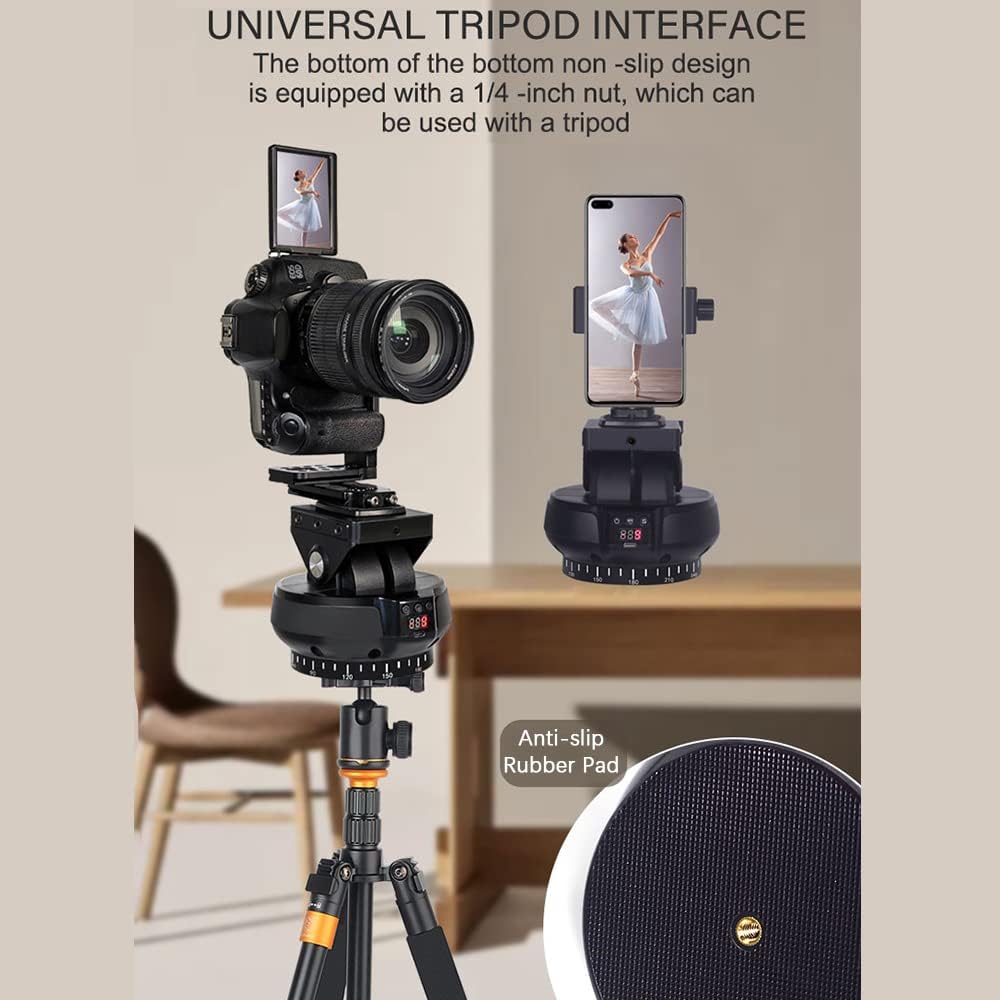
Image: The Andoer YT1200 mounted on a tripod, highlighting its universal tripod interface with a 1/4-inch nut and anti-slip rubber pad for stable attachment.
Operating Instructions
1. Power On/Off
- Power On: Press and hold the power button on the device for a few seconds until the indicator lights illuminate.
- Power Off: Press and hold the power button again for a few seconds until the indicator lights turn off.
- Check Battery: A short press of the power button will display the current battery level on the device's screen.
2. Remote Control Operation
The included 2.4G remote control allows for convenient operation of the pan tilt head.
- Ensure the remote control has 2 AAA batteries installed (not included).
- Pan Control: Use the directional buttons on the remote to rotate the head horizontally (left/right).
- Tilt Control: Use the directional buttons to adjust the tilt angle (up/down).
- Speed Adjustment: The remote control allows for adjusting the rotation and tilt speed across 9 levels. Refer to the remote control's specific buttons for speed increase/decrease.

Image: The Andoer YT1200 operating in remote control mode, with a smartphone mounted and a hand demonstrating the use of the wireless remote control.
3. AI Smart Face Tracking Mode
The YT1200 features an integrated AI camera for automatic face tracking without the need for a separate app.
- Power on the device.
- Press the dedicated face tracking button (usually indicated by a face icon) on the device or remote control to activate AI smart face tracking.
- The device will automatically detect and follow the subject's face, keeping it centered in the frame.

Image: The Andoer YT1200 with a DSLR camera, highlighting its 360-degree automatic rotation, face recognition tracking, and gesture recognition capabilities, all controllable via remote.

Image: A diagram illustrating the internal components of the built-in AI smart camera, emphasizing its high performance and low latency for sensitive follow shots.
4. Gesture Control
The YT1200 supports gesture recognition for convenient control:
- "OK" Gesture: Make an "OK" hand gesture to initiate shooting or start tracking.
- "Palm" Gesture: Present an open palm to pause tracking or stop shooting.
Maintenance
- Keep the device clean and free from dust. Use a soft, dry cloth to wipe the exterior.
- Avoid exposing the device to extreme temperatures, humidity, or direct sunlight.
- Do not attempt to disassemble the device, as this will void the warranty and may cause damage.
- Store the device in a cool, dry place when not in use.
Troubleshooting
- Device does not power on or charge: Ensure the USB charging cable is properly connected to a 5V/2A power source. Check if there are any protective stickers on the battery terminals that need to be removed.
- Remote control not responding: Verify that the remote control has fresh AAA batteries installed and that there are no obstructions between the remote and the pan tilt head.
- Face tracking is inconsistent: Ensure the subject is within the optimal range and lighting conditions. Avoid rapid movements that may exceed the tracking speed.
- Device is unstable on a tripod: Confirm that the pan tilt head is securely fastened to the tripod's 1/4 inch screw. Ensure the tripod itself is stable on a flat surface.
Specifications
| Model Number | LSM5981286127806PI (YT1200) |
| Color | Black |
| Horizontal Rotation | 360 degrees |
| Horizontal Speed | 9 levels adjustable |
| Vertical Speed | 9 levels adjustable |
| Load Capacity | 1kg |
| Battery Capacity | 3.7V 2000mAh |
| Rated Charging Voltage | 5V/ 2A |
| Remote Control Distance | 100M (line of sight) |
| Remote Control Power Supply | 2 * AAA batteries (not included) |
| Item Size | 13.5 * 12.9 * 12.3cm / 5.3 * 5.1 * 4.8in |
| Item Weight | 550g / 19.4oz (device only), 2 pounds (packaged) |
| Manufacturer | Andoer |

Image: A visual representation of the Andoer YT1200's key specifications, including weight, dimensions, speed levels, voltage, interface type, battery capacity, and control methods.
Warranty and Support
For warranty information and technical support, please refer to the documentation provided with your purchase or contact Andoer customer service through their official channels. Keep your purchase receipt as proof of purchase for any warranty claims.