

1. Introduction
Thank you for choosing the AVERA CAL05 42-inch Electric Fireplace. This versatile 3-in-1 unit can be installed as a wall-mounted, freestanding, or recessed fireplace, offering both aesthetic appeal and functional heating. It features a 7-color LED flame effect, adjustable thermostat, and smart control options via a mobile app or remote control. Please read this manual thoroughly before installation and operation to ensure safe and efficient use.

Figure 1.1: The AVERA CAL05 42-inch Electric Fireplace, showcasing its sleek black design and realistic flame effect.
2. Safety Instructions
To reduce the risk of fire, electric shock, or injury, always follow these basic precautions:
- Read all instructions before using this fireplace.
- Do not operate any fireplace with a damaged cord or plug, or if the heater has malfunctioned or been dropped/damaged in any manner.
- Do not use outdoors.
- Do not run cord under carpeting. Do not cover cord with throw rugs, runners, or similar coverings. Arrange cord away from traffic area and where it will not be tripped over.
- To disconnect the fireplace, turn controls to off, then remove plug from outlet.
- Do not insert or allow foreign objects to enter any ventilation or exhaust opening as this may cause an electric shock or fire, or damage the fireplace.
- This fireplace is hot when in use. To avoid burns, do not let bare skin touch hot surfaces.
- Always unplug the fireplace when not in use.
- Keep combustible materials, such as furniture, pillows, bedding, papers, clothes, and curtains at least 3 feet (0.9 m) from the front of the fireplace.
- This appliance is not intended for use by persons (including children) with reduced physical, sensory or mental capabilities, or lack of experience and knowledge, unless they have been given supervision or instruction concerning use of the appliance by a person responsible for their safety.
3. Package Contents
Please check that all components are present and undamaged before installation:
- AVERA CAL05 42-inch Electric Fireplace Unit
- Remote Control
- Mounting Hardware (screws, anchors, brackets for wall/recessed installation)
- Freestanding Base (for floor installation)
- User Manual
4. Product Features
The AVERA CAL05 Electric Fireplace offers a range of features designed for comfort and convenience:
- Versatile 3-in-1 Installation: Can be wall-mounted, used freestanding, or recessed into furniture.
- Smart Control: Operate via the AVERA Home & Kitchen mobile app (WiFi connectivity required) or the included remote control.
- Adjustable Heating: Thermostat control allows setting temperatures up to 35°C (95°F).
- Realistic LED Flame: Enjoy a vibrant flame effect with 7 selectable colors.
- Timer Function: Program the fireplace to operate for up to 12 hours.
- Safety Features: Equipped with an overheat safety sensor for enhanced protection.

Figure 4.1: Overview of key features including 3-in-1 installation, smart control, adjustable heat, and safety sensor.
5. Installation
The AVERA CAL05 Electric Fireplace offers flexible installation options. Choose the method that best suits your space.

Figure 5.1: Visual representation of the three installation methods: wall-mounted, freestanding, and recessed.
5.1. Wall-Mounted Installation
- Select a suitable wall location, ensuring it is away from curtains, furniture, and high-traffic areas.
- Mark the desired height and width for the mounting bracket using a level.
- Drill pilot holes and secure the mounting bracket to the wall using the provided screws and anchors.
- Carefully lift the fireplace unit and hook it onto the wall mounting bracket. Ensure it is securely seated.
- Connect the power cord to a grounded electrical outlet.
5.2. Freestanding Installation
- Attach the freestanding base feet to the bottom of the fireplace unit using the provided screws.
- Place the fireplace on a flat, stable surface in your desired location.
- Ensure there is adequate clearance around the unit for proper ventilation.
- Connect the power cord to a grounded electrical outlet.
5.3. Recessed Installation
- Prepare an opening in your wall or furniture unit that matches the dimensions of the fireplace (refer to specifications). Ensure the opening is structurally sound.
- Ensure there is access to a grounded electrical outlet within the recessed area.
- Carefully slide the fireplace unit into the prepared opening.
- Secure the fireplace to the surrounding structure using the appropriate mounting hardware.
- Connect the power cord to a grounded electrical outlet.
6. Operation
The AVERA CAL05 Electric Fireplace can be operated using the included remote control or the AVERA Home & Kitchen mobile application.
6.1. Remote Control Operation
The remote control allows you to manage the fireplace functions from a distance. Ensure the remote has working batteries.
- Power Button: Turns the fireplace ON or OFF.
- Flame Button: Cycles through the 7 different flame colors.
- Heat Button: Activates or deactivates the heating function.
- Temperature +/- Buttons: Adjusts the desired temperature setting.
- Timer Button: Sets the automatic shut-off timer (up to 12 hours).
- Dimmer Button: Adjusts the brightness of the flame effect.
6.2. Mobile App Control (AVERA Home & Kitchen)
For advanced control and convenience, download the AVERA Home & Kitchen app on your smartphone.

Figure 6.1: A user interacting with the AVERA Home & Kitchen mobile application to control the fireplace.
- Download the App: Search for "AVERA Home & Kitchen" on the App Store (for iOS) or Google Play (for Android).
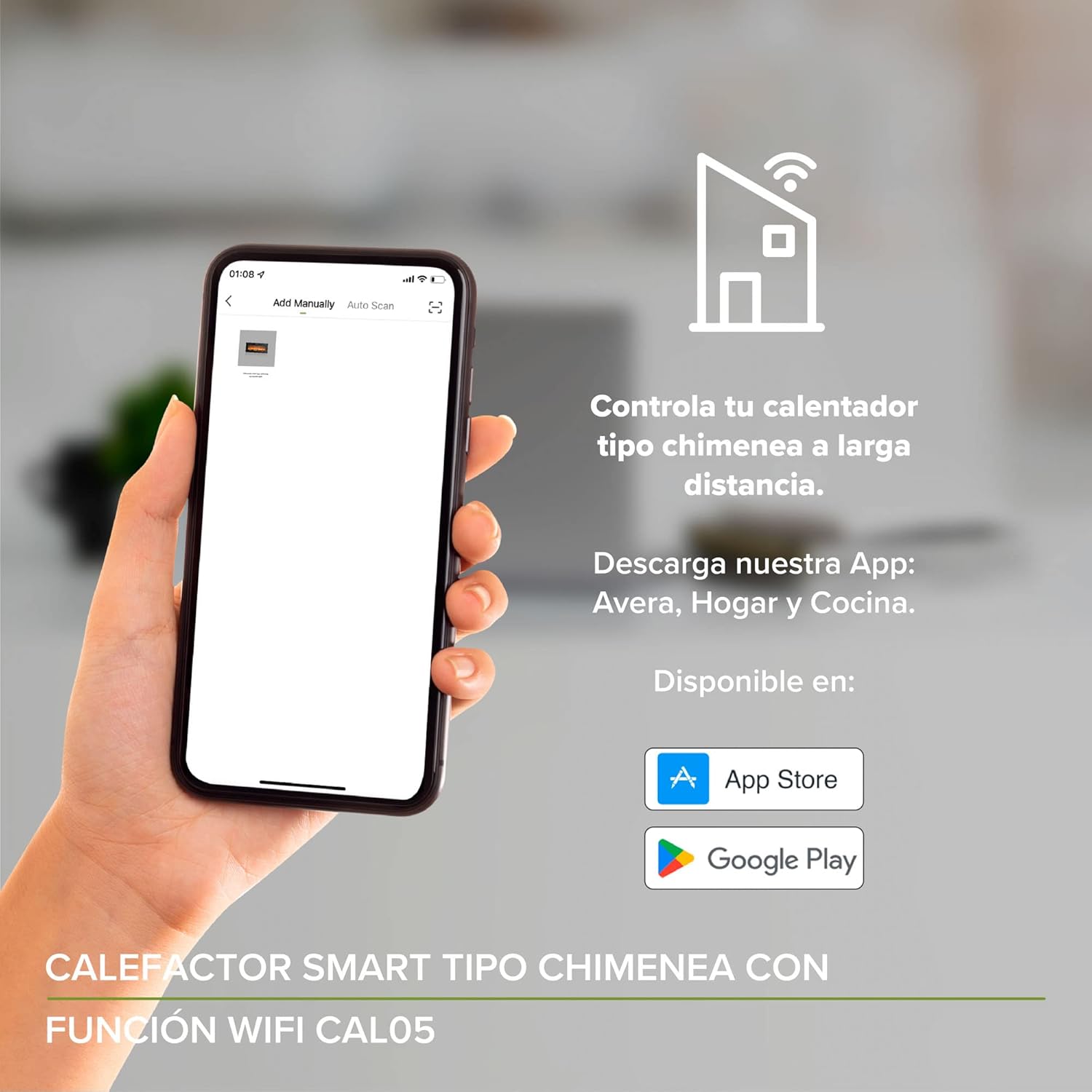
Figure 6.2: The AVERA Home & Kitchen app is available for download on both the App Store and Google Play.
- Account Creation: Open the app and create a new user account or log in if you already have one.
- Add Device: Follow the in-app instructions to add your AVERA CAL05 Electric Fireplace. This typically involves connecting the fireplace to your home WiFi network.
- Control Functions: Once connected, you can use the app to:
- Turn the fireplace ON/OFF.
- Adjust the temperature.
- Change the flame color and brightness.
- Set the timer.
- Access additional smart features and schedules.

Figure 6.3: The app interface showing controls for power, heating mode, temperature, and flame color.
7. Maintenance
Regular maintenance ensures the longevity and optimal performance of your electric fireplace.
- Cleaning: Ensure the fireplace is turned off and unplugged before cleaning. Use a soft, damp cloth to wipe down the exterior surfaces. Do not use abrasive cleaners or sprays.
- Glass Panel: Clean the glass panel with a soft cloth and a glass cleaner. Do not scratch the glass.
- Vents: Periodically check the air intake and exhaust vents for dust or obstructions. Use a vacuum cleaner with a brush attachment to gently remove any debris.
- Storage: If storing the fireplace for an extended period, unplug it and store it in a dry, dust-free location.
8. Troubleshooting
If you encounter any issues with your AVERA CAL05 Electric Fireplace, refer to the following table for common problems and solutions.
| Problem | Possible Cause | Solution |
|---|---|---|
| Fireplace does not turn on. | No power, power cord not plugged in, circuit breaker tripped. | Ensure the power cord is securely plugged into a grounded outlet. Check the circuit breaker. |
| No heat output. | Heating function not activated, thermostat set too low, overheat sensor activated. | Activate the heating function via remote/app. Increase the thermostat setting. Unplug the unit for 15 minutes to reset the overheat sensor. |
| Flame effect not working. | Flame function not activated, LED lights malfunction. | Ensure the flame function is turned on. If the issue persists, contact customer support. |
| Remote control not working. | Dead batteries, obstruction, remote out of range. | Replace batteries. Ensure no obstructions between remote and fireplace. Operate within recommended range. |
| WiFi connection issues. | Incorrect WiFi password, router too far, network interference. | Verify WiFi password. Move fireplace closer to router or use a WiFi extender. Restart router and fireplace. |
9. Specifications
Detailed technical specifications for the AVERA CAL05 42-inch Electric Fireplace.
| Feature | Specification |
|---|---|
| Brand | AVERA |
| Model Number | CAL05 |
| Color | Black |
| Product Dimensions (L x W x H) | 112.5 x 18.3 x 53.3 cm (44.3 x 7.2 x 21 inches) |
| Product Weight | 17.14 kg (37.78 lbs) |
| Material | Metal, Tempered Glass |
| Power Source | Corded Electric |
| Special Features | Decorative, LED Flame, Multicolor Flame, Dimmer, WiFi |
| Max Temperature | 35°C (95°F) |
| Timer | Up to 12 hours |

Figure 9.1: Dimensional drawing of the AVERA CAL05 Electric Fireplace, showing length, height, and width.
10. Warranty and Support
Your AVERA CAL05 Electric Fireplace is backed by a 1-year warranty from the date of purchase. This warranty covers manufacturing defects and ensures the quality of your product.
For warranty claims, technical assistance, or any questions regarding your product, please contact AVERA Customer Support:
- Website: Visit the official AVERA website for support resources and contact information.
- Email: Refer to your purchase documentation for specific support email addresses.
- Phone: Consult your product packaging or the AVERA website for customer service phone numbers.
Please have your proof of purchase and product model number (CAL05) ready when contacting support.

