
1. Introduction
This manual provides essential instructions for the safe and efficient use of your Yoidesu Flip Phone, Model Yoidesuw83apxd6uf-12. Please read this manual thoroughly before using the device and retain it for future reference.

Figure 1: Yoidesu Flip Phone (White) in open position, showing the display and keypad.
2. Setup
2.1 Package Contents
- 1 x Yoidesu Flip Phone
- 1 x Micro USB Data Cable
- 1 x Instruction Manual
2.2 SIM Card Installation
The Yoidesu Flip Phone uses a Micro SIM card. Ensure your SIM card is GSM enabled and supports 2G networks (GSM 850/900/1800/1900MHz). Compatible carriers include T-Mobile (in some states), Lycamobile, Speedtalk, Ting GSM, Simple Mobile, or any other carrier offering 2G GSM SIM cards (prepaid SIM cards are recommended).
- Power off the phone.
- Locate the SIM card slot, typically under the battery cover.
- Carefully insert the Micro SIM card into the designated slot.
- Replace the battery cover.
2.3 Battery Charging
The phone is equipped with a built-in 300mAh Lithium Battery. Use the provided Micro USB data cable to charge the device. Connect the Micro USB end to the phone's charging port and the other end to a compatible USB power adapter (not included) or a computer's USB port.
2.4 Powering On/Off
- To power on: Press and hold the Power/End Call button until the screen illuminates.
- To power off: Press and hold the Power/End Call button until the power-off option appears, then confirm.
3. Operating Instructions
3.1 Basic Functions

Figure 2: The phone features a 0.66-inch OLED HD display with 64x48 pixel resolution for clear viewing.
- Making Calls: Enter the phone number using the keypad and press the Call button.
- Answering Calls: Press the Call button when the phone rings.
- Ending Calls: Press the End Call button.
- Messaging: Access the 'Messages' menu to compose and send text messages.
- Address Book: Store up to 500 contacts in the phone's address book.
- Alarm Clock: Set alarms through the 'Alarm Clock' function in the menu.
3.2 Bluetooth Connectivity
The phone supports Bluetooth 3.0 for wireless connections. It can be used for Bluetooth dialing, synchronizing contacts, and receiving notifications when connected to other Bluetooth-enabled smartphones.

Figure 3: Bluetooth 3.0 allows connection to other devices for functions like dialing and information synchronization.
- Pairing: Enable Bluetooth on both your Yoidesu Flip Phone and the device you wish to pair with. Search for available devices on your Flip Phone and select the desired device to pair.
- Bluetooth Dialer: Once paired, you can use your Flip Phone to dial numbers through the connected smartphone.
- Anti-Loss Function: When connected via Bluetooth, the phone may alert you if it moves out of range from the paired device.
3.3 Language Support
The Yoidesu Flip Phone supports 13 national languages, allowing for broad usability across different regions.

Figure 4: The phone offers support for 13 different languages.
4. Maintenance
4.1 Battery Care
The 300mAh high-density lithium battery provides extended usage. To maximize battery life:
- Charge the phone fully before first use.
- Avoid extreme temperatures.
- Do not leave the phone uncharged for extended periods.
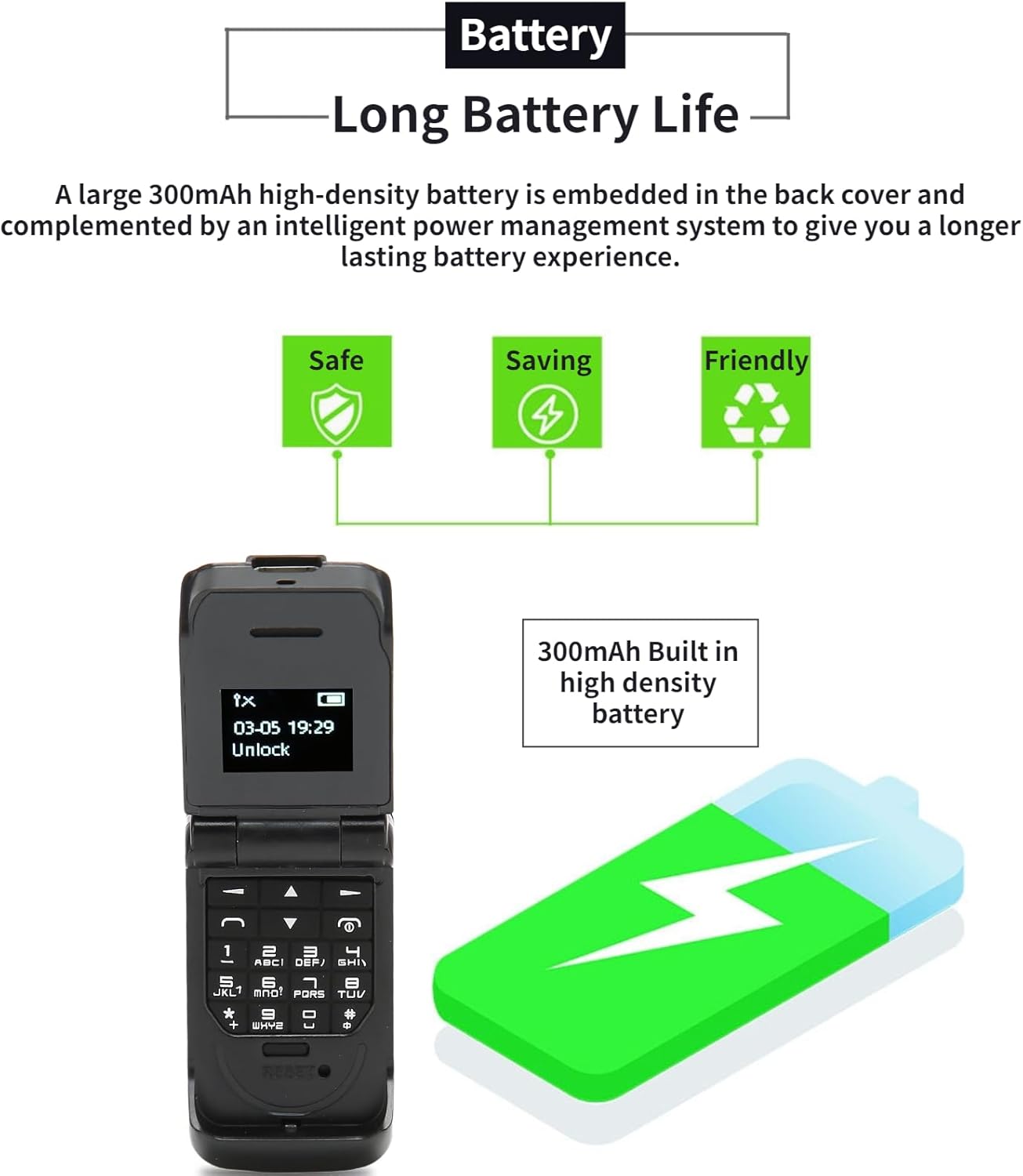
Figure 5: The 300mAh battery is designed for long-lasting performance.
4.2 Cleaning and Storage
- Use a soft, dry cloth to clean the phone's exterior.
- Avoid using harsh chemicals or abrasive materials.
- Store the phone in a cool, dry place away from direct sunlight and moisture.
4.3 Radiation Information
The Yoidesu Flip Phone features an all-plastic shell and non-toxic materials, designed for ultra-low radiation. The radiation value is significantly lower than that of ordinary cell phones.

Figure 6: The phone is designed with ultra-low radiation for user safety.
5. Troubleshooting
If you encounter issues with your Yoidesu Flip Phone, please refer to the following common solutions:
- Phone not powering on: Ensure the battery is charged. Connect the phone to a charger and attempt to power on after a few minutes.
- SIM card not recognized: Verify that the SIM card is correctly inserted and is a compatible Micro SIM card that supports 2G GSM networks. Try restarting the phone.
- Cannot make/receive calls: Check network signal strength. Ensure your SIM card is active and has sufficient credit/plan.
- Bluetooth connection issues: Ensure Bluetooth is enabled on both devices. Make sure both devices are within the 10m/10.9yd range without obstacles. Try unpairing and re-pairing the devices.
- Display not working: If the screen is unresponsive or blank, try restarting the phone. If the issue persists, contact customer support.
6. Specifications
Below are the technical specifications for the Yoidesu Flip Phone Model Yoidesuw83apxd6uf-12:
- Model: Yoidesuw83apxd6uf-12
- Material: ABS
- Screen Size: 0.66 Inch OLED HD Display
- Resolution: 64x48 Pixels
- Body Memory: 32MB and 64MB
- Built-in Battery: 300mAh Lithium Battery
- Charging Port: Micro USB
- Network System: GSM 2G Single Card Single Standby (Micro Sim)
- Network Frequency Band: GSM 850/900/1800/1900MHz
- Phone Storage (Contacts): 500
- Language Support: 13 National Languages
- Bluetooth: Bluetooth 3.0, within 10m/10.9yd without obstacles
- Dimensions (Folded): Approximately 44mm (height) x 16mm (thickness)
- Dimensions (Unfolded): Approximately 72mm (height)
- Item Weight: Approximately 18g / 0.63oz

Figure 7: Physical dimensions of the Yoidesu Flip Phone.
7. Warranty and Support
For warranty information or technical support, please refer to the documentation provided at the time of purchase or contact your retailer. Keep your purchase receipt as proof of purchase.