
Introduction
The Sony FE 50mm F1.4 GM Lens (model SEL50F14GM) is a high-performance prime lens designed for Sony E-mount full-frame cameras. As part of Sony's prestigious G Master series, it is engineered to deliver exceptional resolution, stunning bokeh, and reliable performance in a compact and lightweight form factor. This manual provides essential information for setting up, operating, maintaining, and troubleshooting your lens.
Key Features:
- Breathtaking G Master image quality with extraordinary resolution from edge to edge.
- Innovative optics and a large F1.4 aperture for magnificent, smooth bokeh.
- Highly mobile, lightweight, and compact design for enhanced portability.
- Fast, precise, and quiet autofocus and tracking capabilities for both stills and movies.
- Circular aperture with an 11-blade iris for naturally rendered out-of-focus areas.
Product Overview
The Sony FE 50mm F1.4 GM lens combines advanced optical technology with robust construction to meet the demands of professional photographers and videographers. Its design prioritizes both image quality and user experience.

Figure 1: Main view of the Sony FE 50mm F1.4 GM Lens.

Figure 2: Front view of the lens, showcasing the front element and filter thread.

Figure 3: Side view of the lens, highlighting the various control switches and rings.

Figure 4: Rear view of the lens, showing the E-mount interface for attaching to compatible Sony cameras.
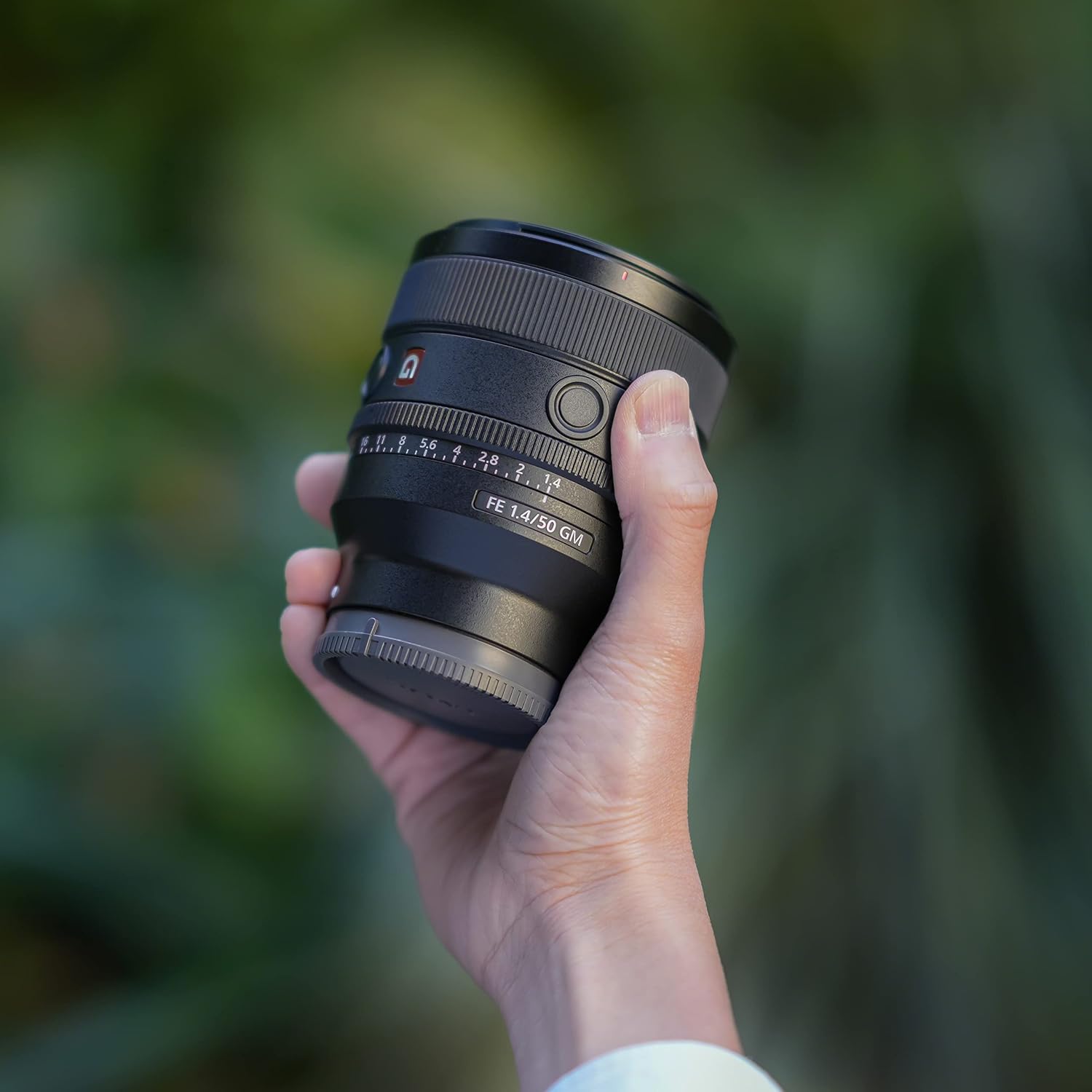
Figure 5: The lens held in a hand, illustrating its compact and portable design.

Figure 6: An example image showcasing the lens's impressive edge-to-edge sharpness.

Figure 7: A portrait shot demonstrating the beautiful and smooth bokeh effect achievable with this lens.

Figure 8: An illustration detailing the internal Linear Motor system responsible for fast and quiet autofocus.
Video Overview
Video 1: A seller's overview highlighting the top reasons to choose the Sony FE 50mm F1.4 GM lens, covering its features and benefits.
Video 2: A detailed overview and demonstration of the Sony FE 50mm F1.4 GM Lens by a seller, showcasing its functionality and performance.
Setup
Mounting the Lens
To attach the lens to your Sony E-mount camera, align the white index dot on the lens barrel with the white index dot on your camera's lens mount. Rotate the lens clockwise until it clicks into place. Ensure the lens is securely fastened before use.

Figure 9: Demonstrating the process of mounting the Sony FE 50mm F1.4 GM Lens onto a compatible Sony E-mount camera body.
Lens Controls
The lens features several controls for precise adjustments:
- AF/MF Switch: Toggles between autofocus (AF) and manual focus (MF) modes.
- Focus Hold Button: Can be customized via your camera's menu to perform various functions, such as locking focus.
- Iris Lock Switch: Locks the aperture ring in the 'A' (Auto) position or at a selected manual aperture.
- Click ON/OFF Switch: Enables or disables the click stops on the aperture ring. 'ON' provides tactile feedback for still photography, while 'OFF' allows smooth, silent aperture changes ideal for video recording.

Figure 10: A close-up of the lens controls, including the AF/MF switch, Focus Hold button, Iris Lock, and Click ON/OFF switch.
Operating the Lens
Autofocus and Manual Focus
Utilize the AF/MF switch to select your desired focusing method. In AF mode, the lens provides fast, precise, and quiet autofocus, suitable for capturing moving subjects or discreet shooting. For critical focus or creative control, switch to MF mode and use the manual focus ring.
Aperture Control
The aperture ring allows direct control over the lens's aperture from F1.4 to F16. For automatic aperture control, set the ring to 'A' and use the Iris Lock switch to prevent accidental changes. For video, consider setting the Click ON/OFF switch to 'OFF' for smooth, silent aperture transitions.
Customizable Focus Hold Button
The focus hold button can be assigned various functions through your camera's custom key settings. Common uses include focus lock, Eye AF activation, or switching between focus areas.
Maintenance
Proper maintenance ensures the longevity and performance of your lens.
- Cleaning: Use a soft, lint-free cloth to clean the lens surfaces. For stubborn smudges, use a lens cleaning solution specifically designed for optical elements. The fluorine coating on the front element helps repel dirt and fingerprints, making cleaning easier.
- Weather Resistance: The lens features a dust and moisture-resistant design, offering enhanced reliability in challenging outdoor conditions. However, it is not water resistant and should not be submerged or exposed to heavy rain.
- Storage: When not in use, attach the front and rear lens caps and store the lens in its provided case to protect it from dust, moisture, and physical damage.
Troubleshooting
Vignetting
At very wide apertures (e.g., F1.4), some vignetting (darkening of the image corners) may occur. This is a common optical characteristic of fast lenses and can often be corrected in post-processing software or by stopping down the aperture slightly.
Image Stabilization
This lens does not feature built-in optical image stabilization. For situations requiring stabilization, rely on your camera's in-body image stabilization (IBIS) system or use a tripod, especially at slower shutter speeds or in low-light conditions, to prevent camera shake.
Specifications
| Feature | Detail |
|---|---|
| Brand | Sony |
| Model Name | Sony SEL50F14GM |
| Model Number | SEL50F14GM |
| Focal Length | 50 Millimeters (Fixed) |
| Maximum Aperture | F1.4 |
| Minimum Aperture | F16 |
| Lens Mount | Sony E |
| Lens Design | Prime |
| Focus Type | Auto Focus |
| Image Stabilization | No image stabilization |
| Number of Diaphragm Blades | 11 |
| Lens Coating | Nano AR II and Fluorine Coatings |
| Item Weight | 517 Grams |
| Filter Size | 67mm |
| Water Resistance Level | Not Water Resistant |
What's in the Box
The Sony FE 50mm F1.4 GM Lens package includes:
- Lens hood
- Lens front cap
- Lens rear cap
- Lens case
Warranty and Support
This product is covered by a 1 Year Manufacturer Warranty. For warranty claims, technical support, or service inquiries, please contact Sony customer support or visit the official Sony website.


