
BOYI BOYI GMK67
BOYI GMK67 Barebones Keyboard Instruction Manual
Model: BOYI GMK67 | Brand: BOYI
Introduction
The BOYI GMK67 Barebones Keyboard Kit is a 65% layout, hot-swappable, gasket-mounted mechanical keyboard kit designed for customization. It features tri-mode connectivity (Bluetooth 5.0, 2.4G wireless, and Type-C wired), RGB backlighting, and a multifunction knob, offering a versatile and personalized typing experience.
Key Features
- DIY Customization: The barebones kit allows users to easily assemble their own mechanical keyboard by choosing and installing their preferred switches and keycaps.
- Hot-Swappable Switches: Equipped with hot-swappable terminals, compatible with Cherry MX, Kailh, Gateron, and other 3-pin or 5-pin mechanical switches without soldering.
- Tri-Mode Connection: Supports Bluetooth 5.0, 2.4G wireless, and Type-C wired connections for versatile compatibility across various devices. Features a 3000mAh built-in battery.
- RGB Backlighting: Offers over 16.8 million customizable RGB lighting options with various modes, speeds, and brightness levels.
- Gasket-Mounted Design: Utilizes a gasket material and PORON gaskets to minimize vibrations and cavity sound, providing a satisfying typing experience.
- Multifunction Knob: A rotary knob allows for easy control of multimedia functions, such as volume adjustment and play/pause.
- South-Facing LEDs: Designed with south-facing LEDs for better compatibility with most keycap sets.
Setup Guide
1. Unboxing and Initial Inspection
Carefully remove all components from the packaging. Ensure all listed items are present: the keyboard barebones kit, USB-C cable, and switch/keycap puller tool.

Figure 1: BOYI GMK67 Barebones Keyboard Kit, showing the layout without keycaps or switches.

Figure 2: Exploded view illustrating the internal layers of the keyboard, including the multimedia knob, upper lid, PC material positioning plate, lubricated stabilizer, Poron PCB foam, PCB circuit board, foam base, lower lid, and Poron gasket strips.
2. Installing Switches and Keycaps
As this is a barebones kit, switches and keycaps are not included and must be installed by the user. The keyboard supports 3-pin and 5-pin mechanical switches.
- Align the pins of your mechanical switch with the corresponding holes on the PCB.
- Gently push the switch straight down until it clicks into place. Ensure the switch is fully seated and the pins are not bent.
- Repeat for all desired keys.
- Once switches are installed, align your keycaps with the switch stems and press firmly until they are securely attached.

Figure 3: Demonstration of hot-swappable switch installation into the PCB.
Video 1: BOYI GMK67 Kit Assemble Typing Test. This video demonstrates the assembly process and provides a typing sound test of the assembled keyboard.
3. Connecting the Keyboard
The BOYI GMK67 offers three connection modes: Wired, 2.4G Wireless, and Bluetooth.

Figure 4: Diagram illustrating the three connection modes: Bluetooth 5.0, 2.4G Wireless, and Type-C Wired.
- Wired Mode:
- Connect the provided USB-C cable to the keyboard's USB-C port and the other end to your computer's USB port.
- Toggle the mode switch on the keyboard to the "Wired" position. The keyboard will be recognized automatically.
- 2.4G Wireless Mode:
- Locate the 2.4G receiver (USB dongle) stored in the keyboard's side slot.
- Plug the receiver into an available USB port on your computer.
- Toggle the mode switch on the keyboard to the "2.4G" position. The keyboard should connect automatically.
- Bluetooth Mode:
- Toggle the mode switch on the keyboard to the "BT" position.
- On your device (PC, laptop, tablet, smartphone), open Bluetooth settings and search for available devices.
- Select "BOYI GMK67" from the list to pair. The keyboard's backlight will flash during pairing and become solid once connected.

Figure 5: Side view of the keyboard showing the mode switches for Windows/Mac and connection types.
4. Operating System Compatibility
The keyboard supports both Windows and Mac operating systems. Use the dedicated switch on the side of the keyboard to toggle between Mac mode and Win mode for optimal key mapping.
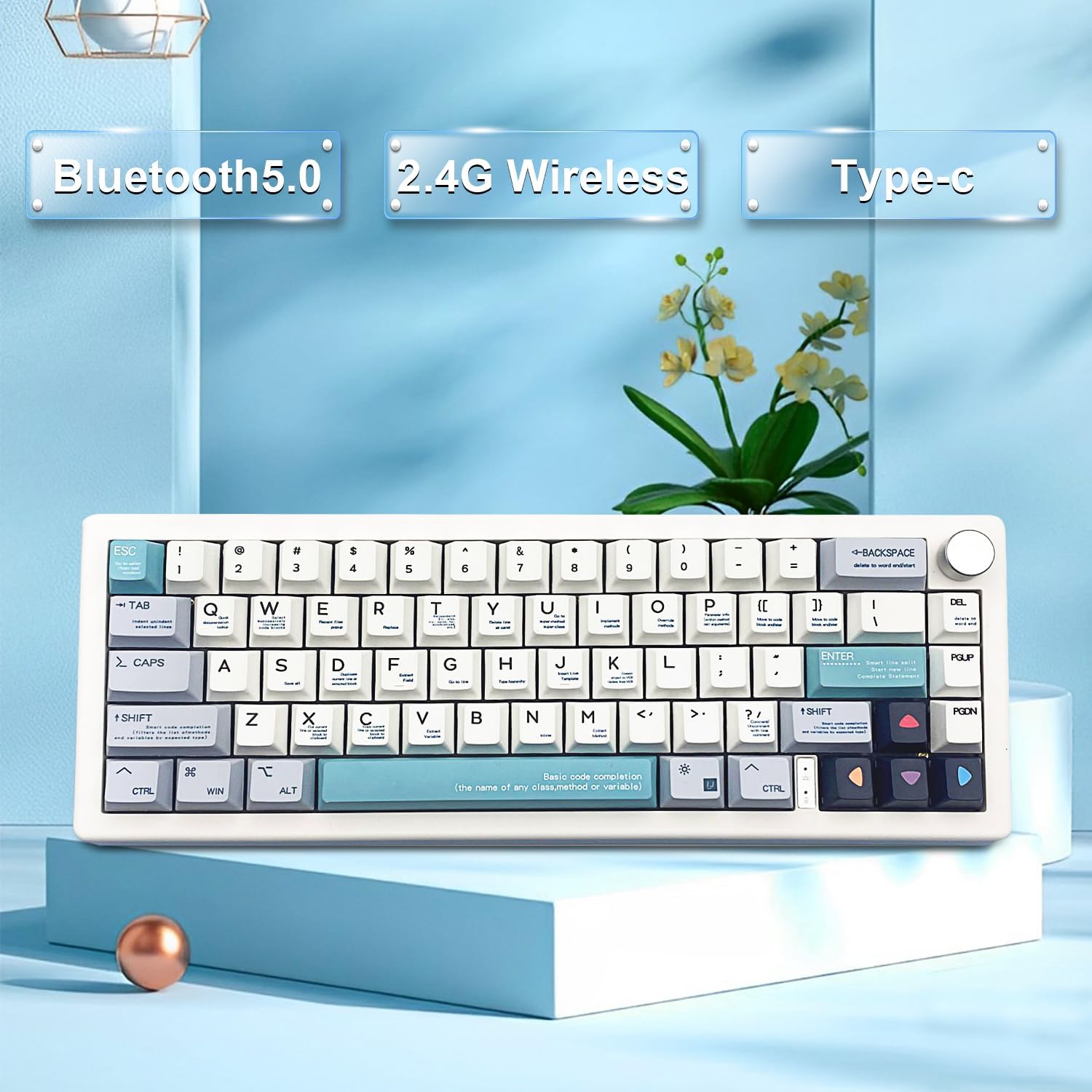
Figure 6: The BOYI GMK67 keyboard showcasing its Bluetooth, 2.4G Wireless, and Type-C wired connectivity options.
Operating Instructions
1. Multimedia Knob Functions
The multifunction knob located on the top right of the keyboard provides convenient control over media playback:
- Rotate clockwise to increase volume.
- Rotate counter-clockwise to decrease volume.
- Press the knob to play or pause media.

Figure 7: Diagram illustrating the functions of the multimedia knob for volume control and play/pause.
2. RGB Backlighting Control
The keyboard features extensive RGB backlighting with various modes and customization options. Use the FN (Function) key in combination with other keys to control the lighting:
- FN + ↑ (Up Arrow): Increase RGB backlight brightness.
- FN + ↓ (Down Arrow): Decrease RGB backlight brightness.
- FN + ← (Left Arrow): Switch RGB dynamic backlight direction.
- FN + → (Right Arrow): Switch RGB backlight color.
- FN + { : Decrease RGB backlight speed.
- FN + } : Increase RGB backlight speed.
- FN + \| : Toggle between 18 different RGB backlighting modes.

Figure 8: The keyboard showcasing its vibrant RGB backlighting.
Video 2: BOYI GMK67-Preferred Good Choice! This video provides an in-depth look at the keyboard's features, including its RGB lighting effects and customization options.
3. Key Remapping and Software
The BOYI GMK67 keyboard is programmable, allowing for key remapping and macro creation. For advanced customization, please contact BOYI Direct for the official GMK67 Software Macro Driver.
Maintenance
- Cleaning: Use a soft brush or compressed air to remove dust and debris from between keycaps. For deeper cleaning, carefully remove keycaps using the provided puller and wipe the surface with a damp cloth.
- Switch Care: Avoid bending switch pins during installation. If a switch feels loose, ensure it is properly seated.
- Battery: The 3000mAh built-in battery provides long-lasting power. Recharge using the USB-C cable when the battery indicator light shows low power.
Troubleshooting
| Issue | Possible Solution |
|---|---|
| Keyboard not connecting (Wired/2.4G/Bluetooth) |
|
| RGB lights not working or behaving unexpectedly |
|
| Keys not registering or "stuttering" |
|
| Battery drains quickly |
|
Specifications
- Model Number: BOYI GMK67
- Product Dimensions: 12.6 x 4.7 x 1.6 inches
- Item Weight: 1.43 pounds
- Number of Keys: 67
- Connectivity Technology: Bluetooth 5.0 / 2.4G Wireless / Type-C Wired (Tri-Mode)
- Battery: 1 Lithium Ion battery (included), 3000mAh
- Special Features: Ergonomic, Backlit, Programmable Keys, Gasket Mounted, RGB 65% Gaming Keyboard, Rechargeable, Hot-Swappable
- Compatible Devices: Laptop, Gaming Console, PC, Tablet, Smartphone
Warranty and Support
For warranty information, technical support, or any inquiries regarding your BOYI GMK67 keyboard, please contact the seller or manufacturer directly through their official support channels. Refer to your purchase documentation for specific warranty terms and contact details.
Related documentsBOYI GMK67


Ask a question about this manual
Ask about setup, troubleshooting, compatibility, parts, safety, or missing instructions. Manuals+ will review the question and use this page’s manual context to help answer it.