
AVAPOW A58
AVAPOW A58 4000A Car Jump Starter User Manual
Model: A58
1. Introduction
Thank you for choosing the AVAPOW A58 4000A Car Jump Starter. This device is designed to provide reliable jump-starting power for 12V vehicles with up to 8.0L gas and 10L diesel engines. It also functions as a portable power bank and features an integrated LED light for various situations. Please read this manual thoroughly before use to ensure safe and optimal performance.
2. Safety Information
Always observe the following safety precautions to prevent injury or damage to the device and your vehicle:
- Ensure proper polarity when connecting the smart clamps to the vehicle battery terminals. Incorrect connection can cause sparks or damage.
- Do not attempt to jump start a frozen battery.
- Do not connect the positive (+) and negative (-) clamps together.
- Operate the device within the specified temperature range of -4°F to 140°F (-20°C to 60°C).
- Keep the device away from children.
- The AVAPOW A58 includes multi-layer protection against shorts, reverse polarity, and other risks. It is UL/FC/CE certified.
3. Package Contents
Verify that all items are present in your package:
- 1 x AVAPOW A58 Jump Starter
- 1 x Smart Jumper Cables
- 1 x USB-C Cable
- 1 x Cigarette Lighter Converter
- 1 x Carry Case
- 1 x User Manual
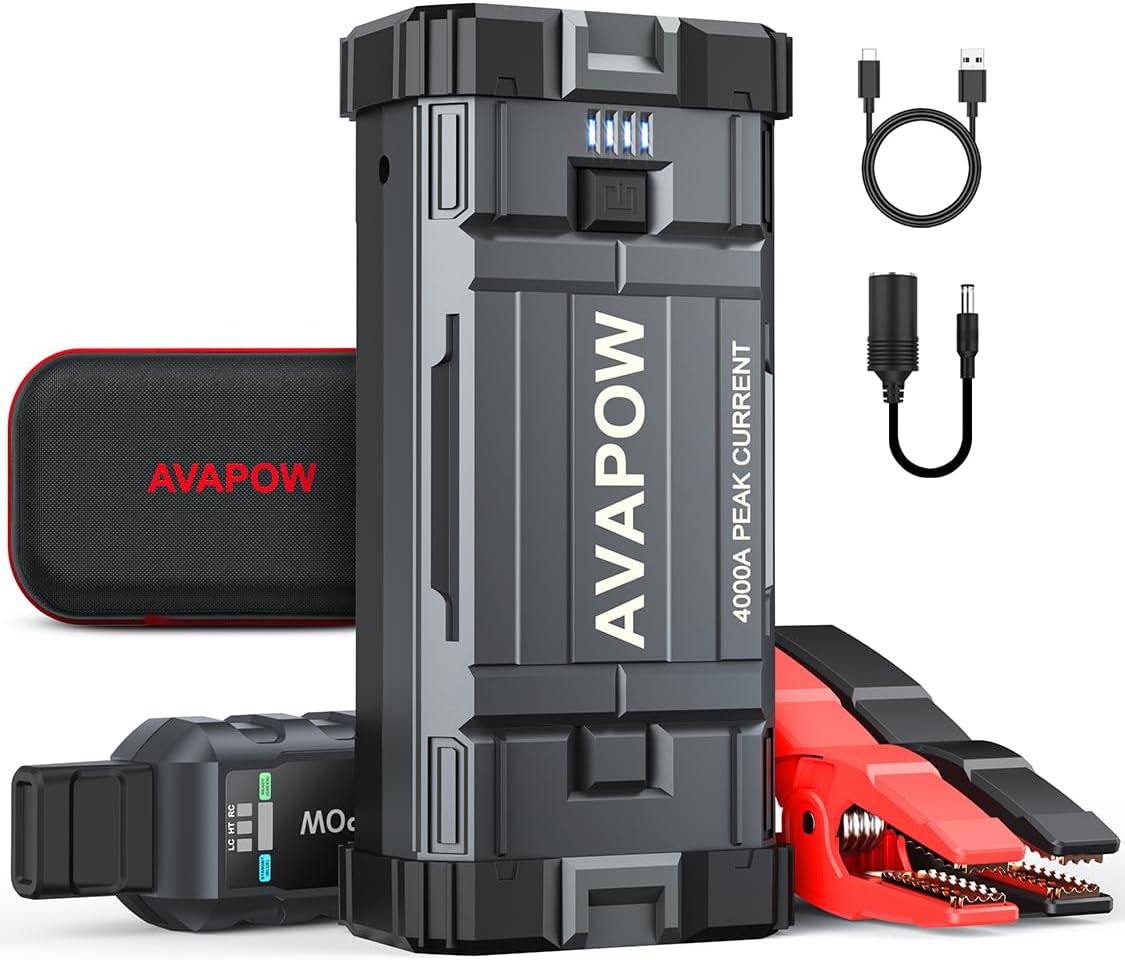
Image: The AVAPOW A58 Car Jump Starter, smart clamps, USB-C cable, and cigarette lighter converter, all neatly arranged with its carry case.
4. Product Overview
Familiarize yourself with the components and features of your AVAPOW A58 Jump Starter:

Image: A detailed diagram of the AVAPOW A58 Jump Starter, pointing out its various ports and controls, including the power button, battery indicator lights, USB output ports, Type-C input, DC output, jump start output, and integrated flashlight.
- Power Button: Activates the device and controls the LED light.
- Battery Indicator: Displays the current charge level of the jump starter.
- USB Output Ports (USB1, USB2): For charging electronic devices.
- Type-C Input: For recharging the jump starter.
- DC Output: For powering 12V car accessories.
- Jump Start Output: Connects to the smart jumper cables.
- LED Flashlight: Provides illumination with multiple modes.
5. Charging the Jump Starter
Before first use, fully charge the AVAPOW A58. It recharges fully in approximately 2.5 hours.
- Connect the provided USB-C cable to the Type-C input port on the jump starter.
- Connect the other end of the USB-C cable to a compatible USB wall adapter (not included) or a car charger.
- The battery indicator lights will illuminate to show the charging progress. All lights will be solid when fully charged.

Image: A visual representation of the two primary ways to recharge the AVAPOW A58 Jump Starter: either by plugging it into a vehicle's cigarette lighter port or by connecting it to a standard wall outlet using a USB-C cable.
6. Setup: Connecting the Cables
Follow these steps to prepare the jump starter for use:
- Ensure the jump starter is adequately charged (at least 3 indicator lights).
- Plug the smart jumper cable connector into the jump start output port on the AVAPOW A58. Ensure a secure connection.
- Connect the red positive (+) clamp to the positive (+) terminal of the vehicle's battery.
- Connect the black negative (-) clamp to the negative (-) terminal of the vehicle's battery.
- The smart clamps feature spark-proof protection and reverse polarity protection for safety.
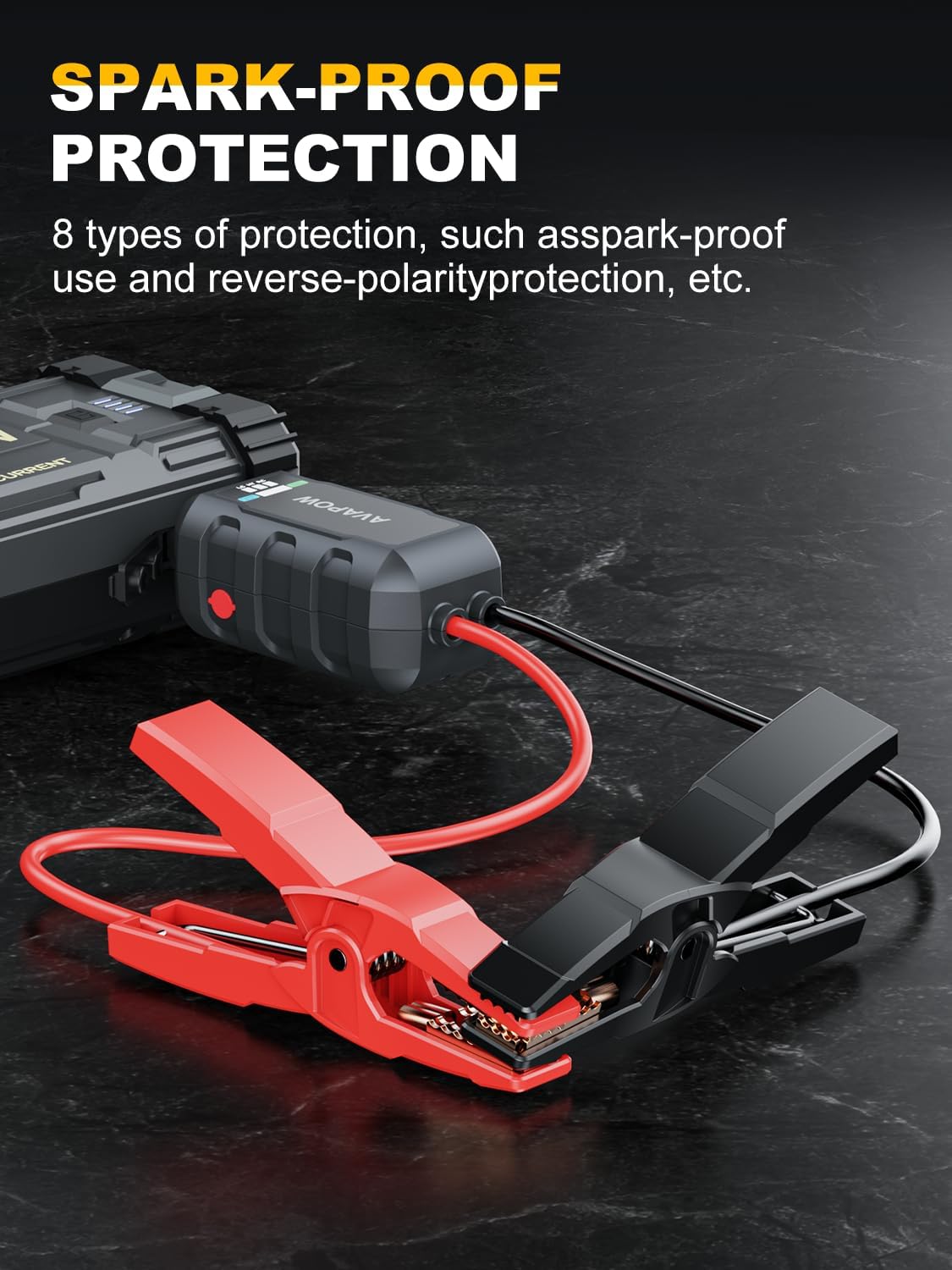
Image: The AVAPOW A58 smart clamps, featuring robust construction and spark-proof technology, are shown connected to a car battery, ready for jump-starting.
7. Operating: Jump Starting a Vehicle
Once the cables are connected, proceed with jump-starting:
7.1. Normal Mode (for low-voltage batteries)
- After connecting the clamps, the indicator on the smart cable should show a solid green light, indicating a ready state.
- Start your vehicle's engine.
- Once the engine starts, immediately remove the smart clamps from the vehicle battery terminals. First remove the negative (-) clamp, then the positive (+) clamp.
7.2. Force Start Mode (for completely dead batteries)
If your vehicle's battery is completely dead (voltage below 2V) and the smart cable indicator does not show a solid green light, use Force Start Mode:
- Ensure the smart clamps are correctly connected to the vehicle battery.
- Long-press the red 'BOOST' button on the smart clamps for 3 seconds until the middle indicator light turns green.
- Within 30 seconds, start your vehicle's engine.
- Once the engine starts, immediately remove the smart clamps from the vehicle battery terminals. First remove the negative (-) clamp, then the positive (+) clamp.
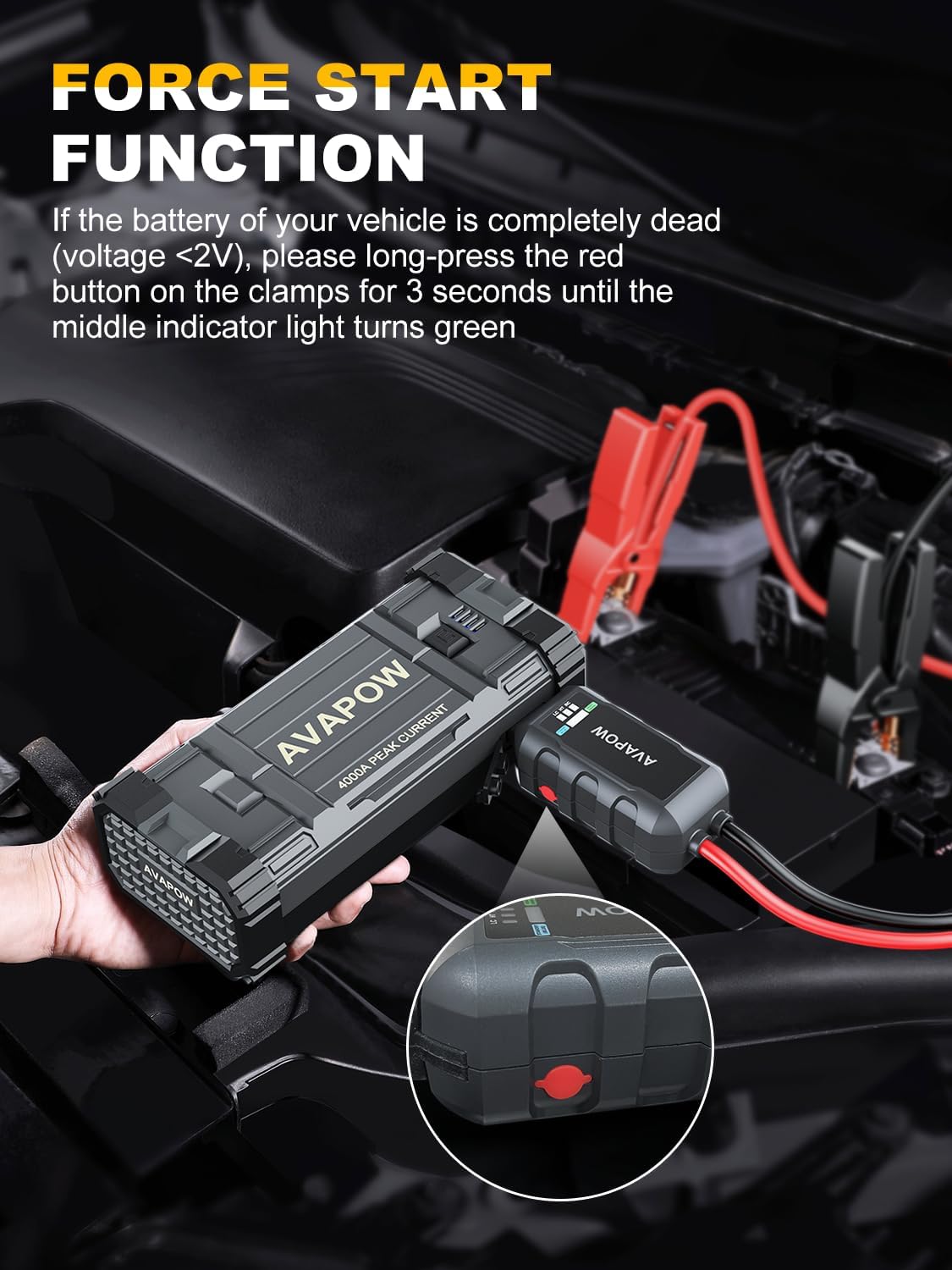
Image: The AVAPOW A58 Jump Starter's smart clamps are shown with a close-up of the red 'BOOST' button, illustrating the activation of the Force Start function for extremely low-voltage batteries.

Image: A four-step visual guide demonstrating the process of jump-starting a car with the AVAPOW A58: 1) Plug the jump cable into the jumping port, 2) Connect the clamps to your car battery, 3) Start your car engine, 4) Remove the clamps from the car battery.
Official Product Video: AVAPOW A58 Car Jump Starter
Video Description: This video demonstrates the unboxing and initial setup of the AVAPOW A58 Car Jump Starter, followed by a successful jump start of a dead truck battery. It highlights the ease of use and effectiveness of the device.
Official Product Video: A58 Battery Jump Starter
Video Description: This video provides a detailed overview of the AVAPOW A58 Battery Jump Starter's features, including its robust clamps, various charging ports, and built-in flashlight. It showcases the product's components and design.
8. Using as a Power Bank
The AVAPOW A58 can charge various electronic devices:
- Connect your smartphone, tablet, laptop, or other USB-powered device to the USB output ports (USB-C PD 18W, dual USB ports).
- For 12V car accessories, use the provided cigarette lighter converter with the DC output port.

Image: The AVAPOW A58 Jump Starter is depicted actively charging multiple electronic devices, including smartphones and tablets, demonstrating its versatility as a portable power source.
9. Using the LED Light
The integrated LED light offers three modes for different situations:
- Steady Mode: For general illumination in dark environments.
- Flash Mode: For road warnings or signaling.
- SOS Mode: For emergency signals.
Press the power button repeatedly to cycle through the light modes.

Image: An illustration showcasing the three distinct modes of the AVAPOW A58 Jump Starter's LED light: a steady flashlight beam, a flashing strobe light, and an SOS signal pattern.
10. Maintenance
To ensure the longevity and performance of your AVAPOW A58 Jump Starter:
- Recharge the device every 3-6 months, even if not in use, to maintain optimal battery health. The device offers a 12-month standby time on a full charge.
- Store the jump starter in its carry case in a cool, dry place.
- Clean the exterior with a soft, damp cloth. Do not use harsh chemicals or abrasives.

Image: The AVAPOW A58 Jump Starter is shown with a graphic indicating its impressive 12-month standby capability after a single full charge, emphasizing its readiness for emergencies.
11. Troubleshooting
If you encounter issues with your AVAPOW A58, refer to the following common problems and solutions:
| Problem | Possible Cause | Solution |
|---|---|---|
| Vehicle does not start | Low charge on jump starter; Incorrect clamp connection; Vehicle battery completely dead. | Ensure jump starter is fully charged. Check clamp connections for proper polarity. Use Force Start Mode if battery is completely dead. |
| Smart cable indicator not green | Incorrect connection; Vehicle battery voltage too low for Normal Mode. | Verify connections. If battery is very low, activate Force Start Mode. |
| Device not charging | Faulty USB-C cable or adapter; Input port issue. | Try a different USB-C cable and adapter. Ensure the cable is fully inserted. |
For further assistance, please contact AVAPOW customer support.
12. Specifications
| Feature | Specification |
|---|---|
| Brand | AVAPOW |
| Model | A58 |
| Peak Output Current | 4000 Amps |
| Engine Compatibility | Up to 8.0L Gas & 10L Diesel |
| Battery Type | Lithium Ion (1 required, included) |
| Charging Input | USB-C PD 18W |
| USB Output | Dual USB ports (5V/3A, 9V/2A, 12V/1.5A QC3.0) |
| DC Output | 12V |
| Operating Temperature | -4°F to 140°F (-20°C to 60°C) |
| Certifications | UL, FC, CE |
| Item Weight | 3.89 pounds |
| Package Dimensions | 9.21 x 5.94 x 5 inches |
13. Warranty and Support
For warranty information or technical support, please refer to the contact details provided in your product packaging or visit the official AVAPOW website. Keep your purchase receipt as proof of purchase for any warranty claims.
Related documentsA58


Ask a question about this manual
Ask about setup, troubleshooting, compatibility, parts, safety, or missing instructions. Manuals+ will review the question and use this page’s manual context to help answer it.