
1. Overview
The VOVIGGOL G103 Wireless Microphone Headset provides clear, distortion-free audio with 2.4GHz wireless connectivity and a range of up to 165 feet (50 meters). Designed for versatility, it features a 2-in-1 design allowing use as a headset or handheld microphone, along with 3D stage reverb effects. Its rechargeable battery offers up to 6 hours of use, making it suitable for various applications such as fitness instruction, public speaking, and video recording.

Figure 1: VOVIGGOL G103 Wireless Microphone Headset and Receiver
2. Package Contents
Ensure all items are present in the package:
- 1 x Wireless Microphone Headset
- 1 x Wireless Transmitter
- 1 x 6.35mm Connector
- 1 x Dual Type-C Charging Cable
- 1 x User Manual
3. Setup Instructions
3.1 Charging the Device
Use the provided dual Type-C charging cable to charge both the wireless transmitter and receiver simultaneously. A full charge typically takes 2-3 hours and provides approximately 6 hours of continuous use.
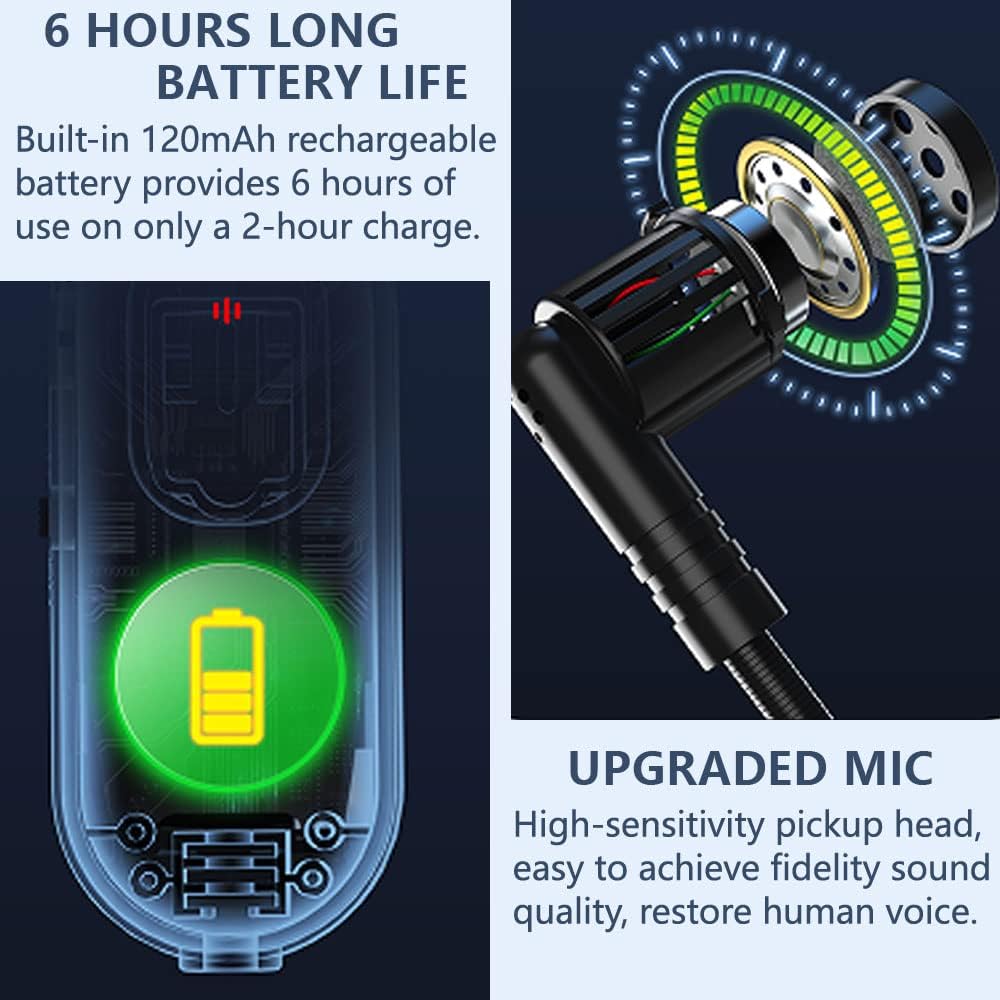
Figure 2: Battery life and microphone details
3.2 Connecting to an Audio System
- Power On: Turn on the power switch of both the wireless transmitter (headset) and the receiver. The blue indicator light on both devices will flash for 1-2 seconds.
- Automatic Pairing: The devices will automatically pair. The blue indicator light will stop flashing once a successful match is established. No further manual pairing is required.
- Connect Receiver: Plug the receiver directly into the MIC input jack of your audio system (e.g., Speaker, Singing Machine, Audio Amplifier, PA System, Mixer, Voice Amplifier). Use the appropriate 3.5mm plug audio line or 6.35mm connector as needed.
Important: Ensure you connect the receiver to a MIC Jack, not an AUX Jack, otherwise there will be no sound. This is NOT a Bluetooth microphone.

Figure 3: Wide compatibility with various audio systems
4. Operating Instructions
4.1 Wearing the Headset
Place the headset comfortably over your ears with the microphone positioned near your mouth. The lightweight design ensures a secure fit during movement.
4.2 2-in-1 Functionality (Headset/Handheld)
The microphone can be used in two ways:
- Headset Mode: Use as a traditional headset microphone.
- Handheld Mode: Remove the head bracket to convert it into a handheld microphone.
4.3 Adjusting Volume and Reverb Effects
The headset features volume control buttons. To activate the 3D Stage Reverb Effect, press the “+” and ”-” volume keys on the headset simultaneously. This feature enhances vocal quality, making the sound more three-dimensional.
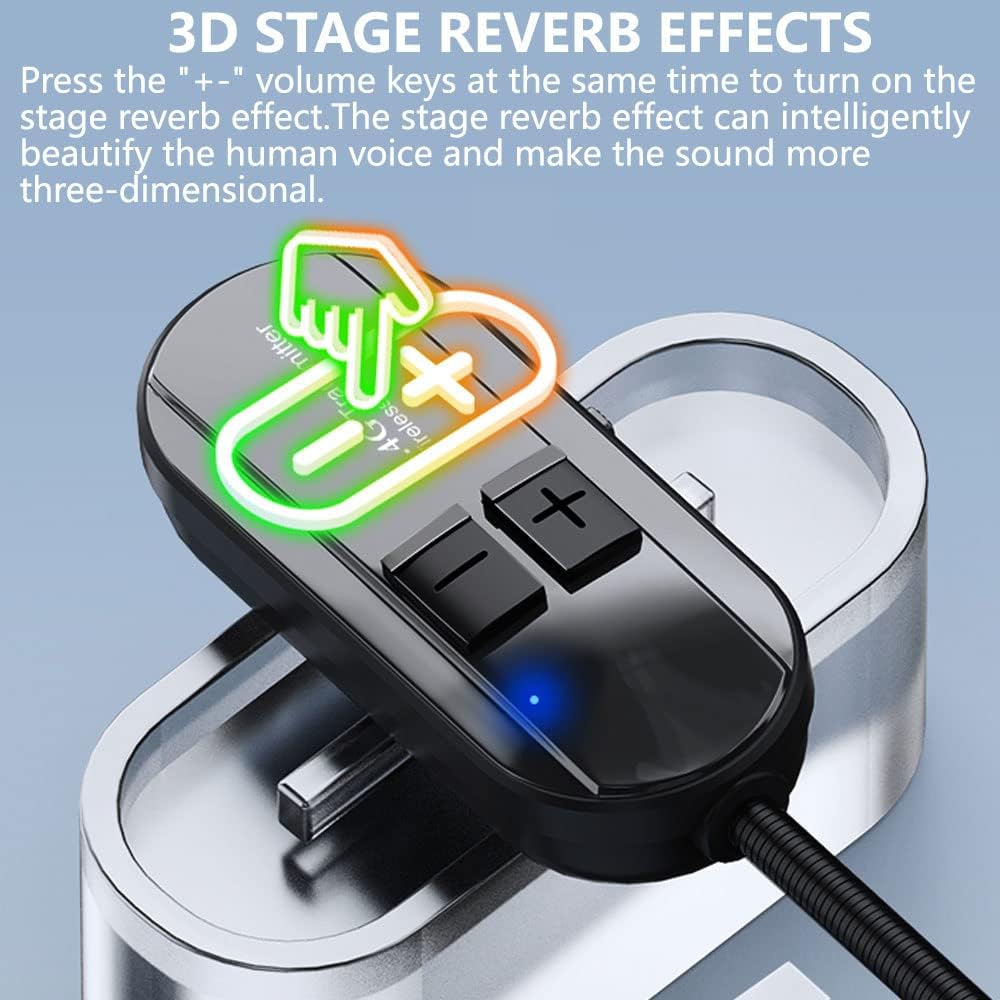
Figure 4: Activating 3D Stage Reverb Effects
4.4 Wireless Range
The wireless system offers a stable signal with anti-interference capabilities, providing a control distance of up to 165 feet (50 meters). This allows for freedom of movement during use.

Figure 5: Wireless range illustration
4.5 Video Tutorial
For a visual guide on how to use the wireless microphone, please watch the video below:
Video 1: How to use the Wireless Microphone (Source: feishe)
5. Maintenance
- Cleaning: Use a soft, dry cloth to clean the microphone and receiver. Avoid using harsh chemicals or abrasive materials.
- Storage: Store the device in a cool, dry place away from direct sunlight and extreme temperatures.
- Battery Care: To prolong battery life, avoid fully discharging the battery frequently. Charge the device regularly, even if not in use for extended periods.
6. Troubleshooting
- No Sound: Ensure the receiver is plugged into a MIC Jack, not an AUX Jack. Verify both the transmitter and receiver are powered on and successfully paired (blue light solid). Check the volume levels on both the headset and your audio system.
- Connection Issues: The system connects automatically. If connection fails, power off both devices, then power them back on to re-initiate pairing. Ensure devices are within the 165ft (50m) operating range.
- Compatibility: This wireless microphone system is compatible with devices that have a 3.5mm or 6.35mm MIC input jack. It is NOT compatible with Bluetooth Speakers, iPhones, PCs, or Laptops.
- Short Battery Life: Ensure the device is fully charged (2-3 hours for 6 hours of use). Battery performance may degrade over time with extensive use.
7. Specifications
| Feature | Specification |
|---|---|
| Brand | VOVIGGOL |
| Model Name | G103 |
| Connectivity Technology | 2.4GHz Wireless |
| Connector Type | 3.5 mm Jack, 6.35 mm Jack |
| Microphone Form Factor | Headset / Handheld (2-in-1) |
| Power Source | Built-in 120mAh rechargeable battery |
| Battery Life | Up to 6 hours (2-3 hours charge time) |
| Control Distance | Up to 165FT / 50M |
| Special Feature | 3D Stage Reverb Effects |
| Polar Pattern | Omnidirectional |
| Impedance | 600 Ohms |
| Frequency Response | 2400 MHz |
| Material | Plastic |
| Color | Black |
| Item Weight | 4.2 ounces |

Figure 6: Detailed view of components and parameters
8. Warranty & Support
For warranty information and customer support, please refer to the contact details provided in your product packaging or visit the official VOVIGGOL website. Do not hesitate to contact customer service if you encounter any issues or have questions regarding your product.