
1. Introduction
This manual provides detailed instructions for the installation, operation, and maintenance of your PUTORSEN PPT-CM344 Manual Folding Ceiling TV Mount. This mount is designed to securely hold televisions ranging from 23 to 55 inches, with a maximum load capacity of 44 lbs (20 kg). It supports various VESA patterns up to 400x400mm and offers flexible adjustments for optimal viewing.
2. Safety Information
WARNING: Failure to read and follow these instructions may result in personal injury, property damage, or voiding of your warranty. If you do not understand these instructions or have doubts about the safety of the installation, please contact customer support.
- Ensure the mounting surface can safely support the combined weight of the mount and the television.
- Do not mount on drywall alone. Always secure the mount to wood studs, concrete, or brick walls using appropriate anchors.
- Never exceed the maximum load capacity of 44 lbs (20 kg).
- Use only the provided hardware. If any parts are missing or defective, contact customer support.
- Keep children away during installation.
- Always use a qualified professional for installation if you are unsure.
3. Package Contents
Verify that all components are present before beginning installation:
- 1 x PUTORSEN PPT-CM344 Manual Folding Ceiling TV Mount
- 1 x Hardware Kit (includes various TV mounting screws and wall anchors)
- 1 x Instruction Manual (this document)
- 4 x Cable Ties for cable management

Image: Main components of the PUTORSEN PPT-CM344 mount, including the mount assembly and four cable ties.
4. Specifications
| Feature | Specification |
|---|---|
| Model Number | PPT-CM344 |
| Compatible TV Sizes | 23 - 55 inches |
| Maximum Load Capacity | 44 lbs (20 kg) |
| VESA Compatibility | 75x75mm, 100x100mm, 200x100mm, 200x200mm, 300x300mm, 400x400mm |
| Tilt Adjustment | 0° to -80° (two fixed positions) |
| Swivel Adjustment | 90° (on flat ceilings) |
| Height Adjustment | Adjustable vertical rail |
| Material | Aluminum and Steel |
| Folded Profile | 3.5 inches (approx.) |

Image: Technical drawing showing the product dimensions and VESA mounting plate details.
5. Setup and Installation
5.1 Pre-Installation Check
- TV Size and Weight: Confirm your TV is between 23 and 55 inches and weighs no more than 44 lbs (20 kg).
- VESA Pattern: Check the VESA mounting holes on the back of your TV. This mount supports 75x75, 100x100, 200x100, 200x200, 300x300, and 400x400mm.
- Ceiling Type: Identify your ceiling type (wood studs, concrete, or brick). Do not install on drywall alone.

Image: Visual representation of TV size and weight compatibility for the mount.

Image: Guide for checking VESA hole distances from the top of the TV for various VESA patterns.
5.2 Mounting the Ceiling Plate
- Locate the desired mounting position on your ceiling. For wood ceilings, find a stud. For concrete or brick, use appropriate anchors.
- Place the ceiling plate against the ceiling and mark the drill holes.
- Drill pilot holes according to the marked positions and the type of ceiling material.
- Secure the ceiling plate firmly using the provided screws and anchors.
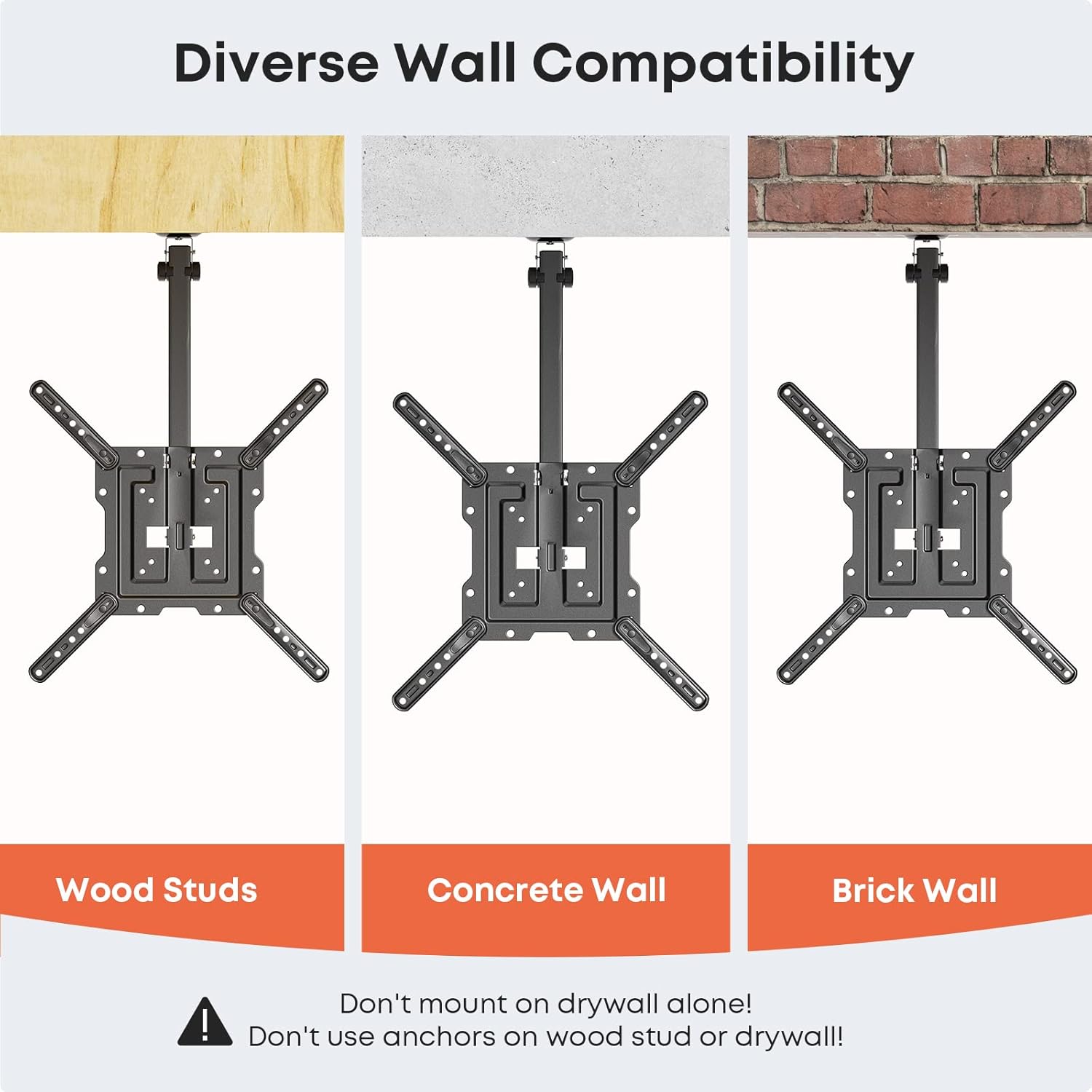
Image: Demonstrates compatibility with wood studs, concrete, and brick walls for secure mounting.
5.3 Attaching the TV to the Mount
- Attach the VESA adapter arms to the back of your TV using the appropriate screws from the hardware kit. Ensure they are securely fastened.
- Carefully lift the TV and align the VESA adapter arms with the mounting plate on the ceiling mount.
- Secure the TV to the mount using the designated locking mechanisms or screws. Ensure the TV is stable and level.

Image: Step-by-step visual guide for attaching the VESA plate to the TV and then securing the TV to the ceiling mount.
6. Operating Instructions
6.1 Folding and Unfolding the TV
The mount features a foldable design to save space when the TV is not in use.
- To Fold Up: Gently push the TV upwards until it locks into the folded position, flush with the ceiling.
- To Unfold: Pull the release lever or mechanism to unlock the mount, then gently lower the TV to the desired viewing position.

Image: Visual guide demonstrating the folding and unfolding mechanism of the mount, showing the locked, unlock, and unfold states.
6.2 Adjusting Viewing Angle
- Tilt: The mount offers two fixed tilt positions: 0° and -80°. Adjust the tilt by repositioning the TV at the desired angle.
- Swivel: For flat ceiling installations, the TV can swivel up to 90° (45° left and 45° right) to achieve your preferred viewing direction. Note that swivel range may be limited on pitched ceilings.
- Height: The vertical rail is height adjustable. Loosen the adjustment screws, slide the TV to the desired height, and then re-tighten the screws to secure it.
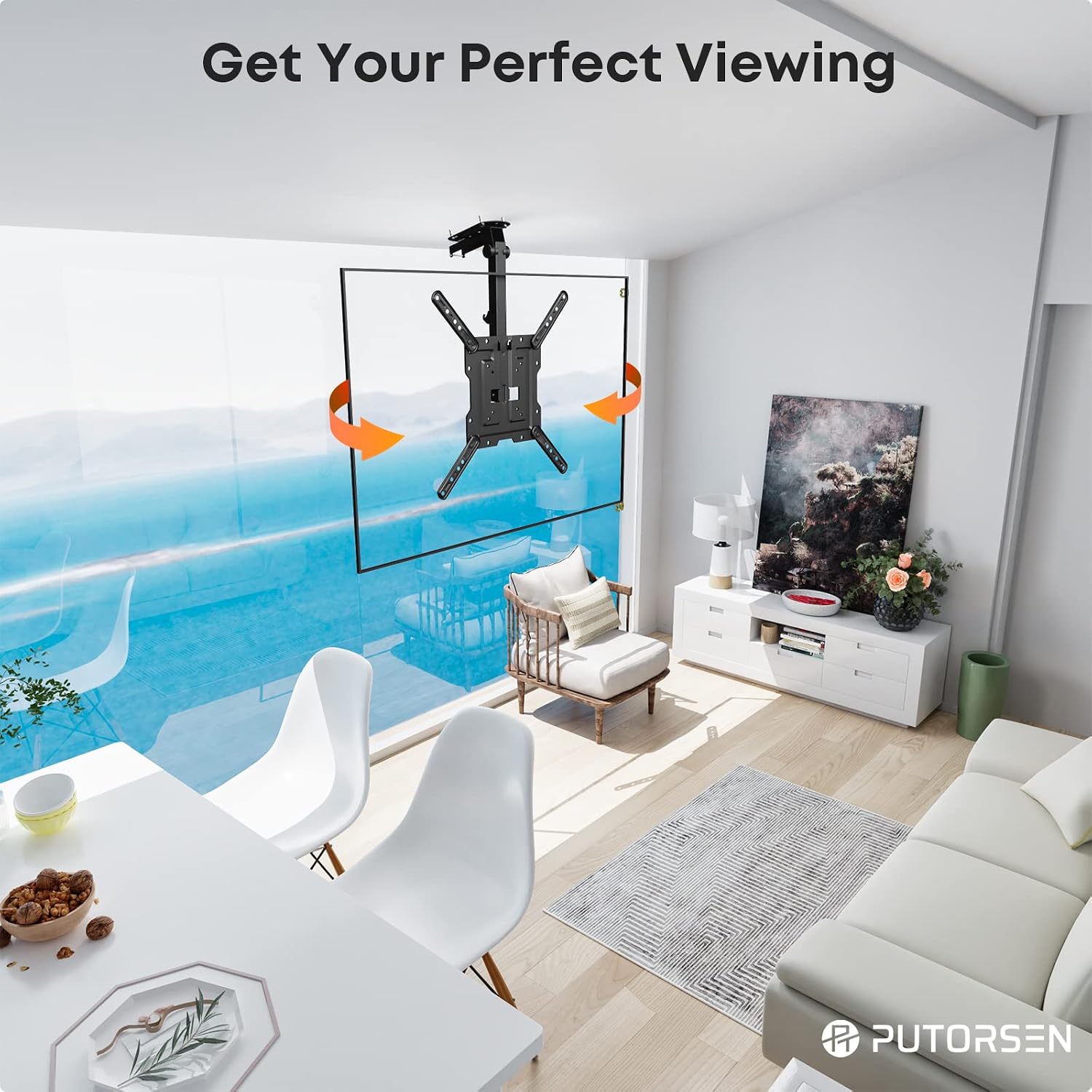
Image: Demonstrates the swivel capability of the mounted TV for flexible viewing angles.

Image: Illustrates how the TV mount allows for easy vertical height adjustment to achieve a preferred viewing level.
6.3 Cable Management
Use the provided cable ties to neatly route and secure TV cables along the mount arm, preventing tangles and ensuring a clean appearance.
7. Maintenance
- Periodically check all screws and connections to ensure they remain tight and secure.
- Clean the mount with a soft, dry cloth. Avoid abrasive cleaners or solvents.
- Ensure the folding mechanism operates smoothly and is free of obstructions.
8. Troubleshooting
- TV not level: Check that the ceiling plate is installed level and that the VESA arms are evenly secured to the TV. Adjust as necessary.
- Difficulty folding/unfolding: Ensure no cables are obstructing the mechanism. Check for any loose parts or damage.
- Mount feels unstable: Immediately re-check all mounting points and screw tightness. Ensure the mount is properly secured to structural elements (studs, concrete). Do not use the mount if it feels unstable.
- Missing hardware: Refer to the package contents list. If parts are missing, contact customer support.
9. Warranty and Support
PUTORSEN products are designed for durability and reliability. If you encounter any issues or require assistance with your PPT-CM344 TV mount, please contact PUTORSEN customer support. Refer to your purchase documentation or the PUTORSEN website for specific warranty details and contact information.
