
Introduction
This manual provides essential information for the safe and efficient use of your Carvaan Saregama Don M12 Keypad Mobile Phone. Please read this guide thoroughly before operating the device to ensure proper functionality and to understand all features.
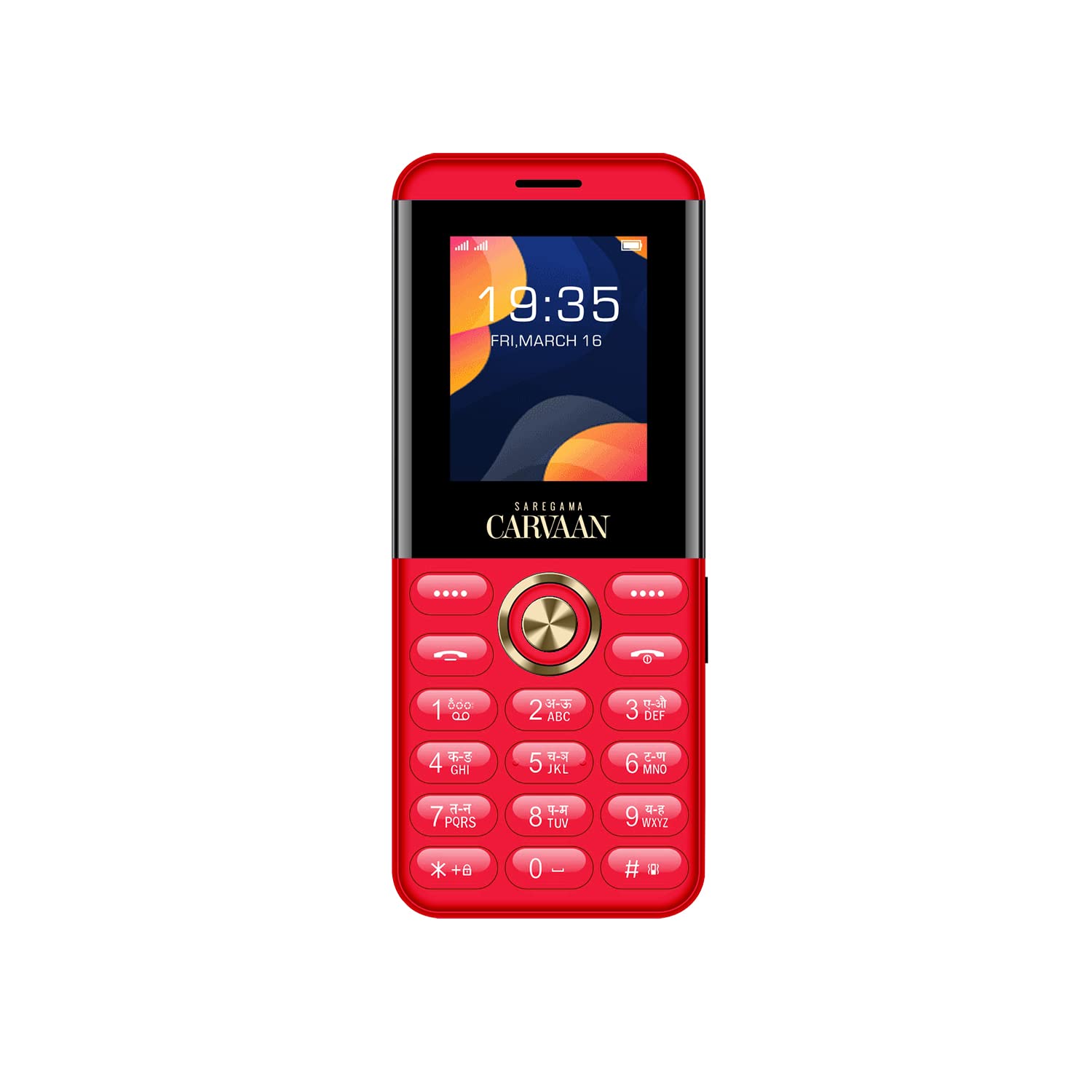
Front view of the Carvaan Saregama Don M12 Keypad Mobile Phone, showcasing its display and keypad.
Setup
1. Battery Installation
- Gently remove the back cover of the phone.
- Align the battery contacts with the terminals inside the battery compartment.
- Press the battery down until it is securely in place.
- Replace the back cover, ensuring it clicks into position.
2. SIM Card Installation
The Carvaan Saregama Don M12 supports dual SIM cards (Nano SIM and Standard SIM).
- With the back cover and battery removed, locate the SIM card slots.
- Insert your Nano SIM card into the designated slot with the gold contacts facing down.
- Insert your Standard SIM card into the second designated slot with the gold contacts facing down.
- Ensure both SIM cards are properly seated.
3. Memory Card Installation
The phone supports a 4 GB memory card, providing 1.3 GB of free memory space for your files.
- Locate the memory card slot, usually near the SIM card slots.
- Insert the microSD card with the gold contacts facing down until it locks into place.
4. Initial Charging
- Connect the charger to the phone's charging port.
- Plug the charger into a power outlet.
- Allow the phone to charge completely before first use. The battery indicator on the screen will show charging status.

Side view of the mobile phone, illustrating the slim profile and potential location of charging port or other connectors.
Operating Instructions
1. Power On/Off
- To Power On: Press and hold the Power/End Call button until the screen lights up.
- To Power Off: Press and hold the Power/End Call button until the power-off options appear, then select 'Power Off'.
2. Basic Navigation
Use the keypad for navigation. The central navigation key (D-pad) allows you to move through menus, and the center button typically acts as a selection key. The left and right soft keys perform functions indicated on the screen.
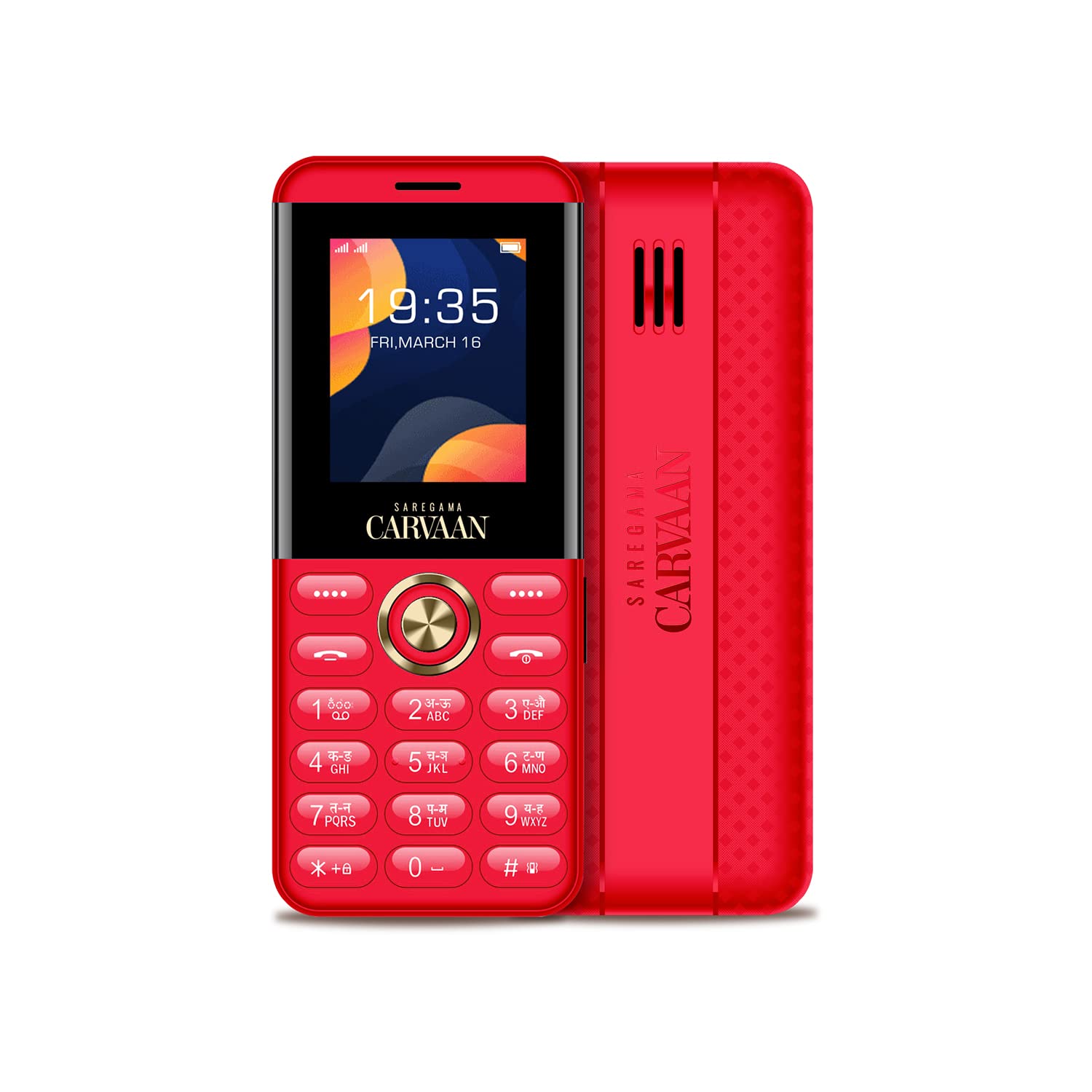
The phone's display showing the time and date, with the keypad clearly visible below.
3. Making and Receiving Calls
- To Make a Call: Enter the phone number using the keypad and press the Green Call button.
- To Receive a Call: Press the Green Call button when the phone rings.
- To End a Call: Press the Red End Call button.
4. Messaging
Access the 'Messages' menu to compose and send SMS messages. Use the keypad to type your message.
5. Music Playback (Pre-loaded Songs)
Your Carvaan Saregama Don M12 comes with 1000 pre-loaded Hindi evergreen songs. Access these songs through the 'Music' or 'Carvaan' menu option.

Visual representation highlighting the 1000 pre-loaded super hit songs available on the device, requiring no internet.
6. FM Radio
To use the wireless FM radio, navigate to the 'FM Radio' application in the menu. You can scan for available stations and save your favorites.
7. Bluetooth Connectivity
The phone supports Bluetooth for connecting to compatible devices such as headphones or other phones.
- Go to 'Settings' > 'Connectivity' > 'Bluetooth'.
- Turn Bluetooth 'On'.
- Search for available devices and pair with your desired device.
8. Voice Recording
Access the 'Voice Recorder' application from the menu to record audio. Recordings are saved to the phone's memory or inserted memory card.
9. Auto Call Recording
The phone features auto call recording. This option can usually be enabled or disabled in the call settings menu.
10. Torch Light
Activate the mega torch light feature, typically by pressing and holding a specific key or through a dedicated menu option.
11. Games
The phone includes a pre-installed game, 'F1 Race'. Access it from the 'Games' menu.
12. Multi-language Support
The device supports multiple languages. You can change the display language in the 'Settings' menu.

Illustration of the 'King Voice Support' feature, which reads out menu options and contact numbers for enhanced accessibility.
Maintenance
1. Battery Care
- Avoid exposing the battery to extreme temperatures.
- Do not puncture or damage the battery.
- Use only the original charger provided with the phone.
2. Cleaning
- Use a soft, dry cloth to clean the phone's screen and body.
- Avoid using liquid cleaners or abrasive materials.
3. Storage
Store the phone in a cool, dry place away from direct sunlight and moisture when not in use for extended periods.
Troubleshooting
If you encounter issues with your Carvaan Saregama Don M12, refer to the following common solutions:
| Problem | Possible Solution |
|---|---|
| Phone does not power on | Ensure the battery is correctly installed and charged. Connect the charger and wait a few minutes before attempting to power on. |
| Battery drains quickly | Reduce screen brightness, close unused applications, or try charging the battery fully. If the issue persists, the battery may need replacement. |
| System hangs or freezes | Remove and reinsert the battery to perform a hard reset. Avoid running too many applications simultaneously. |
| Cannot make/receive calls | Check SIM card installation. Ensure you have network coverage. Verify that the SIM card is active and has sufficient balance. |
| No sound from speaker | Check volume settings. Ensure no headphones are connected if you expect sound from the loudspeaker. |
Specifications
| Feature | Detail |
|---|---|
| Model | Don M12 |
| Display | 1.8 Inch LCD |
| Operating System | Nucleus OS |
| SIM Card Support | Dual SIM (Nano SIM and Standard SIM) |
| Pre-loaded Songs | 1000 Hindi evergreen songs |
| Battery Capacity | 800 mAh Lithium-Ion |
| Memory Storage | 1.3 GB free space (supports up to 4 GB memory card) |
| Connectivity | Bluetooth, 2G GSM |
| Audio Jack | 3.5 mm |
| Additional Features | Wireless FM, Auto Call Recording, Voice Recording, Mega Torch Light, F1 Race Game, Multi-language Support, King Voice Support |
| Dimensions | (W) 47 mm x (H) 115 mm x (D) 14.5 mm |
| Weight | 250 g approx |
| Material | Plastic with 2.5D PMMA non-breakable tough glass |
Warranty and Support
Warranty Information
The Carvaan Saregama Don M12 Keypad Mobile Phone comes with a 1 Year Warranty from the manufacturer, Creaton Corporation Pvt Ltd. Please retain your purchase receipt for warranty claims.
Box Contents
Upon unboxing, you should find the following items:
- 1 x Carvaan Saregama Don M12 Cell Phone
- 1 x Battery
- 1 x Charger
- 1 x Warranty Card