
Rgthuhu f341c181-429a-4255-8f7c-b56dfbf2195e
Rgthuhu Military Smart Watch User Manual
Model: f341c181-429a-4255-8f7c-b56dfbf2195e
1. Introduction
The Rgthuhu Military Smart Watch is a rugged and versatile device designed for active lifestyles, offering robust durability, comprehensive health monitoring, and smart connectivity features. This manual will guide you through setting up and utilizing all functions of your new smartwatch.

Image: The Rgthuhu Military Smart Watch, showcasing its robust design and digital display.
What's in the Box
- 1 x Military Smartwatch
- 1 x Black Watch Band
- 1 x Camouflage Watch Band
- 1 x USB Charging Cable
- 1 x User Manual
2. Setup
2.1 Initial Charging
Before first use, fully charge your smartwatch. Connect the magnetic USB charging cable to the charging port on the back of the watch and to a USB power source. A full charge typically takes approximately 2 hours.

Image: Illustration showing the smartwatch charging and detailing battery life: 2 hours for full charge, 10 days high-intensity use, 15 days daily use, 50 days standby.
2.2 App Installation and Pairing
- Download the Da Fit application from your smartphone's app store (compatible with Android 6.0+ and iOS 9.0+).
- Enable Bluetooth on your smartphone.
- Open the Da Fit app and follow the on-screen instructions to search for and connect to your Rgthuhu smartwatch. Ensure the watch is powered on and discoverable.
- Once paired, the watch will synchronize time and data with your phone.
3. Operating Your Smartwatch
3.1 Bluetooth Calling and Message Alerts
The smartwatch supports Bluetooth calls and message notifications when connected to your smartphone via the Da Fit app. You can answer/make calls directly from your wrist and receive alerts from various applications like Facebook, Twitter, WhatsApp, and SMS.
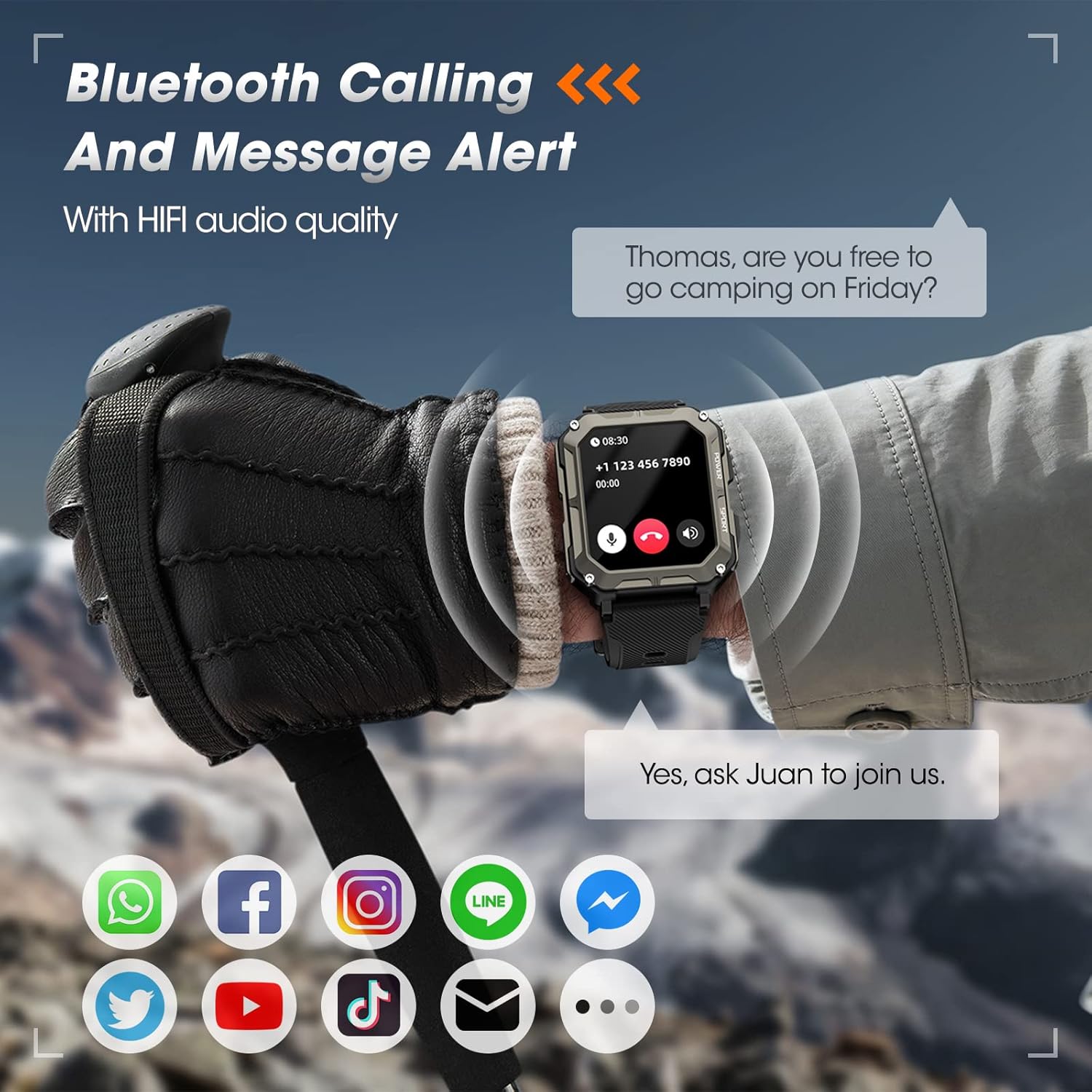
Image: A smartwatch on a wrist displaying an incoming call notification, with text bubbles indicating a conversation.

Image: The smartwatch screen showing message notifications from Facebook and Instagram, with icons for other social media apps.
3.2 Health Monitoring
The watch is equipped with high-precision sensors to monitor your health data 24/7. This includes:
- Heart Rate: Continuous heart rate tracking.
- Blood Oxygen (SpO2): On-demand blood oxygen level measurement.
- Sleep Monitoring: Tracks deep sleep, light sleep, and REM sleep stages to assess overall sleep quality.

Image: A person cycling with the smartwatch on their wrist, showing the watch displaying heart rate, blood oxygen (SpO2), and blood pressure readings.

Image: A man sleeping, with an overlay showing the smartwatch's sleep tracking capabilities, including sleep quality, alarm settings, sleep breathing training, and different sleep stages.
3.3 Sports Modes
The smartwatch supports over 120 sports modes, accurately tracking your calories burned, steps taken, and distance covered during various activities. This allows you to monitor and optimize your exercise routines.

Image: A person running, with the smartwatch displaying real-time activity data and a map showing the tracked route.
3.4 Additional Features
Your smartwatch includes a variety of useful tools:
- Stopwatch & Timer: For precise timing of activities.
- Camera Control: Remotely control your phone's camera.
- Music Control: Manage music playback on your phone.
- Calculator: A convenient tool for quick calculations.
- Voice Control: Use voice commands for various functions.
- Weather Forecast: Get real-time weather updates.
- Sedentary & Drink Water Reminders: Prompts to stay active and hydrated.
- Custom Watch Faces: Personalize your watch with pre-installed faces or DIY options using your photos.

Image: A collage showing various smartwatch features: stopwatch, remote camera shutter, voice control, and details about the 380mAh battery and 1.9-inch HD LCD display.

Image: The smartwatch screen showcasing different custom watch faces, highlighting the 1.9-inch HD LCD display and DIY options.
4. Maintenance
4.1 Cleaning
Regularly clean your smartwatch and band with a soft, dry cloth. If necessary, use a slightly damp cloth and mild soap, then dry thoroughly. Avoid harsh chemicals or abrasive materials.
4.2 Water Resistance
The Rgthuhu Military Smart Watch features an IP69K rating and is static waterproof up to 100 meters (10ATM), making it suitable for various water sports and activities like swimming, diving, and surfing. However, it is important to note that while designed for water resistance, extreme conditions or prolonged submersion in hot water (e.g., hot showers, saunas) should be avoided as they can compromise the seals over time. Ensure the watch is completely dry before charging.

Image: A man swimming underwater, wearing the smartwatch, illustrating its 10ATM waterproof capability for water sports.
4.3 Battery Care
To prolong battery life, avoid fully discharging the watch frequently. Charge it when the battery level is low. Store the watch in a cool, dry place when not in use for extended periods.
5. Troubleshooting
5.1 Watch Not Charging
- Check the charging port for any dirt or debris and clean it if necessary.
- Verify that the charging cable is energized by testing it with another device or power source. Consider replacing the charging cable if it appears faulty.
- If the watch has not been charged for a long time, it may require 3-4 hours of continuous charging to activate the charging function.
- Ensure the charging icon appears on the watch screen when connected. Try performing a reset if no icon appears.
5.2 Connectivity Issues
- Ensure Bluetooth is enabled on your smartphone and the watch.
- Make sure the Da Fit app is running in the background and has necessary permissions.
- Try unpairing and re-pairing the watch through the Da Fit app and your phone's Bluetooth settings.
5.3 Inaccurate Health Data
- Ensure the watch is worn snugly on your wrist, not too tight or too loose.
- Clean the sensors on the back of the watch regularly.
- Note that health data from the smartwatch is for reference only and should not be used for medical purposes.
6. Specifications
| Feature | Detail |
|---|---|
| Model Number | f341c181-429a-4255-8f7c-b56dfbf2195e |
| Display Size | 1.9 inches HD LCD |
| Battery Capacity | 380 mAh Lithium Polymer |
| Battery Life (Daily Use) | Up to 15 days |
| Battery Life (Standby) | Up to 50 days |
| Memory Storage Capacity | 128 MB |
| Connectivity | Bluetooth |
| Water Resistance | 10ATM (100 meters static waterproof), IP69K |
| Operating System Compatibility | Android 6.0 & iOS 9.0 or above |
| Item Weight | 5.3 ounces |
| Package Dimensions | 6.1 x 3.15 x 1.06 inches |
| Special Features | Bluetooth Calling, Health Monitoring (HR, SpO2, Sleep), 120+ Sports Modes, Custom Watch Faces, Voice Control, Music Control, Camera Control, Weather, Calculator, Sedentary/Drink Reminders |

Image: Detailed product dimensions, including watch face width (42mm), height (49mm), and band length (min 142mm, max 236mm).
7. Warranty and Support
If you encounter any problems during use, or if any issues arise more than 30 days after purchase, please contact the seller directly through the Amazon platform. Rgthuhu is committed to taking responsibility for the product and will assist with troubleshooting or provide further support as needed.
For additional assistance, refer to the official Rgthuhu website or contact their customer support channels.
Ask a question about this manual
Ask about setup, troubleshooting, compatibility, parts, safety, or missing instructions. Manuals+ will review the question and use this page’s manual context to help answer it.