
1. Introduction
Welcome to the world of electric skateboarding with your new MEEPO Hurricane Bamboo Pro. This manual provides essential information for the safe operation, maintenance, and optimal performance of your electric skateboard. Please read it thoroughly before your first ride.

Figure 1: MEEPO Hurricane Bamboo Pro Electric Skateboard, showcasing its top and bottom views with large all-terrain wheels.
2. Safety Guidelines
Your safety is paramount. Always adhere to the following guidelines:
- Always wear a helmet and appropriate protective gear (knee pads, elbow pads, wrist guards).
- Ride within your skill level and always be aware of your surroundings.
- Do not ride in wet conditions, on slippery surfaces, or in heavy traffic.
- Check all components, including wheels, trucks, and battery, before each ride.
- Familiarize yourself with local laws and regulations regarding electric skateboards.
- Maintain a safe distance from pedestrians, vehicles, and other obstacles.
- Avoid riding at maximum speed until you are fully comfortable with the board's performance.
3. Components Overview
The MEEPO Hurricane Bamboo Pro is engineered for performance and durability. Key components include:
- Deck: Constructed from 4 layers of high-bounce bamboo, 3 layers of composite material, and 1 layer of fiberglass for strength and flexibility.
- Motors: Dual 3500W 165kv BLDC motors provide powerful acceleration and hill-climbing capability.
- Wheels: 175mm rubber wheels designed for all-terrain use.
- Battery: 725.8Wh 12S4P Molicel P42A Battery, offering an ultra-long range.
- Remote Control: Wireless remote with 4 speed modes and 4 braking modes.
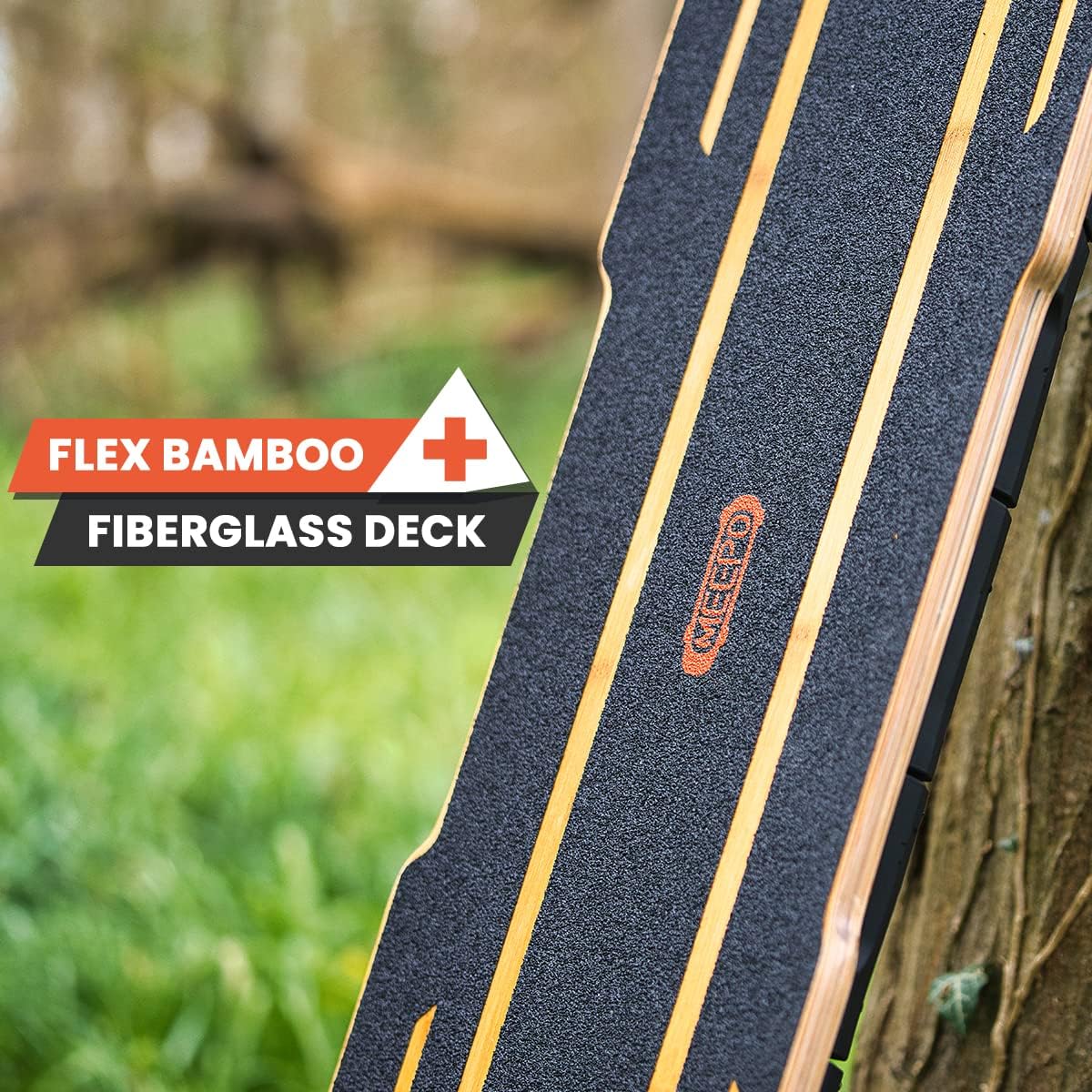
Figure 2: Close-up of the MEEPO Hurricane Bamboo Pro deck, highlighting its flexible bamboo and fiberglass construction.

Figure 3: Internal view of the 725.8Wh 12S4P Molicel P42A Battery pack, showing its robust cell arrangement.
4. Setup
Your MEEPO Hurricane Bamboo Pro comes mostly assembled. Follow these steps for initial setup:
- Unboxing: Carefully remove all components from the packaging. Ensure all listed items are present (skateboard, charger, remote, tools).
- Initial Charge: Fully charge the skateboard battery before first use. Connect the charger to the board's charging port and then to a power outlet. The charging time is approximately 3.7 hours.
- Remote Pairing: Follow the instructions provided with your remote control to pair it with the skateboard.
- Safety Check: Before your first ride, perform a thorough safety check. Ensure all screws and bolts are tight, wheels spin freely, and brakes respond correctly.
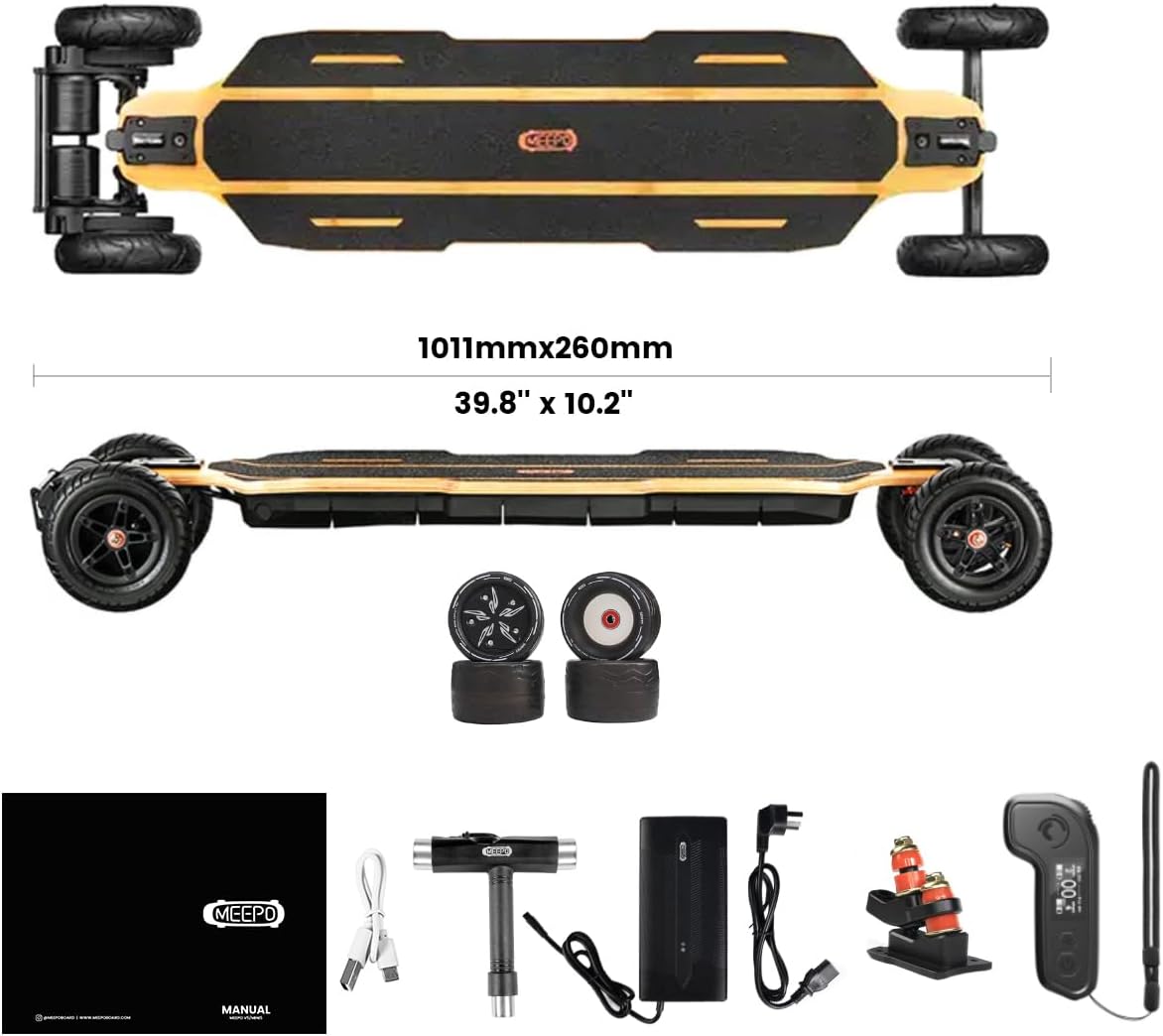
Figure 4: Overview of the MEEPO Hurricane Bamboo Pro and its included accessories, such as the charger, remote, and tools.
5. Operating Instructions
Operating your MEEPO Hurricane Bamboo Pro is intuitive with the wireless remote control.
- Power On/Off: Press and hold the power button on the board and remote to turn them on/off.
- Speed Modes: The remote allows you to switch between 4 speed modes (from weak to strong). Start with lower speed modes until you are comfortable.
- Acceleration: Use the throttle on the remote to accelerate. Be mindful of the powerful motors, especially in higher speed modes.
- Braking: Use the brake control on the remote to slow down or stop. The 4 braking modes offer varying levels of stopping power.
- Turning: Lean into turns to steer the skateboard. Practice at low speeds to get a feel for the board's responsiveness.

Figure 5: Close-up of the MEEPO Hurricane Bamboo Pro's belt drive system, highlighting the robust motor and wheel connection.
For a visual guide on riding and board capabilities, watch this official video:
Video 1: "MEEPO Hurricane Bamboo your ALL-IN-ONE board" - This video demonstrates the versatility and performance of the MEEPO Hurricane Bamboo Pro in various riding environments.
Video 2: "MEEPO Hurricane for daily commute" - This video highlights the MEEPO Hurricane Bamboo Pro's suitability for daily commuting, showcasing its smooth ride and maneuverability in urban settings.
6. Maintenance
Regular maintenance ensures the longevity and safety of your MEEPO Hurricane Bamboo Pro.
- Regular Cleaning and Inspection:
- Check for any bumps, rocks, or debris in the belts and wheels.
- Wipe down the trucks and wheels regularly.
- Inspect the grip tape for wear; replace if it loses its strength.
- Battery Care:
- Avoid letting the battery fully deplete to zero.
- Recharge the battery before it gets too low.
- If storing the board for an extended period, keep it in a cool, dry place with the battery charged to around 50-60%.
- Adjust and Tighten Components:
- Vibrations from riding can cause screws and bolts to loosen.
- Regularly check and tighten all components, including trucks and wheels, to ensure stability and safety.
For detailed maintenance tips, refer to this video:
Video 3: "3 Tips to maintain your e-board for daily use." - This video provides practical advice on how to keep your electric skateboard in top condition for everyday riding.
7. Troubleshooting
| Problem | Possible Cause | Solution |
|---|---|---|
| Board not turning on | Low battery; loose connection; remote not paired. | Charge battery; check all cable connections; re-pair remote. |
| Loss of power during ride | Low battery; motor overheating; loose motor belt. | Recharge battery; allow motors to cool; check and tighten motor belts. |
| Unresponsive remote | Remote battery low; interference; remote not paired. | Charge remote; move away from interference sources; re-pair remote. |
| Unusual noises from wheels/trucks | Loose components; debris in bearings; worn parts. | Tighten all bolts; clean bearings; inspect for worn parts and replace if necessary. |
If issues persist, please contact MEEPO customer support.
8. Specifications
| Feature | Detail |
|---|---|
| Brand | Meepo |
| Model Name | Bamboo Pro |
| Deck Material | Fiberglass, Bamboo |
| Deck Length | 39.8 Inches |
| Deck Width | 10.2 Inches |
| Item Weight | 44.3 Pounds |
| Load Capacity | 330 Pounds |
| Motor Power | 3500W*2 (165kv BLDC motors) |
| Wheel Size | 175 Millimeters |
| Wheel Material | Pneumatic Tire |
| Battery Capacity | 725.8Wh 12S4P Molicel P42A |
| Charging Time | 3.7 Hours |
| Max Speed | 32 MPH |
| Range | 20-31 Miles (depending on conditions) |
| Skill Level | All |
| Age Range | Adult |

Figure 6: Visual representation of key specifications including Max Load (330lb), Motor Power (3500W x 2), and Battery (725.8WH).

Figure 7: Visual representation of key performance specifications including 725.8WH 12S4P Molicel P42A Battery, 31 Miles Range, 32 Mph Top Speed, and 365 Day Professional Services.
9. Warranty & Support
MEEPO offers a 365-day warranty for the Hurricane Bamboo Pro electric skateboard. This warranty covers manufacturing defects and ensures peace of mind for your purchase.
For any product improvement suggestions, dissatisfaction, or warranty claims, please contact MEEPO customer support:
- Email: info@meepoboard.com
- Live Chat: Available on meepoboard.com
Your feedback is valuable to us as we continuously strive to improve our products.