
1. Product Overview
The Binardat 10 Port Gigabit Industrial Managed PoE Switch is a robust networking device designed for demanding industrial environments. It features 8 Gigabit PoE ports and 2 Gigabit SFP slots, offering a 20Gbps switching capacity. This L2+ managed switch supports various advanced network functions including VLAN, routing, ring topology, ACL, and QoS, configurable via web or command-line interface.

Figure 1.1: Front view of the Binardat 10 Port Gigabit Industrial Managed PoE Switch, showcasing its compact design and port layout.
Key features include IEEE802.3af/at PoE support on ports 1-8, industrial IP40 rated aluminum alloy casing for durability, and a wide operating temperature range of -40°C to 75°C. It also incorporates dual redundant power inputs for enhanced reliability.
2. Package Contents
Upon unpacking, please verify that all items listed below are present and in good condition:
- Industrial Switch (1 unit)
- DIN rail kit (1 set)
If any items are missing or damaged, please contact customer support immediately.
3. Setup and Installation
3.1 Power Requirements
The switch requires a DC input voltage of 48-55V for PoE functionality. It supports dual redundant power inputs, allowing for automatic switchover in case one power source fails. A power supply is not included by default.
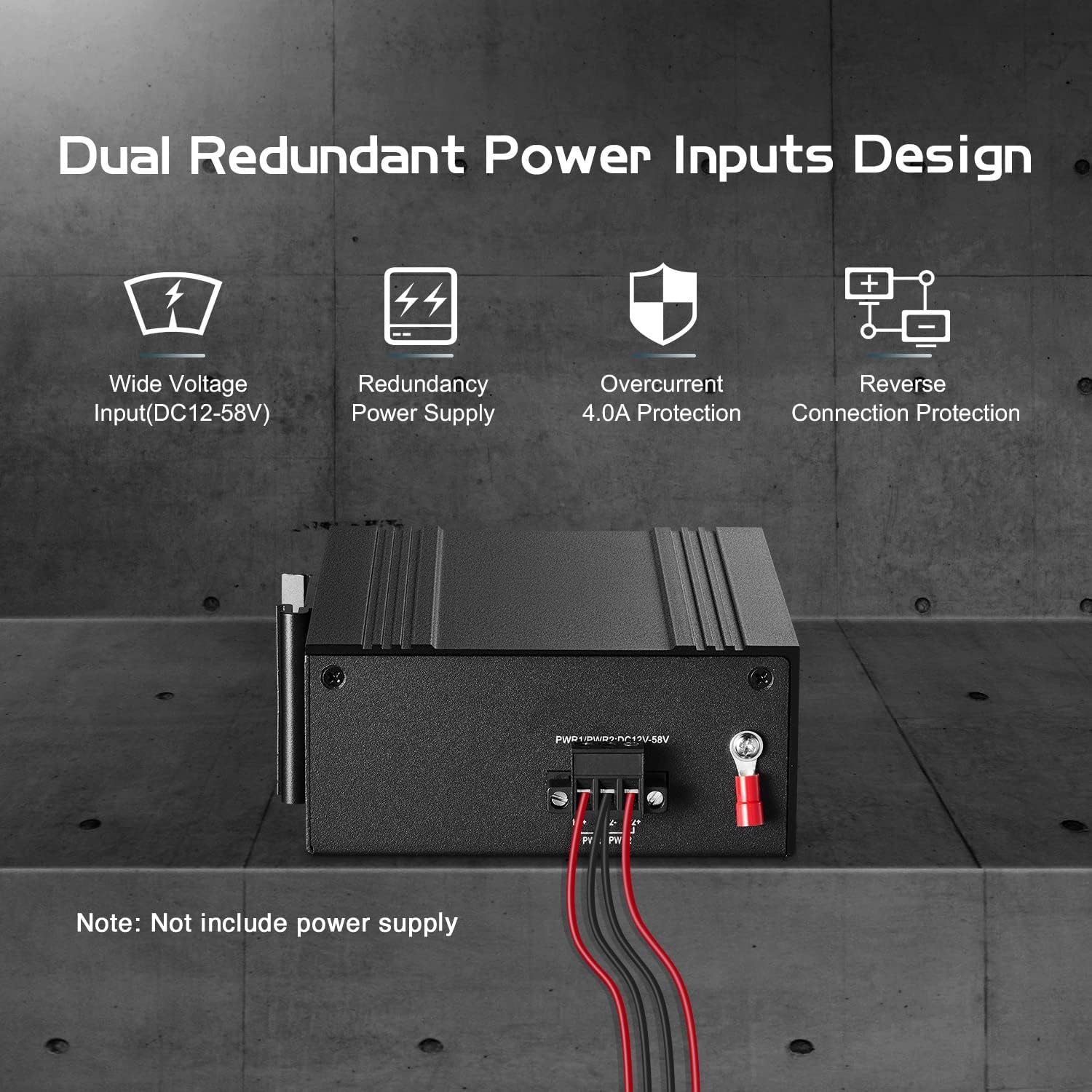
Figure 3.1: Illustration of the dual redundant power input design, highlighting the robust power connection terminals.
3.2 Physical Installation
The switch is designed for both DIN-rail and wall mounting. Use the provided DIN rail kit for secure installation in industrial cabinets or on a wall.

Figure 3.2: The switch shown mounted on a DIN rail, demonstrating its compact size and suitability for industrial installations.
3.3 Port Connections
Connect network devices to the 8 Gigabit Ethernet ports (10/100/1000Mbps adaptive). For fiber optic connections, utilize the 2 Gigabit SFP slots (modules not included). PoE devices such as cameras and access points can be connected to ports 1-8, which support IEEE802.3af/at standards (max 30W per port).
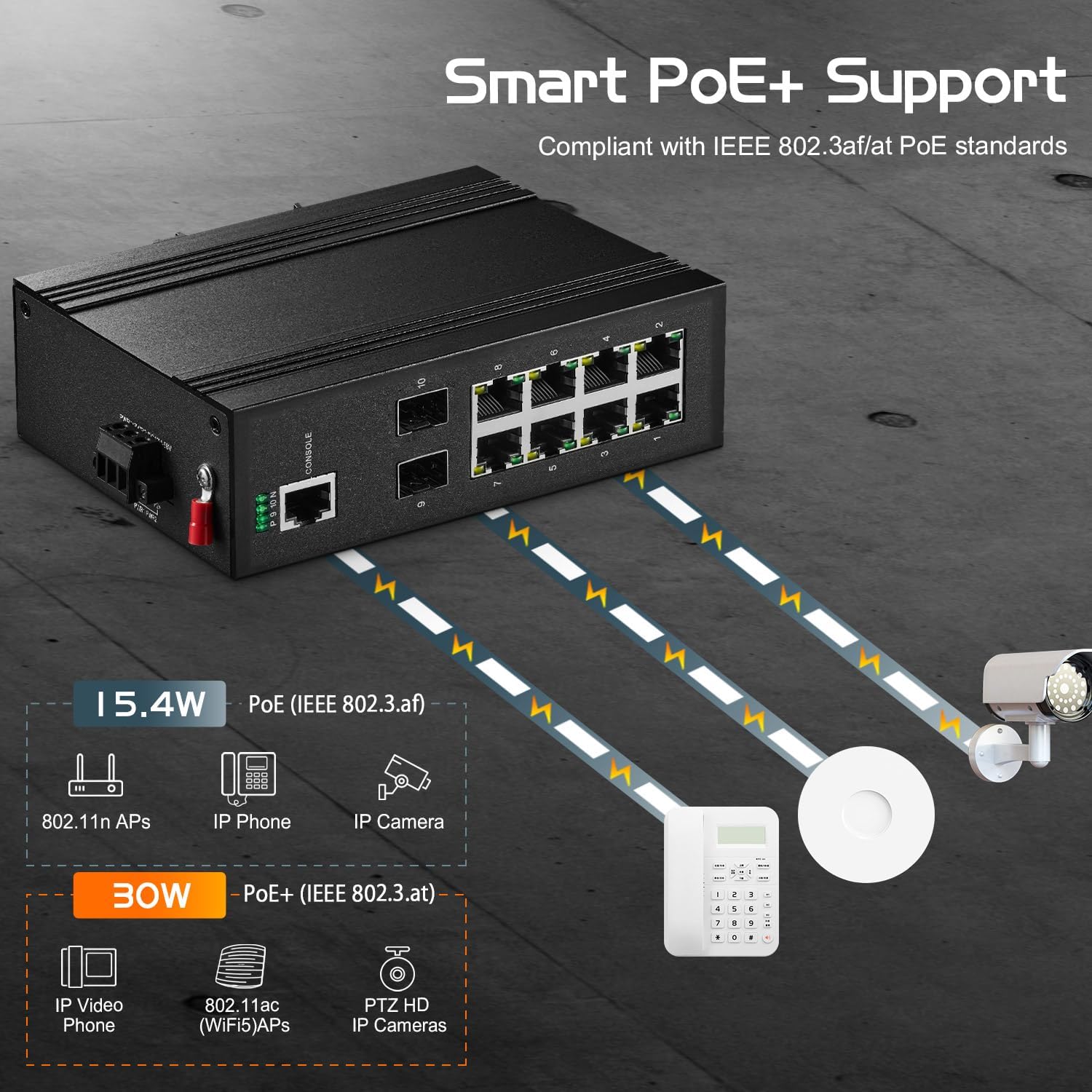
Figure 3.3: Diagram illustrating PoE+ support, showing how the switch powers various devices like IP cameras and IP phones.
3.4 Initial Configuration
The default IP address for web management is 192.168.2.1. The default username is admin and the default password is admin. It is highly recommended to change the default password upon first login for security purposes.
4. Operating the Switch
4.1 Management Interfaces
The switch can be managed via a web-based graphical user interface (GUI) or through a command-line interface (CLI) accessible via console, TELNET, or SSH. SNMP and RMON management are also supported.

Figure 4.1: Screenshot depicting both the web interface and command-line interface for managing the switch.
4.2 L2+ Managed Features
The switch offers comprehensive Layer 2+ management capabilities, including:
- VLAN: Support for 4K VLANs for network segmentation.
- MAC Table: 8K MAC address table for efficient forwarding.
- ACL/QoS: Access Control Lists and Quality of Service for traffic management.
- Port Security: Enhanced security features per port.
- Flow Control: Prevents packet loss during network congestion.
- Spanning Tree Protocols: STP/RSTP/MSTP for loop prevention.
- Storm Suppression: Mitigates broadcast, multicast, and unknown unicast storms.
- Ring/Star Network Topology: Supports various network designs.
- L3 Features: IPV4/IPV6, ARP, Static Routing, DHCP.

Figure 4.2: Visual representation of the various L2+ software features supported by the switch, such as SNMP, LLDP, RSTP, Route, ACL, IGMP, LACP, QoS, and VLAN.
4.3 LED Indicators
The switch is equipped with LED indicators for both power supply and individual ports, allowing for clear observation of the device's running status and network activity.
5. Maintenance
The Binardat industrial switch is designed for minimal maintenance due to its robust construction and fanless design.
5.1 Environmental Considerations
The device is built with an IP40 rated aluminum alloy casing and industrial-grade electronic components, enabling operation in extreme temperatures from -40°C to 75°C (-40°F to 185°F). Ensure the operating environment remains within these specified temperature limits to guarantee optimal performance and longevity.

Figure 5.1: Visual demonstrating the switch's resilience to both low (-30°C) and high (+75°C) temperatures, suitable for harsh industrial settings.
5.2 Cleaning
Periodically clean the exterior of the switch with a soft, dry cloth to prevent dust accumulation. Do not use liquid cleaners or aerosols directly on the device.
6. Troubleshooting
This section provides solutions to common issues you might encounter.
- Issue: Device not powering on.
Solution: Verify that the power supply is correctly connected and providing the required 48-55V DC. Check the power LED indicators on the switch. Ensure the power source is active. The dual redundant power input design allows for automatic switchover if one input fails.
- Issue: No network connectivity on a port.
Solution: Check the link/activity LED for the specific port. Ensure the Ethernet cable is securely connected at both ends. Verify the connected device is powered on and functioning correctly. For PoE ports, ensure the connected device is PoE compatible (IEEE802.3af/at) and that the power supply to the switch is sufficient (48-55V DC).
- Issue: Cannot access the web management interface.
Solution: Ensure your computer's IP address is in the same subnet as the switch's default IP (192.168.2.1). Verify network cable connection. Try accessing via CLI if web access fails. Reset the switch to factory defaults if necessary (refer to advanced configuration guide for procedure).
- Issue: PoE device not receiving power.
Solution: Confirm the PoE device is IEEE802.3af/at compliant. Passive 24V PoE is not supported. Ensure the switch's power input is 48-55V DC, as lower voltage will not enable PoE. Check the power consumption of the device; each PoE port supports up to 30W.
7. Specifications
| Feature | Description |
|---|---|
| Model Number | 10 Port Gigabit PoE Managed |
| Number of Ports | 10 (8 Gigabit Ethernet PoE, 2 Gigabit SFP) |
| Data Transfer Rate | 20 Gigabits Per Second (Switching Capacity) |
| PoE Standard | IEEE802.3af/at (Max 30W per port) |
| Input Voltage | 48-55 Volts DC (for PoE) |
| Case Material | Aluminum (IP40 Rated) |
| Operating Temperature | -40°C to 75°C (-40°F to 185°F) |
| Interface Type | PoE, SFP |
| Item Weight | 1.6 pounds |
| Package Dimensions | 7.4 x 6.5 x 2.5 inches |
| Color | Black |
| Included Components | Industrial Switch, Din rail kit |
8. Warranty and Support
8.1 Product Warranty
This Binardat product comes with a standard manufacturer's warranty. For specific warranty terms and conditions, please refer to the documentation included with your purchase or visit the official Binardat website. Extended protection plans may be available for purchase separately.
8.2 Technical Support
For technical assistance, troubleshooting, or any inquiries regarding your Binardat 10 Port Gigabit Industrial Managed PoE Switch, please visit the official Binardat support page or contact their customer service. You can find contact information on the Binardat brand store page on Amazon: Binardat Store.