
1. Introduction
This manual provides essential information for setting up, operating, and maintaining your Motorola Moto G73 5G smartphone. Please read this guide thoroughly to ensure optimal performance and longevity of your device.
The Motorola Moto G73 5G features a 6.5-inch Full HD+ 120 Hz display, a 50 MP camera system with Ultra Pixel technology, Dolby Atmos stereo speakers, a 5000 mAh battery with TurboPower charging, and is powered by an Octa-Core MediaTek Dimensity 930 processor with Android 13. It supports 5G connectivity and offers dual SIM capabilities.
2. Device Overview

Figure 2.1: Front and back view of the Motorola Moto G73 5G smartphone.
This image displays the Motorola Moto G73 5G smartphone from both the front and back. The front shows the display with a punch-hole camera, while the back highlights the camera module and the Motorola logo.
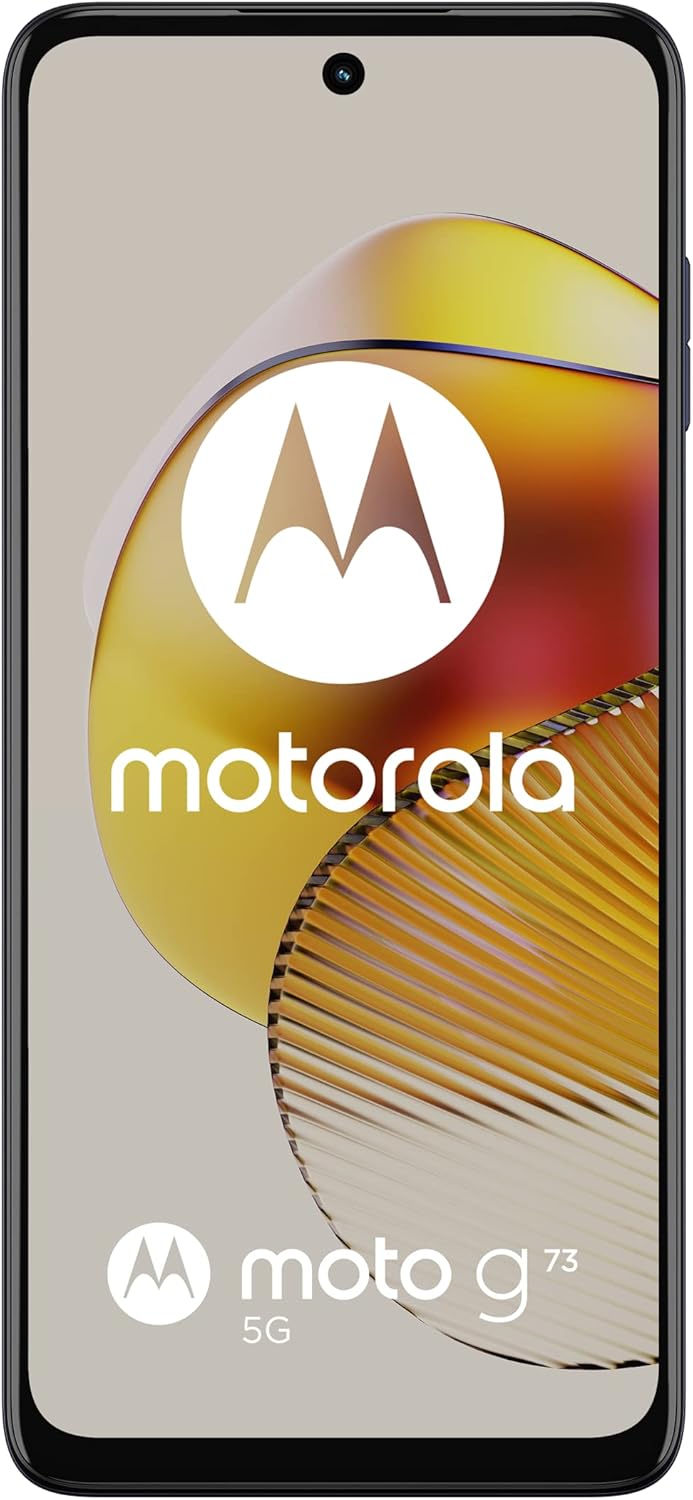
Figure 2.2: Front view of the Motorola Moto G73 5G smartphone.
This image shows the front of the Motorola Moto G73 5G smartphone, featuring its large display and front-facing camera.

Figure 2.3: Right side view of the Motorola Moto G73 5G.
This image illustrates the right side of the device, where the power button (which also integrates the fingerprint sensor) and the volume rocker are located.

Figure 2.4: Left side view of the Motorola Moto G73 5G.
This image displays the left side of the device, featuring the SIM card tray.

Figure 2.5: Back view of the Motorola Moto G73 5G.
This image shows the back of the Motorola Moto G73 5G, prominently featuring the dual camera module and the Motorola 'M' logo.

Figure 2.6: Angled view of the Motorola Moto G73 5G.
This image provides an angled perspective of the Motorola Moto G73 5G, showcasing both the display and the rear panel simultaneously.
3. Setup
3.1. Inserting SIM Cards
- Locate the SIM tray on the left side of your device.
- Insert the SIM ejector tool (usually included in the box) into the small hole on the SIM tray. Press firmly until the tray pops out.
- Carefully pull out the SIM tray.
- Place your Nano-SIM card(s) into the designated slots on the tray. The Moto G73 5G supports dual SIM cards. Ensure the gold contacts face downwards.
- Gently push the tray back into the slot until it clicks into place.
Note: If you intend to use a microSD card for expandable storage, it will occupy one of the SIM card slots. The device supports either two SIM cards or one SIM card and one microSD card.
3.2. Initial Power On and Setup
- Press and hold the Power button (located on the right side) until the Motorola logo appears.
- Follow the on-screen prompts to select your language, connect to a Wi-Fi network, and set up your Google account.
- You will be guided through setting up security features like fingerprint unlock and a screen lock (PIN, pattern, or password).
3.3. Charging the Device
Before first use, it is recommended to fully charge your device. Connect the provided TurboPower charger to the USB-C port at the bottom of the phone. The 5000 mAh battery supports TurboPower 30 charging for rapid power delivery.
4. Operating the Device
4.1. Power On/Off and Restart
- Power On: Press and hold the Power button until the device vibrates and the Motorola logo appears.
- Power Off/Restart: Press and hold the Power button for a few seconds. A menu will appear with options to Power off or Restart.
4.2. Screen Navigation
- Home Screen: Swipe left or right to access different home screen panels. Swipe up from the bottom to open the app drawer.
- Notifications and Quick Settings: Swipe down from the top of the screen to view notifications. Swipe down again to access quick settings toggles (Wi-Fi, Bluetooth, etc.).
- Recent Apps: Swipe up from the bottom of the screen and hold to view recently used applications.
- Back: Swipe from the left or right edge of the screen towards the center to go back.
4.3. Fingerprint Sensor
The fingerprint sensor is integrated into the Power button on the right side of the device. To unlock your phone or authorize purchases, simply place your registered finger on the Power button.
4.4. Volume Controls
The volume rocker is located above the Power button. Press the upper part to increase volume and the lower part to decrease volume for media, calls, and notifications.
5. Camera Features
The Moto G73 5G is equipped with a 50 MP main camera featuring Ultra Pixel technology. This technology combines pixels to create larger virtual pixels, allowing the sensor to capture more light for brighter and sharper photos, especially in low-light conditions. The camera system also supports detailed video recording.
- Photo Modes: Explore various modes such as Portrait, Night Vision, Panorama, and Pro mode for advanced control.
- Video Recording: Record high-quality videos with enhanced detail and clarity.
- Front Camera: Utilize the front-facing camera for selfies and video calls.
6. Display and Audio
6.1. 120 Hz Full HD+ Display
Experience smooth visuals and responsive interactions on the 6.5-inch Full HD+ display with a 120 Hz refresh rate. This higher refresh rate provides a fluid experience when scrolling, gaming, and watching videos.
6.2. Dolby Atmos Stereo Speakers
The device features stereo speakers with Dolby Atmos support, delivering rich, clear, and immersive audio. Adjust sound settings in the device's audio preferences for a personalized listening experience.
7. Battery and Charging
The Motorola Moto G73 5G is powered by a 5000 mAh battery, designed to provide extended usage. With TurboPower 30 charging, you can quickly replenish the battery, getting hours of power in minutes.
- Optimizing Battery Life: To extend battery life, reduce screen brightness, disable unused features like Bluetooth or GPS, and close background applications.
- Charging Best Practices: Use only Motorola-approved chargers and cables. Avoid exposing the device to extreme temperatures while charging.
8. Performance and Connectivity
Equipped with the MediaTek Dimensity 930 Octa-core processor and 8 GB of RAM, the Moto G73 5G delivers responsive performance for multitasking, gaming, and everyday use. The device runs on Android 13, offering a personalized and secure user experience.
- 5G Connectivity: Benefit from super-fast 5G network speeds for streaming, downloading, and browsing.
- Dual SIM: Manage two phone numbers or separate personal and work contacts with the dual SIM functionality.
- Internal Storage: The device comes with 256 GB of internal storage for your apps, photos, and files.
9. Maintenance
9.1. Cleaning Your Device
Use a soft, lint-free cloth to clean the screen and body of your phone. Avoid using harsh chemicals or abrasive materials. Do not submerge the device in water.
9.2. Software Updates
Regularly check for and install software updates to ensure your device has the latest features, security patches, and performance improvements. Go to Settings > System > System updates.
9.3. Data Backup
It is recommended to regularly back up your important data (photos, contacts, documents) to a cloud service (e.g., Google Drive) or a computer to prevent data loss.
9.4. Storage Management
Monitor your device's storage usage in Settings > Storage. Delete unnecessary files, uninstall unused apps, or move media to cloud storage to free up space.
10. Troubleshooting
10.1. Common Issues and Solutions
- Device not turning on: Ensure the battery is charged. Connect the charger and wait a few minutes before attempting to power on again.
- Screen unresponsive: Perform a forced restart by pressing and holding the Power button for about 10-15 seconds until the device restarts.
- Network issues (no signal/Wi-Fi): Check if Airplane mode is off. Restart the device. Verify SIM card insertion. For Wi-Fi, forget the network and reconnect.
- Battery draining quickly: Review battery usage in Settings to identify power-hungry apps. Reduce screen brightness, disable background app refresh, and limit location services.
- Apps crashing: Clear the cache and data for the problematic app (Settings > Apps > [App Name] > Storage > Clear cache/Clear data). If the issue persists, uninstall and reinstall the app.
10.2. Factory Reset
If you encounter persistent software issues, a factory reset may resolve them. This will erase all data on your phone, so ensure you have backed up all important information before proceeding.
- Go to Settings > System > Reset options.
- Select Erase all data (factory reset).
- Confirm your decision and follow the on-screen instructions.
11. Specifications
| Feature | Specification |
|---|---|
| Brand | Motorola |
| Model Number | PAUX0031GB |
| Operating System | Android 13.0 |
| Processor | Mediatek Dimensity 930 Octa-core (2 GHz) |
| RAM | 8 GB |
| Internal Storage | 256 GB |
| Screen Size | 6.5 Inches |
| Resolution | 1920 x 1080 (Full HD+) |
| Refresh Rate | 120 Hz |
| Main Camera | 50 MP with Ultra Pixel Technology |
| Battery Capacity | 5000 mAh |
| Charging | TurboPower 30 |
| Connectivity | 5G, Wi-Fi, Bluetooth |
| SIM Support | Dual SIM (Nano-SIM) |
| Wireless Carrier | Unlocked for All Carriers |
| Color | Midnight Blue |
12. Warranty and Support
Your Motorola Moto G73 5G smartphone is covered by a manufacturer's warranty. For specific warranty terms and conditions, please refer to the warranty card included with your product or visit the official Motorola support website.
For further assistance, technical support, or to find service centers, please visit the official Motorola support website or contact their customer service. Keep your proof of purchase for warranty claims.


