
1. Introduction
The PIXEL Voical M Lightning Wireless Lavalier Microphone System is designed for high-quality audio recording with iOS devices. This system features MFi certification, intelligent noise cancellation, and a long-range wireless transmission, making it suitable for vlogging, interviews, live broadcasts, and online classes.
2. Package Contents
Verify that all items listed below are included in your package:
- 1 x Charging Box
- 2 x Transmitters
- 1 x Receiver (Lightning Connector)
- 2 x Fur Windshields
- 1 x USB-C Charging Cable
- 1 x Instruction Manual

Image: The package contents include the charging box, two transmitters, one Lightning receiver, two fur windshields, a USB-C charging cable, and the instruction manual.
3. Product Overview
The PIXEL Voical M system consists of two wireless transmitters, a Lightning receiver, and a portable charging box. Each component is designed for ease of use and reliable performance.

Image: The PIXEL Voical M Lightning system, showing two transmitters and one receiver stored within the charging case.
Components
- Transmitter (TX): Features a built-in microphone, power button, and indicator light. It can be clipped onto clothing.
- Receiver (RX): Plugs directly into your iOS device's Lightning port. It has an indicator light.
- Charging Box: Stores and charges both transmitters and the receiver.
- Fur Windshield: Reduces wind noise for outdoor recording.

Image: Detailed views of the microphone, including the fur windshield, the USB-C charging port on the case, and the clip mechanism on the transmitter.
4. Setup Instructions
4.1 Charging the System
- Place the transmitters and receiver into the charging box.
- Connect the charging box to a power source using the provided USB-C cable.
- The indicator lights on the transmitters and receiver will show charging status. A full charge takes approximately 1.5 hours.
4.2 Connecting to Your iOS Device
- Insert the Lightning receiver directly into the Lightning port of your iPhone or iPad.
- The receiver's indicator light will illuminate, indicating a successful connection.

Image: The MFi certified Lightning receiver plugged into an iPhone, indicating readiness for use.

Image: The Lightning receiver is connected to an iPhone, with the two wireless transmitters placed next to it, ready for recording.
4.3 Powering On Transmitters
- Press and hold the power button on each transmitter for 2 seconds to turn them on.
- The transmitters will automatically connect to the receiver once powered on. The indicator lights will confirm connection status.
- Clip the transmitter to your clothing, ensuring the microphone is facing the sound source. For outdoor use, attach the fur windshield to reduce wind noise.
5. Operating Instructions
5.1 Basic Recording
Once the receiver is connected and transmitters are powered on and paired, open your preferred audio or video recording application on your iOS device. The system will automatically be recognized as the audio input source. Begin recording as usual.
5.2 Noise Cancellation Mode
The PIXEL Voical M features an intelligent noise cancellation function:
- To activate/deactivate noise cancellation: Double-click the power button on the transmitter.
- Indicator: The transmitter's indicator light will change color to indicate the current mode (e.g., blue for original sound mode, purple for noise reduction mode).

Image: A visual representation of audio waveforms, demonstrating the reduction in background noise when the noise cancellation feature is active.
5.3 Wireless Transmission Range
The system utilizes 2.4GHz wireless transmission technology, providing a stable connection with a range of up to 50 meters (164 feet) in an unobstructed environment. This allows for flexible recording scenarios without signal delay.
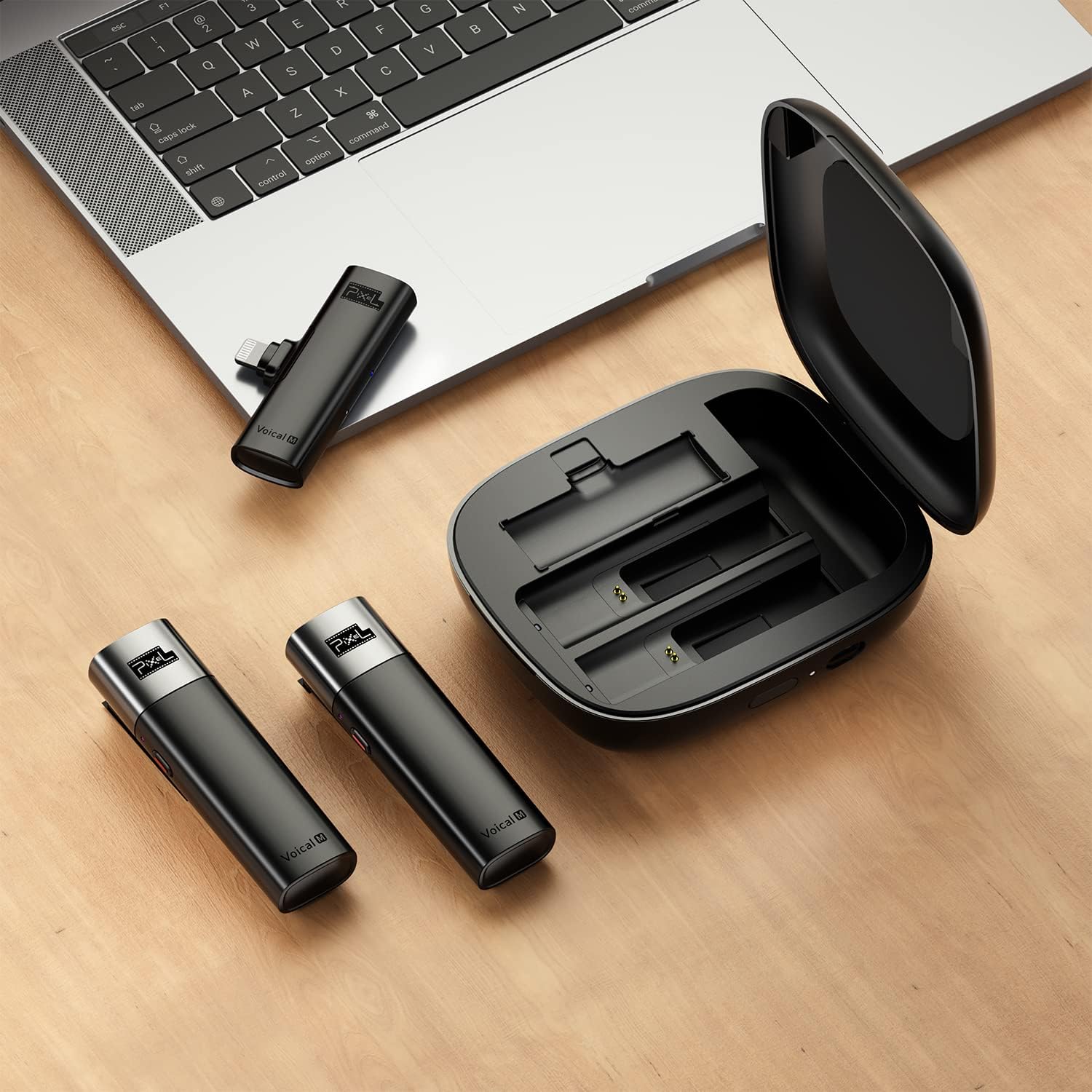
Image: Illustrates the 50-meter wireless transmission capability, showing a person recording a subject at a significant distance using the microphone system.
6. Maintenance
6.1 Cleaning
- Wipe the devices with a soft, dry cloth.
- Do not use liquid cleaners or solvents, as they may damage the product.
- Ensure the charging contacts are clean and free of debris for optimal charging.
6.2 Storage
- Store the microphone system in its charging box when not in use to protect it and keep it charged.
- Keep the device in a cool, dry place, away from direct sunlight and extreme temperatures.
6.3 Battery Care
- For optimal battery life, fully charge the system before first use.
- Recharge the system regularly, even if not in frequent use, to prevent deep discharge.
- Avoid exposing the batteries to high temperatures.
7. Troubleshooting
| Problem | Possible Cause | Solution |
|---|---|---|
| No sound recorded | Transmitter not powered on or paired. Receiver not properly connected. Low battery. | Ensure transmitters are on and indicator lights confirm pairing. Re-insert receiver firmly into iOS device. Charge the system. |
| Poor audio quality / Static | Interference. Transmitter too far from receiver. Obstructions. Noise cancellation off in noisy environment. | Move closer to the receiver. Ensure clear line of sight. Activate noise cancellation mode. Avoid strong electromagnetic interference sources. |
| System not charging | Charging cable or adapter faulty. Poor contact in charging box. | Try a different USB-C cable and power adapter. Ensure transmitters and receiver are correctly seated in the charging box. Clean charging contacts. |
| Short battery life | Not fully charged. Old battery. | Ensure the system is fully charged before use. Battery performance may degrade over time. |
8. Specifications
| Feature | Detail |
|---|---|
| Brand | PIXEL |
| Model | Voical M Lightning |
| Connectivity Technology | Lightning, 2.4GHz Wireless |
| Connector Type | Lightning |
| Compatible Devices | iPhone, iPad (with Lightning port) |
| Microphone Form Factor | Lavalier (Clip-on) |
| Polar Pattern | Omnidirectional |
| Number of Channels | 2 |
| Wireless Transmission Distance | Up to 50 meters (164 feet) in unobstructed environments |
| Single Transmitter Battery Life | Up to 14 hours |
| Total Battery Life (with charging box) | Up to 42 hours |
| Charging Time | Approx. 1.5 hours (for entire device) |
| Special Features | MFi Certified, Noise Cancellation, Clip-on Design |

Image: Visual representation of the system's battery capabilities, highlighting 14 hours of single-use battery life and 42 hours total with the charging box.
9. Warranty and Support
For warranty information or technical support, please refer to the warranty card included in your package or visit the official PIXEL website. Keep your purchase receipt for warranty claims.


