
ZOUKAI F3
ZOUKAI Ear Clip Bluetooth Headphones User Manual
Model: F3
1. Introduction
Thank you for choosing the ZOUKAI Ear Clip Bluetooth Headphones, Model F3. These innovative ear-clip bone conduction headphones are designed to provide a comfortable and high-quality audio experience without blocking your ear canal, making them ideal for various activities including sports, calls, and daily listening. This manual will guide you through the setup, operation, and maintenance of your new headphones.

Image 1.1: The ZOUKAI Ear Clip Bluetooth Headphones with their charging case. The headphones feature an open-ear, ear-clip design, and the case is compact and black.
2. What's in the Box
Please check the contents of your package to ensure all items are present:
- ZOUKAI Ear Clip Bluetooth Headphones (Model F3)
- Charging Cable
- User Manual (this document)
3. Setup
3.1. Charging the Headphones
Before first use, fully charge your headphones. The charging case also holds a charge to power the headphones multiple times on the go.
- Connect the provided charging cable to the charging port on the case.
- Connect the other end of the cable to a USB power adapter (not included) or a computer's USB port.
- The indicator light on the charging case will show charging status. A full charge takes approximately 2 hours.
- Once fully charged, the indicator light will change or turn off, depending on the model.
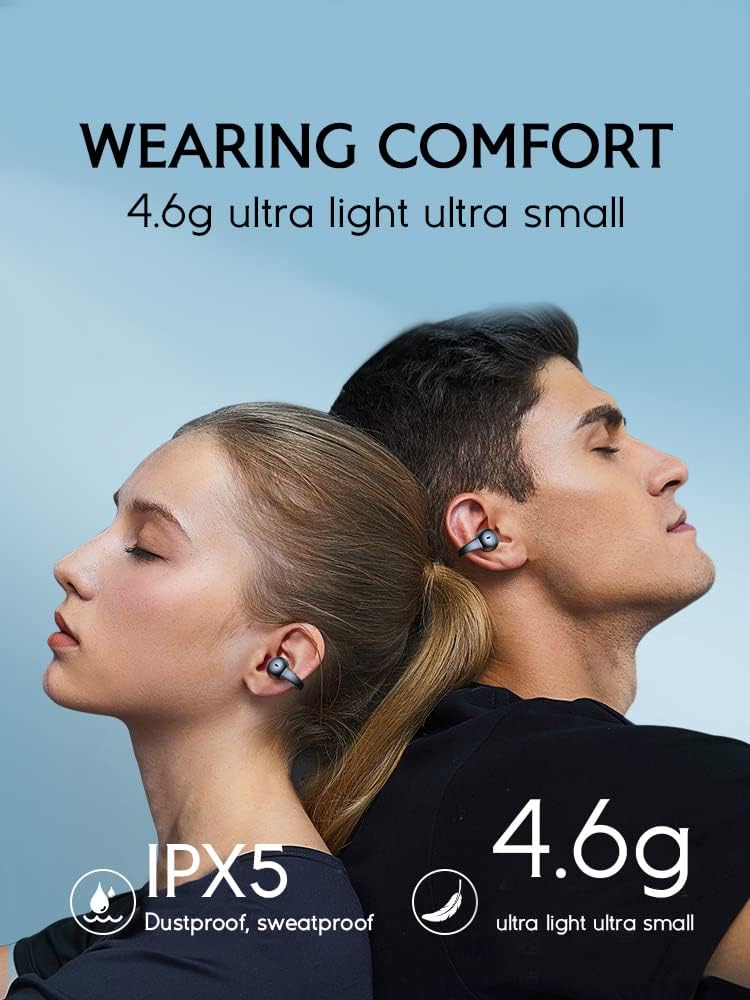
Image 3.1: Visual representation of battery life and charging time. The image highlights 30 hours of music time, 30 days of standby time, and 2 hours of charging time.
3.2. Bluetooth Pairing
Follow these steps to pair your headphones with your device:
- Ensure the headphones are charged and inside the charging case.
- Open the charging case. The headphones will automatically enter pairing mode, indicated by a flashing LED light on the headphones or case.
- On your device (smartphone, tablet, computer), go to the Bluetooth settings.
- Turn on Bluetooth and search for available devices.
- Select "ZOUKAI F3" (or similar name) from the list of found devices.
- Once connected, the LED indicator on the headphones will stop flashing, and your device will confirm the connection.
- The headphones support Bluetooth 5.3 for stable and efficient connection.

Image 3.2: Illustration showing Bluetooth 5.3 compatibility with Android and iOS devices, emphasizing wide compatibility and comfortable, lightweight design (4.6g).
4. Operating Your Headphones
4.1. Wearing the Headphones
The ZOUKAI F3 headphones feature an ear-clip design for secure and comfortable wear without entering the ear canal. This design is particularly beneficial for awareness of surroundings.
- Gently clip each headphone onto your ear, ensuring the speaker part is positioned near your ear canal for optimal sound.
- Adjust for a snug yet comfortable fit. The headphones are designed to be ultra-light at 4.6g per earbud.

Image 4.1: A close-up view of the ear-clip headphone being worn on an ear, demonstrating its secure and discreet fit.

Image 4.2: Depiction of wearing comfort, highlighting the 4.6g ultra-light design and IPX5 dustproof and sweatproof rating, suitable for active use.
4.2. Basic Controls
The headphones feature intuitive touch controls. Specific functions may vary slightly based on your device and application.
| Action | Function |
|---|---|
| Single Tap | Play/Pause music, Answer/End call |
| Double Tap (Left Earbud) | Previous Track |
| Double Tap (Right Earbud) | Next Track |
| Triple Tap | Activate Voice Assistant |
| Long Press (2 seconds) | Reject Call |
4.3. Key Features
- Bone Conduction Technology: Delivers sound through your cheekbones, leaving your ears open to ambient sounds for increased safety and awareness.
- No Sound Leakage: Engineered to minimize sound leakage, ensuring your privacy.
- Good Sound Quality: Equipped with advanced audio components for clear and rich sound.
- Clear Calls: Integrated microphone ensures clear communication during calls.
- IPX5 Water Resistance: Dustproof and sweatproof, making them suitable for workouts and outdoor activities.
- Low Latency Game Mode: Features a 65ms low latency mode for synchronized audio and video, enhancing your gaming experience.

Image 4.3: A grid showcasing key product features: secure wearing, no sound leakage, good sound quality, clear calls, and ultra-light 4.6g design.

Image 4.4: Visual demonstrating the 65ms low latency feature, ideal for gaming to ensure synchronized audio and graphics.

Image 4.5: An exploded view of the headphone's internal components, illustrating the "High Quality Power Unit" and emphasizing good sound production.
5. Maintenance
To ensure the longevity and optimal performance of your ZOUKAI Ear Clip Bluetooth Headphones, follow these maintenance guidelines:
- Cleaning: Use a soft, dry, lint-free cloth to clean the headphones and charging case. Do not use abrasive cleaners, alcohol, or chemical solvents.
- Storage: When not in use, store the headphones in their charging case to protect them from dust and damage. Store in a cool, dry place away from direct sunlight and extreme temperatures.
- Charging: Always use the provided charging cable. Avoid overcharging by disconnecting the charger once the headphones are fully charged.
- Water Exposure: While IPX5 rated (sweat and splash resistant), do not submerge the headphones in water. Dry them thoroughly if they get wet from sweat or light rain before placing them back in the charging case.
6. Troubleshooting
If you encounter any issues with your headphones, please refer to the following common problems and solutions:
| Problem | Possible Solution |
|---|---|
| Headphones won't turn on. | Ensure the headphones and charging case are fully charged. Place headphones in the case and close the lid, then open again. |
| Cannot pair with device. |
|
| No sound or low volume. |
|
| Intermittent connection or audio drops. |
|
7. Specifications
Detailed technical specifications for the ZOUKAI Ear Clip Bluetooth Headphones (Model F3):
| Feature | Detail |
|---|---|
| Brand | ZOUKAI |
| Model Number | F3 |
| Connectivity Technology | Wireless (Bluetooth 5.3) |
| Ear Placement | On Ear / Ear Clip |
| Form Factor | Open-Ear |
| Material | Plastic |
| Color | Gray |
| Item Weight | 4.6 ounces (approx. 0.13 Kilograms) |
| Special Feature | Microphone Included, Low Latency (65ms), IPX5 Dustproof/Sweatproof |
| Battery Life (Music Time) | Up to 30 hours (with charging case) |
| Standby Time | Up to 30 days |
| Charging Time | Approx. 2 hours |
| Recommended Uses | Calling, Cycling, Exercising, Motorcycling, Running |
| UPC | 768399972741 |
8. Warranty and Support
ZOUKAI products are manufactured to the highest quality standards. For information regarding warranty coverage, technical support, or customer service, please refer to the contact information provided on the product packaging or visit the official ZOUKAI website. Please retain your proof of purchase for warranty claims.
For further assistance, please contact ZOUKAI customer support directly.
Ask a question about this manual
Ask about setup, troubleshooting, compatibility, parts, safety, or missing instructions. Manuals+ will review the question and use this page’s manual context to help answer it.