
FRIZCOL FA-GY03
FRIZCOL 3-in-1 Camping Fan User Manual
Brand: FRIZCOL | Model: FA-GY03
Introduction
Thank you for choosing the FRIZCOL 3-in-1 Camping Fan. This versatile device combines a powerful fan, an LED light, and a portable power bank, making it an essential companion for your indoor and outdoor adventures. With its long-lasting 24000mAh battery and user-friendly features, you can enjoy comfort and convenience wherever you go. Please read this manual carefully to ensure proper use and maintenance of your fan.
Package Contents
Please verify that all items listed below are included in your package:
- 1 x Portable Rechargeable Fan
- 2 x 12000mAh Detachable Battery
- 1 x Remote Control
- 1 x User Manual (this document)
- 1 x USB-C Cable

Image: Contents of the FRIZCOL 3-in-1 Camping Fan package, including the fan, two detachable batteries, remote control, user manual, and USB-C cable.
Setup
Battery Installation
- Locate the battery compartment at the base of the fan.
- Insert one or both 12000mAh detachable batteries into the designated slots, ensuring proper alignment with the charging ports. The batteries should click securely into place.

Image: Hands demonstrating how to press and push out the detachable battery from the fan's base.
Charging the Fan
Before first use, fully charge the fan's batteries. The fan is equipped with a USB-C charging port.
- Connect the provided USB-C cable to the charging port on the fan.
- Connect the other end of the USB-C cable to a compatible USB power adapter (not included) or a power source.
- The charging indicator lights on the fan's base will illuminate to show charging status. A full charge typically takes 8-10 hours.

Image: A close-up of the detachable 12000mAh battery being inserted into the fan base, highlighting its long-lasting and fast-charging capabilities.
Operating Instructions
Power On/Off
Press the power button located on the fan's base or on the remote control to turn the fan on or off.
Fan Speed Adjustment
The fan offers 4 speed settings. Press the fan speed button on the base or remote to cycle through the speeds (1, 2, 3, 4) and off. Each press increases the airflow.

Image: A person using the FRIZCOL fan at an outdoor table, illustrating the four fan speed settings and their corresponding battery life (e.g., 140 hours at 2.0m/s).
LED Light Operation
The fan includes an integrated LED light with 2 brightness levels. Press the light button on the base or remote to turn the light on and cycle through the brightness settings.

Image: Two people and a dog relaxing outdoors at night, illuminated by the fan's 2-level LED ambient light, creating a comfortable atmosphere.
Timer Function
Set the fan to automatically turn off after a specific duration using the timer function. Press the timer button on the remote control to select 1, 3, or 5 hours. This feature is ideal for peaceful sleep.

Image: A person sleeping peacefully with the FRIZCOL fan operating quietly on a bedside table, demonstrating the timer function and low noise level (under 30 dB).
Remote Control Usage
The included remote control allows for convenient operation from a distance. Ensure the remote has working batteries and point it towards the fan for optimal response.
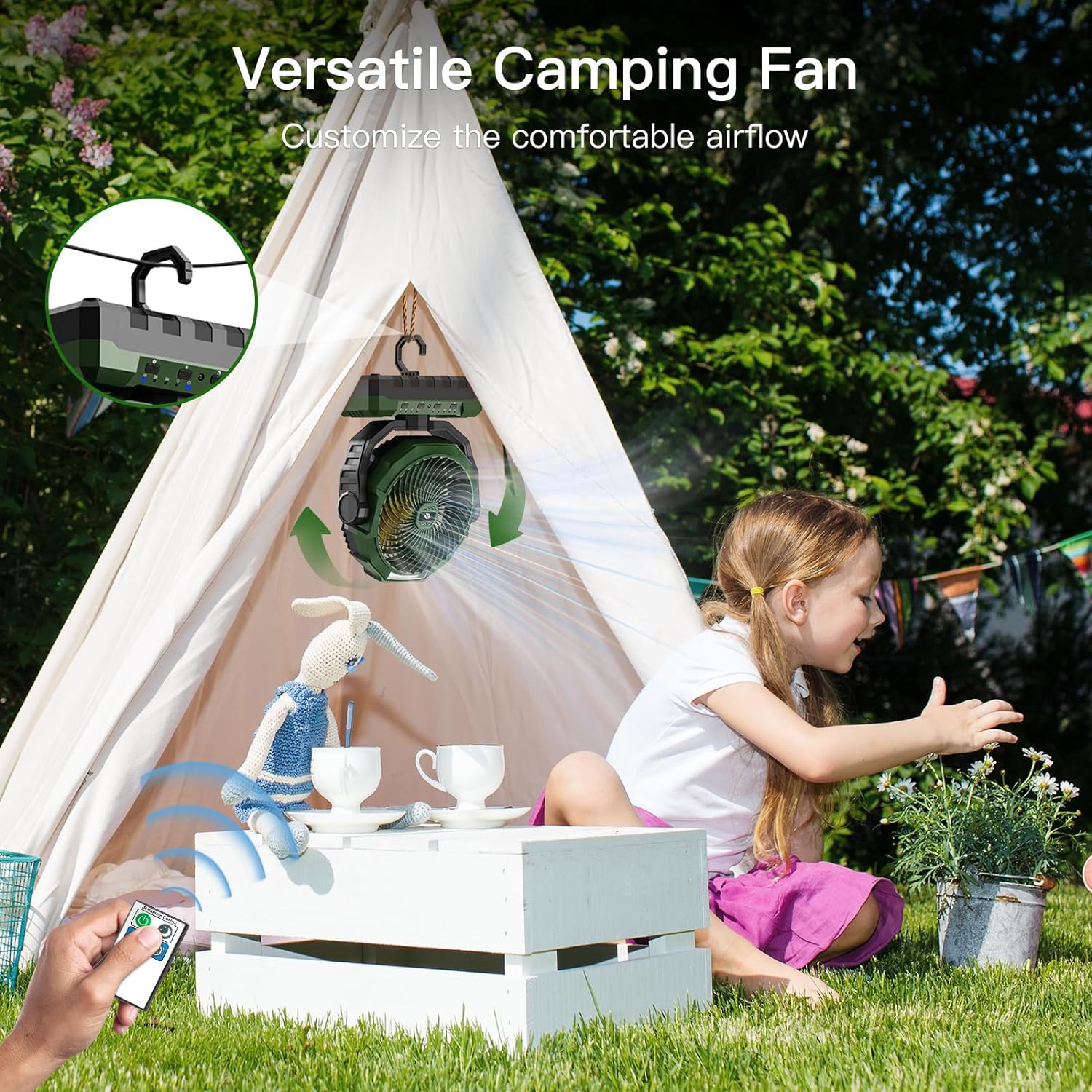
Image: A child sitting near a tent, operating the FRIZCOL fan with a remote control, showcasing its versatility and adjustable airflow for comfortable outdoor use.
Power Bank Functionality
The 24000mAh battery can be used to charge your electronic devices. Locate the USB-A output port on the fan's base. Connect your device's charging cable to this port to use the fan as an emergency power bank.

Image: The FRIZCOL fan's detachable 12000mAh battery being used to charge a smartphone, demonstrating its function as an emergency power source in an outdoor setting.
Hanging Function and Adjustable Tilt
The fan features a hidden hook at the bottom for easy hanging in tents or other elevated positions. The fan head is vertically adjustable, allowing you to direct the airflow as needed.

Image: A person sitting by a lake, with the FRIZCOL fan hanging inside a tent, illustrating its function hook and adjustable tilt for customized outdoor comfort.
Maintenance
Cleaning
- Ensure the fan is turned off and unplugged before cleaning.
- Wipe the exterior of the fan with a soft, damp cloth. Do not use abrasive cleaners or solvents.
- For the fan blades, gently wipe away dust and debris. Do not immerse the fan in water.
Battery Care
- To prolong battery life, avoid fully discharging the batteries frequently.
- Store the fan and batteries in a cool, dry place when not in use for extended periods.
- Recharge the batteries every 3-6 months if stored, to maintain their capacity.
Troubleshooting
| Problem | Possible Cause | Solution |
|---|---|---|
| Fan does not turn on. | Battery is depleted or not properly installed. | Charge the battery fully. Ensure batteries are securely inserted. |
| Weak airflow. | Fan speed is too low or fan blades are obstructed. | Increase fan speed. Clean any dust or debris from the fan blades. |
| LED light not working. | Light function not activated or battery low. | Press the light button. Charge the battery. |
| Remote control not responding. | Remote batteries are dead or remote is out of range/not pointed correctly. | Replace remote batteries. Ensure remote is pointed at the fan within effective range. |
| Device not charging from fan (power bank function). | Fan battery is low or cable is faulty. | Charge the fan's battery. Try a different USB cable. |
Specifications
| Feature | Specification |
|---|---|
| Brand | FRIZCOL |
| Model Name | FA-GY03 |
| Power Source | Battery Powered |
| Battery Capacity | 24000mAh (2 x 12000mAh detachable) |
| Endurance | 20-140 hours (depending on speed) |
| Fan Speeds | 4 Levels |
| Noise Level | <30 dB |
| LED Light | 2 Brightness Levels |
| Timer Settings | 1, 3, 5 Hours |
| Control Method | Push Button, Remote Control |
| Product Dimensions | 8.9"D x 3.3"W x 11.6"H |
| Item Weight | 2.2 Pounds |
| Material | ABS Plastic |
| Connectivity | USB Type C (input), USB Type A (output) |

Image: The FRIZCOL fan with its dimensions (8.9 in D x 3.3 in W x 10.8 in H) and weight (1.8 lb) indicated, highlighting its lightweight and compact design for portability.
Official Product Videos
Video: An official product video from FRIZCOL showcasing the 2nd generation camping fan with its detachable battery feature. This video provides a detailed look at the fan's components and how the detachable battery works.
Video: An official product video from FRIZCOL demonstrating the 3-in-1 portable rechargeable fan for home and camping use. This video highlights the fan's various functionalities and its suitability for different environments.
Warranty and Support
FRIZCOL products are designed for durability and performance. For any questions, technical support, or warranty claims, please contact FRIZCOL customer service through the retailer's platform or the official FRIZCOL website. Please retain your proof of purchase for warranty purposes.
Ask a question about this manual
Ask about setup, troubleshooting, compatibility, parts, safety, or missing instructions. Manuals+ will review the question and use this page’s manual context to help answer it.