
1. Introduction
The Jebao SLW-3 Wave Maker is designed to create natural wave patterns and optimal water circulation in nano reef aquariums. This device features an external drive controller, a magnetic base for easy installation, and a wear-proof ceramic shaft for extended durability. Its intelligent controlling system allows for various wave patterns and wireless control capabilities, ensuring a healthy and dynamic aquatic environment.

Image 1.1: The Jebao SLW-3 Wave Maker pump shown alongside its product packaging.
2. Safety Instructions
- Always disconnect power before performing any maintenance or installation.
- Ensure the power adapter and controller are placed in a dry area, away from water splashes.
- Do not operate the pump if the power cord or plug is damaged.
- This device is designed for submersible use only. Do not operate it dry.
- Keep out of reach of children.
- Ensure the voltage rating of the power adapter matches your local power supply.
- Do not attempt to modify or repair the device yourself. Refer to qualified personnel for service.
3. Package Contents
Please verify that all components are present in the package:
- Jebao SLW-3 Wave Maker Pump
- External Controller
- Power Adapter
- Magnetic Base
- User Manual (this document)
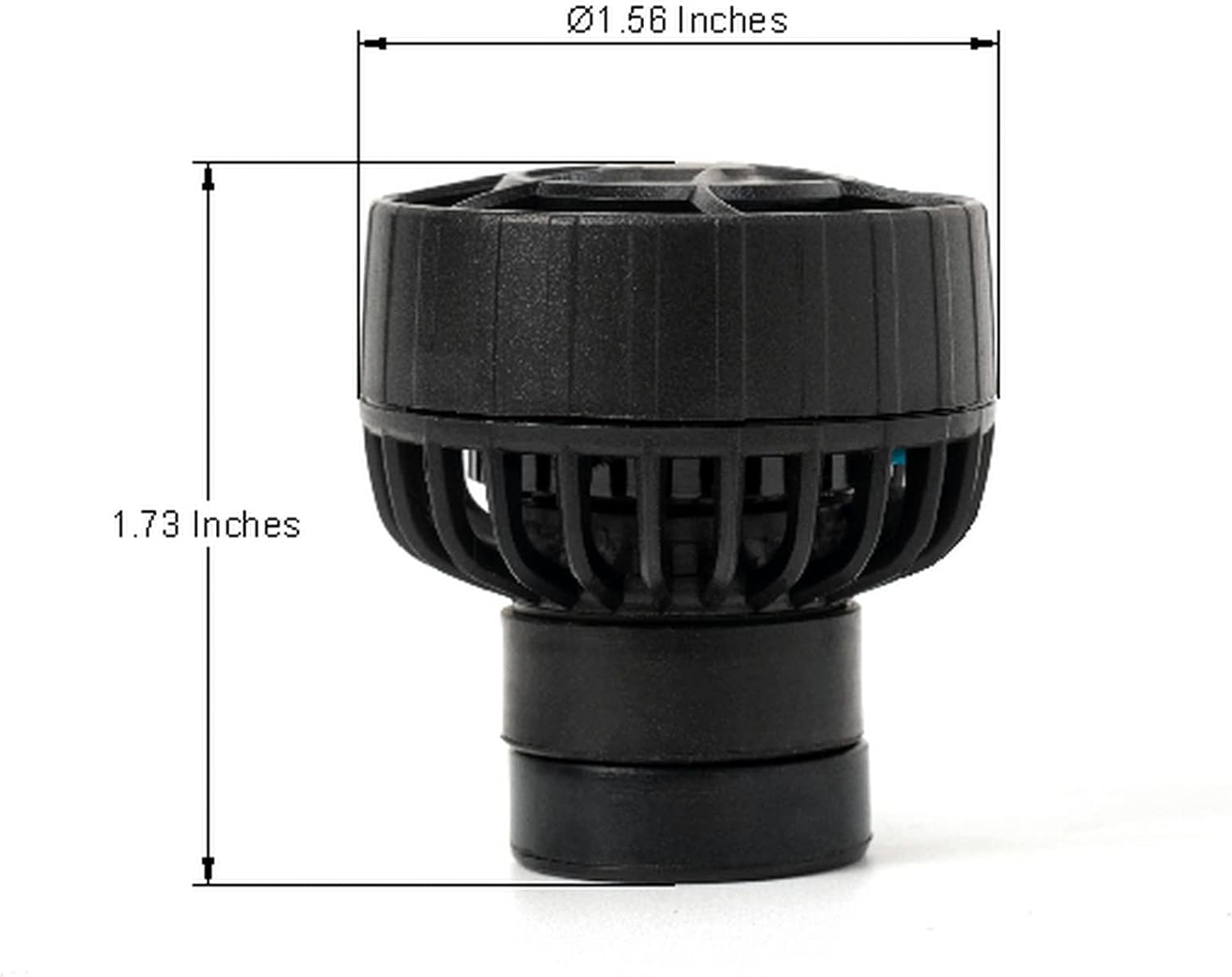
Image 3.1: Overview of all included components: the wave maker pump, its controller, the power adapter, and the user manual.
4. Product Features
- External Drive Controller: No electronic devices are located inside the pump, contributing to a longer service life.
- 3D Rotation Angle: Allows for adjustment of the output water direction to optimize flow patterns.
- Wireless Control: Supports master and slave wireless control for synchronized operation of multiple pumps.
- Quiet Operation: Equipped with a super quiet motor for minimal noise disturbance.
- High Performance: Delivers powerful water flow with low energy consumption.
- Durable Construction: Adopts a wear-proof ceramic shaft to prolong the service life of the pump.
- Intelligent Controlling System: Offers various wave patterns for diverse aquarium needs.
- Low Voltage Operation: Ensures safe and reliable use.
- Versatile Use: Suitable for both freshwater and marine water aquariums.
- Magnetic Base: Fixed with a magnetic base for easy installation and maintenance.

Image 4.1: A detailed view of the pump's impeller and protective cage, highlighting its compact design.

Image 4.2: An angled perspective of the wave maker pump, showcasing its robust construction.
5. Setup
5.1 Placement
- Identify a suitable location inside your aquarium where the wave maker can provide optimal water flow without disturbing substrate or delicate corals.
- Position the pump inside the aquarium, ensuring it is fully submerged.
- Attach the external magnetic base to the outside of the aquarium glass, directly opposite the pump. The strong magnet will hold the pump securely in place.
- Adjust the pump's angle to direct the water flow as desired. The 3D rotation feature allows for precise positioning.

Image 5.1: The wave maker pump connected to its power cable and magnetic base, ready for installation.
5.2 Electrical Connection
- Connect the pump's cable to the designated port on the external controller.
- Connect the power adapter to the controller.
- Plug the power adapter into a suitable electrical outlet. Ensure a drip loop is formed with the power cord to prevent water from traveling along the cord to the outlet.
6. Operating Instructions
6.1 Controller Functions
The external controller allows you to customize the wave maker's operation:
- MODE/FEED Button: Press to cycle through different wave patterns (e.g., constant flow, pulse mode, random flow). Hold to activate 'Feed Mode', which temporarily pauses the pump for feeding.
- SPEED/LOCK Button: Adjusts the flow intensity or speed of the wave patterns. Hold to 'Lock' the current settings, preventing accidental changes.
- POWER Button: Turns the pump on or off.
- Wireless Control: If you have multiple Jebao SLW series pumps, you can set one as a 'Master' and others as 'Slave' units for synchronized operation. Refer to the controller's specific instructions for pairing.
6.2 Adjusting Flow and Patterns
Experiment with different modes and speed settings to find the ideal water movement for your aquarium inhabitants. Observe how your corals and fish react to the flow to ensure their comfort and health.
7. Maintenance
Regular maintenance ensures optimal performance and longevity of your wave maker.
7.1 Cleaning the Pump
- Disconnect Power: Always unplug the power adapter from the electrical outlet before handling the pump.
- Remove from Aquarium: Carefully detach the pump from the magnetic base and remove it from the aquarium.
- Disassemble: Gently twist or unclip the front cage to access the impeller and ceramic shaft.
- Clean Components: Use a soft brush and clean water (or a diluted vinegar solution for stubborn calcium deposits) to clean the impeller, ceramic shaft, and pump housing. Ensure all debris, algae, and calcium buildup are removed.
- Rinse Thoroughly: Rinse all components with clean water to remove any cleaning solution residue.
- Reassemble: Carefully reassemble the pump, ensuring all parts fit correctly.
- Reinstall: Place the pump back into the aquarium and reconnect the power.
7.2 Regular Checks
- Periodically check the power cord for any signs of damage or wear.
- Ensure the magnetic base maintains a strong grip on the aquarium glass.
- Monitor the pump's performance for any unusual noises or reduced flow, which may indicate a need for cleaning.
8. Troubleshooting
| Problem | Possible Cause | Solution |
|---|---|---|
| Pump not running | No power; Controller off; Impeller jammed | Check power connection; Press POWER button on controller; Disconnect power and clean impeller. |
| Weak water flow | Impeller dirty or obstructed; Pump mode set too low | Disconnect power and clean impeller; Adjust SPEED setting on controller. |
| Unusual noise | Debris in impeller; Impeller worn; Pump not securely mounted | Disconnect power and clean impeller; Inspect impeller for damage; Re-secure pump with magnetic base. |
| Controller not responding | Power issue; Controller malfunction | Check power connection; Try unplugging and replugging the controller; Contact support if issue persists. |
9. Specifications
| Feature | Detail |
|---|---|
| Model | SLW-3 |
| Brand | Jebao |
| Maximum Flow Rate | 2500 Liters Per Hour (660 GPH) |
| Voltage | 12 Volts |
| Power | 4.5 Watts |
| Product Dimensions (Pump) | Approx. 1.1/4" x 1-5/8" Dia. (3.18 cm x 4.13 cm Dia.) |
| Product Dimensions (Overall) | Approx. 4"L x 1"W x 5"H (10.16 cm L x 2.54 cm W x 12.7 cm H) |
| Material | Ceramic (shaft) |
| Item Weight | 0.36 Kilograms (12.6 ounces) |
| Power Source | AC power (via adapter) |
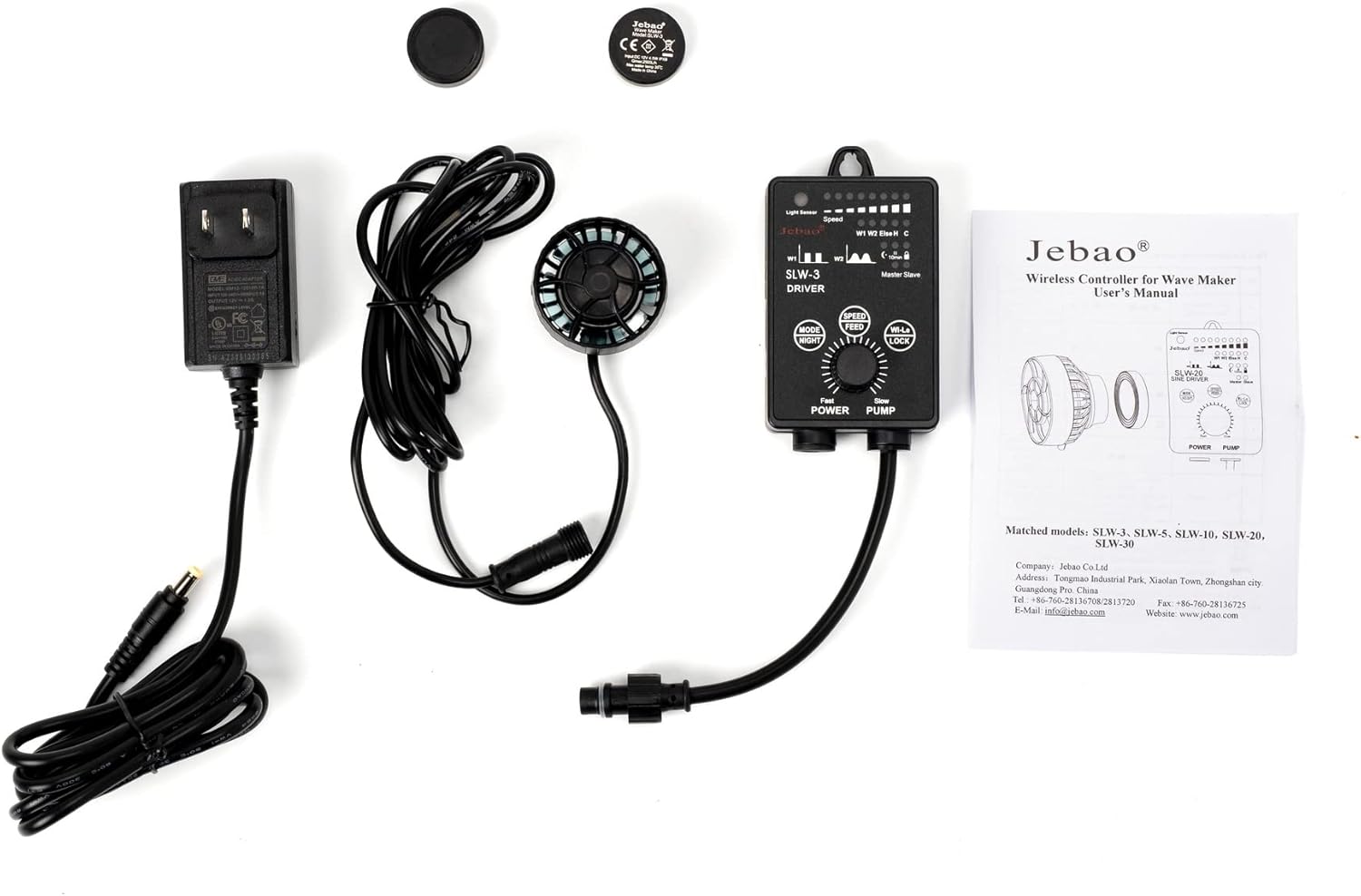
Image 9.1: Dimensional drawing of the wave maker pump, indicating its diameter and height.
10. Warranty and Support
For warranty information, please refer to the documentation provided at the time of purchase or contact your retailer. For technical support or inquiries, please reach out to the manufacturer or the seller through their official contact channels.
Manufacturer: Jebao
Part Number: SLW-3


