
1. Product Overview
The BoxWave miniSync Retractable Portable Sync Cable is designed for convenient data synchronization and charging of compatible devices, including the Auna Intelligence Tube. Its retractable design minimizes tangles and offers adjustable lengths for various uses. This cable supports high-speed USB 2.0 data transfers and is constructed from durable materials for longevity.

Image 1.1: The BoxWave miniSync Retractable Cable, highlighting its tangle-free design compared to standard cables.
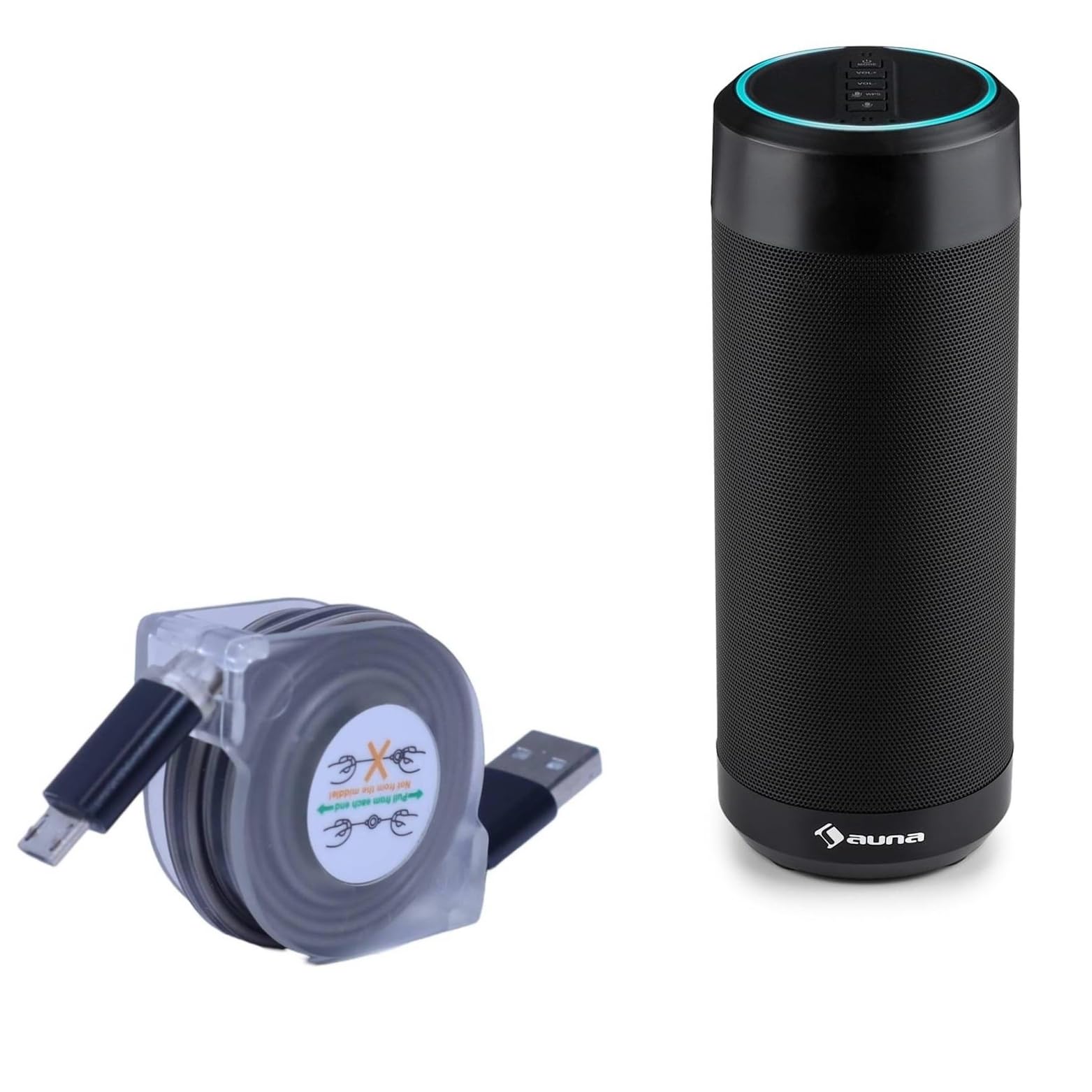
Image 1.2: The BoxWave miniSync Retractable Cable, showing its compact form and the 'pull from each end' instruction label.
2. Setup and Extension
To use the miniSync cable, gently pull both ends of the cable simultaneously to extend it to your desired length. The cable features multiple pre-set lengths for convenience.
- Extension: Hold both connector ends and pull them outwards evenly until the cable locks into one of the adjustable lengths.
- Retraction: To retract the cable, pull both ends slightly further out until the locking mechanism releases, then allow the cable to retract smoothly back into its housing. Do not pull from the middle of the cable.

Image 2.1: Proper method for extending the miniSync cable by pulling both ends.

Image 2.2: Diagram illustrating the various adjustable lengths of the miniSync cable.
3. Operating Instructions
3.1 Charging Your Device
To charge your device, connect the USB Type-A end of the miniSync cable to a standard USB power adapter (e.g., wall charger, car charger, power bank) or a powered USB port on a computer. Connect the Micro-USB end to your compatible device, such as the Auna Intelligence Tube. Ensure both connections are secure.

Image 3.1: Device charging using the miniSync cable at an adjustable length.
3.2 Data Synchronization
For data synchronization, connect the USB Type-A end of the miniSync cable to an available USB port on your computer. Connect the Micro-USB end to your compatible device. Your computer should recognize the device, allowing you to transfer files and data at high-speed USB 2.0 rates.

Image 3.2: The miniSync cable facilitating connection between a laptop and a smartphone.
4. Care and Maintenance
- Storage: Always retract the cable fully when not in use to protect it from damage and prevent tangles. The compact size (approximately 1.5 inches when retracted) makes it easy to store.
- Cleaning: Use a soft, dry cloth to clean the cable and connectors. Avoid using harsh chemicals or abrasive materials.
- Handling: Avoid excessive force when pulling or retracting the cable. Do not bend the connectors at sharp angles. The cable features reinforced strain relief to minimize kinking.
- Environment: Store the cable in a cool, dry place away from direct sunlight and extreme temperatures.

Image 4.1: The miniSync cable's compact size allows for easy storage and portability.

Image 4.2: Reinforced strain relief design for enhanced cable durability.
5. Troubleshooting
| Problem | Possible Cause | Solution |
|---|---|---|
| Device not charging/syncing | Loose connection, faulty power source/USB port, incompatible device. | Ensure both ends of the cable are securely connected. Try a different USB port or power adapter. Verify your device is compatible with Micro-USB. |
| Slow charging/data transfer | Using a low-power USB port, background processes on computer, cable damage. | Use a high-power USB port or a dedicated wall charger. Close unnecessary applications on your computer. Inspect the cable for visible damage. |
| Cable not retracting smoothly | Improper retraction technique, internal mechanism obstruction. | Ensure you pull both ends slightly to release the lock before allowing it to retract. Do not force retraction. |
6. Product Specifications
| Feature | Detail |
|---|---|
| Brand | BoxWave |
| Model | miniSync Retractable Portable Sync Cable |
| Connector Type | USB Type A to Micro-USB |
| Cable Type | USB |
| Compatible Devices | Devices with Micro-USB port (e.g., Auna Intelligence Tube, PC) |
| Special Feature | Retractable, Portable |
| Color | Black |
| Data Transfer Rate | Up to 480 Mbps (USB 2.0 Standard) |
| Extended Length | Up to 37 inches (approx. 93 cm) |
| Retracted Length | Approximately 3 inches (approx. 7.6 cm) |
| Item Weight | 1.3 Ounces |
7. Warranty and Support
This product includes limited 3rd party technical support for your device (up to 3 inquiries via messaging). Please note that this support is not affiliated with or endorsed by Auna. For product-specific inquiries or issues, please contact BoxWave customer service through the retailer's messaging system where the product was purchased.