
Introduction
This manual provides comprehensive instructions for the assembly, use, and maintenance of your ODK Computer Desk. Designed for versatility and durability, this desk is suitable for various environments including home offices, study rooms, and gaming setups. Please read through these instructions carefully before beginning assembly or use to ensure proper setup and longevity of your product.
Product Features
- Compact and Versatile Design: The ODK Computer Desk is available in multiple sizes and colors, making it a suitable choice for various spaces and uses, from study to home office or gaming.
- Integrated Storage: Features a side-mounted storage bag for organizing books and office supplies, along with a detachable headphone hook for convenience.
- Durable Construction: The tabletop is crafted from high-quality particleboard, offering scratch-resistant, anti-collision, and waterproof properties. The desk is supported by a solid metal frame for maximum stability.
- Easy Assembly: Designed for straightforward assembly, with all necessary tools and instructions included.
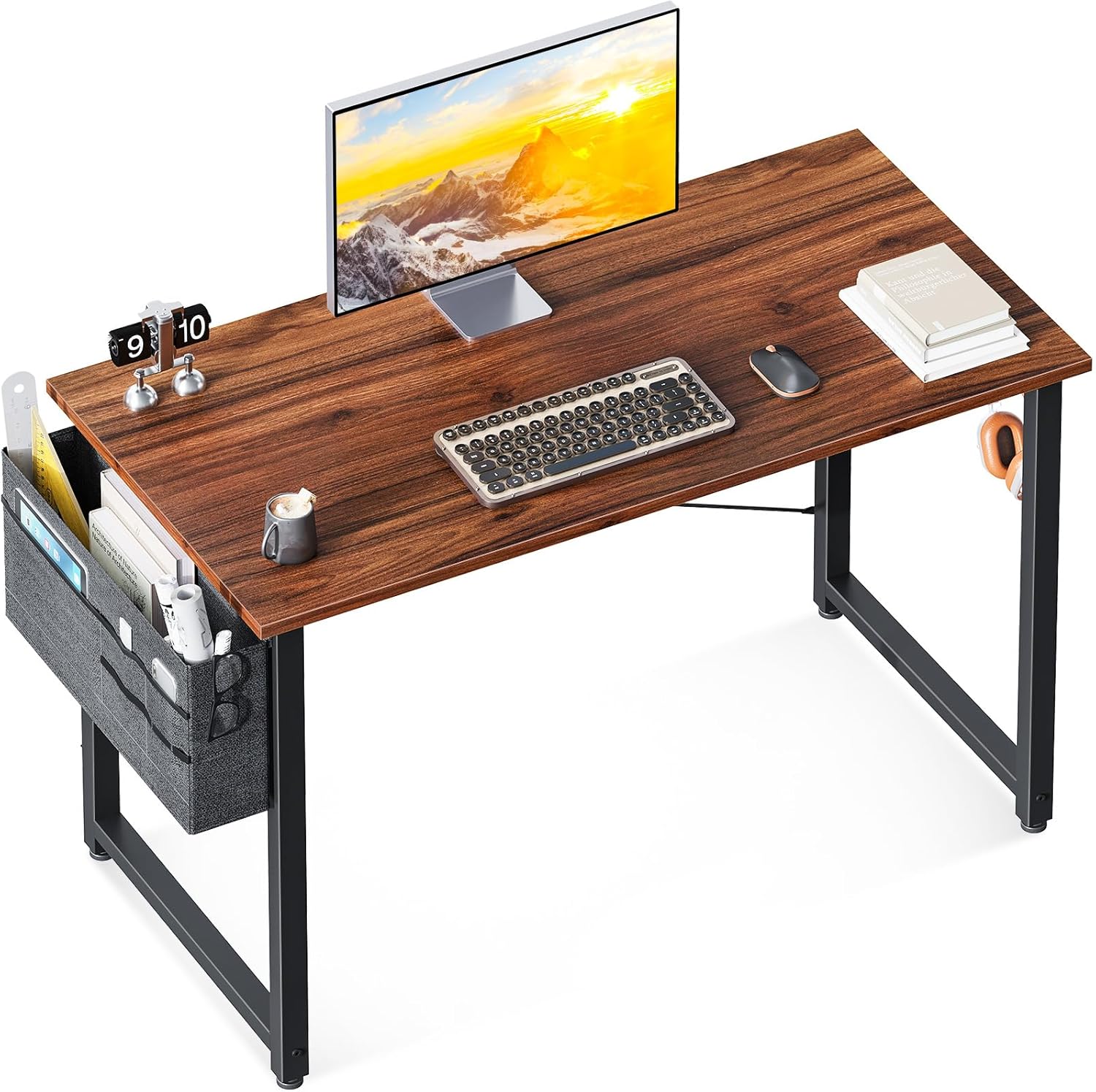
Figure 1: The ODK Computer Desk, showcasing its compact design and integrated storage bag.

Figure 2: The desk fits well in small spaces, providing an efficient workspace.

Figure 3: Detail of the high-quality fabric storage bag, ideal for keeping your desktop organized.

Figure 4: The solid metal hook provides a convenient place to hang headphones or bags.

Figure 5: The high-quality desktop is waterproof and scratch-resistant, making it easy to maintain.

Figure 6: The desk frame is designed to be suitable for monitor clamps, offering flexible setup options.

Figure 7: The solid metal frame and X-shaped cross-bar (for 32'', 40'', and 48'' models) ensure exceptional sturdiness and stability.
Setup & Assembly
The ODK Computer Desk is designed for quick and easy assembly. All necessary assembly tools and a detailed instruction manual are included in the packaging. We recommend reviewing the parts list and assembly steps thoroughly before beginning.
For optimal ease and safety, it is recommended that two people participate in the assembly process.
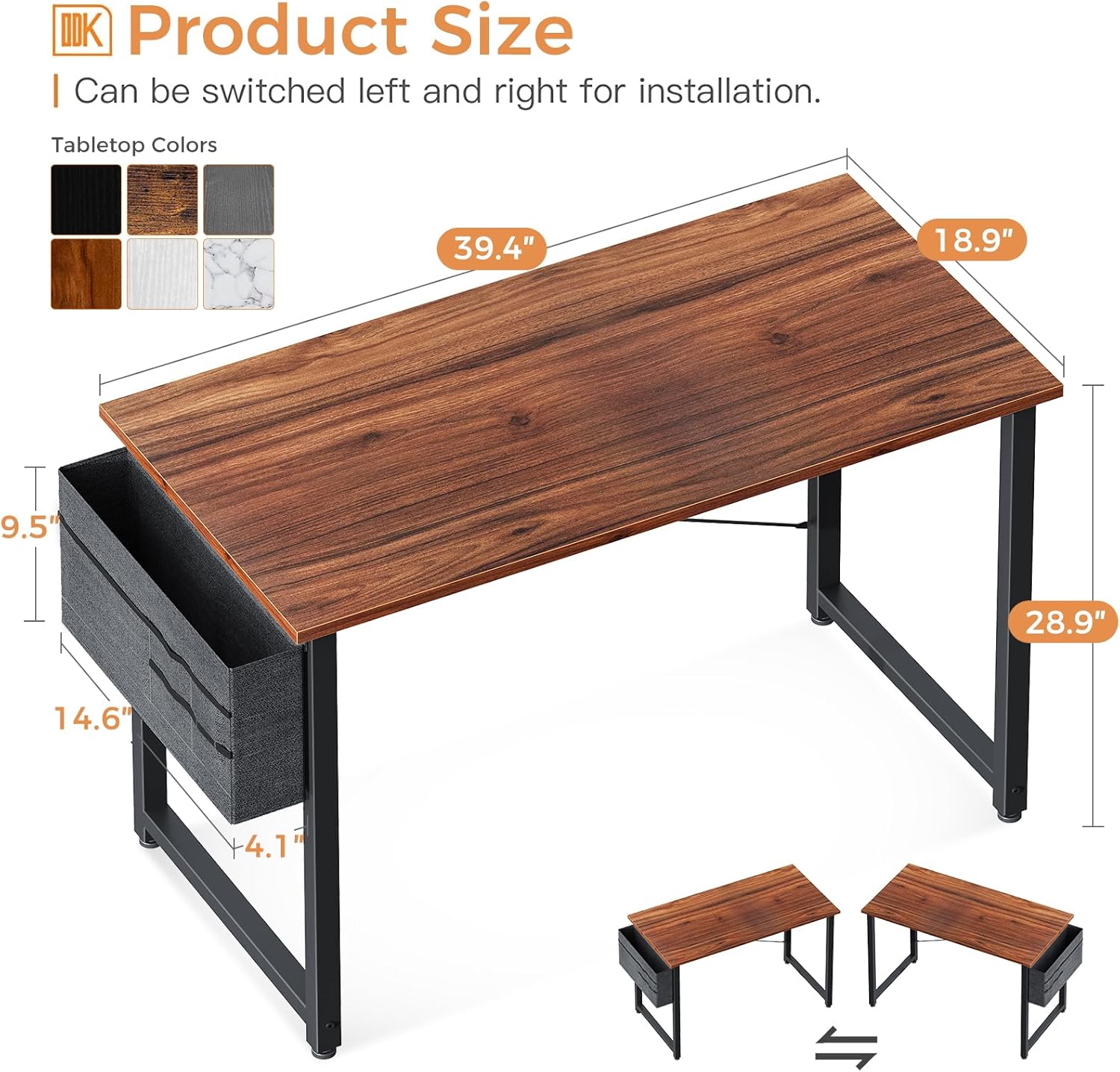
Figure 8: Product dimensions for the 40-inch model. Please ensure you are using the correct screws for desk panel assembly. Using a wrong gauge screw can cause a cracked desktop.

Figure 9: Two small desks can be combined to create a larger two-person desk, offering expanded workspace.
Product Overview and Usage Scenarios
The ODK Computer Desk is designed to adapt to various needs and environments, providing a functional and comfortable workspace.
Video 1: This video provides a general overview of the ODK Home Office Computer Desk, showcasing its features and various applications in different settings.
Video 2: This video highlights the ODK Home Office Computer Desk's brand display, demonstrating its aesthetic appeal and suitability for various home and office environments.
Maintenance
To ensure the longevity and appearance of your ODK Computer Desk, follow these simple maintenance guidelines:
- Cleaning: The tabletop is waterproof and easy to clean. Wipe spills immediately with a soft, damp cloth. For general cleaning, use a mild soap solution and dry thoroughly. Avoid abrasive cleaners or harsh chemicals.
- Protection: While the desktop is scratch-resistant and anti-collision, it is advisable to use coasters for drinks and protective pads under heavy or sharp objects to prevent potential damage.
- Frame Care: The metal frame can be wiped clean with a damp cloth. Ensure it is dried completely to prevent rust.
Troubleshooting
If you encounter any issues during assembly or use of your ODK Computer Desk, please refer to the following general advice:
- Missing or Damaged Parts: Before assembly, verify all components against the included parts list. If any parts are missing or damaged, do not proceed with assembly.
- Assembly Difficulties: Double-check the assembly instructions and diagrams. Ensure all screws and connectors are correctly aligned and tightened. Avoid over-tightening screws, which can damage the material.
- Stability Issues: Ensure the desk is placed on a flat, level surface. Verify that all connections are securely fastened. The X-shaped cross-bar (on applicable models) should be properly installed to enhance stability.
Specifications
| Attribute | Detail |
|---|---|
| Brand | ODK |
| Model Number | B0111626 |
| Product Dimensions | 18.9''D x 39.4''W x 28.9''H |
| Color | Deep Brown |
| Style | Modern |
| Base Material | Metal |
| Top Material Type | Engineered Wood |
| Finish Type | Laminated |
| Special Feature | Compact, Headphone Hook, Storage Bag |
| Room Type | Office, Bedroom, Living Room, Study Room |
| Recommended Uses | Working, Writing |
| Item Weight | 16.5 Pounds |
| Required Assembly | Yes |
| Recommended Number of People for Assembly | 1 |
Warranty & Support
ODK is committed to providing quality products and excellent customer service. While specific warranty details are not provided in this manual, please refer to your purchase documentation or the retailer's website for warranty information.
For any product problems, assembly assistance, or issues with damaged parts, please contact ODK customer service directly. Our team is ready to assist you and ensure your satisfaction.
Contact information can typically be found on the product packaging, the retailer's website, or the official ODK brand store page on Amazon: ODK Store.


