
Anna Bella B0BVQ1BV9V
Anna Bella 10.1 Inch Smart WiFi Digital Photo Frame User Manual
Model: B0BVQ1BV9V
Brand: Anna Bella
Introduction
This manual provides detailed instructions for setting up, operating, and maintaining your Anna Bella 10.1 Inch Smart WiFi Digital Photo Frame. This device is designed to display digital photos and videos, offer video call functionality, and allow remote sharing of memories with family and friends.
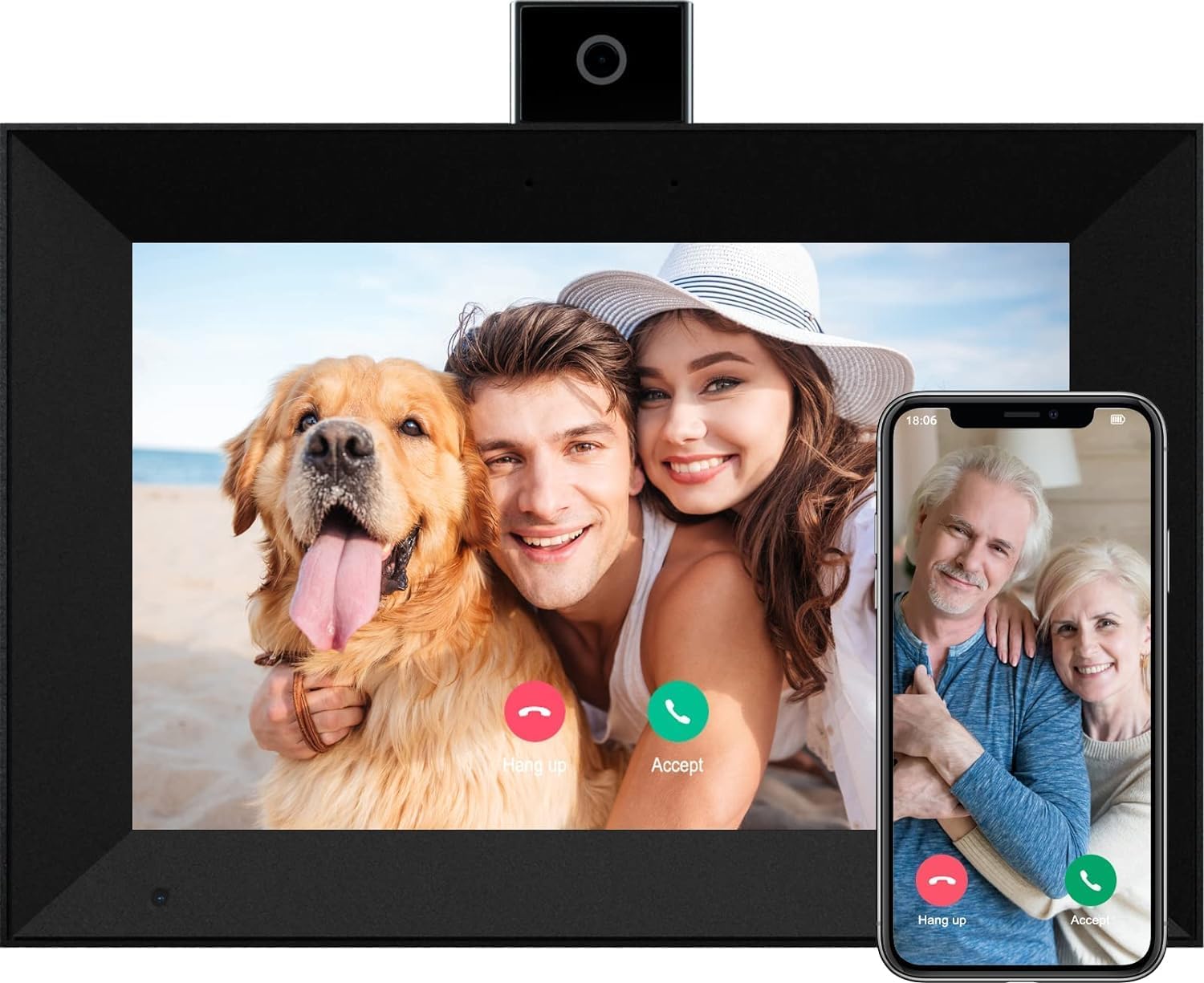
Image: The Anna Bella Digital Photo Frame, showcasing its ability to display photos and facilitate video calls. A family is shown on the frame, while a smartphone displays a video call with older relatives.
Setup
1. Power Connection
Connect the provided USB-C cable to the frame's power port and plug the adapter into a standard electrical outlet. The frame will power on automatically.
2. Initial Wi-Fi Setup
Upon first use, the frame will guide you through the Wi-Fi setup process. Select your home Wi-Fi network from the list and enter the password. Ensure a stable internet connection for optimal performance.
3. AiMOR APP Installation and Pairing
To share photos and videos remotely, download the "AiMOR" application from your device's app store (Google Play for Android or Apple App Store for iOS). Follow the in-app instructions to create an account and pair it with your digital photo frame. The frame will display a unique code for pairing.
4. Auto-Rotate Functionality
The frame features an auto-rotate function, allowing it to automatically adjust the photo orientation whether placed in portrait or landscape mode. This ensures images always fit the frame perfectly.

Image: Illustration demonstrating the frame's auto-rotate capability, showing a photo automatically reorienting itself when the frame is turned from portrait to landscape.
Operating Instructions
1. Touch Screen Navigation
The 10.1-inch IPS HD touch screen allows for intuitive navigation. Swipe left or right to browse photos, tap to access settings, and use pinch-to-zoom gestures for closer inspection of images.
2. Sharing Photos and Videos via AiMOR APP
Once paired, use the AiMOR APP on your smartphone to wirelessly share photos and short videos (max 15 seconds) to the frame. You can share up to 9 photos or 1 short video at a time. The frame supports instant batch uploads when connected to the same Wi-Fi network.

Image: The AiMOR app on a smartphone demonstrating the instant batch upload feature, allowing users to quickly send multiple photos to the digital frame.
3. Video Call Function
The frame features a newly upgraded pop-up camera, enabling video calls with friends and family who also have the AiMOR APP. Initiate calls directly from the frame or receive calls from connected contacts. The pop-up design allows you to easily block the camera lens for privacy.

Image: Demonstrates the instant video call feature, showing a family making a video call on the frame, and an older couple receiving the call on another frame, highlighting remote connection.

Image: Two frames illustrating the pop-up camera design, emphasizing the privacy feature where the camera can be retracted when not in use.
4. Slideshow and Display Settings
Customize your viewing experience with various settings available through the touch screen or AiMOR APP. Options include timer settings for photo transitions, zoom & crop functions, and sleep mode. The built-in light sensor automatically adjusts screen brightness based on ambient light conditions.

Image: Shows the light sensor in action, with the frame's screen brightness adapting to different lighting conditions, from a bright room to a dark bedroom.
Maintenance
To ensure the longevity and optimal performance of your digital photo frame, follow these maintenance guidelines:
- Cleaning the Screen: Use a soft, lint-free cloth to gently wipe the touch screen. For stubborn smudges, slightly dampen the cloth with water or a screen-safe cleaning solution. Avoid harsh chemicals or abrasive materials.
- Cleaning the Frame: Wipe the frame's exterior with a dry, soft cloth.
- Storage: If storing the frame for an extended period, disconnect it from power and store it in a cool, dry place away from direct sunlight and extreme temperatures.
Troubleshooting
If you encounter issues with your digital photo frame, try the following common troubleshooting steps:
- Frame Not Powering On: Ensure the power cable is securely connected to both the frame and the power outlet. Try a different outlet if necessary.
- No Wi-Fi Connection: Check if your Wi-Fi router is working correctly. Re-enter the Wi-Fi password on the frame to ensure it's accurate. Move the frame closer to the router to improve signal strength.
- Unable to Upload Photos/Videos: Verify that the frame is connected to Wi-Fi and that your AiMOR APP is correctly paired. Ensure the files you are trying to upload are within the supported size and format limits (e.g., 15 seconds max for videos).
- Screen Unresponsive: Restart the frame by disconnecting and reconnecting the power. If the issue persists, perform a factory reset (refer to the on-screen settings for this option).
- Images Not Displaying Correctly: Check the resolution of your images. While the frame supports 1280*800 resolution, very low-resolution images may appear pixelated. Ensure images are in a compatible format.
Specifications
| Feature | Detail |
|---|---|
| Screen Size | 10.1 Inches |
| Resolution | 1280*800 (WXGA) |
| Display Type | IPS HD Touch Screen |
| Internal Storage | 16GB (stores 40,000+ photos at 300KBS each) |
| Connectivity | WiFi |
| Ports | USB port, SD card slot |
| Special Features | Video Call Function, Auto-Rotate, Light Sensor, Pop-up Camera for Privacy |
| Product Dimensions | 10.1 x 7.1 x 0.99 inches |
| Item Weight | 2.64 pounds |
| Compatible Devices | Smartphone (via AiMOR APP) |

Image: Close-up of the digital photo frame's screen, emphasizing its 10.1-inch size, 1280x800 resolution, IPS display technology, and touchscreen capabilities.
Warranty and Support
Specific warranty details and direct support contact information are not provided in the available product data. Please refer to the product packaging or the manufacturer's official website for the most up-to-date warranty terms and customer support options.
Related documentsB0BVQ1BV9V

Ask a question about this manual
Ask about setup, troubleshooting, compatibility, parts, safety, or missing instructions. Manuals+ will review the question and use this page’s manual context to help answer it.