
Product Overview
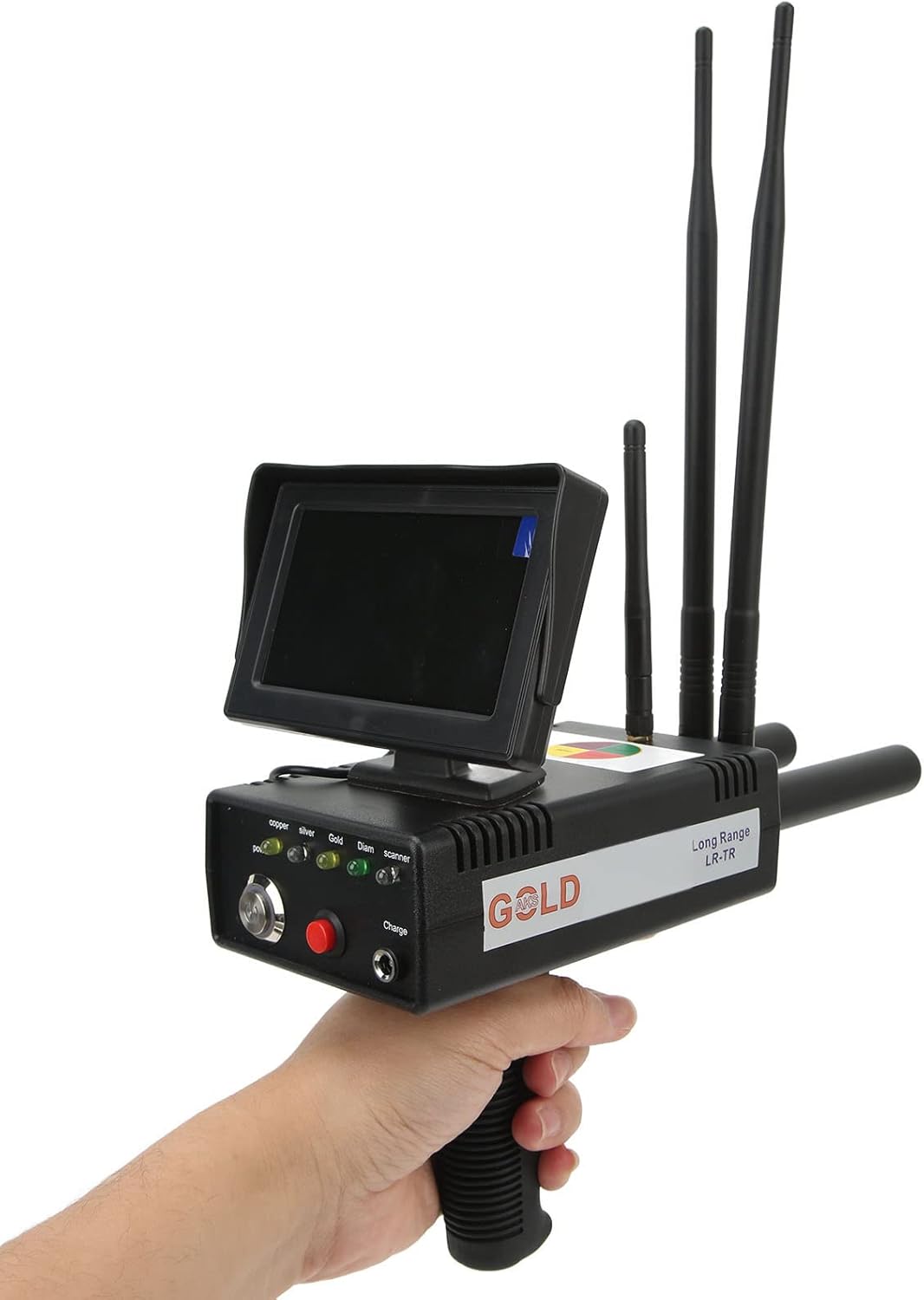
The Walfront WALFRONT5u8toxmh19 is a long-range metal detector designed for various applications including security inspection, archaeological exploration, and mineral prospecting. It features a micro-electronic processor for precise calibration and a self-test system for efficient scanning.
Key Features
- Multiple Usages: Suitable for security inspection, archaeology, and outdoor prospecting.
- High Efficiency: Utilizes a micro-electronic processor for chip unit calibration and a self-test system for quick and convenient scanning.
- Advanced Detection: Equipped with a long-range search system and accurate position detection for high sensitivity and stability.
- Detection Types: Identifies specific metal types via a frequency regulator, capable of detecting gold, silver, copper, conventional precious metals (Pd, Pt), and precious stones (diamond, emerald, ruby, etc.).
- Rechargeable Batteries: Both the detector and receiver include built-in rechargeable NiCr batteries (2000mAh) for extended use.
Package Contents
Please verify that all items listed below are present in your package:
- 1 x Detector
- 1 x Receiver
- 3 x Signal Rods
- 1 x Adapter
- 1 x User Manual
- 1 x Storage Box
Setup
Charging the Device
Before initial use, ensure both the detector and receiver are fully charged using the provided adapter. Connect the adapter to the charging port on each unit. The charging indicator will illuminate during charging and change color or turn off when fully charged.
Assembling the Detector
- Carefully remove the detector and receiver from the storage box.
- Attach the signal rods to the designated ports on the detector unit. Ensure they are securely fastened.
- If applicable, attach any additional antennas or components as shown in the diagram.

Operating Instructions
Powering On and Selecting Target
To power on the detector, press and hold the power button until the indicator lights activate. Use the frequency regulator to select the specific type of metal you wish to detect (e.g., gold, silver, copper). The corresponding indicator light will illuminate.

Scanning Procedure
Hold the detector firmly with a stable body. Scan slowly across the search area. Maintain the receiving antenna at a 90-degree angle to your body. Important: Do not deflect the receiving antenna to the left or right sides during scanning. This ensures accurate signal reception.

Interpreting Signals
The detector will provide visual and/or auditory feedback when a target is detected. The intensity or specific pattern of the signal may indicate the proximity and size of the detected object. Refer to the device's display for more detailed information on the detected metal type.
Maintenance
- Keep the device clean and free from dust and dirt. Use a soft, dry cloth for cleaning.
- Store the detector and its components in the provided storage box when not in use to protect them from damage.
- Avoid exposing the device to extreme temperatures or moisture.
- Regularly check the charging ports and connections for any signs of wear or damage.
Troubleshooting
Device Not Powering On
- Ensure the batteries are fully charged. Connect the adapter and allow sufficient charging time.
- Verify that the power button is pressed correctly.
Inaccurate Detection or No Signal
- Check that the signal rods and antennas are securely attached.
- Ensure you are scanning slowly and maintaining the receiving antenna at a 90-degree angle to your body.
- Confirm that the correct metal type is selected using the frequency regulator.
- Environmental interference can affect performance. Try moving to a different location.
Short Battery Life
- Ensure the device is fully charged before each use.
- Battery performance can degrade over time. If issues persist, contact customer support.
Specifications
| Feature | Detail |
|---|---|
| Item Type | Metal Detector |
| Material | ABS, Sponge Coating |
| Detector Battery | Built-in rechargeable battery (NiCr) 2000mAh |
| Receiver Battery | Built-in rechargeable battery (NiCr) 2000mAh |
| Detected Objects | Gold, silver, copper, conventional precious metals (Pd, Pt), precious stones (diamond, emerald, ruby, etc.) |
| Search Range | Approx. 1500 meters / 4921.3 feet |
| Detection Depth | Approx. 50 meters / 164 feet maximum |
| Transmission Frequency | 5.6-6KHz |
| Brand | Walfront |
| Model Number | WALFRONT5u8toxmh19 |
| Item Weight | 6.93 pounds |
| Power Source | Battery Powered |
| Adjustable Length | Yes |
| Operating Frequency | 6 KHz |
Warranty and Support
For warranty information or technical support, please refer to the contact details provided in your product packaging or visit the official Walfront website. Keep your purchase receipt as proof of purchase.