
Silverlit 5529886
Flybotic Bi-Wing Evo RC Plane Instruction Manual
Model: 5529886 | Brand: Silverlit
Introduction
The Flybotic Bi-Wing Evo is a remote-controlled airplane designed for easy operation and stable flight. Constructed from lightweight and durable materials, it features a double-wing design and twin motors for precise speed control and excellent stability. This manual provides essential information for setting up, operating, and maintaining your Bi-Wing Evo RC Plane.
Safety Information
WARNING: Choking Hazard - Small Parts. Not suitable for children under 3 years. Always supervise children during operation. Fly in open, clear areas away from people, animals, and obstacles. Do not fly near power lines, roads, or water. Read all instructions before use.
What's in the Box
- Flybotic Bi-Wing Evo RC Plane
- Remote Control (Transmitter)
- Rechargeable Li-PO Battery (for plane)
- Charger
- Product Manual
Setup
Battery Installation
The Bi-Wing Evo RC Plane comes with a rechargeable Li-PO battery. The transmitter requires 4 "AA" batteries (not included).
For the Plane: Ensure the plane's battery is fully charged before first use. Connect the included charger to the plane's battery and a suitable power source. The charging indicator will show when charging is complete. Refer to the charger's specific instructions for details.

Image: The Flybotic Bi-Wing Evo RC Plane, showcasing its bi-wing design and twin motors. This is the main unit that will be charged.
For the Transmitter: Open the battery compartment on the back of the remote control. Insert 4 "AA" batteries, ensuring correct polarity (+/-). Close the battery compartment securely.

Image: The remote control (transmitter) for the Bi-Wing Evo RC Plane, showing its various controls and battery compartment area.
Pre-Flight Check
- Ensure both the plane and transmitter are fully charged or have fresh batteries.
- Verify that all propellers are securely attached and free from damage.
- Choose an open, clear area for flight, free from obstacles and people.
Operating Instructions
Pairing the Plane and Transmitter
- Turn on the plane's power switch.
- Turn on the transmitter's power switch.
- The indicator light on the transmitter will blink and then become solid, indicating successful pairing.
Basic Controls (2-Channel)
The Bi-Wing Evo features a 2-channel, 2.4GHz control system, allowing for straightforward flight maneuvers.
- Left Stick (Throttle): Controls the speed of the twin motors. Push forward to increase speed and ascend, pull back to decrease speed and descend.
- Right Stick (Directional Control): Controls turning. Move left or right to steer the plane in the desired direction.
- Trim Controls: Use the trim buttons on the transmitter to fine-tune the plane's flight path if it drifts to one side without input.
Flying Styles
The Bi-Wing Evo is designed for various flying styles, even at low speeds, thanks to its excellent stability.
- Hand Take Off: Gently launch the plane forward with a slight upward angle while applying throttle.
- Descend and Spot Landing: Reduce throttle to descend. Guide the plane to a gentle landing by reducing speed and maintaining control.
- Circling and Gliding: Practice smooth turns using the directional control. The plane's design allows for stable gliding when throttle is reduced.
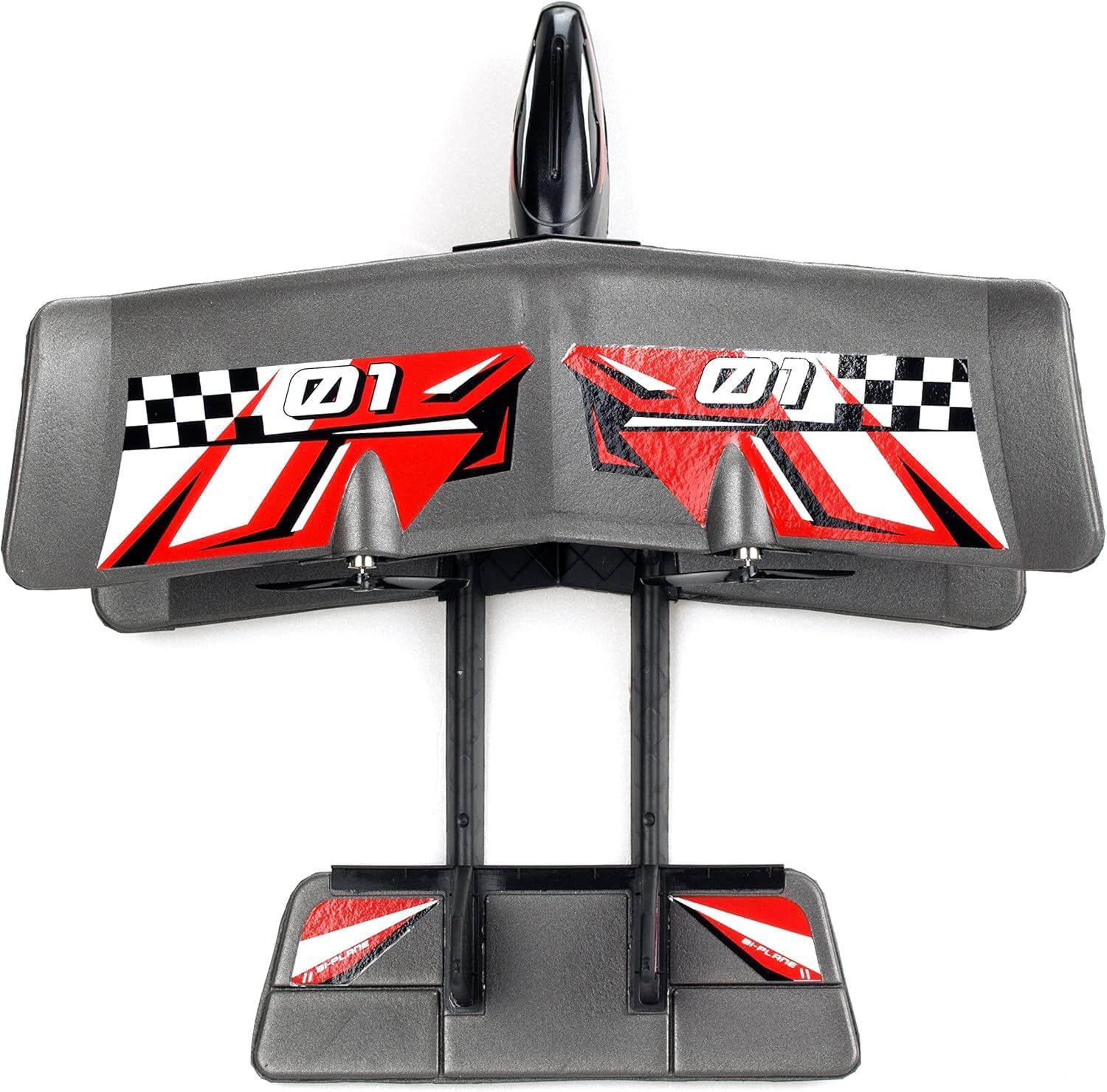
Image: A child happily holding the Flybotic Bi-Wing Evo RC Plane, demonstrating its compact size and ease of handling.
Maintenance
- Cleaning: Wipe the plane and remote control with a soft, dry cloth. Do not use harsh chemicals or water.
- Propeller Check: Regularly inspect propellers for any damage or debris. Replace if necessary to ensure optimal flight performance.
- Battery Care: Always fully charge the Li-PO battery before storage. If not used for extended periods, charge it every 3 months to maintain battery health. Remove AA batteries from the transmitter if storing for a long time.
- Storage: Store the plane and remote in a cool, dry place away from direct sunlight and extreme temperatures.
Troubleshooting
| Problem | Possible Cause | Solution |
|---|---|---|
| Plane does not respond to remote. | Low batteries in plane or remote; Not paired correctly; Out of range. | Charge plane battery, replace remote batteries; Re-pair the devices; Ensure you are within operating range. |
| Plane flies erratically or drifts. | Propeller damage; Trim settings incorrect; Wind interference. | Check and replace damaged propellers; Adjust trim controls; Fly in calm conditions. |
| Short flight time. | Battery not fully charged; Old battery. | Ensure battery is fully charged before each flight; Consider replacing the battery if it's old and performance has degraded. |
Specifications
- Product Dimensions: 14.02 x 3.5 x 12.99 inches
- Item Weight: 1.13 pounds
- Country of Origin: China
- Model Number: 5529886
- Manufacturer Recommended Age: 8 years and up
- Plane Battery: 1 x Rechargeable Li-PO battery (included)
- Transmitter Battery: 4 x "AA" Batteries (not included)
- Control System: 2-Channel, 2.4GHz
- Manufacturer: Silverlit
- Release Date: January 13, 2023
Warranty and Support
For warranty information and customer support, please refer to the contact details provided on the product packaging or visit the official Silverlit website. Keep your purchase receipt as proof of purchase for any warranty claims.
For further assistance, you may contact Silverlit customer service through their official channels. Please have your model number (5529886) and purchase details ready.
Related documents5529886

Ask a question about this manual
Ask about setup, troubleshooting, compatibility, parts, safety, or missing instructions. Manuals+ will review the question and use this page’s manual context to help answer it.