
BOGASING S8 PRO
BOGASING S8 Pro Portable Wireless Bluetooth Speaker User Manual
Model: S8 PRO
Brand: BOGASING
Product Overview
The BOGASING S8 Pro is a portable wireless Bluetooth speaker designed to deliver high-fidelity audio with versatile connectivity options. It features a robust metal construction, multiple sound modes, and True Wireless Stereo (TWS) pairing capability for an enhanced listening experience.

Figure 1: Front view of the BOGASING S8 Pro Portable Wireless Bluetooth Speaker, showcasing its sleek black design and control buttons on top.
Key Features
- 2-Way Speaker System: Equipped with two 20W full-range drivers and two 10W tweeters, complemented by a passive radiator for intensified bass.
- Three Sound Effects (EQ Modes): Customize your audio experience with 3D Stereo, Vocal, or Enhanced Bass modes.
- Sturdy & Durable Design: Constructed with an aviation-grade aluminum alloy metal body for enhanced durability.
- True Wireless Stereo (TWS): Pair two S8 Pro speakers for a truly immersive surround sound experience and double the volume.
- Durable & Portable: IPX7 waterproof rating protects against splashes, rain, and spills, making it suitable for outdoor use.
- Excellent Compatibility: Features Bluetooth 5.0 for stable connections up to 100 ft, and supports non-Bluetooth devices via TF card slot and 3.5mm AUX input.
- Long Playtime: Integrated 6000mAh battery provides up to 15 hours of continuous music playback.
What's in the Box
Upon unboxing your BOGASING S8 Pro speaker, please ensure all the following items are present:
- 1 x BOGASING S8 Pro Bluetooth speaker
- 1 x 3.5mm Audio Cable
- 1 x USB-C Charging Cable
- 1 x User Manual (this document)
Product Layout and Controls
Familiarize yourself with the speaker's physical components and control buttons.

Figure 2: Top panel of the BOGASING S8 Pro, showing the power, play/pause, mode, volume down, and volume up buttons.
Button Functions:
- Power Button (⏻): Press and hold to power on/off. Short press to check battery status.
- Play/Pause Button (▶‖): Short press to play or pause music. Short press to answer/end calls. Long press to reject calls.
- Mode Button (M): Short press to switch between Bluetooth, TF Card, and AUX modes. Long press to cycle through EQ modes (3D Stereo, Vocal, Enhanced Bass).
- Volume Down Button (-): Short press to decrease volume. Long press for previous track.
- Volume Up Button (+): Short press to increase volume. Long press for next track.
LED Indicators:
- Battery Indicator Lights: Located on the top panel, these lights indicate the current battery level and charging status.
- Bluetooth Indicator: A blue LED light indicates Bluetooth pairing status.
Setup Guide
1. Initial Charging
Before first use, fully charge the speaker. Connect the provided USB-C charging cable to the speaker's charging port and the other end to a USB power adapter (not included) or a computer's USB port. The LED battery indicators will show charging progress and turn off when fully charged.
2. Powering On/Off
To power on, press and hold the Power Button (⏻) for approximately 2-3 seconds until you hear an audible prompt. To power off, press and hold the Power Button (⏻) again for 2-3 seconds.
3. Bluetooth Pairing
- Ensure the speaker is powered on and in Bluetooth mode (indicated by a flashing blue LED). If not, short press the Mode Button (M) to switch to Bluetooth mode.
- On your device (smartphone, tablet, computer), enable Bluetooth and search for available devices.
- Select "BOGASING S8 Pro" from the list of found devices.
- Once connected, the blue LED indicator will stop flashing and remain solid, and you will hear a confirmation sound.
4. True Wireless Stereo (TWS) Pairing
For an enhanced stereo experience, you can pair two BOGASING S8 Pro speakers together.
- Ensure both S8 Pro speakers are powered on and not connected to any Bluetooth device.
- On one of the speakers (this will be the primary speaker), long press the Play/Pause Button (▶‖) for 3-5 seconds until you hear a pairing tone.
- The two speakers will automatically search for and connect to each other. Once connected, you will hear a confirmation sound, and the LED indicators on both speakers will change to a solid blue.
- Now, connect your device to the primary speaker via Bluetooth as described in step 3. Both speakers will play audio in stereo.
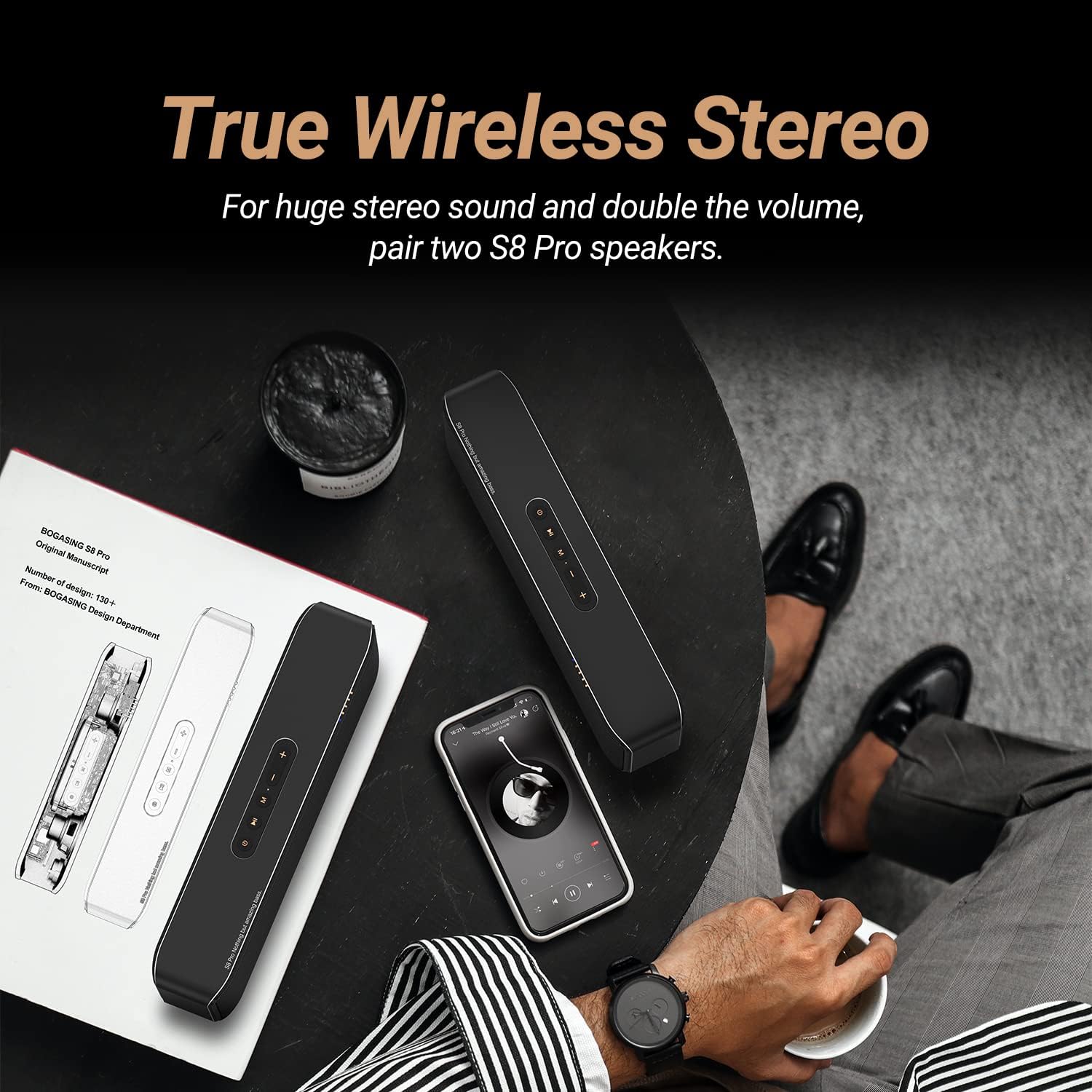
Figure 3: Illustration of two BOGASING S8 Pro speakers connected via True Wireless Stereo (TWS) for a wider soundstage.
5. Connecting via AUX Input
Use the included 3.5mm audio cable to connect the speaker to devices without Bluetooth capability.
- Connect one end of the 3.5mm audio cable to the AUX port on the speaker.
- Connect the other end to the audio output jack of your device.
- The speaker will automatically switch to AUX mode. If not, short press the Mode Button (M) to select AUX mode.
6. Playing from TF Card
Insert a TF (microSD) card with your music files into the TF card slot on the speaker. The speaker will automatically switch to TF card mode and begin playing. If not, short press the Mode Button (M) to select TF card mode.
Operating Instructions
Adjusting Volume and Skipping Tracks
- Volume Up: Short press the + button.
- Volume Down: Short press the - button.
- Next Track: Long press the + button.
- Previous Track: Long press the - button.
Changing EQ Modes
The S8 Pro offers three distinct sound equalization (EQ) modes to suit your listening preference. Long press the Mode Button (M) to cycle through the following modes:
- 3D Stereo: Provides an immersive, spacious sound experience.
- Vocal: Optimizes for clear and undistorted vocal reproduction.
- Enhanced Bass: Boosts low frequencies for a more powerful bass response.

Figure 4: Visual representation of the three distinct audio modes (3D Stereo, Vocal, Enhanced Bass) available on the S8 Pro speaker.
Hands-free Calling
With the built-in microphone, you can answer calls directly through the speaker when connected via Bluetooth.
- Answer/End Call: Short press the Play/Pause Button (▶‖).
- Reject Call: Long press the Play/Pause Button (▶‖).
Maintenance
Proper care and maintenance will ensure the longevity and optimal performance of your BOGASING S8 Pro speaker.
Cleaning
Wipe the speaker with a soft, dry, lint-free cloth. Do not use abrasive cleaners, alcohol, benzene, or other chemical solvents, as these may damage the surface or internal components.
Water Resistance (IPX7)
The S8 Pro speaker has an IPX7 waterproof rating, meaning it can withstand immersion in water up to 1 meter for up to 30 minutes. While it is water-resistant, it is not designed for continuous underwater use. Ensure the charging port cover is securely closed before exposing the speaker to water to prevent damage.
Storage
Store the speaker in a cool, dry place away from direct sunlight, extreme temperatures, and excessive humidity. If storing for an extended period, charge the battery to approximately 50% every few months to maintain battery health.
Troubleshooting
If you encounter issues with your BOGASING S8 Pro speaker, refer to the following common problems and solutions:
| Problem | Possible Cause | Solution |
|---|---|---|
| Speaker does not power on. | Low battery. | Charge the speaker fully using the provided USB-C cable. |
| Cannot pair via Bluetooth. | Speaker is not in pairing mode; device Bluetooth is off; speaker is already connected to another device. | Ensure speaker is in Bluetooth pairing mode (flashing blue LED). Turn Bluetooth on/off on your device. Disconnect from other devices. |
| No sound or low volume. | Volume too low on speaker or device; incorrect input mode; cable not fully inserted (AUX). | Increase volume on both speaker and connected device. Press 'M' button to cycle through modes. Ensure AUX cable is fully inserted. |
| Distorted sound. | Volume too high; low battery; speaker too far from device. | Reduce volume. Charge the speaker. Move speaker closer to the Bluetooth device (within 100 ft). |
| TWS pairing failed. | Speakers already connected to other devices; incorrect pairing procedure. | Ensure both speakers are disconnected from all devices before initiating TWS pairing. Follow TWS pairing steps carefully. |
If the problem persists after trying these solutions, please refer to the support section.
Specifications
Detailed technical specifications for the BOGASING S8 Pro Portable Wireless Bluetooth Speaker:
| Model Name | S8 PRO |
| Brand | BOGASING |
| Material | Metal (Aviation-grade aluminum alloy) |
| Product Dimensions | 10.67"D x 2.87"W x 2.09"H (27.1cm x 7.3cm x 5.3cm) |
| Item Weight | 2.18 pounds (0.99 kg) |
| Speaker Type | Outdoor, Portable Bluetooth Speaker |
| Speaker Configuration | 2 x 20W Full-range drivers, 2 x 10W Tweeters, Passive Radiator |
| Maximum Output Power | 40 Watts (Total) |
| Connectivity Technology | Bluetooth 5.0, 3.5mm AUX, TF Card Slot |
| Bluetooth Range | Up to 100 feet (30 meters) |
| Battery Type | Lithium Ion (6000mAh) |
| Playtime | Up to 15 hours (varies by volume and content) |
| Waterproof Rating | IPX7 |
| Special Features | DSP Technology, EQ Modes (3D Stereo, Vocal, Enhanced Bass), TWS Pairing, Built-in Microphone for Hands-free Calls |
Warranty and Support
Warranty Information
The BOGASING S8 Pro speaker comes with a Limited Warranty. For specific details regarding warranty coverage, duration, and terms, please refer to the warranty card included with your product or visit the official BOGASING website.
Customer Support
If you require further assistance, have questions not covered in this manual, or need to report an issue, please contact BOGASING customer support. Contact information can typically be found on the official BOGASING website or on the product packaging.
You can also refer to the official User Manual (PDF) for additional details: Download User Manual (PDF)
Related documentsS8 PRO


Ask a question about this manual
Ask about setup, troubleshooting, compatibility, parts, safety, or missing instructions. Manuals+ will review the question and use this page’s manual context to help answer it.