
1. Introduction
Welcome to the user manual for your KENJIEY Retro Flip Clock. This document provides essential information for the proper setup, operation, and maintenance of your mechanical digital desk clock. Please read these instructions carefully to ensure optimal performance and longevity of your product.
2. Product Overview
The KENJIEY Retro Flip Clock is a unique mechanical digital desk clock designed for home and office environments. It features a 12-hour AM/PM display with a distinctive flip-down mechanism.
Key Features
- 12-hour AM/PM display with flip-down minute and hour cards.
- Internal gear operation for accurate timekeeping.
- Constructed with a durable 304 stainless steel frame.
- Battery-powered for portability and cordless operation.
- Low noise level during minute transitions.
Product Components
The clock consists of a main body with the flip display, a sturdy base, and an internal mechanism. The time adjustment knob is located on the side.
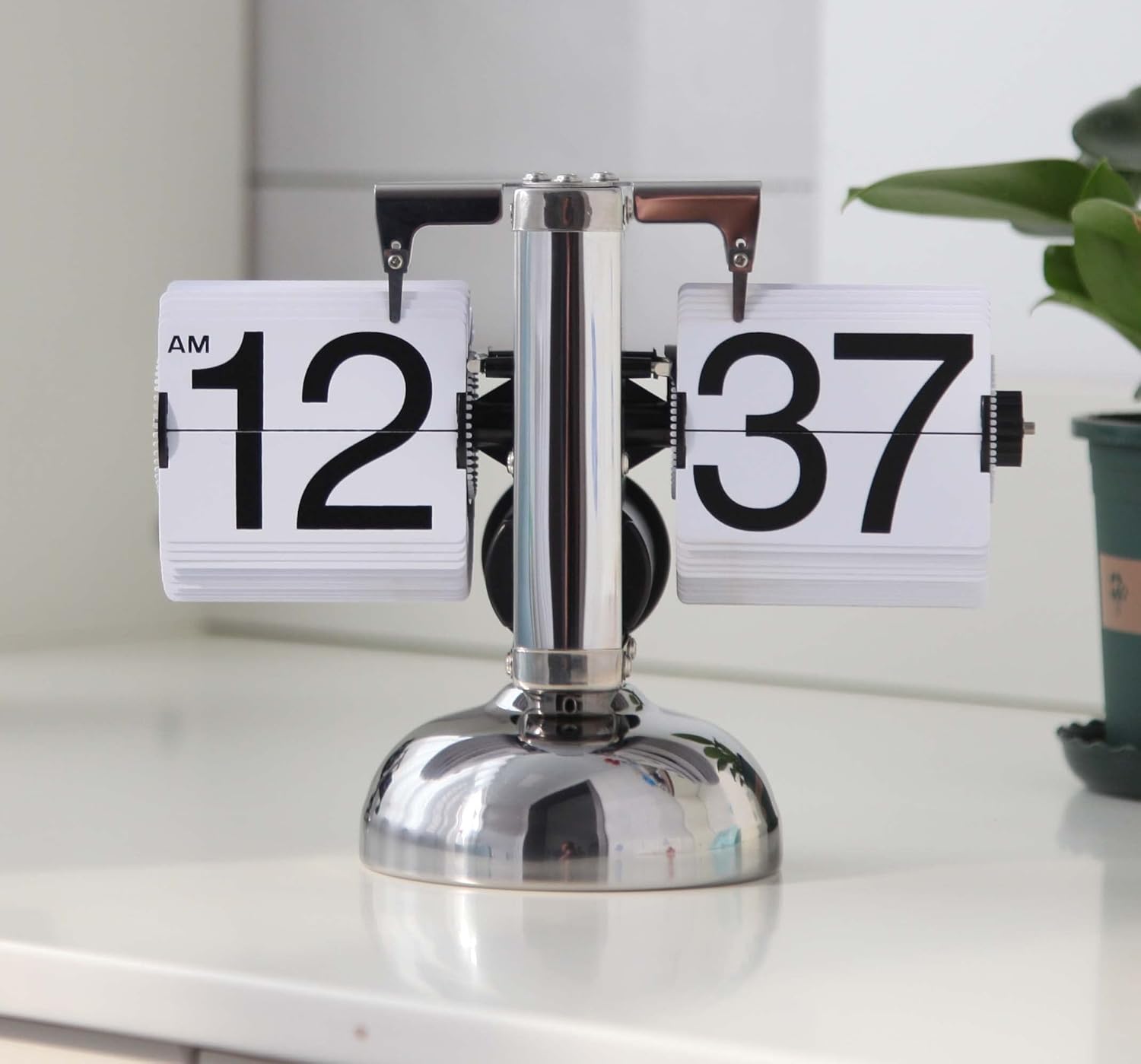
Image: Front view of the KENJIEY Retro Flip Clock displaying 12:37 AM.

Image: Diagram illustrating the dimensions of the clock: 8.2 inches wide, 6.3 inches high, and 3.2 inches deep.
3. Setup
Battery Installation
Your KENJIEY Retro Flip Clock requires one (1) D Carbon-Zinc battery (not included). It is important to use a Carbon-Zinc battery as other types, such as Alkaline or Lithium, may provide an inconsistent current profile that could potentially damage the clock's motor over time.
- Locate the battery compartment on the underside of the clock's base.
- Twist the battery cover counter-clockwise to open.
- Insert one D Carbon-Zinc battery, ensuring the positive (+) and negative (-) terminals align correctly with the markings inside the compartment.
- Replace the battery cover by twisting it clockwise until secure.

Image: A visual guide showing the four steps for installing the D-cell battery into the clock's base.
Setting the Time
To set the time, use the adjustment knob located on the right side of the clock. This knob controls both the hour and minute flip cards.
- Ensure the clock is powered on. The power switch is typically located near the battery compartment or on the side, marked 'ON'/'OFF'.
- Gently rotate the adjustment knob. The minute and hour cards will flip forward.
- Continue rotating until the desired time is displayed. Pay attention to the AM/PM indicator.
- Once the correct time is set, ensure the clock is in the 'ON' position for continuous operation.
4. Operation
Once the battery is installed and the time is set, the clock will begin its automatic operation. The internal gear system drives the flip cards, changing the minute display every 60 seconds and the hour display accordingly.
The clock operates on a 12-hour cycle, clearly indicating AM or PM. While the clock is designed for accurate timekeeping, minor variations of a few seconds per minute may occur due to the mechanical nature of the flip cards. These minor fluctuations typically average out over time, maintaining overall accuracy.

Image: Detailed view of the clock's internal quartz movement and the 304 stainless steel frame construction.
5. Maintenance
Cleaning
To clean the clock, gently wipe the stainless steel frame and flip cards with a soft, dry cloth. Avoid using abrasive cleaners or solvents, as these can damage the finish or the plastic components.
Battery Replacement
Replace the D Carbon-Zinc battery when the clock's operation becomes inconsistent or stops. Follow the battery installation steps outlined in Section 3. Promptly remove depleted batteries to prevent leakage and potential damage to the clock.
6. Troubleshooting
Clock Not Functioning
- Check Battery: Ensure a fresh D Carbon-Zinc battery is correctly installed with proper polarity.
- Power Switch: Verify that the clock's power switch is in the 'ON' position.
- Obstructions: Inspect the flip cards and internal mechanism for any foreign objects or obstructions preventing movement.
Inaccurate Time or Skipping Minutes
- Battery Type: Confirm you are using a Carbon-Zinc battery. Other battery types may not provide the consistent power required for optimal mechanical operation.
- Card Damage: Visually inspect the flip cards for any cracks or damage, especially at the tabs where they connect to the mechanism. Damaged cards can affect the timing.
- Reset Time: Re-set the time carefully using the adjustment knob.
7. Specifications
| Feature | Specification |
|---|---|
| Brand | KENJIEY |
| Model | Retro Flip Clock (B0BVLL412Y) |
| Color | White |
| Display Type | Digital (Flip Down) |
| Style | Antique / Retro |
| Product Dimensions | 9.1"W x 7.1"H (21cm W x 16cm H) |
| Power Source | Battery Powered (1 x D Carbon-Zinc Battery required, not included) |
| Material | Stainless Steel, Acrylonitrile Butadiene Styrene |
| Mounting Type | Tabletop |
| Item Weight | 1.28 pounds (0.58 Kilograms) |
| Operation Mode | Mechanical |
8. Warranty and Support
KENJIEY is committed to providing high-quality products. For any questions, concerns, or support needs regarding your Retro Flip Clock, please refer to your purchase documentation or contact the retailer where the product was acquired. Please retain your proof of purchase for any warranty claims.


