
Nurati Nurati N1
Nurati N1 Sport Bluetooth 5.2 In-Ear Headphones User Manual
Model: Nurati N1

Image: Nurati N1 Sport Bluetooth 5.2 In-Ear Headphones, black with neckband design.
Introduction
The Nurati N1 Sport Bluetooth 5.2 In-Ear Headphones are designed for an immersive audio experience and clear communication. Featuring a long-lasting battery, IPX6 waterproofing, and advanced noise cancellation for calls, these headphones are suitable for various activities and environments.
What's in the Box
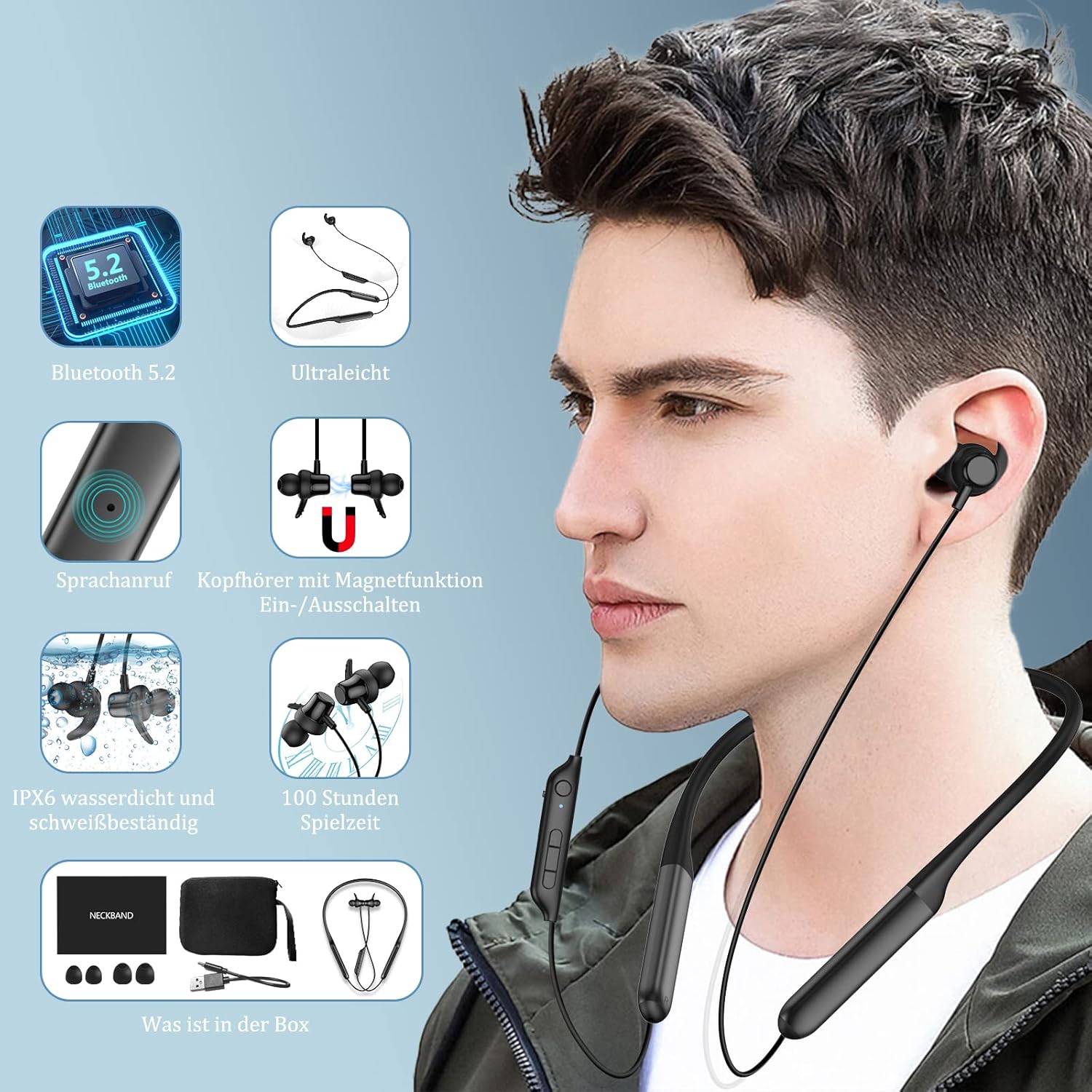
Image: Contents of the Nurati N1 headphone box, including the headphones, charging cable, ear tips, and user manual.
Your Nurati N1 package should contain the following items:
- Nurati N1 Sport Bluetooth Headphones
- USB Type-C Charging Cable
- Multiple sizes of ear tips
- User Manual
Setup
Initial Charging
Before first use, fully charge your Nurati N1 headphones. Connect the provided USB Type-C cable to the charging port on the headphones and a compatible USB power source. The LED indicator will show charging status.
Power On/Off

Image: Illustration of the magnetic switch function for turning the headphones on and off.
- Power On: Separate the magnetic earbuds. The headphones will automatically power on and enter pairing mode.
- Power Off: Bring the magnetic earbuds together. The headphones will automatically power off.
Bluetooth Pairing

Image: Step-by-step guide for Bluetooth pairing the Nurati N1 headphones with a mobile device.
- Ensure the headphones are powered on (earbuds separated).
- On your device (smartphone, tablet, etc.), enable Bluetooth.
- Search for available Bluetooth devices. Select "N1" from the list.
- Once connected, the headphones will indicate successful pairing.
Official Product Video: Introduction to Nurati N1
Video: A brief introduction to the Nurati N1 headphones, demonstrating key features and design.
Operating Instructions
Multi-function Buttons

Image: Detailed diagram showing the layout and functions of the multi-function buttons on the Nurati N1 headphones.
| Button/Action | Function |
|---|---|
| Multi-function Button (Main) | Play/Pause, Answer/End Calls |
| Long Press Multi-function Button (2 seconds) | Game Mode Toggle |
| Triple Press Multi-function Button | Activate Voice Assistant |
| Short Press '+' Button | Volume Up |
| Long Press '+' Button | Next Track |
| Short Press '-' Button | Volume Down |
| Long Press '-' Button | Previous Track |
Making Calls
- The headphones feature ENC (Environmental Noise Cancellation) technology for clear phone calls by isolating background noise.
- Answer/End calls using the Multi-function Button as described above.
Official Product Video: Using the Headphones
Video: Demonstrates various ways to use the Nurati N1 headphones in daily scenarios.
Maintenance

Image: Nurati N1 headphones shown with water droplets, highlighting their IPX6 waterproof and sweatproof capabilities.
- Cleaning: Wipe the headphones with a soft, damp cloth. Do not use abrasive cleaners or solvents.
- Storage: When not in use, store the headphones in a cool, dry place, away from direct sunlight and extreme temperatures.
- Water Resistance: The headphones are IPX6 waterproof and sweatproof, making them suitable for workouts and light rain. Do not submerge them in water or expose them to strong jets of water.
Official Product Video: IPX6 Waterproofing
Video: Demonstrates the IPX6 waterproof capabilities of the Nurati N1 headphones.
Troubleshooting
If you encounter issues with your Nurati N1 headphones, please try the following steps:
- No Power: Ensure the headphones are fully charged. Separate the magnetic earbuds to power them on.
- Cannot Pair: Make sure Bluetooth is enabled on your device and the headphones are in pairing mode. Try turning Bluetooth off and on again on your device. If issues persist, try pairing with another device to rule out device-specific problems.
- Poor Sound Quality: Check the audio source. Ensure the headphones are within the Bluetooth range (up to 10 meters). Try adjusting the volume on both the headphones and your device.
- Intermittent Connection: Move closer to your paired device. Avoid obstacles that might interfere with the Bluetooth signal. Ensure no other strong wireless signals are causing interference.
For further assistance, please refer to the contact information provided in your product packaging.
Specifications
| Feature | Detail |
|---|---|
| Model Name | Nurati N1 |
| Connectivity Technology | Wireless (Bluetooth 5.2 with EDR) |
| Battery Life | Up to 100 hours playtime (20 hours with 10 min charge) |
| Water Resistance | IPX6 Waterproof and Sweatproof |
| Noise Control | Environmental Noise Cancellation (ENC) for calls |
| Sound Quality | HiFi Sound with high-performance dynamic driver |
| Ear Placement | In-Ear |
| Form Factor | In Ear (Neckband style) |
| Impedance | 20 Ohm |
| Product Dimensions | 16.5 x 12.6 x 2.4 cm; 30 Grams |
| Batteries | 2 Lithium-Polymer batteries required (included) |
Key Features Visuals

Excellent Battery Life: Up to 100 hours of playtime.

Ergonomic Design: Comfortable for all-day wear.

HiFi Sound Quality & ENC: Immersive audio and clear calls.
Warranty and Support
For warranty information and customer support, please refer to the documentation included in your product packaging or visit the official Nurati website. Keep your proof of purchase for any warranty claims.
Related documentsNurati N1

Ask a question about this manual
Ask about setup, troubleshooting, compatibility, parts, safety, or missing instructions. Manuals+ will review the question and use this page’s manual context to help answer it.