
Introduction
The PHOINIKAS Q6 Gaming Headset is designed to provide a versatile and immersive audio experience across multiple platforms. Featuring 2.4GHz wireless, Bluetooth 5.3, and 3.5mm wired connectivity, this headset offers flexibility for various gaming and communication needs. Its ergonomic design ensures comfort during extended use, while high-precision neodymium drivers deliver clear, powerful sound. The detachable noise-cancelling microphone ensures clear communication.

Package Contents
Please verify that all items listed below are included in your package:
- Gaming Headset Body x1
- 3.5mm Audio Cable x1
- Y-type Audio Adapter Cable x1 (for PCs with separate audio/mic jacks)
- Detachable Microphone x1
- USB Charging Cable x1
- 2.4GHz USB Receiver x1
- User Manual x1
- Warranty Card x1

Product Overview
Audio Features
The PHOINIKAS Q6 headset incorporates high-precision 40mm neodymium drivers to deliver a powerful and immersive sound experience. These drivers are designed to reproduce a vivid sound field with clear audio and impactful bass, enhancing both gaming and multimedia content. The Hi-Fi sound quality aims to provide intricate sound details while being gentle on the ears, suitable for prolonged listening sessions.

Microphone
The headset features a detachable, noise-cancelling microphone. Its 120° rotatable design allows for optimal positioning near your mouth, ensuring clear voice capture. The microphone is engineered to suppress ambient noise, wind noise, and background distractions, delivering clear audio to your communication partners, whether in-game or during calls on platforms like Skype or LINE.

Comfort and Design
Designed for extended use, the PHOINIKAS Q6 features an ergonomic structure with a lightweight, adjustable headband and soft, breathable earcups. This design minimizes pressure on the head and ears, preventing fatigue during long gaming sessions. The adjustable metal band slider accommodates various head sizes, making the headset comfortable for users of all ages.

Setup Instructions
2.4GHz Wireless Connection
- Insert the 2.4GHz USB receiver into an available USB port on your PC, PS5, PS4, Mac, or Nintendo Switch.
- Power on the headset by pressing and holding the power button.
- Ensure the headset is in 2.4GHz mode (refer to the control layout for mode switching). The headset should automatically connect to the USB receiver.
This mode offers low latency (≤20ms) and enhanced stability, ideal for gaming.
Bluetooth 5.3 Connection
- Power on the headset.
- Switch the headset to Bluetooth mode (refer to the control layout). The headset will enter pairing mode, indicated by a flashing LED.
- On your device (smartphone, laptop, tablet, Nintendo Switch), go to Bluetooth settings and select "PHOINIKAS Q6" to pair.
3.5mm Wired Connection
- Connect the 3.5mm audio cable to the headset's audio jack.
- Connect the other end of the 3.5mm audio cable to your device.
- For PCs with separate audio and microphone jacks: Use the included Y-type audio adapter cable. Connect the headset's 3.5mm cable to the Y-splitter, then plug the green connector into your PC's audio output jack and the pink connector into the microphone input jack.
- For Xbox One: An additional adapter (sold separately) may be required to connect the headset to the controller.

Microphone Attachment
- Align the detachable microphone's connector with the microphone port on the headset.
- Gently push the microphone into the port until it is securely seated.
- Adjust the flexible microphone arm to position it optimally near your mouth for clear voice pickup.

Operating Instructions
Power On/Off
- To power on: Press and hold the power button for approximately 3 seconds until the LED indicator lights up.
- To power off: Press and hold the power button for approximately 3 seconds until the LED indicator turns off.
Volume Control
- Use the volume up (+) and volume down (-) buttons located on the headset to adjust the audio level.
Mode Switching
- The headset supports 2.4GHz wireless, Bluetooth, and 3.5mm wired modes. Use the dedicated mode switch button (if available) or follow the connection steps in the Setup section to switch between modes.
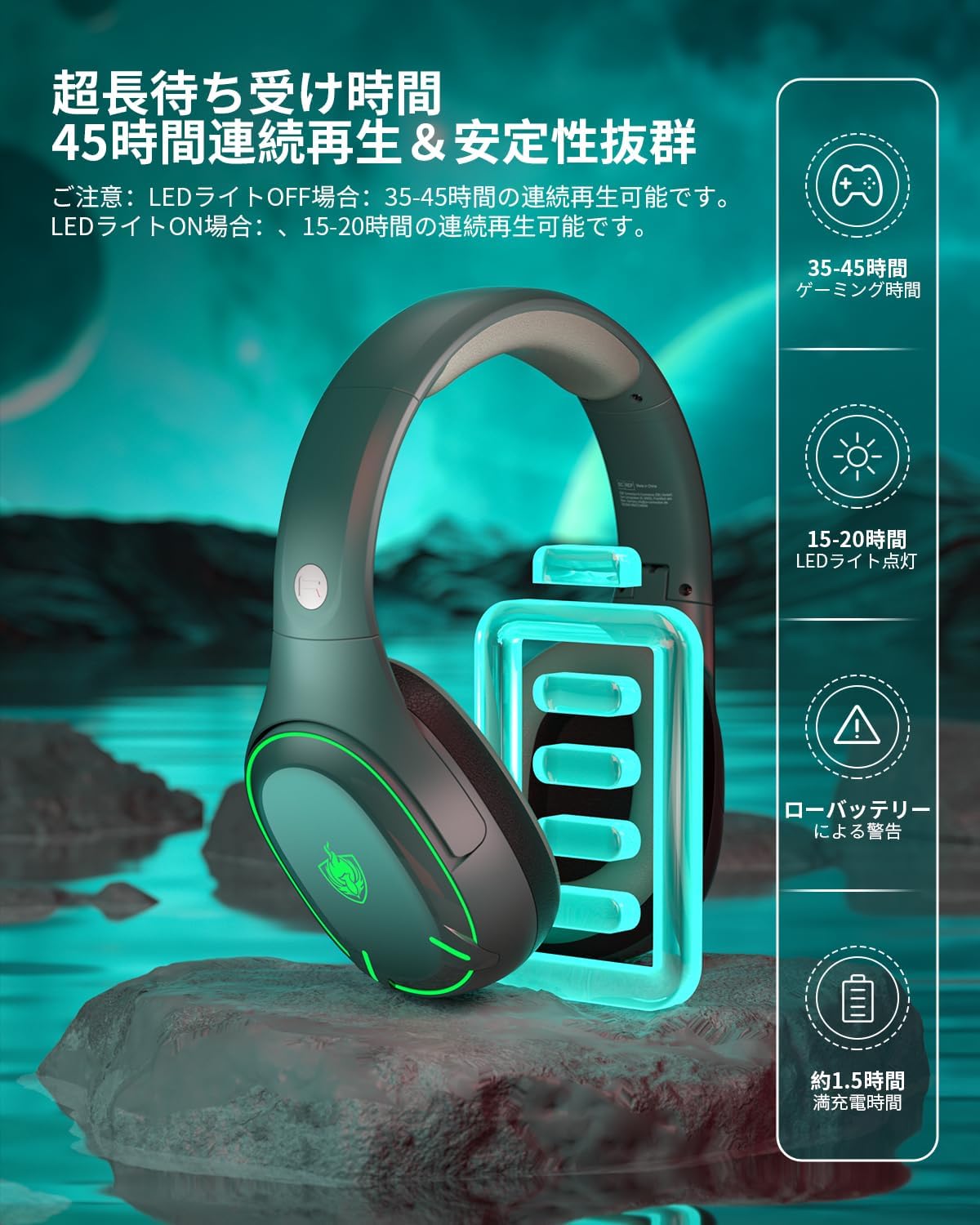
Charging and Battery Life
To charge the headset, connect the included USB charging cable to the headset's charging port and a power source (e.g., computer USB port, USB wall adapter).
- Full charge time: Approximately 1.5 hours.
- Continuous playback (LED lights off): Up to 45 hours.
- Continuous playback (LED lights on): Up to 15-20 hours.
Compatibility
The PHOINIKAS Q6 headset offers broad compatibility across various devices and connection modes. Refer to the table below for detailed compatibility information:

| Device | 2.4GHz Wireless Mode | 3.5mm Wired Mode | Bluetooth Mode | |||
|---|---|---|---|---|---|---|
| Sound | Mic | Sound | Mic | Sound | Mic | |
| PC | ✓ | ✓ | ✓ | ✓ (Y Splitter adapter) | ✓ | ✓ |
| PS5/PS4 Console | ✓ | ✓ | X | X | X | X |
| PS5/PS4 Controller | X | X | ✓ | ✓ | X | X |
| Xbox One Console | X | X | X | X | X | X |
| Xbox One X/S Controller | X | X | ✓ | ✓ (Y Splitter adapter) | X | X |
| Nintendo Switch | ✓ | ✓ | ✓ | ✓ | ✓ | ✓ |
| Laptop | ✓ | ✓ | ✓ | ✓ (Y Splitter adapter) | ✓ | ✓ |
| Mobile phone (3.5mm) | X | X | ✓ | ✓ | ✓ | ✓ |
| Tablet | X | X | ✓ | ✓ | ✓ | ✓ |
Maintenance
Proper maintenance ensures the longevity and optimal performance of your PHOINIKAS Q6 Gaming Headset.
- Cleaning: Use a soft, dry cloth to wipe the headset. For earcups, a slightly damp cloth can be used, but ensure no moisture enters the speaker grilles or ports. Do not use harsh chemicals or abrasive cleaners.
- Storage: Store the headset in a cool, dry place away from direct sunlight and extreme temperatures. When not in use, it is recommended to store it in its original packaging or a protective case to prevent dust accumulation and physical damage.
- Cable Care: Avoid sharp bends or excessive pulling on the cables. Disconnect cables by gripping the plug, not the cable itself.
Troubleshooting
If you encounter issues with your PHOINIKAS Q6 Gaming Headset, refer to the following common troubleshooting steps:
- No Sound:
- Ensure the headset is powered on and properly connected (2.4GHz receiver, Bluetooth paired, or 3.5mm cable securely plugged in).
- Check the volume levels on both the headset and your connected device.
- Verify that the correct audio output device is selected in your computer's sound settings.
- If using 3.5mm, ensure the Y-splitter is correctly used for PCs with separate jacks.
- Microphone Not Working:
- Ensure the microphone is securely attached to the headset.
- Check that the microphone is not muted on the headset or your connected device.
- Verify that the correct microphone input device is selected in your computer's sound settings or game/chat application.
- If using 3.5mm, ensure the Y-splitter's pink connector is in the mic input.
- Wireless Connection Issues:
- Ensure the headset is in the correct wireless mode (2.4GHz or Bluetooth).
- For 2.4GHz, ensure the USB receiver is properly inserted and recognized by your device.
- For Bluetooth, ensure Bluetooth is enabled on your device and the headset is in pairing mode. Try unpairing and re-pairing.
- Move closer to the connected device to rule out range issues.
- Avoid interference from other wireless devices.
- Battery Not Charging:
- Ensure the USB charging cable is securely connected to both the headset and a working power source.
- Try a different USB port or charging cable.
Specifications
| Feature | Specification |
|---|---|
| Brand | PHOINIKAS |
| Model | Q6 |
| Connectivity | 2.4GHz Wireless, Bluetooth 5.3, 3.5mm Wired |
| Headphone Type | Over-Ear |
| Driver Size | 40mm Neodymium |
| Impedance | 18 Ohms |
| Microphone | Detachable, Noise-Cancelling, 120° Rotatable |
| Wireless Latency (2.4GHz) | ≤20ms |
| Battery Life (LED off) | Up to 45 hours |
| Battery Life (LED on) | Up to 15-20 hours |
| Charging Time | Approx. 1.5 hours |
| Weight | 0.49 kg |
| Color | Deep Green |
Warranty and Support
The PHOINIKAS Q6 Gaming Headset comes with a 1-year warranty from the date of purchase. This warranty covers manufacturing defects and ensures product quality.
If you encounter any issues with your product, please do not hesitate to contact our customer support. In the event of a product problem, we offer a free new product exchange or refund without requiring a return procedure.
For support, please refer to the contact information provided on the warranty card included in your package or visit the official PHOINIKAS store on Amazon.


