
Antec NE650G M
Antec NeoECO NE650G M Power Supply User Manual
Model: NE650G M | Brand: Antec
1. Introduction
This manual provides essential information for the safe and efficient installation, operation, and maintenance of your Antec NeoECO NE650G M 80+ Gold Certified Fully Modular Power Supply Unit (PSU). Please read this manual thoroughly before installation and keep it for future reference.
The Antec NeoECO Gold Modular series is designed to provide stable and efficient power to your PC system. Featuring an 80 PLUS Gold certification and a 100% full modular design, it ensures convenient installation and reduced electricity consumption. The integrated 120mm silent fan with Zero RPM mode optimizes cooling while maintaining quiet operation.
2. Safety Information
Always observe the following safety precautions to prevent injury or damage to your equipment:
- Ensure the power supply is disconnected from the AC outlet before installation or maintenance.
- Do not open the PSU casing. High voltages are present inside, even when disconnected.
- Install the PSU in a well-ventilated area, away from heat sources and moisture.
- Use only the modular cables provided with this power supply. Using incompatible cables may damage the PSU or connected components.
- This product is designed for use in personal computer systems. Do not use it for any other purpose.
- Handle with care to avoid dropping or impacting the unit.
3. Package Contents
Verify that all items are present in your package:
- Antec NeoECO NE650G M Power Supply Unit
- Modular Cable Set (including ATX 24-pin, CPU 4+4-pin, PCIe 6+2-pin, SATA, and Molex cables)
- AC Power Cord
- Mounting Screws
- User Manual (this document)
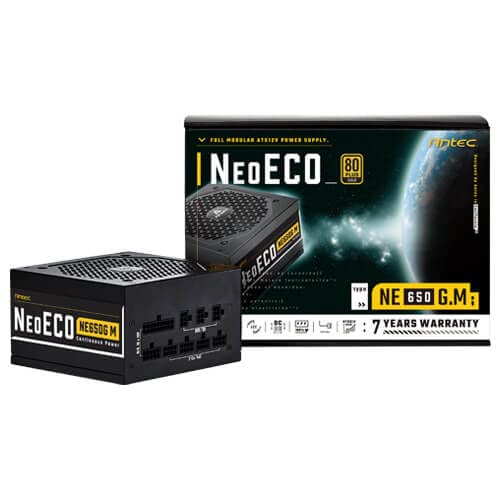
Figure 3.1: Antec NeoECO NE650G M Power Supply with its retail packaging.
4. Setup and Installation
Follow these steps to install your Antec NeoECO NE650G M PSU into your computer system:
- Prepare Your System: Ensure your computer is completely powered off and unplugged from the wall outlet. Open your computer case.
- Remove Old PSU (if applicable): Disconnect all cables from your old power supply. Unscrew and remove the old PSU from the case.
- Mount the New PSU: Carefully slide the Antec NeoECO NE650G M into the PSU mounting bay of your computer case. Ensure the fan faces the correct direction (usually downwards if your case has a bottom vent, or upwards if it's a top-mounted PSU). Secure the PSU with the provided mounting screws.
- Connect Modular Cables: Identify the necessary cables for your components (motherboard, CPU, graphics card, storage drives). Connect the appropriate modular cables to the corresponding ports on the PSU. The ports are clearly labeled on the PSU.
- Connect to Components: Route the connected modular cables neatly through your case and connect them to your motherboard (24-pin ATX, 4+4-pin CPU), graphics card(s) (6+2-pin PCIe), and storage devices (SATA, Molex). Ensure all connections are firm and secure.
- Close Case and Connect Power: Once all internal connections are made, close your computer case. Connect the AC power cord to the PSU's inlet and then to a wall outlet or surge protector.
- Power On: Flip the power switch on the back of the PSU to the 'ON' position. You can now power on your computer.
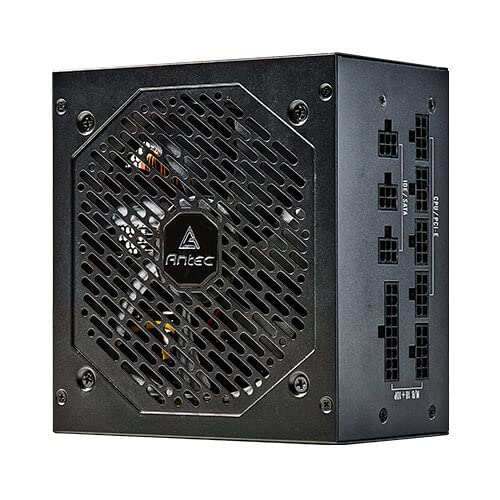
Figure 4.1: Side view of the Antec NeoECO NE650G M PSU, highlighting the modular cable connection ports.
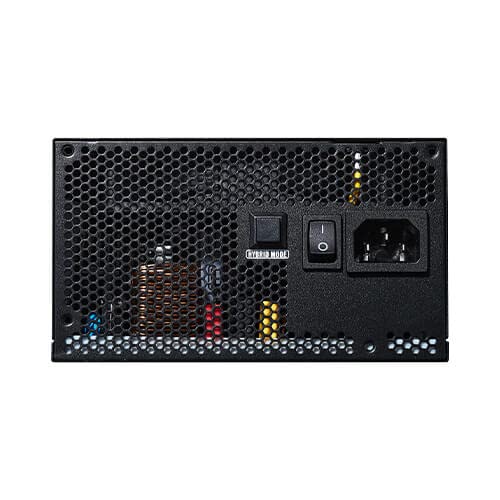
Figure 4.2: The Antec NeoECO NE650G M PSU with various modular cables attached, ready for system integration.
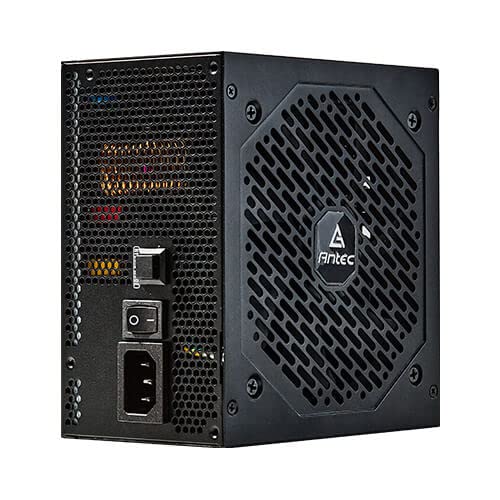
Figure 4.3: Rear view of the Antec NeoECO NE650G M PSU, showing the main power switch and AC power inlet.
5. Operating Instructions
The Antec NeoECO NE650G M PSU is designed for reliable and efficient operation. Key features include:
- 80 PLUS Gold Certification: Ensures high power efficiency, reducing heat generation and electricity costs.
- Fully Modular Design: Allows for cleaner cable management and improved airflow within your PC case by only using the necessary cables.
- Zero RPM Mode: The 120mm silent fan will remain off at low loads (typically below 30% of total wattage) to provide absolute silence. As the load increases, the fan will automatically spin up to maintain optimal temperatures. This feature helps extend the fan's lifespan and reduces noise during light usage.
- CircuitShield Protection: Incorporates industrial-grade protections including OVP (Over Voltage Protection), UVP (Under Voltage Protection), OCP (Over Current Protection), OPP (Over Power Protection), SCP (Short Circuit Protection), OTP (Over Temperature Protection), and NLO (No Load Operation) to safeguard your system.
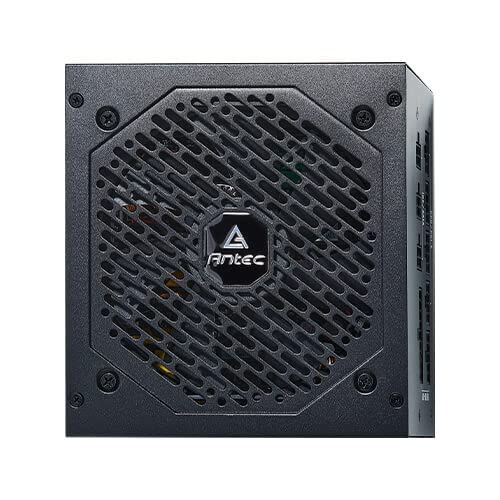
Figure 5.1: Front view of the Antec NeoECO NE650G M PSU, showcasing the 120mm silent cooling fan grill.
6. Maintenance
Proper maintenance ensures the longevity and optimal performance of your PSU:
- Dust Removal: Periodically clean dust from the PSU's fan grill and vents using compressed air. Ensure the PSU is powered off and unplugged before cleaning.
- Cable Management: Ensure cables are neatly routed and do not obstruct airflow within the PC case.
- Environmental Conditions: Operate the PSU within recommended temperature and humidity ranges. Avoid extreme conditions.
- No User Serviceable Parts: Do not attempt to open the PSU casing. There are no user-serviceable parts inside, and opening it will void the warranty.
7. Troubleshooting
If you encounter issues with your Antec NeoECO NE650G M PSU, refer to the following common problems and solutions:
| Problem | Possible Cause | Solution |
|---|---|---|
| PC does not power on. |
|
|
| System powers on but shuts down immediately. |
|
|
| Fan is not spinning. |
|
|
| Unusual noises from PSU. |
|
|
If the problem persists after attempting these solutions, please contact Antec customer support or refer to the warranty section for service information.
8. Specifications
| Feature | Detail |
|---|---|
| Brand | Antec |
| Model Name | NE650G M |
| Form Factor | ATX |
| Wattage | 650 Watts |
| 80 PLUS Certification | Gold |
| Modularity | Fully Modular |
| Fan Size | 120mm Silent Fan |
| Zero RPM Mode | Yes |
| Japanese Capacitors | Yes |
| Dimensions (LxWxH) | 15 x 14 x 9 cm |
| Item Weight | 1.5 kg |
| Compatible Devices | Personal Computer |
| Connector Type | ATX |
| Protections (CircuitShield) | OVP, UVP, OCP, OPP, SCP, OTP, NLO |
9. Warranty and Support
The Antec NeoECO NE650G M Power Supply Unit is backed by a 7-year warranty from the date of purchase. This warranty covers defects in materials and workmanship under normal use.
For warranty claims or technical support, please contact Antec customer service. Keep your proof of purchase for warranty validation.
For more information, visit the official Antec website or refer to the contact details provided with your product packaging.


Antec provides a comprehensive warranty and is recognized as a top brand in PC components.
Related documentsNE650G M


Ask a question about this manual
Ask about setup, troubleshooting, compatibility, parts, safety, or missing instructions. Manuals+ will review the question and use this page’s manual context to help answer it.