
Tineco iFloor 3 Plus
Tineco iFloor 3 Plus Wet and Dry Vacuum Cleaner User Manual
Model: iFloor 3 Plus (FW030600DE)
Introduction
This manual provides essential instructions for the safe and efficient operation, maintenance, and troubleshooting of your Tineco iFloor 3 Plus Wet and Dry Vacuum Cleaner. Please read this manual thoroughly before first use and retain it for future reference.

Image: Front view of the Tineco iFloor 3 Plus Wet and Dry Vacuum Cleaner. This image displays the main unit with its handle, clean water tank, dirty water tank, and brush head.
Important Safety Instructions
Always follow basic safety precautions when using electrical appliances to reduce the risk of fire, electric shock, or injury. This appliance is for household use only. Do not use outdoors or on wet surfaces outside of intended cleaning. Keep hair, loose clothing, fingers, and all parts of the body away from openings and moving parts.
- Read all instructions before using the appliance.
- Use only as described in this manual. Use only manufacturer's recommended attachments.
- Do not handle plug or appliance with wet hands.
- Do not put any object into openings. Do not use with any opening blocked.
- Keep the area dry after cleaning to prevent slips.
Package Contents
Verify that all components are present in the package:
- Tineco iFloor 3 Plus Main Unit
- Adapter
- Charging Dock
- Cleaning Solution
- Extra Brush Roll
- HEPA Filter

Image: The Tineco iFloor 3 Plus vacuum cleaner standing on its charging dock, surrounded by its included accessories: cleaning solution, an extra brush roll, and a cleaning tool.
Product Overview
Familiarize yourself with the main components of your iFloor 3 Plus.

Image: Side view of the Tineco iFloor 3 Plus, highlighting the separate clean water tank (top) and dirty water tank (bottom) for hygienic cleaning.
LED Display Indicators

Image: Close-up of the Tineco iFloor 3 Plus LED display, showing icons for battery level, water tank status, and cleaning mode (MAX).
- Battery Indicator: Shows remaining battery life.
- Clean Water Tank Empty: Indicates when the clean water tank needs refilling.
- Dirty Water Tank Full: Indicates when the dirty water tank needs emptying.
- MAX Mode Indicator: Lights up when the vacuum is operating in maximum power mode.
Setup
Assembly
- Attach the Handle: Insert the handle into the main body until it clicks securely into place.
- Charge the Battery: Place the unit on the charging dock. Ensure the adapter is plugged into a power outlet. The battery indicator on the LED display will show charging status. A full charge takes approximately 3.5 hours.
Filling the Clean Water Tank
- Remove the clean water tank from the main unit.
- Open the tank cap and fill with clean tap water. For optimal cleaning, add one capful of the provided Tineco cleaning solution to the clean water tank. Do not use other cleaning solutions as they may damage the appliance.
- Close the cap securely and reattach the tank to the main unit.
Operating Instructions
Starting the Appliance
- Ensure the clean water tank is filled and the dirty water tank is empty.
- Press the power button on the handle to turn on the vacuum cleaner. The appliance will start in normal cleaning mode.
- To activate MAX mode for tougher messes, press the MAX mode button on the handle.
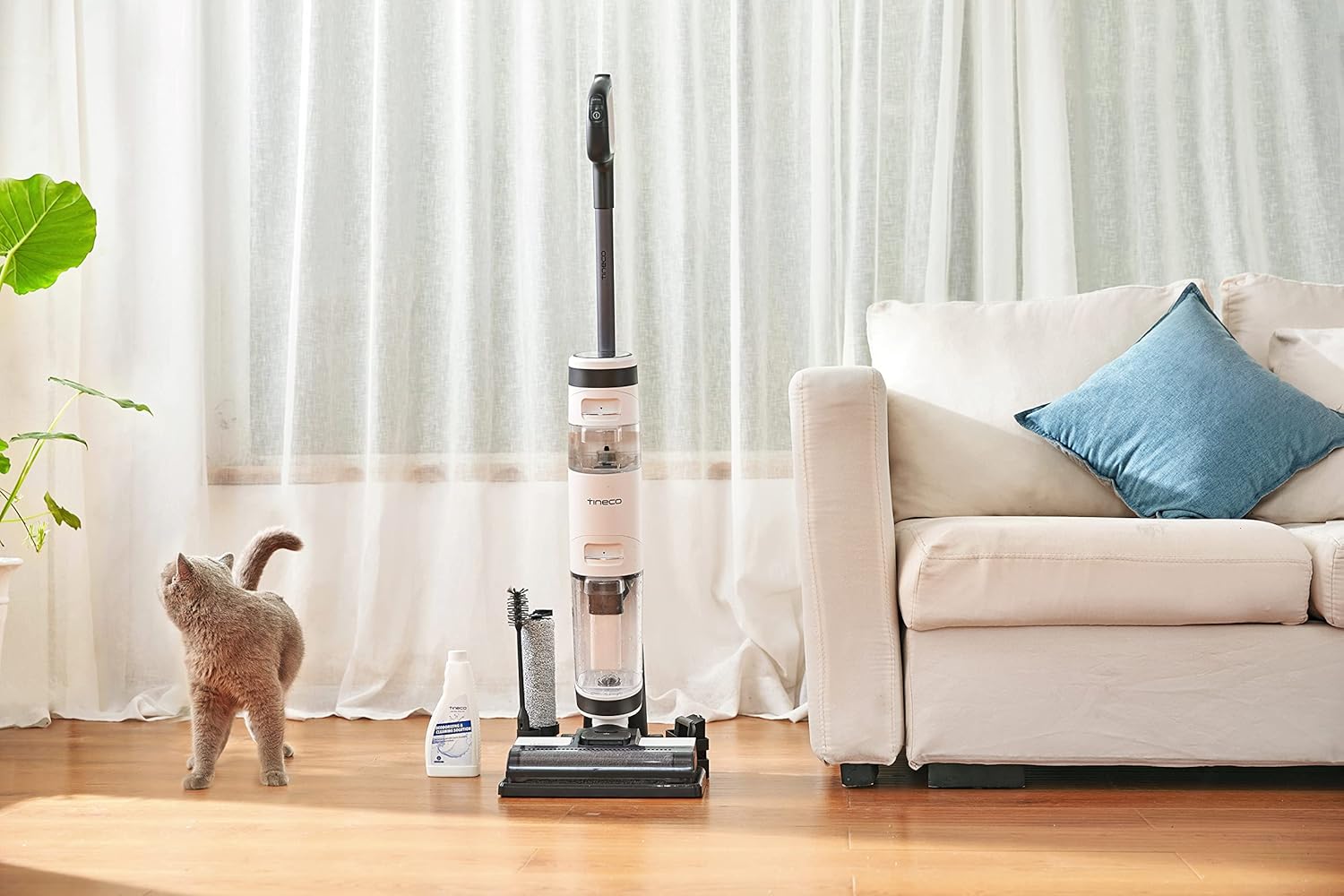
Image: The Tineco iFloor 3 Plus in action, cleaning a kitchen floor with spilled liquid and food debris. A cat observes from the background.
Cleaning Surfaces
The iFloor 3 Plus is designed for use on sealed hard floors such as tiles, vinyl, sealed wooden floors, laminate, linoleum, and marble. Move the appliance slowly over the soiled area. The self-propelled design assists in movement. The dual tank system ensures that you always clean with fresh water, separating dirty water into a dedicated tank.

Image: Close-up of the Tineco iFloor 3 Plus brush head effectively cleaning up a spill of macaroni and cheese on a hard floor.
After Cleaning
- Turn off the appliance by pressing the power button.
- Return the appliance to the charging dock.
- Proceed to the self-cleaning function or manual cleaning of the dirty water tank and brush roll.
Maintenance
Self-Cleaning Function
The iFloor 3 Plus features a self-cleaning cycle to maintain hygiene of the brush roll and internal pathways.
- Ensure the dirty water tank is empty and the clean water tank has at least 1/3 full of water.
- Place the appliance on the charging dock.
- Press the self-clean button (usually indicated by a water droplet icon) on the handle. The self-cleaning cycle will begin and run for a few minutes.
- Once the cycle is complete, empty the dirty water tank.
Emptying and Cleaning the Dirty Water Tank
- Remove the dirty water tank from the main unit.
- Open the tank lid and carefully pour out the dirty water.
- Rinse the inside of the tank and the filter assembly under running water.
- Allow all parts to air dry completely before reassembling.
Image: A person cleaning the dirty water tank and its internal filter components under running water in a sink, demonstrating proper hygiene after use.
Cleaning the Brush Roll
Even with self-cleaning, occasional manual cleaning of the brush roll is recommended.
- Turn off the appliance and remove it from the charging dock.
- Open the brush roll cover and remove the brush roll.
- Use the provided cleaning tool to remove any hair or debris wrapped around the brush roll.
- Rinse the brush roll under running water. Allow it to air dry completely before reinserting.
- The iFloor 3 Plus comes with an extra brush roll, allowing you to swap them for continuous use while one dries.
HEPA Filter Maintenance
The HEPA filter is located within the dirty water tank assembly. Rinse the HEPA filter under running water as needed, typically after every few uses. Ensure it is completely dry before reinserting to prevent mold or odor.
Troubleshooting
| Problem | Possible Cause | Solution |
|---|---|---|
| Appliance does not turn on. | Battery is depleted. | Charge the appliance fully. |
| No water dispensing. | Clean water tank is empty. | Refill the clean water tank. |
| Poor suction or cleaning performance. | Dirty water tank is full; Brush roll is clogged; HEPA filter is dirty. | Empty the dirty water tank; Clean the brush roll; Clean or replace the HEPA filter. |
| Unpleasant odor from appliance. | Dirty water tank or brush roll not cleaned properly. | Perform a self-cleaning cycle. Thoroughly clean the dirty water tank and brush roll, ensuring all parts are dry before reassembly. |
Specifications
| Feature | Detail |
|---|---|
| Model Name | iFloor 3 Plus |
| Model Number | FW030600DE |
| Power Source | Battery Powered (Lithium-Ion) |
| Voltage | 21.6 Volts |
| Wattage | 220 Watts |
| Battery Charge Time | Approximately 3.5 hours |
| Runtime | Up to 25 minutes |
| Clean Water Tank Capacity | 0.5 Liters |
| Noise Level | 78 Decibels |
| Item Weight | 4.5 Kilograms |
| Dimensions (L x W x H) | 11.26" x 10.08" x 43.31" |
| Filter Type | HEPA Filter |
| Recommended Surfaces | Sealed Hard Floors (Tile, Vinyl, Wood, Laminate, Linoleum, Marble) |
Warranty and Support
The Tineco iFloor 3 Plus comes with a 2-year manufacturer guarantee. This warranty covers defects in materials and workmanship under normal use. Please retain your proof of purchase for warranty claims.
For technical support, troubleshooting assistance, or to inquire about spare parts, please contact Tineco customer service. Refer to the official Tineco website or your purchase documentation for current contact information.
EU Spare Part Availability Duration: 2 Years.
Related documentsiFloor 3 Plus


Ask a question about this manual
Ask about setup, troubleshooting, compatibility, parts, safety, or missing instructions. Manuals+ will review the question and use this page’s manual context to help answer it.