1. Introduction
This manual provides detailed instructions for the OQIMAX Projection Alarm Clock. This device features a 180° adjustable projection, a 7.8-inch LED mirror display with adjustable brightness, multiple alarm modes with snooze, and displays indoor temperature and humidity. Please read this manual thoroughly before use to ensure proper operation and to maximize the product's functionality.
2. Package Contents
Verify that all items listed below are included in your package:
- 1 x OQIMAX Projection Alarm Clock
- 1 x 1.5m USB Cable (Power adapter not included)
- 1 x CR2032 Button Battery (Integrated for memory function)
- 1 x User Guide
3. Product Overview
Familiarize yourself with the alarm clock's components and controls.

Image 3.1: Front and Rear View of the Alarm Clock with Labeled Controls. This image illustrates the location of the alarm clock buttons (MODE, ALARM, SNOOZE/LIGHT, PROJECT, UP, DOWN), the projection lamp, speaker, power port, and the detachable stand.
Controls and Display Elements:
- MODE Button: Used to switch between time, alarm, and temperature/humidity display modes.
- ALARM Button: Used to set and activate alarms.
- SNOOZE/LIGHT Button: Activates snooze during an alarm; adjusts display brightness.
- PROJECT Button: Activates and adjusts projection brightness.
- UP Button: Increases values during setting; switches temperature units.
- DOWN Button: Decreases values during setting; switches 12/24 hour format.
- Projection Lamp: Emits time projection.
- Speaker: Emits alarm sound.
- Power Port: USB-C input for power.
- Detachable Stand: Provides stable base for the clock.

Image 3.2: Product Dimensions and Key Features. This image shows the overall dimensions of the alarm clock and highlights its main features: projection function, 4-level brightness, temperature/humidity display, time & alarm, 12/24H format, and snooze.
4. Setup
4.1 Power Connection
The alarm clock requires continuous power via a USB cable. Connect the provided 1.5m USB cable to the power port on the back of the alarm clock and plug the other end into a USB power adapter (not included) or a powered USB port.
Note: The screen will turn off if the USB power cable is disconnected. The integrated CR2032 button battery serves as a backup to save time and alarm settings during power interruptions, but it does not power the display or projection.
4.2 Initial Preparation
Before first use, remove any protective film from the display mirror surface.
5. Operating Instructions
5.1 Setting the Time
- In time display mode, press and hold the MODE button until the hour digits begin to flash.
- Use the UP or DOWN buttons to adjust the hour.
- Press the MODE button again to switch to minute setting. Use UP or DOWN to adjust the minutes.
- Press MODE to confirm and exit time setting.
5.2 Setting the Alarm
The clock supports three alarm modes.

Image 5.1: Three Alarm Modes. This image shows the display for setting alarms for Monday-Friday, Monday-Saturday, and Everyday.
- Press the ALARM button to enter alarm setting mode. The alarm icon will appear.
- Press and hold the ALARM button until the hour digits flash.
- Use the UP or DOWN buttons to set the desired alarm hour.
- Press ALARM again to set the minutes. Use UP or DOWN to adjust.
- Press ALARM again to select the alarm mode:
- 1-5: Monday to Friday
- 1-6: Monday to Saturday
- 1-7: Everyday
- Press ALARM to confirm and exit alarm setting.
- To activate/deactivate an alarm, short press the ALARM button. The alarm icon will indicate its status.
5.3 Snooze Function
When the alarm sounds, press the SNOOZE/LIGHT button to activate the snooze function. The alarm will pause and sound again after the set snooze duration.
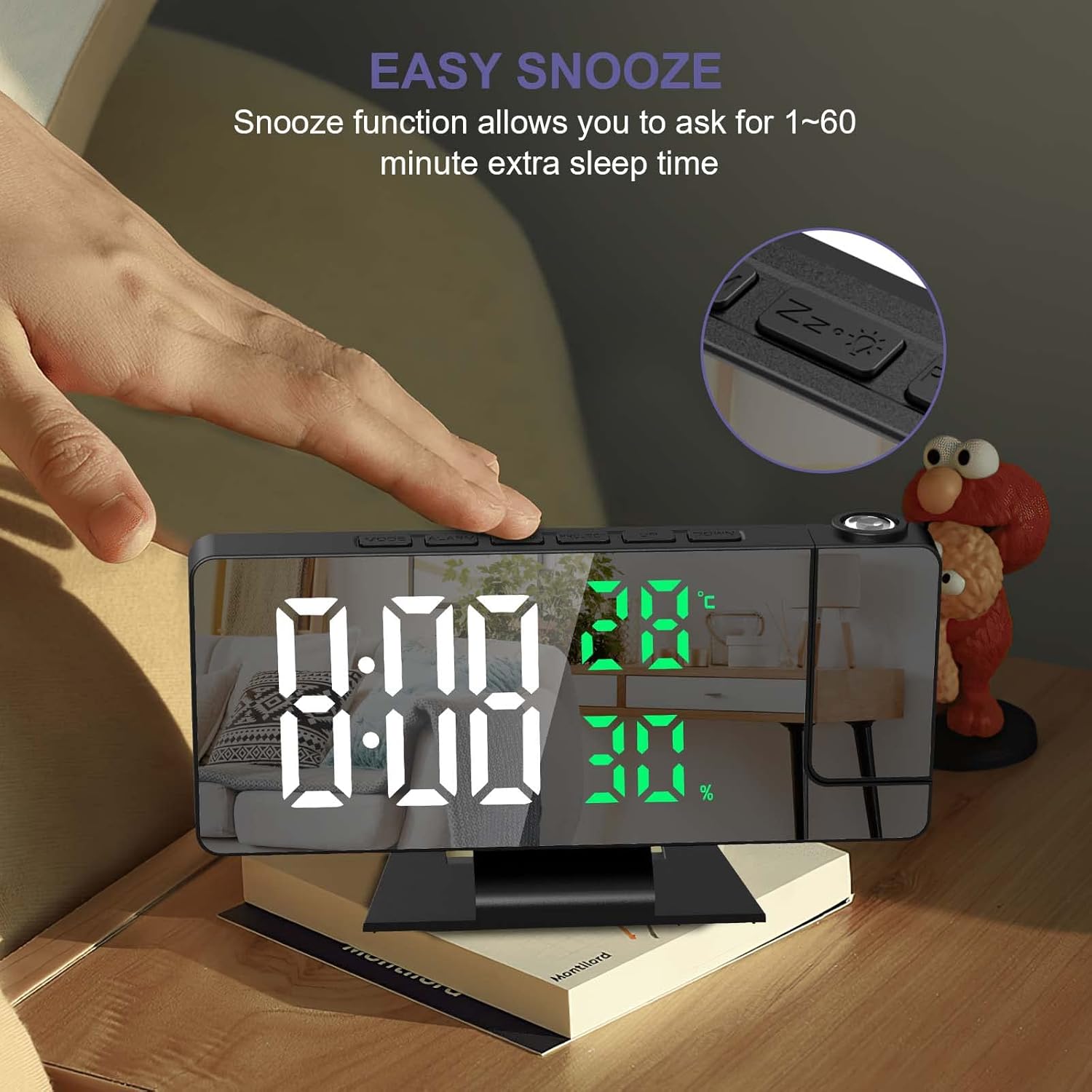
Image 5.2: Easy Snooze Function. This image shows a hand pressing the snooze button on the alarm clock, indicating the function allows for 1-60 minutes of extra sleep.
To adjust the snooze duration (default 5 minutes):
- While in alarm setting mode (after setting time and alarm mode), press ALARM again to enter snooze duration setting.
- Use the UP or DOWN buttons to set the snooze duration between 1 and 60 minutes.
- Press ALARM to confirm.
5.4 Projection Settings
The alarm clock can project the time onto a wall or ceiling.
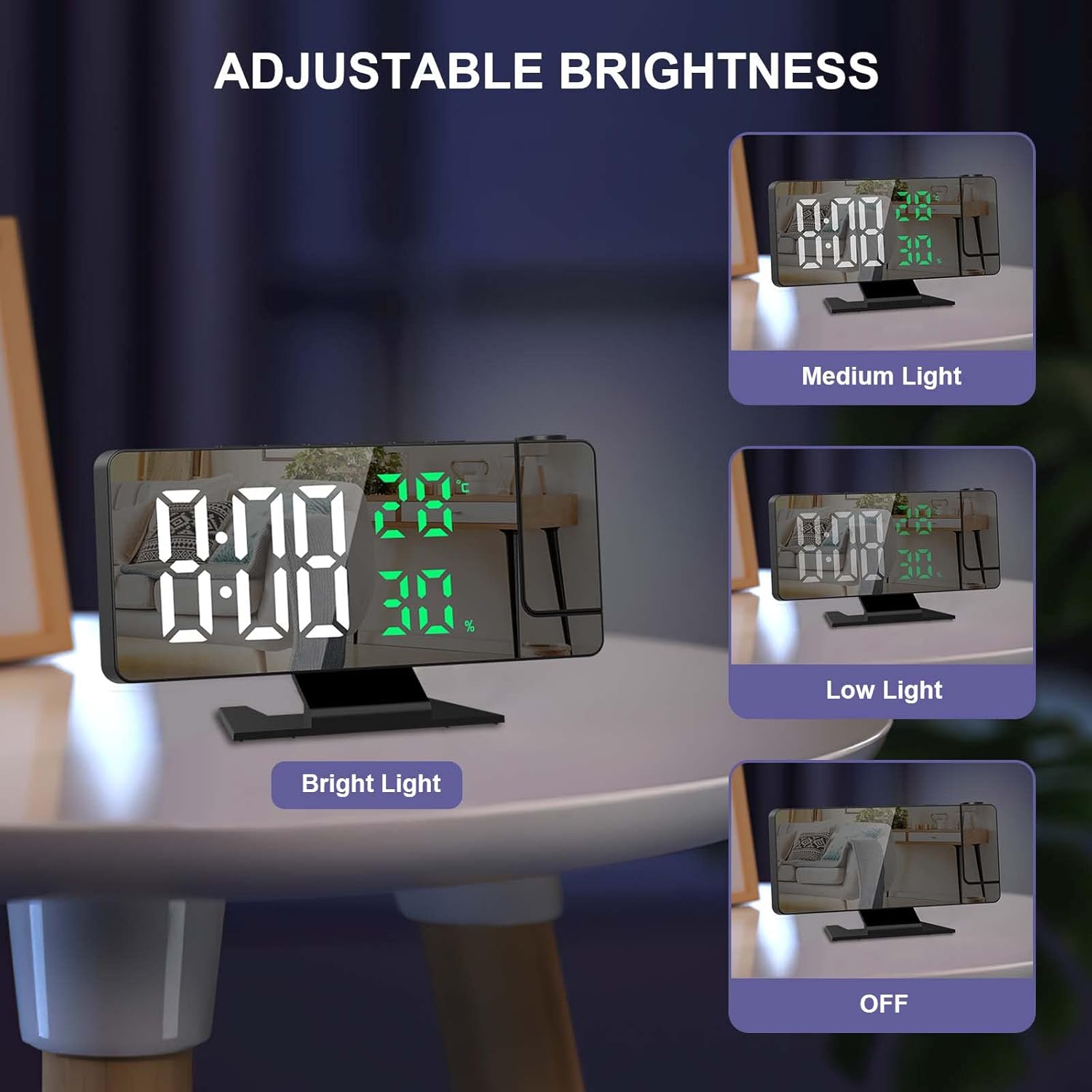
Image 5.3: 180° Projection and Brightness Levels. This image demonstrates the 180-degree adjustable projection angle and the three available projection brightness levels.
- Adjusting Projection Angle: The projection arm can be rotated 180° to direct the time display as needed.
- Adjusting Projection Brightness: Press the PROJECT button repeatedly to cycle through 3 brightness levels (High, Medium, Low) or turn the projection off.
- Projection Distance: Optimal projection distance is between 0.5 to 5 meters (1.6 to 16 feet).
- Note: The projection function is most effective in dark environments. The projection can only be oriented towards the back of the alarm clock. If projected towards the front, the numbers will appear inverted.
5.5 Display Brightness
The 7.8-inch LED display has four adjustable brightness levels.
Image 5.4: Adjustable Display Brightness. This image illustrates the four display brightness options: Bright Light, Medium Light, Low Light, and OFF.
- Press the SNOOZE/LIGHT button (when alarm is not sounding) to cycle through the 4 brightness levels: High, Medium, Low, and OFF.
- Automatic Night Mode: The screen automatically dims from 18:00 (6 PM) to 5:59 (5:59 AM) to avoid disturbing sleep.
5.6 Temperature and Humidity Display
The alarm clock displays real-time indoor temperature and humidity.
- Temperature Range: -10°C to 50°C (14°F to 122°F), with an error margin of ±1°C.
- Humidity Range: 20% to 95%, with an error margin of ±5%.
- To switch between Celsius (°C) and Fahrenheit (°F), press the DOWN button while in temperature display mode.
5.7 12/24 Hour Format
To switch between 12-hour and 24-hour time formats, press the DOWN button while in time display mode (not in setting mode).
5.8 USB Charging Port
The alarm clock includes a USB port that can be used to charge smartphones or tablets.
6. Maintenance
- Clean the display and casing with a soft, dry cloth. Avoid abrasive cleaners or solvents.
- Keep the device away from direct sunlight, extreme temperatures, and high humidity.
- Ensure the ventilation holes on the back are not obstructed.
7. Troubleshooting
| Problem | Possible Cause | Solution |
|---|---|---|
| Display is off. | The alarm clock is not connected to power. | Ensure the USB cable is securely connected to a power source. The display requires continuous USB power. |
| Projection is upside down. | The projection is oriented incorrectly. | The projection can only be correctly displayed when oriented towards the back of the alarm clock. Adjust the clock's position or the projection arm accordingly. |
| Settings are lost after power disconnection. | Backup battery is not functioning or depleted. | Ensure the integrated CR2032 button battery is correctly installed and functional. This battery saves settings during temporary power loss. |
| Projection is unclear or too dim. | Ambient light is too bright; projection distance is too far. | The projection function works best in dark environments. Adjust the projection brightness using the PROJECT button. Ensure the projection distance is within 0.5 to 5 meters. |
| Buttons produce a loud beep, and volume is not adjustable. | This is a design characteristic of the product. | The button beep volume is not adjustable on this model. |
8. Specifications
| Feature | Detail |
|---|---|
| Brand | OQIMAX |
| Model | B0BVFJHTLX |
| Product Dimensions | 11 x 3.81 x 3.5 cm |
| Display Size | 7.8 inches |
| Color | White and Green Numbers |
| Style | Modern |
| Material | Metal |
| Shape | Rectangular |
| Power Source | USB Powered (Battery for memory function only) |
| Display Type | Digital |
| Special Features | Alarm, Projection, Temperature Display, Humidity Display, Snooze, USB Charging Port |
| Item Weight | 230 grams |
| Temperature Range | -10°C~50°C (14°F~122°F) ±1°C |
| Humidity Range | 20%~95% ±5% |
9. Warranty and Support
For any questions regarding product operation, functionality, or if the product is defective or damaged, please contact OQIMAX customer support. We are committed to resolving any issues you may encounter.
Please refer to your purchase documentation for specific warranty details and contact information.
