
1. Introduction
The FOXWELL NT710 is an advanced OE-level diagnostic scanner designed for BMW, MINI, and Rolls-Royce vehicles. It features a 5.5-inch TFT touch screen, runs on Android 9.0, and offers comprehensive system diagnostics, bi-directional control, and a wide range of maintenance services. This manual provides essential information for setting up, operating, and maintaining your NT710 device.

Figure 1: FOXWELL NT710 Diagnostic Scanner Overview
2. Setup
Follow these steps for the initial setup and connection of your FOXWELL NT710 diagnostic scanner:
- Plug into OBD2 Port: Locate your vehicle's OBD2 (16-pin) port, typically found under the dashboard on the driver's side. Connect the NT710's diagnostic cable to this port.
- Turn on Ignition: Turn your vehicle's ignition to the 'ON' position (engine off). Power on the NT710 tablet.
- Start Diagnosis: The device will automatically detect the vehicle's VIN (Vehicle Identification Number) and prompt you to begin diagnosis. Follow the on-screen instructions to proceed.

Figure 2: Connecting the NT710 to the OBD2 port

Figure 3: Turning on vehicle ignition
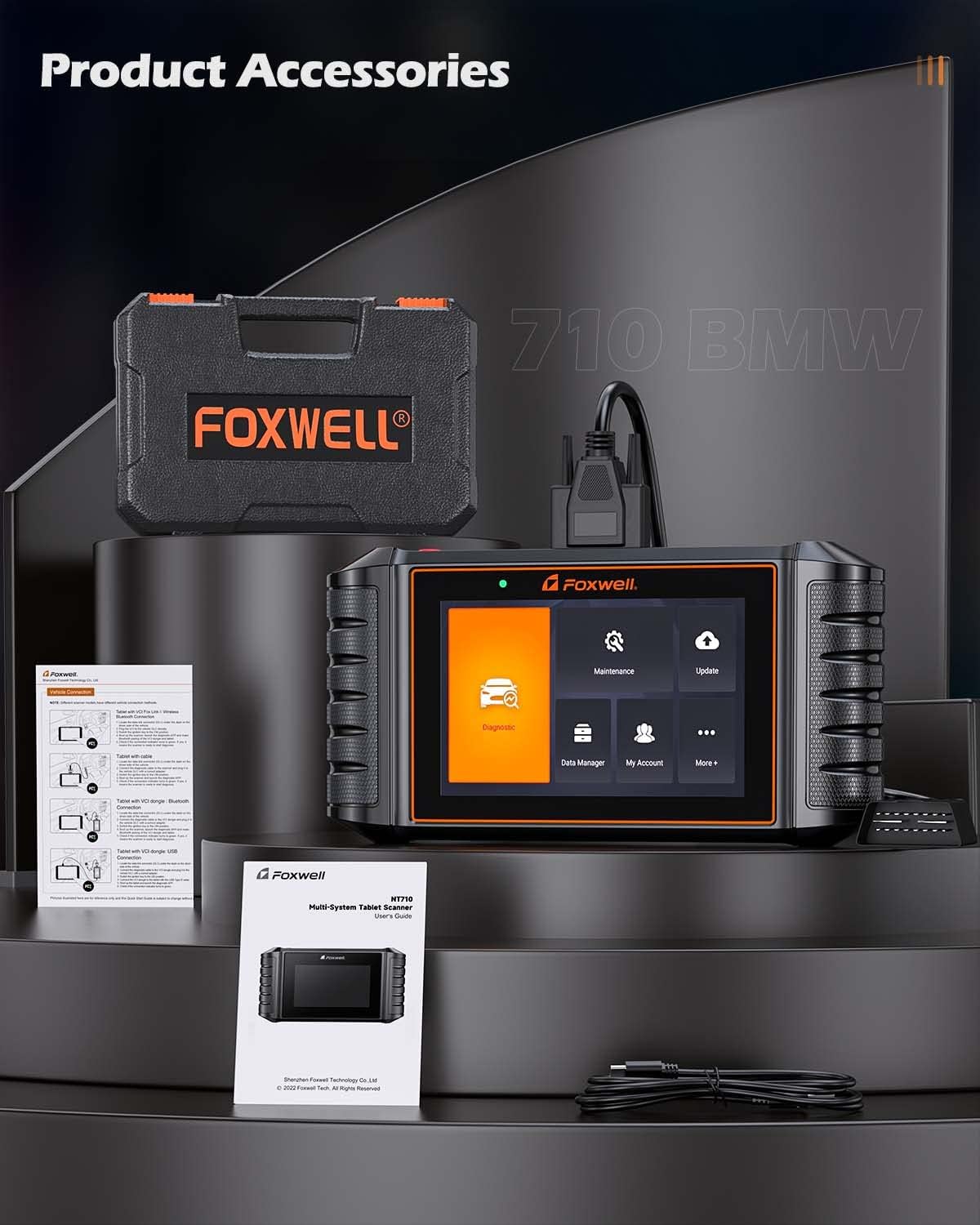
Figure 4: NT710 ready for diagnosis
3. Operating the NT710
3.1 Full System Diagnostics
The NT710 provides OE-level access to all available electronic control modules in BMW, MINI, and Rolls-Royce vehicles. This allows for comprehensive scanning to quickly locate faults. You can read and clear fault codes, turn off warning lights, and view live sensor data in text and graph formats.
- Read Codes: Retrieve Diagnostic Trouble Codes (DTCs) from various vehicle systems.
- Clear Codes: Erase DTCs after repairs have been made, turning off warning indicators.
- Live Data: View real-time sensor data, such as engine RPM, coolant temperature, and vehicle speed, in both text and graphical displays.

Figure 5: Full System Diagnostic Capabilities
3.2 Bi-Directional Control / Active Test
The bi-directional control feature allows the NT710 to send commands directly to your vehicle's Electronic Control Unit (ECU) to perform specific active tests. This helps in verifying component functionality and identifying potential issues without manual intervention. Examples include testing doors, windows, mirrors, locks, lights, wipers, and sunroofs.
Video 1: Demonstrating Bi-Directional Control with FOXWELL NT710
Video 2: FOXWELL NT710 All System Diagnostic Tool in action

Figure 6: Bi-Directional Control Functionality
3.3 Maintenance Service Resets
The NT710 offers a wide array of maintenance and service reset functions, including:
- Oil Light Reset
- Electronic Parking Brake (EPB) Reset
- Steering Angle Sensor (SAS) Calibration
- Tire Pressure Monitoring System (TPMS) Reset
- Throttle Relearn
- ABS Bleeding
- Diesel Particulate Filter (DPF) Regeneration
- Injector Coding
- Battery Registration
- ECU Coding
- Airbag Reset
- Sunroof Initialization
- EVAP Test
- CVT Reset
- Air Suspension Reset
- A/T Reset
- Seat Calibration
- AC System Reset
- Crankshaft Relearn
- Gear Learning
Note: Specific functions available may vary depending on your vehicle's model and year. Always confirm compatibility via VIN before performing services.

Figure 7: Available Maintenance Services
3.4 Full OBD2 Functions
The NT710 is compatible with all OBD2-compliant vehicles and performs standard OBD2 tests, including:
- Reading and Clearing Fault Codes
- I/M Readiness Status Check
- Viewing Freeze Frame Data
- EVAP System Test
- O2 Sensor Test
- On-Board Monitor Test
- Reading Vehicle Information (VIN, CID, CVN)
- DTC Lookup

Figure 8: Full OBD2 Functions Interface
4. Maintenance
4.1 Software Updates
The NT710 offers lifetime free one-click WiFi updates. Simply connect the device to a WiFi network and navigate to the 'Update' menu to download and install the latest software versions and vehicle data.

Figure 9: Software Update Interface
4.2 Data Management
The device allows for efficient data management, including:
- Data Record & Playback: Record live sensor data during diagnosis for later review and analysis.
- Data Print & Share: Generate diagnostic reports that can be printed or shared electronically for record-keeping or consultation.

Figure 10: Data Management and Utility Functions
5. Troubleshooting
If you encounter issues with your FOXWELL NT710, consider the following general troubleshooting steps:
- Ensure the device is securely connected to the vehicle's OBD2 port.
- Verify that the vehicle's ignition is in the 'ON' position.
- Check for sufficient battery charge on the NT710.
- Perform a software update to ensure you have the latest fixes and vehicle data.
- If the device fails to power on, ensure the OBD2 connection is stable, as the device draws power from the vehicle.
For persistent issues, utilize the online feedback feature or remote assistance options available on the device.
6. Specifications
| Feature | Specification |
|---|---|
| Model | FOXWELL NT710 |
| Operating System | Android 9.0 |
| Screen Size | 5.5 Inches TFT Touch Screen |
| Display Resolution | 1280*720 Pixels |
| Processor | Quad-core 1.3GHz |
| Memory | 1GB RAM + 32GB Storage |
| Battery Capacity | 4000mAh |
| Update Method | One-Click WiFi Update (Lifetime Free) |
| Vehicle Compatibility | BMW, MINI, Rolls-Royce (OE-level) |
| Key Functions | Full System Diagnosis, Bi-directional Control, All Maintenance Services Reset, Full OBD2 Functions |
7. Warranty Information
For detailed warranty information regarding your FOXWELL NT710 diagnostic scanner, please refer to the official FOXWELL website or contact their customer support directly. Warranty terms and conditions may vary by region and purchase date.
8. Support
FOXWELL provides several support options for users of the NT710:
- Online Feedback: Submit feedback or report issues directly through the device's interface.
- Remote Assistance: Access remote technical support for guided troubleshooting and problem resolution.
- Official Website: Visit the FOXWELL official website for FAQs, software downloads, and additional resources.


