
1. Introduction
Thank you for choosing the Toputure TP-TM01W Under Desk Treadmill. This manual provides essential information for the safe and effective use of your new fitness equipment. Please read it thoroughly before operation and retain it for future reference.
The Toputure TP-TM01W is a versatile treadmill designed for home and office use, offering both walking and jogging modes. It features a powerful yet quiet motor, a spacious running belt, and smart connectivity options for an enhanced exercise experience.

Image: The Toputure TP-TM01W treadmill in use, demonstrating its compact design and suitability for under-desk use.
2. Safety Instructions
To ensure safe operation and prevent injury, please adhere to the following safety guidelines:
- Always consult with a physician before starting any new exercise program.
- Place the treadmill on a flat, stable surface, ensuring adequate clearance around the unit.
- Keep children and pets away from the treadmill during operation.
- Wear appropriate athletic footwear. Do not operate the treadmill barefoot or in socks.
- Ensure the safety key is properly attached to your clothing before starting. In case of emergency, pulling the safety key will immediately stop the treadmill.
- Do not step on or off the treadmill while the belt is moving.
- If you feel faint, dizzy, or experience pain, stop exercising immediately.
- Unplug the treadmill from the power outlet when not in use or before cleaning and maintenance.
- Do not use the treadmill if it is damaged or malfunctioning. Contact customer support.
- The maximum user weight capacity for this treadmill is 130 kg (286 lbs).
3. Package Contents
Verify that all components are present in the package:
- Toputure TP-TM01W Under Desk Treadmill
- Safety Key
- Power Cord
- User Manual (this document)
- Tool Kit
- Remote Control
4. Setup
The Toputure TP-TM01W treadmill requires no assembly. It is ready for use directly out of the box.
- Carefully remove the treadmill from its packaging.
- Place the treadmill on a level, hard surface. Ensure there is sufficient space around the unit for safe operation.
- Plug the power cord into a grounded electrical outlet.
- Attach the safety key to the designated slot on the treadmill and clip the other end to your clothing.

Image: The treadmill features transport wheels for easy movement and an oil filling hole for maintenance.
5. Operating Instructions
5.1 Power On/Off
- To power on, ensure the power cord is connected and the safety key is in place. The LED display will illuminate.
- To power off, press the stop button on the remote control or remove the safety key. Unplug the unit from the wall for complete power disconnection.
5.2 Modes of Operation
The treadmill supports two primary modes:
- Walking Mode: Speed range of 1-4 km/h. Ideal for light activity or under-desk use.
- Jogging Mode: Speed range of 5-10 km/h. Suitable for more intense cardio workouts.

Image: The treadmill offers distinct walking and jogging speed ranges to accommodate various fitness levels.
5.3 LED Display
The integrated LED display provides real-time feedback on your workout:
- Speed: Current belt speed (km/h).
- Time: Duration of your workout.
- Distance: Total distance covered.
- Calories: Estimated calories burned.

Image: The LED display clearly shows key workout metrics such as speed, time, distance, and calories.
5.4 Remote Control
The wireless remote control allows for convenient adjustment of settings during your workout:
- On/Off: Start and stop the treadmill.
- Speed +/-: Increase or decrease the belt speed.
- Program Selection: Cycle through the 12 predefined workout programs (P01-P12).
5.5 FITSHOW App and Bluetooth Connectivity
Enhance your workout experience by connecting the treadmill to the FITSHOW app via Bluetooth:
- Download the FITSHOW app from your device's app store (available on Google Play and the App Store).
- Enable Bluetooth on your smartphone or tablet.
- Open the FITSHOW app and follow the on-screen instructions to pair with your Toputure treadmill.
- The app allows for real-time recording of exercise data, access to professional fitness courses, and data sharing.

Image: Control your treadmill and track progress using the FITSHOW app and the included remote control.
5.6 Predefined Programs
The treadmill includes 12 predefined programs (P01-P12) designed to simulate various exercise scenarios. Select a program that aligns with your fitness level and goals using the remote control.
6. Maintenance
Regular maintenance ensures the longevity and optimal performance of your treadmill.
6.1 Cleaning
- Before cleaning, always unplug the treadmill.
- Wipe down the display and exterior surfaces with a soft, damp cloth. Avoid abrasive cleaners or solvents.
- Regularly vacuum underneath the treadmill to prevent dust and debris buildup.
6.2 Belt Lubrication
The running belt requires periodic lubrication to reduce friction and extend its lifespan. The frequency depends on usage:
- Light use (less than 3 hours/week): Lubricate every 5-6 months.
- Moderate use (3-5 hours/week): Lubricate every 3-4 months.
- Heavy use (more than 5 hours/week): Lubricate every 1-2 months.
To lubricate:
- Unplug the treadmill.
- Locate the oil filling hole (as shown in the 'Easy to move' image in Section 4).
- Apply a small amount of silicone lubricant (not included, typically) into the hole.
- Plug in the treadmill and run it at a low speed (e.g., 2 km/h) for 5 minutes to distribute the lubricant evenly.
6.3 Belt Adjustment
If the running belt becomes misaligned or feels loose, refer to the detailed instructions in the full user manual for adjustment procedures. Incorrect adjustment can damage the belt or motor.
7. Troubleshooting
If you encounter issues with your treadmill, try the following basic troubleshooting steps:
- Treadmill does not power on: Ensure the power cord is securely plugged into both the treadmill and the wall outlet. Check if the safety key is correctly inserted. Verify the wall outlet is functional.
- Belt stops unexpectedly: Check if the safety key has been dislodged. Reinsert it firmly.
- Remote control not working: Ensure the remote's battery is functional and correctly inserted. Point the remote directly at the treadmill's sensor.
- Unusual noise: Stop the treadmill immediately. Check for any foreign objects caught in the belt or motor area. If the noise persists, contact customer support.
- Belt slipping: The belt may require tension adjustment or lubrication. Refer to Section 6.2 for lubrication. For tension adjustment, consult the full manual or customer support.
For issues not resolved by these steps, please contact Toputure customer support.
8. Specifications
| Feature | Specification |
|---|---|
| Model Number | TP-TM01W |
| Brand | Toputure |
| Motor Horsepower | 2.25 HP |
| Speed Range | 1 - 10 km/h |
| Running Belt Dimensions (L x W) | 100 cm x 40 cm |
| Max User Weight Capacity | 130 kg |
| Product Dimensions (L x W x H) | 120 x 52 x 12 cm |
| Product Weight | 22 kg |
| Material | Carbon Steel |
| Programs | 12 Predefined Programs |
| Connectivity | Bluetooth (FITSHOW App) |
| Display | LED (Speed, Time, Distance, Calories) |
| Assembly Required | No |

Image: The spacious running belt measures 100 cm in length and 40 cm in width.
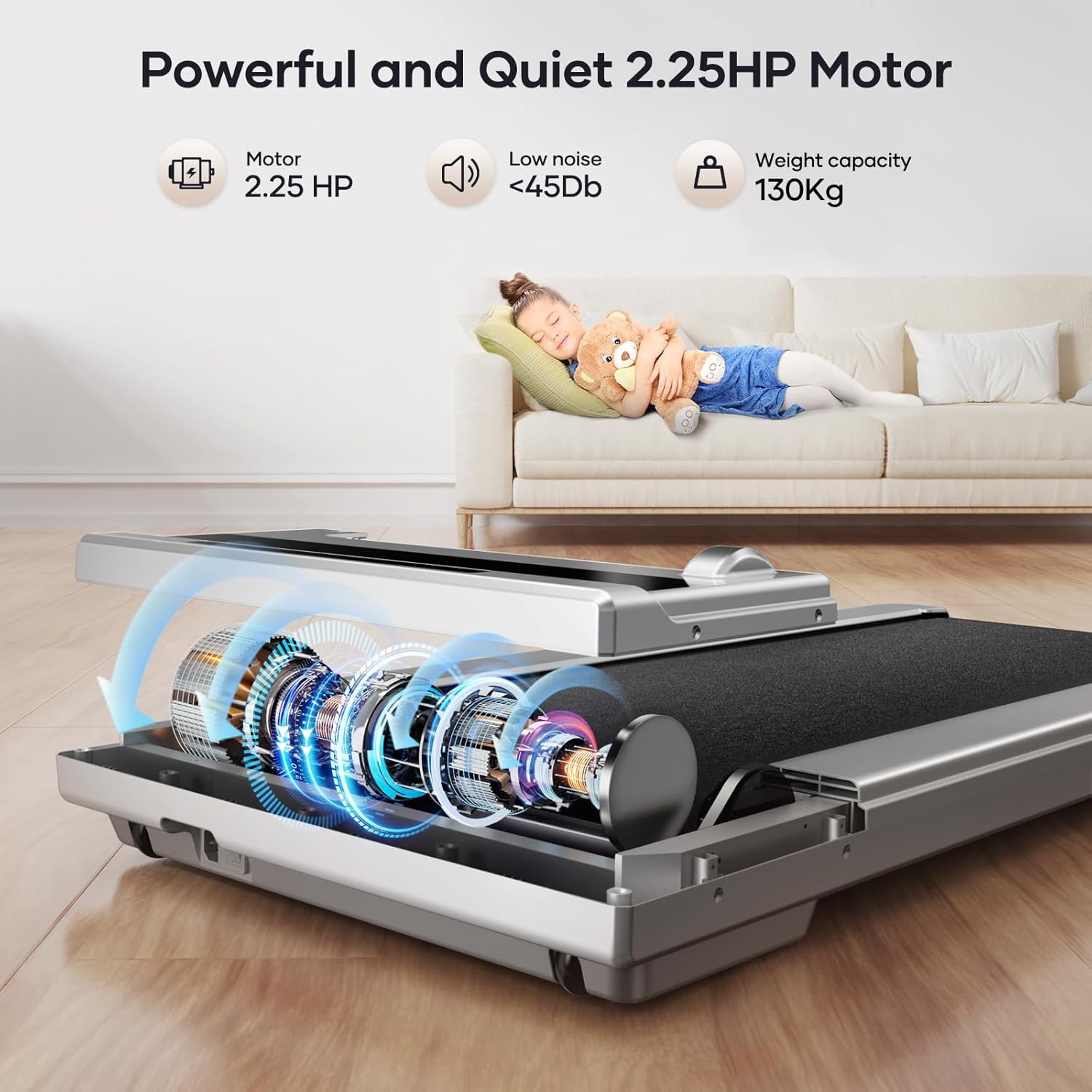
Image: The treadmill is equipped with a 2.25 HP motor, operating quietly at less than 45dB, and supports users up to 130 kg.

Image: The running belt features a 5-layer design for enhanced shock absorption and durability.
9. Warranty and Support
Toputure provides a 2-year warranty for the TP-TM01W Under Desk Treadmill. This warranty covers manufacturing defects and ensures professional customer service for the lifetime of the product.
For warranty claims, technical assistance, or any questions regarding your treadmill, please contact Toputure customer support through the retailer where you purchased the product or visit the official Toputure website for contact information.