1. Introduction
This manual provides detailed instructions for the safe and effective operation of your SKYBASIC Industrial Endoscope Borescope Camera. This device is designed for visual inspection in hard-to-reach areas, offering a clear view on its integrated display. Please read this manual thoroughly before use and retain it for future reference.

Figure 1: SKYBASIC Industrial Endoscope Borescope Camera. This image shows the main unit with its 4.3-inch display, control buttons, and the semi-rigid cable with the camera head.
2. Safety Information
- Do not attempt to disassemble or modify the device. Unauthorized modifications may result in damage or injury.
- Keep the device away from extreme temperatures, direct sunlight, and corrosive liquids.
- Ensure the USB charging cable is properly connected during charging to prevent electrical hazards.
- The camera probe is waterproof (IP67 rated), but the main display unit is not. Avoid submerging the main unit in water.
- Do not use the device in environments with flammable or explosive gases.
- Keep out of reach of children.
3. Package Contents
Verify that all items are present in your package:
- LCD Digital Endoscope (Main Unit)
- User Manual
- USB Charging Cable (charging plug not included)
- Set of Accessories:
- Hook attachment
- Magnet attachment
- Side mirror attachment
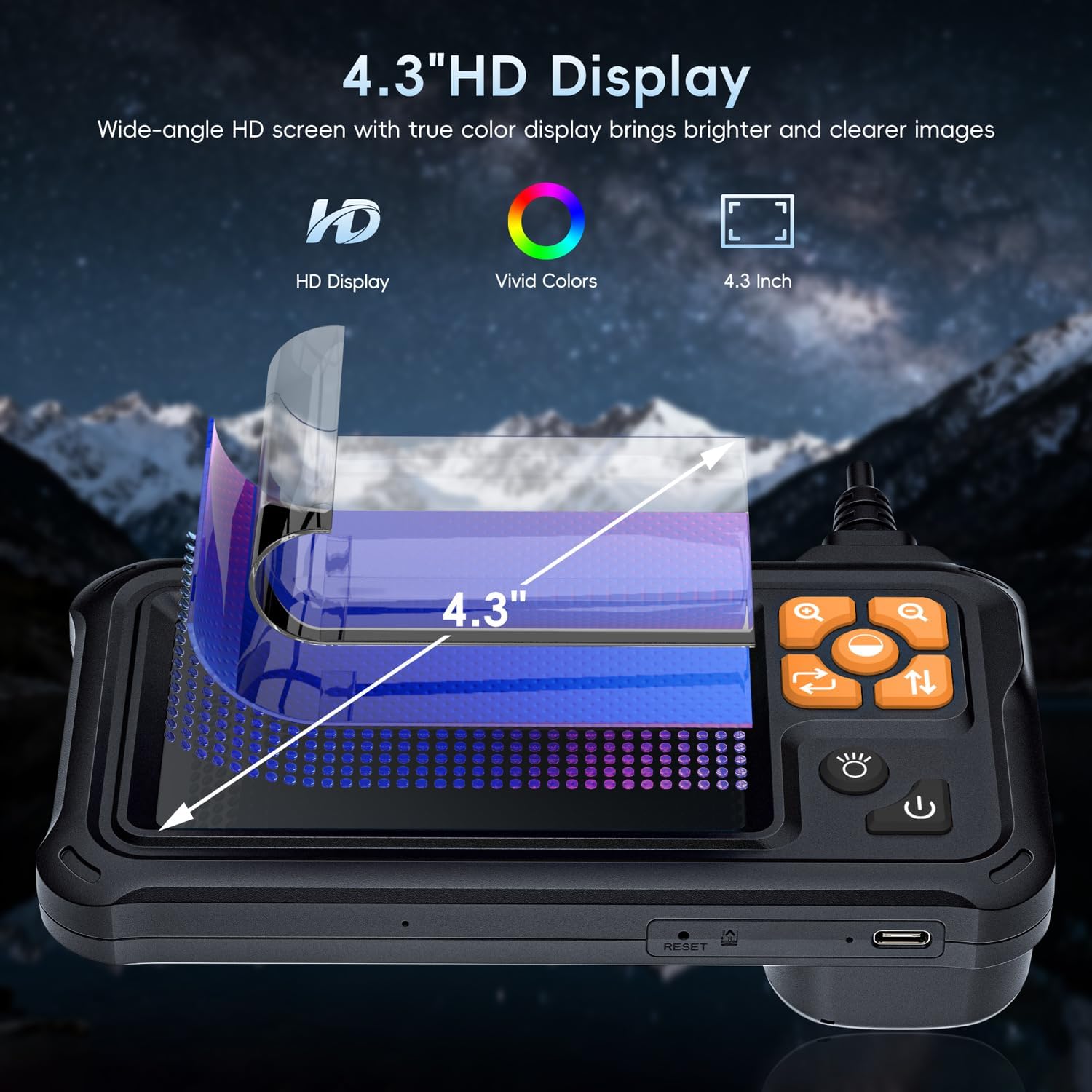
Figure 2: Included accessories and main unit. The image displays the endoscope unit, coiled semi-rigid cable, USB charging cable, user manual, and the hook, magnet, and side mirror attachments.
4. Product Overview and Features
- 4.3-inch HD LCD Display: View high-definition images in real-time directly on the integrated color screen. No smartphone or app required.
- High-Quality Camera with 8 Adjustable LED Lights: The camera head features 8 adjustable LED lights to ensure clear visibility in dark conditions. The optimal focusing distance is between 2cm and 10cm.
- 16.5FT Semi-Rigid Cable: The 5-meter (16.5FT) semi-rigid cable is both stiff and flexible, allowing for easy navigation through various pipes and confined spaces.
- IP67 Waterproof Probe: The camera probe is rated IP67, making it suitable for use in wet or humid environments, such as sewer or drain inspections.
- Long Battery Life: Equipped with a 2000mAh rechargeable battery, providing up to 4 hours of continuous operation.
- Versatile Accessories: Includes hook, magnet, and side mirror attachments for retrieving small objects or viewing at different angles.
- Wide Application: Ideal for car maintenance, mechanical inspection, pipe repair, household appliance inspection, house maintenance, wall structure inspection, and sewer/drain inspection.
Figure 3: The 4.3-inch HD display provides a clear, real-time view of the inspection area.

Figure 4: The camera head with 8 adjustable LED lights for enhanced visibility.

Figure 5: The IP67 waterproof camera probe, designed for use in wet conditions.

Figure 6: Internal view illustrating the 2000mAh battery and its 4-hour operational life.

Figure 7: The hook, magnet, and side mirror attachments for enhanced utility.

Figure 8: Various applications of the industrial endoscope.
5. Setup
5.1 Charging the Device
Before first use, fully charge the endoscope. Connect the provided USB charging cable to the device's charging port and to a standard USB power adapter (not included). The battery indicator on the screen will show charging status. A full charge typically takes approximately 2.5 hours.
5.2 Attaching Accessories
To attach the hook, magnet, or side mirror:
- Locate the fixing device (buckle) included in the accessory set.
- Slide the fixing device onto the camera head.
- Attach the desired accessory (hook, magnet, or mirror) to the fixing device. Ensure it is securely fastened.
Figure 9: Illustration of accessory installation.
6. Operating Instructions
6.1 Powering On/Off
- To Power On: Press and hold the Power button (usually located on the front panel) for a few seconds until the screen illuminates.
- To Power Off: Press and hold the Power button again until the screen turns off.
Video 1: Demonstration of powering on the endoscope and its basic functions. This video, provided by the seller, shows the device being turned on, the camera being inserted into a sink drain, and the display showing the internal view. It also demonstrates retrieving keys from a tight space and inspecting a car engine.
6.2 Adjusting LED Brightness
Use the dedicated brightness control buttons (often marked with a sun icon or +/-) on the main unit to adjust the intensity of the 8 LED lights on the camera head. There are multiple brightness levels to suit different inspection environments.
6.3 Zoom Function
The device supports digital zoom. Use the zoom buttons (often marked with a magnifying glass icon) to magnify the image on the screen. This can help in examining fine details. The zoom levels are typically 1.0x, 1.5x, and 2.0x.
6.4 Image Rotation
If the image on the screen appears inverted or sideways, use the image rotation button (often marked with a 180° arrow) to adjust the orientation. This allows for comfortable viewing regardless of the camera's physical orientation.
6.5 Using the Semi-Rigid Cable
The semi-rigid cable can be bent and shaped to navigate around obstacles. Gently guide the camera head into the inspection area. The cable will retain its shape, allowing for precise positioning.
6.6 Important Note on Recording
Please note: This specific endoscope model cannot take pictures or videos. It provides real-time visual inspection only.
Video 2: Endoscope in action for various inspections. This seller-provided video demonstrates the endoscope being used for retrieving fallen parts from a car engine and detecting hidden pipe issues in a sink drain. It highlights the utility of the hook and magnet attachments.
Video 3: TESLONG TS43 dual lens endoscope features. This seller-provided video showcases the endoscope's flexible semi-rigid cable, crystal clear image, dual lens capability, IP67 waterproof probe, image zoom, and the strong magnet and useful hook accessories for various inspection tasks like car engine and drain pipe inspection.
Video 4: Scenarios for G50 endoscopes. This seller-provided video illustrates the endoscope's use in various scenarios, including retrieving keys from tight spaces and inspecting air ducts, demonstrating its versatility.
Video 5: NIDAGE Upgraded Dual Lens Endoscope Camera with Light. This seller-provided video highlights the 4.3-inch IPS screen, 1920x1080P HD resolution, IP67 waterproof rating, and the 6+1 adjustable LEDs of the endoscope. It also shows the hook and magnet accessories.
7. Maintenance
- Cleaning the Camera Probe: After use, especially in dirty or wet environments, gently wipe the camera probe with a soft, damp cloth. For oily residue, a mild detergent can be used, followed by a rinse with clean water. Ensure the probe is dry before storage.
- Cleaning the Main Unit: Use a dry, soft cloth to clean the display and main unit. Do not use abrasive cleaners or immerse the main unit in water.
- Battery Care: To prolong battery life, avoid fully discharging the battery frequently. Charge the device regularly, even if not in use for extended periods. Store the device in a cool, dry place.
- Storage: Store the endoscope and its accessories in a clean, dry place, away from direct sunlight and extreme temperatures. Coil the semi-rigid cable neatly to prevent kinks or damage.
8. Troubleshooting
| Problem | Possible Cause | Solution |
|---|---|---|
| Device does not power on. | Low battery. | Charge the device fully using the provided USB cable. |
| Image is unclear or blurry. | Incorrect focal distance; insufficient lighting; dirty camera lens. | Adjust the distance between the camera and the object (optimal 2-10cm). Increase LED brightness. Clean the camera lens. |
| Image is inverted or sideways. | Incorrect image orientation setting. | Press the image rotation button (180° icon) to correct the orientation. |
| Cannot push cable through tight bends. | Cable rigidity limits sharp turns. | The semi-rigid cable has limitations for very sharp 90-degree bends. Attempt to gently maneuver or find an alternative entry point if possible. |
9. Specifications
| Feature | Detail |
|---|---|
| Manufacturer | SKYBASIC |
| Item Model Number | 5M |
| Product Dimensions | 10 x 10 x 10 cm; 510 g |
| Display Screen | 4.3-inch HD LCD |
| Camera Diameter | 8.5mm |
| Cable Length | 16.5FT (5M) Semi-Rigid |
| LED Lights | 8 adjustable LEDs |
| Macro Focus Range | 2-10 centimeters |
| Water Resistance Level | IP67 (for camera probe only) |
| Battery | 1 Lithium Polymer battery (included) |
| Battery Capacity | 2000mAh |
| Video Capture Resolution | 1080p (for display, no recording function) |
10. Warranty and Support
SKYBASIC offers a worry-free guarantee and a 1-year replacement or return service for this borescope. If you have any questions about your digital endoscope camera or require assistance, please do not hesitate to contact SKYBASIC customer service. They are available 24/7 to help resolve any issues.


