
ODK 0207AVMUE4D
ODK Small Desk User Manual
Model: 0207AVMUE4D | Brand: ODK
1. Introduction
Thank you for choosing the ODK Small Desk. This manual provides essential information for the proper assembly, operation, and maintenance of your new desk. Designed for efficiency and style, this compact desk is perfect for small spaces, offering a functional workspace with integrated storage.

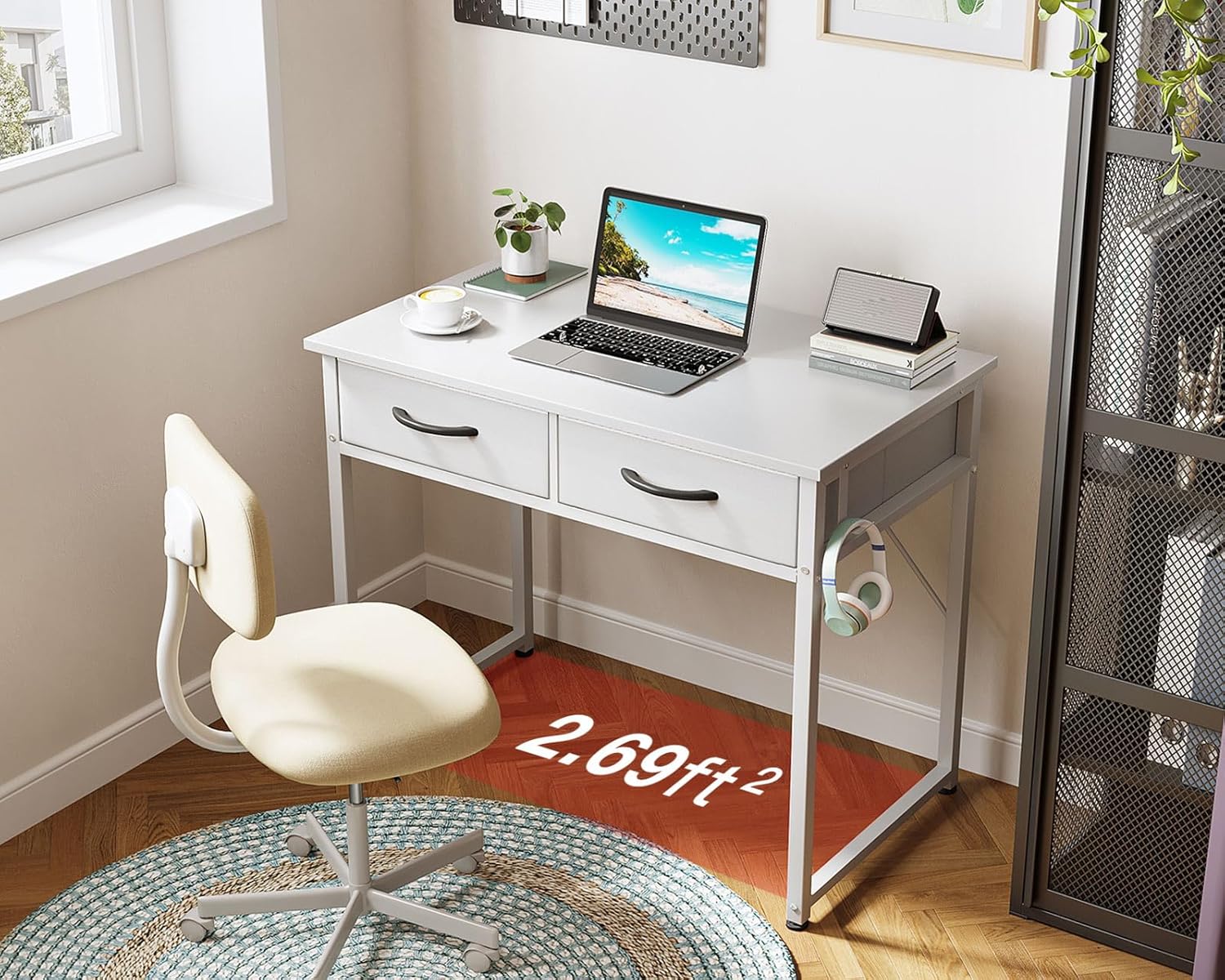
Front view of the ODK Small Desk, showcasing its white finish, two fabric drawers, and a side-mounted headphone hook. A laptop and lamp are placed on the desktop.
2. Safety Information
Please read and understand all safety instructions before assembly and use. Failure to follow these instructions may result in injury or damage to the product.
- Always assemble the desk according to the provided instructions.
- Do not overload the drawers beyond the recommended weight limit of 8 pounds each.
- Ensure the desk is stable and secure before use.
- Keep the work surface clear of items that could cause tripping hazards.
3. Package Contents
Verify that all components are present before beginning assembly. If any parts are missing or damaged, please contact customer service.
- Desk Frame Components (Metal Legs, Crossbars)
- Desktop Panel
- Fabric Drawers (2)
- Headphone Hook
- Assembly Hardware (Screws, Allen Wrench)
- Instruction Manual
4. Setup and Assembly
Follow these steps carefully for proper assembly. It is recommended to assemble the desk on a soft, clean surface to prevent scratches.

An illustrative guide showing the four main steps for assembling the ODK Small Desk.
- Assemble the Desk Frame: Connect the metal legs and crossbars using the provided hardware. Ensure all screws are tightened securely.
- Attach the Desktop: Carefully place the desktop panel onto the assembled frame and secure it with the designated screws.
- Insert Fabric Drawers: Fold and assemble the two fabric drawers. Slide them into their designated slots under the desktop.
- Attach Earphone Hook: Secure the earphone hook to the side of the desk frame as shown in the diagram.
For detailed visual instructions, refer to the included installation guide.

Detailed diagram illustrating the dimensions of the ODK Small Desk and its fabric drawers.
5. Operating Instructions
The ODK Small Desk is designed for versatile use in various settings.
Using the Fabric Drawers
The two pull-out fabric drawers provide convenient storage for your office supplies, stationery, or personal items. Each drawer can support up to 8 lbs. To use, simply pull the handle to open and push to close. These drawers help keep your workspace organized and clutter-free.
A close-up view of one of the pull-out fabric drawers, showing its capacity to store various small items.
Utilizing the Headphone Hook
A versatile hook is integrated into the desk design, perfect for hanging headphones, bags, or other small accessories. This keeps your essential items easily accessible and off the desktop.
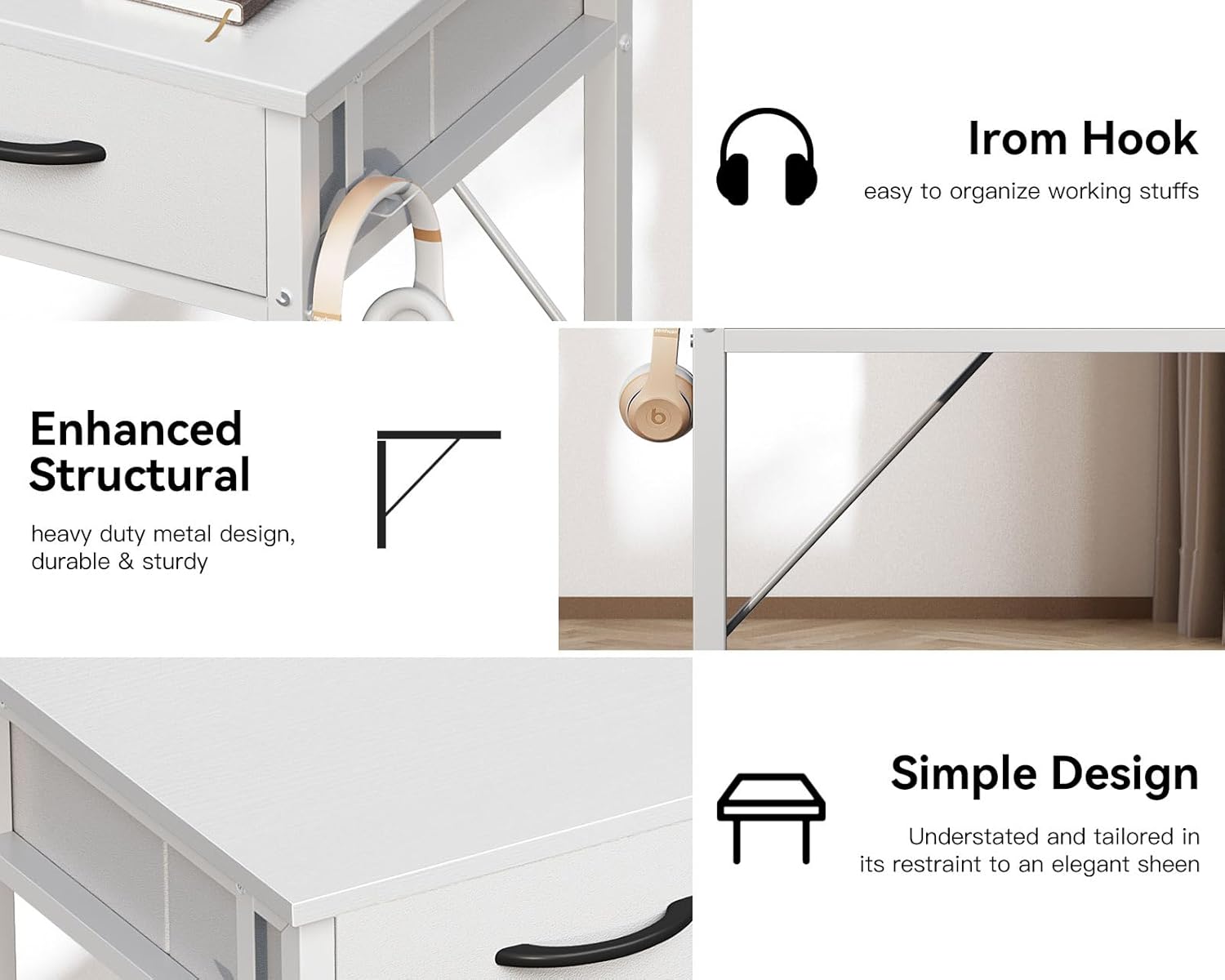
Visual representation of key features: the convenient iron hook for accessories, the enhanced structural design for durability, and the desk's overall simple and modern aesthetic.
Versatile Placement
The compact size of the ODK Small Desk makes it suitable for various rooms, including bedrooms, children's rooms, dormitories, or small home offices. It can function as a writing desk, study desk, computer desk, or even a vanity table.

The ODK Small Desk positioned in a modern home office, demonstrating its compact size and functionality.

The ODK Small Desk repurposed as a vanity table in a bedroom, highlighting its versatility.
6. Maintenance
To ensure the longevity and appearance of your ODK Small Desk, follow these simple maintenance guidelines:
- Cleaning: Wipe the desktop and metal frame with a damp cloth. Avoid using harsh chemicals or abrasive cleaners, as they may damage the finish.
- Drawer Care: The fabric drawers can be spot cleaned with a mild detergent if necessary. Ensure they are completely dry before reinserting.
- Stability Check: Periodically check all screws and connections to ensure they remain tight. Retighten if any looseness is detected.
- Weight Limit: Adhere to the maximum weight recommendation of 8 pounds per drawer to prevent damage.
7. Troubleshooting
If you encounter any issues with your ODK Small Desk, refer to the following common troubleshooting tips:
- Desk Wobbles: Ensure all assembly screws are fully tightened. Check that the desk is placed on a flat, even surface. Adjust the leveling feet if present.
- Drawers Stick or Don't Slide Smoothly: Verify that the fabric drawers are correctly assembled and inserted. Ensure no items are obstructing their movement. Check that the drawer slots are clear of debris.
- Missing Parts: If you find any parts missing upon unboxing, please contact ODK customer service immediately with your purchase details.
- Damage During Shipping: If the desk arrives damaged, document the damage with photos and contact customer service within 24 hours of delivery.
8. Specifications
| Feature | Detail |
|---|---|
| Brand | ODK |
| Model Number | 0207AVMUE4D |
| Product Dimensions | 15.75"D x 31.5"W x 31"H |
| Color | White |
| Style | Modern |
| Base Material | Metal |
| Top Material Type | Engineered Wood |
| Special Feature | Desk with Drawers, Headphone Hook |
| Number of Drawers | 2 |
| Maximum Drawer Weight | 8 Pounds per drawer |
| Item Weight | 17.6 Pounds |
| Required Assembly | Yes |
9. Warranty and Support
The ODK Small Desk comes with a Limited Warranty. For specific details regarding the warranty coverage, please refer to the documentation included with your purchase or contact ODK customer service.
If you have any questions, require assistance with assembly, or experience any issues with your ODK desk, our professional customer support team is available to help. We aim to resolve any problems within 24 hours.
Contact Information: Please refer to the contact details provided on the product packaging or the official ODK website for the most current support options.
Related documents0207AVMUE4D


Ask a question about this manual
Ask about setup, troubleshooting, compatibility, parts, safety, or missing instructions. Manuals+ will review the question and use this page’s manual context to help answer it.