
hohem iSteady M6
hohem iSteady M6 Smartphone Stabilizer User Manual
Model: iSteady M6
1. Introduction
The hohem iSteady M6 is a cutting-edge 3-axis smartphone gimbal designed to provide exceptional stabilization for your mobile videography. With advanced features like iSteady 7.0 stabilization, an AI vision sensor, and a robust 18-hour battery life, the iSteady M6 empowers users to capture professional-grade footage with ease. This manual will guide you through the setup, operation, and maintenance of your new gimbal.
2. What's in the Box
Upon unboxing your hohem iSteady M6, please verify that all the following components are included:
- hohem iSteady M6 Handy Gimbal x1
- Tripod x1
- Carrying Bag x1
- USB Type-C Charging Cable x1
- Type-C to Type-C Charging Cable x1
- User Manual x1

3. Product Overview
Familiarize yourself with the key components and controls of your iSteady M6 gimbal:
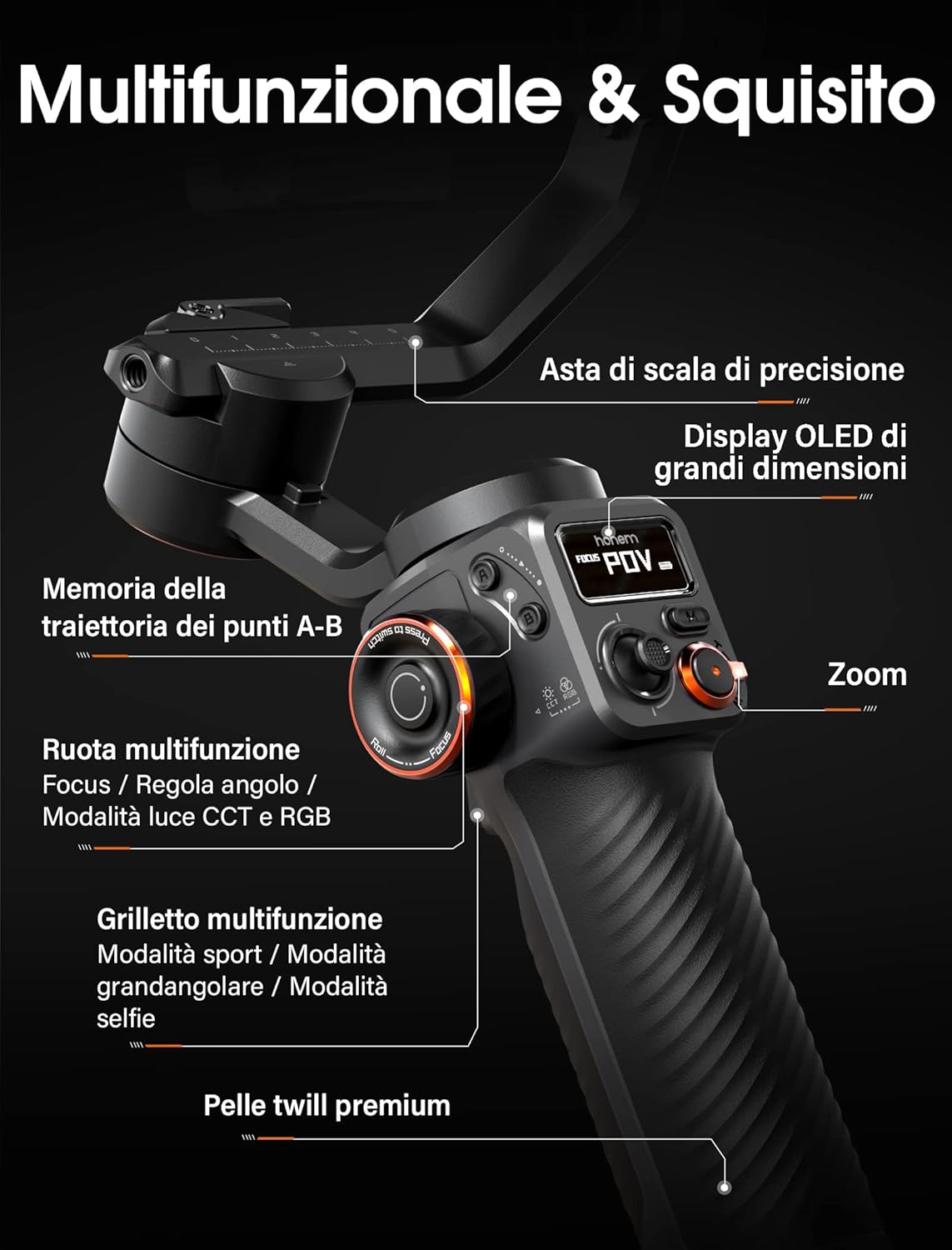
- Precision Scale Arm: For accurate balancing and adjustment.
- Large OLED Display: Provides real-time information on gimbal status, battery level, and mode.
- A-B Trajectory Memory: Allows recording and replaying specific movement paths for time-lapses or cinematic shots.
- Multifunction Wheel: Controls focus, roll angle, and CCT/RGB light modes.
- Multifunction Trigger: Activates sport mode, wide-angle mode, or selfie mode.
- Premium Twill Leather Grip: Ergonomically designed for comfortable and secure handling.

The OLED display offers a wide visual field, showing the gimbal's operating status, parameters of each function module, Bluetooth connection status, power level, and more.
4. Setup
4.1 Mounting Your Smartphone
Open the phone clamp and securely place your smartphone in the center. Ensure the phone is firmly seated to prevent accidental drops.
4.2 Balancing the Gimbal
Proper balancing is crucial for optimal performance and battery life. Before powering on, manually adjust the gimbal arms to ensure your smartphone is level and balanced in all three axes (tilt, roll, pan). This reduces motor strain and improves stabilization effectiveness.
4.3 Powering On/Off
Press and hold the power button for a few seconds to turn the gimbal on or off. The OLED display will illuminate upon power-on.
4.4 App Connection (Hohem Joy)
For full functionality and advanced features, download the 'Hohem Joy' app from your smartphone's app store. Connect the gimbal via Bluetooth within the app. The app allows for firmware updates, calibration, and access to various shooting modes.
5. Operating Instructions
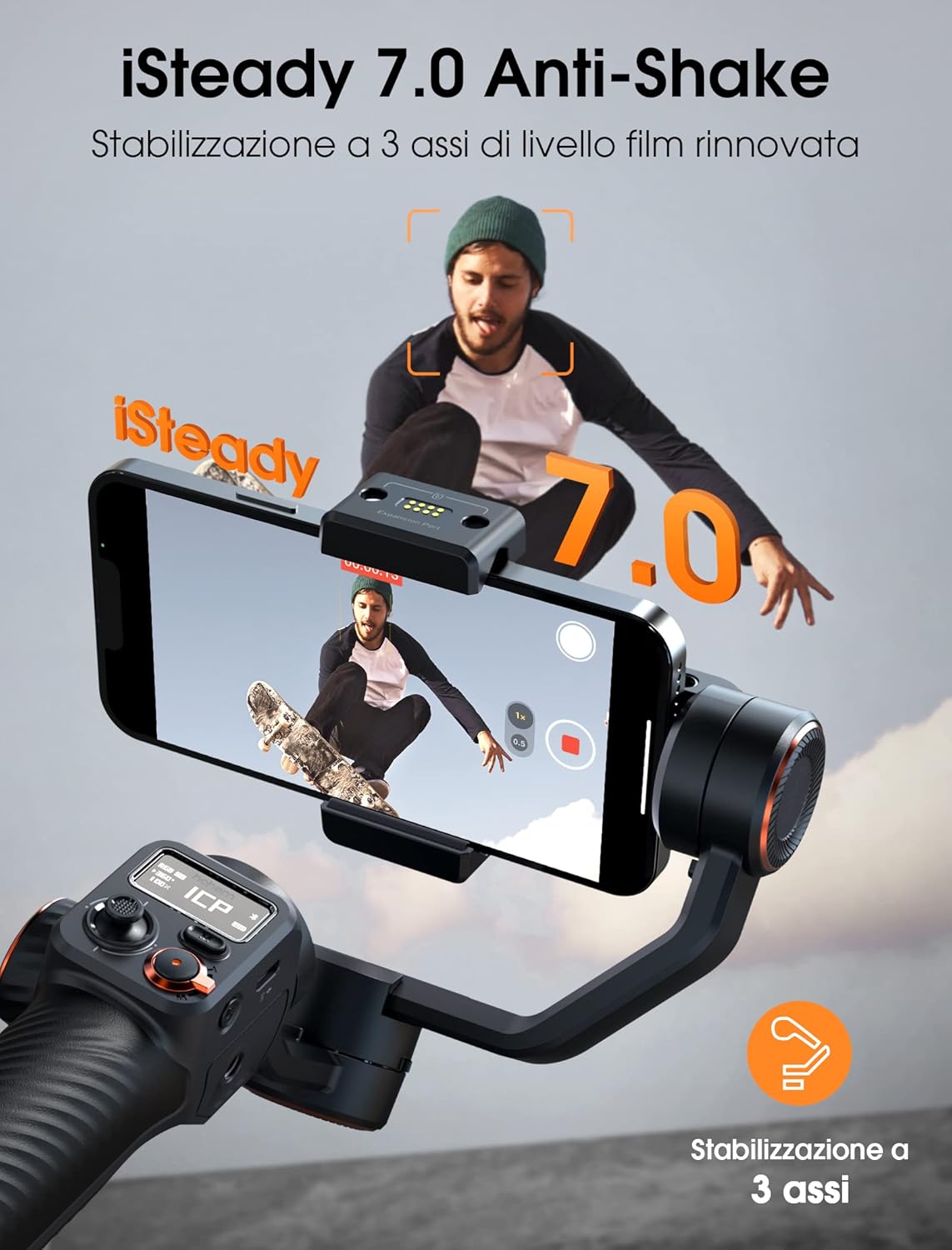
5.1 iSteady 7.0 Stabilization
The iSteady M6 features advanced iSteady 7.0 stabilization algorithms, ensuring incredibly smooth and stable footage even during dynamic movements. This technology minimizes shakes and vibrations, delivering cinematic quality to your videos.

5.2 Free Angle Movement & 360° Rotation
Enjoy unlimited creativity with a 335° tilt rotation and increased distance between axes. The innovative 3-axis design positions the tilt motor 30 degrees from the center, allowing for effortless wide-angle shots. The gimbal also supports infinite 360° rotation for unique cinematic effects.

5.3 Superior Payload Capacity
The iSteady M6 is equipped with powerful motors that support a payload of up to 400g, accommodating a wide range of smartphones and accessories. Four 1/4"-20 UNC ports allow you to attach additional accessories like microphones or lights, expanding your creative possibilities.


5.4 Extended Battery Life & Reverse Charging
Equipped with a robust 2600mAh battery, the iSteady M6 provides up to 18 hours of continuous shooting. It also features reverse charging, allowing you to charge your smartphone directly from the gimbal while filming, ensuring you never miss a moment.


5.5 Moment Mode
Elevate your footage with the
Related documentsiSteady M6


Ask a question about this manual
Ask about setup, troubleshooting, compatibility, parts, safety, or missing instructions. Manuals+ will review the question and use this page’s manual context to help answer it.