
CAT CS22F-DAB-RON-NN
CAT S22 Flip User Manual
Model: CS22F-DAB-RON-NN
Introduction
The CAT S22 Flip is a rugged and simple-to-use mobile phone designed for durability and essential communication. It combines the classic flip phone form factor with the capabilities of Android 11 (Go Edition), offering a balance of simplicity and smart features. Engineered to withstand harsh environments, this device is ideal for users requiring a robust and reliable communication tool.

Image: The CAT S22 Flip in its open position, showcasing its main display and physical keypad.
What's in the Box
- CAT S22 Flip Phone
- Quick Start Guide
- Battery (2000 mAh)
- USB-C Charging Cable
- Wall Charger
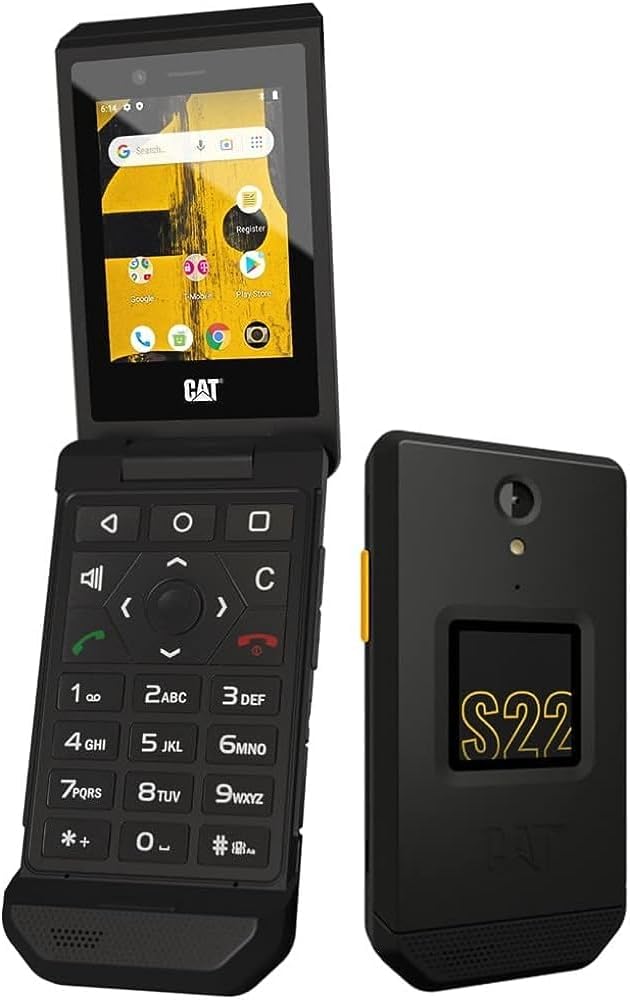
Image: The CAT S22 Flip shown both open and closed, highlighting its compact design.
Setup
1. Installing the Battery and SIM/MicroSD Card
- Carefully remove the back cover of the phone.
- Insert your SIM card(s) into the designated slots.
- If desired, insert a MicroSD card into its slot for expanded storage.
- Place the 2000 mAh battery into its compartment, ensuring proper alignment of the contacts.
- Replace the back cover, pressing firmly until it clicks into place.
2. Initial Charging
Before first use, fully charge your CAT S22 Flip. Connect the USB-C charging cable to the phone's port and the wall charger to a power outlet. The phone will indicate charging status on its screen.
Video: An official product video demonstrating the features and setup of the CAT S22 Flip, including battery installation and charging.
Operating Your CAT S22 Flip
Main Display and Navigation
The CAT S22 Flip features a 2.8-inch touchscreen display, allowing for intuitive navigation through menus and applications. It also retains a physical keypad for traditional input methods. The touchscreen supports wet-finger and glove-on working technology, enhancing usability in various conditions.

Image: A detailed view of the CAT S22 Flip's main display, showing the Android interface and various app icons.
Physical Buttons and Programmable Key
Utilize the physical keypad for dialing, texting, and navigating. The phone also includes a programmable Push-To-Talk (PTT) button on the side, which can be customized to quickly launch your favorite applications or functions.
Google Assistant Integration
The CAT S22 Flip runs on Android 11 (Go Edition) and comes with Google Assistant built-in. Simply use voice commands to make calls, send messages, search for information, or translate text, providing hands-free convenience.
Network Connectivity
This device supports 4G LTE GSM networks, ensuring reliable connectivity for calls, messaging, and internet access. It is T-Mobile unlocked, allowing for use with compatible carriers globally.
Durability and Maintenance
The CAT S22 Flip is engineered for extreme durability, meeting MIL-SPEC 810H military standards and boasting an IP68 rating. This means it is highly resistant to dust, dirt, sand, and water. It can be submerged in water up to 5 feet for 35 minutes and is drop-tested up to 6 feet onto steel surfaces.
Cleaning Your Device
Thanks to its robust design, the CAT S22 Flip can be washed regularly using soap and water, or even harsh chemicals, bleaches, and sanitizers, to help maintain hygiene and keep it germ-free.
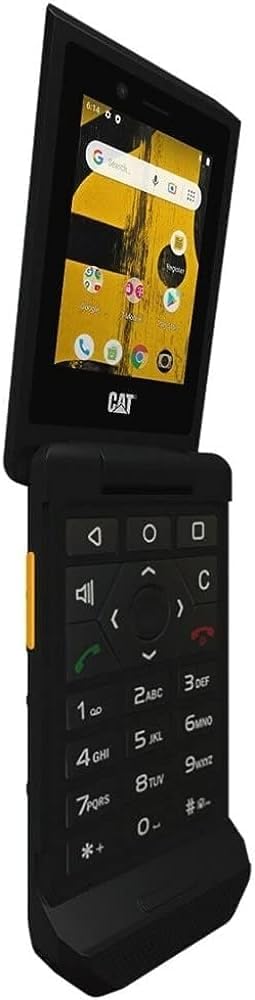
Image: The CAT S22 Flip being rinsed under running water, demonstrating its water-resistant capabilities.
Storage and Performance
The CAT S22 Flip comes with 2GB of RAM and 16GB of internal storage. The storage is expandable up to 128GB via a MicroSD card (sold separately), providing ample space for applications, photos, and other media.
The 2000 mAh removable battery offers extended usage, providing up to two days of battery life depending on usage patterns and network conditions.
Troubleshooting
- Device Not Powering On: Ensure the battery is correctly installed and fully charged. Connect the phone to the charger and wait a few minutes before attempting to power on.
- Poor Network Signal: Check your location for network coverage. If indoors, try moving closer to a window. Ensure your SIM card is properly inserted.
- Touchscreen Unresponsive: If the screen is wet, dry it thoroughly. If wearing gloves, ensure they are compatible with touchscreen technology. Restart the device if the issue persists.
- Battery Draining Quickly: Reduce screen brightness, close unused applications, and disable unnecessary features like Wi-Fi or Bluetooth when not in use.
- Applications Crashing/Slow Performance: Clear app caches, uninstall unused applications, or perform a factory reset if issues persist (back up data first).
Specifications
| Feature | Detail |
|---|---|
| Model Name | Cat S22 Flip |
| Operating System | Android 11.0 (Go Edition) |
| Screen Size | 2.8 Inches |
| Resolution | 480 x 640 |
| RAM | 2 GB |
| Memory Storage Capacity | 16 GB (Expandable up to 128 GB with MicroSD) |
| Battery Capacity | 2000 Milliamp Hours |
| Durability Ratings | IP68, MIL-SPEC 810H |
| Connectivity | 4G LTE GSM, Wi-Fi, GPS |
| Dimensions | 6 x 4 x 2 inches |
| Item Weight | 7.9 ounces (224 Grams) |
Warranty and Support
For detailed warranty information and technical support, please refer to the Quick Start Guide included in your product packaging or visit the official CAT phone support website. Keep your purchase receipt for warranty claims.
For additional resources and frequently asked questions, you may also visit the CAT Store on Amazon.
Related documentsCS22F-DAB-RON-NN


Ask a question about this manual
Ask about setup, troubleshooting, compatibility, parts, safety, or missing instructions. Manuals+ will review the question and use this page’s manual context to help answer it.