
Introduction
This manual provides detailed instructions for the Beyution RM-C3348, RM-C3349, and RM-C3354 replacement remote control. This remote is designed to function as a direct replacement for original JVC Smart LCD LED TV remote controls, offering seamless operation without complex setup procedures.
Compatible JVC TV Models include:
- LT-55KB695
- LT-50KB585
- LT-40N5105A
- LT-32KC197
- LT-65KC595
Product Features
The Beyution replacement remote control offers a reliable and user-friendly experience with the following features:
- Direct Replacement: Functions immediately without any programming or pairing.
- Material: Constructed from durable ABS plastic.
- Connectivity: Utilizes infrared (IR) technology for reliable communication with your TV.
- Operating Distance: Effective range of up to 10 meters (approximately 30 feet).
- Ergonomic Design: Lightweight and comfortable to hold, with soft-touch, anti-dusted buttons for ease of use.
- Quick Response: Features a 0.2-second induction for fast command execution.
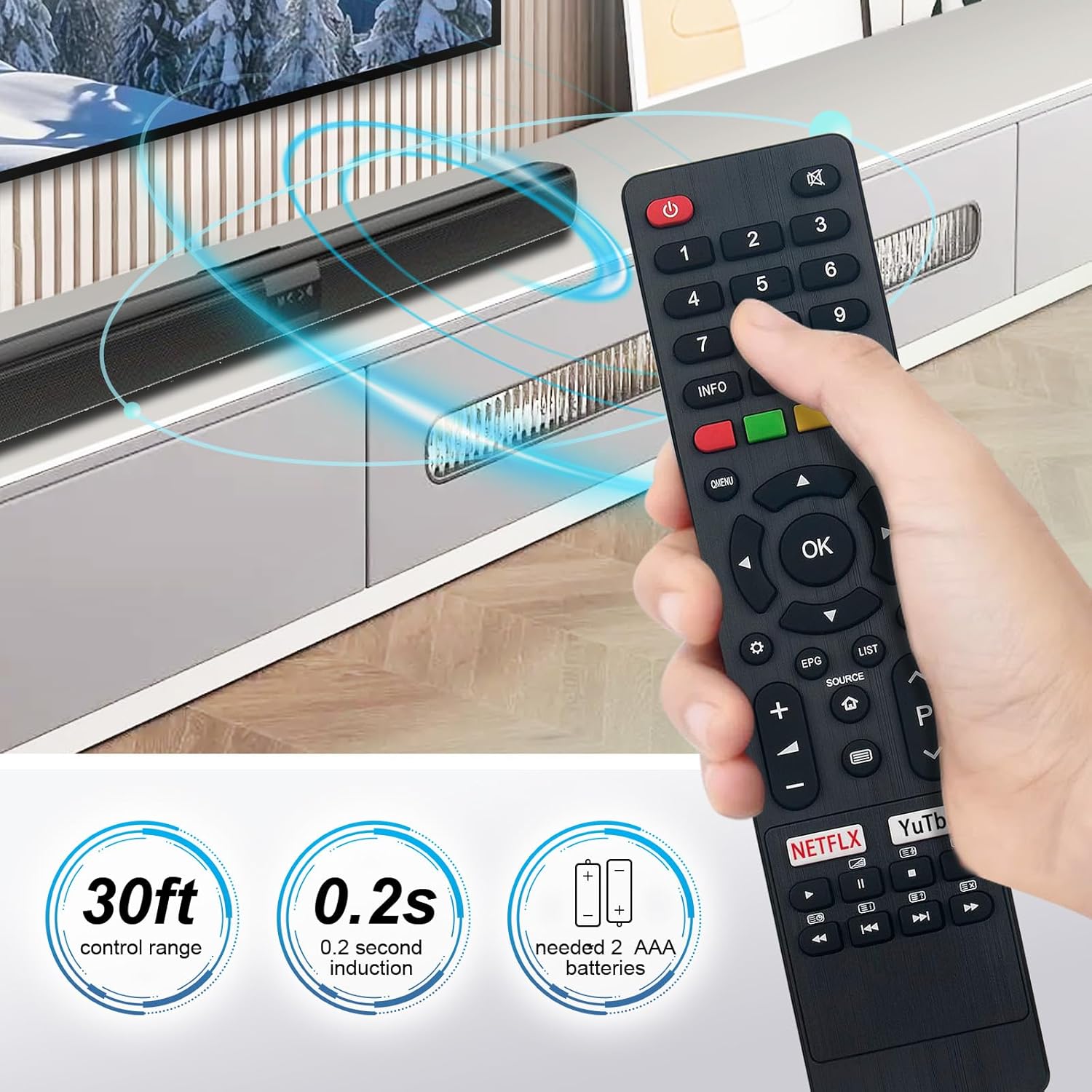
Image: The Beyution remote control held in a hand, demonstrating its comfortable grip and indicating a 30ft control range and 0.2s induction time.
Setup
Setting up your Beyution replacement remote control is a simple process:
- Install Batteries: Open the battery compartment cover on the back of the remote control. Insert two (2) AAA alkaline batteries, ensuring the positive (+) and negative (-) terminals match the indicators inside the compartment.
- Close Compartment: Securely close the battery compartment cover.
- Ready to Use: The remote control is now ready for immediate use with your compatible JVC Smart LCD LED TV. No additional programming or pairing is required.

Image: The rear view of the remote control with the battery cover removed, illustrating the correct orientation for inserting two AAA batteries.
Operating Instructions
Familiarize yourself with the buttons and their functions for optimal control of your JVC TV.

Image: A clear front view of the Beyution remote control, highlighting the layout and labels of all functional buttons.
Key Button Functions:
- Power (Red Button): Turns the TV on or off.
- Number Buttons (0-9): Directly select channels.
- Volume (+/-): Adjusts the sound volume.
- Channel (P Up/Down): Changes channels sequentially.
- Mute: Mutes or unmutes the TV sound.
- Navigation Pad (Up/Down/Left/Right/OK): Navigates menus and confirms selections.
- Menu/Q.MENU: Accesses the TV's main menu or quick menu.
- Source: Selects input sources (HDMI, AV, etc.).
- Home: Returns to the TV's home screen or smart hub.
- EPG (Electronic Program Guide): Displays program information.
- List: Accesses channel lists or other content lists.
- Netflix / YouTube: Dedicated buttons for direct access to these streaming services.
- Media Control Buttons: Play, Pause, Stop, Fast Forward, Rewind, Next, Previous for media playback.
Maintenance
Proper care will extend the life of your remote control:
- Cleaning: Use a soft, dry cloth to clean the remote control. Avoid using liquid cleaners, sprays, or abrasive materials, as these can damage the surface or internal components.
- Battery Replacement: Replace batteries promptly when the remote's performance diminishes. Always replace both batteries at the same time with new AAA alkaline batteries. Do not mix old and new batteries or different types of batteries.
- Storage: Store the remote control in a cool, dry place away from direct sunlight, extreme temperatures, and high humidity. If the remote will not be used for an extended period, remove the batteries to prevent leakage.
- Avoid Drops: Protect the remote from physical impact, as drops can damage internal circuitry.
Troubleshooting
If you encounter issues with your remote control, try the following solutions:
- Remote Not Responding:
- Ensure the batteries are correctly inserted with the proper polarity (+/-).
- Replace the batteries with fresh AAA alkaline batteries.
- Check for any obstructions between the remote control and the TV's infrared receiver. Ensure a clear line of sight.
- Verify you are within the effective operating distance (up to 10 meters).
- Specific Buttons Not Working:
- This may indicate a dirty or worn button contact. If cleaning the remote does not resolve the issue, the remote may require replacement.
- Interference:
- Bright lights or other electronic devices can sometimes interfere with infrared signals. Try operating the remote in a different environment.
If these steps do not resolve the issue, please refer to the Warranty and Support section for further assistance.
Specifications
| Model Numbers | RM-C3348, RM-C3349, RM-C3354 |
| Product Dimensions | 6.3 x 1.57 x 0.39 inches (16 x 4 x 1 cm) |
| Item Weight | 2.47 ounces (70 grams) |
| Batteries Required | 2 x AAA (not included) |
| Connectivity Technology | Infrared (IR) |
| Material | ABS Plastic |
| Maximum Operating Distance | 10 meters (30 feet) |

Image: The Beyution remote control displayed with its approximate dimensions, indicating a width of 1.97 inches and a length of 8.46 inches.
Warranty and Support
Warranty Period: This Beyution remote control comes with a 6-month warranty from the date of purchase, covering manufacturing defects.
Customer Support: If you encounter any issues with your remote control, such as it being damaged upon arrival or not functioning as expected, please contact the seller directly through your purchase platform. Provide your order details and a description of the problem for prompt assistance. The seller aims to provide a satisfactory solution within 24 hours.
Please note that the warranty does not cover damage caused by misuse, accidents, unauthorized repairs, or normal wear and tear.